Finding the right document scanner for your home office involves balancing speed, ease of use, size, and price. The Epson WorkForce ES-C320W stands out as the best overall choice for its combination of wireless convenience and fast duplex scanning. For those prioritizing portability, the Brother DS-640 offers a compact design without sacrificing essential features. Meanwhile, the ScanSnap iX2500 excels for its user-friendly interface and high-volume capacity. Every option comes with tradeoffs—like size, speed, or cost—that can influence your final decision. Keep reading for a detailed breakdown to help you pick the best scanner for your specific home office needs.
Key Takeaways
- Wireless connectivity is common among top models, but it can add to the cost and complexity.
- Portability varies widely; compact models are perfect for small spaces or on-the-go use but often have fewer features.
- High-speed scanners are better suited for large document volumes, though they tend to be more expensive.
- Automatic document feeders (ADFs) improve efficiency but may increase the scanner’s size and price.
- Price range varies significantly; balancing features with budget is key to choosing the right model.
| Epson WorkForce ES-C320W Wireless Compact Document Scanner Duplex 20-Pg ADF |  | Best Overall for Space-Saving Convenience | Scanner Type: Document | Connection Type: USB, Wi-Fi | Resolution: 600 dpi | VIEW ON AMAZON | See Our Full Breakdown |
| Plustek PS186 Desktop Document Scanner with 50-Page Auto Document Feeder (ADF) for Windows 7/8/10/11 |  | Best for Searchable and Editable Digital Files | Scanner Type: Document | Connection Type: USB | Resolution: 600 dpi | VIEW ON AMAZON | See Our Full Breakdown |
| Epson WorkForce ES-400 II Color Duplex Desktop Document Scanner for PC and Mac |  | Best for High-Speed, Large-Volume Scanning | Auto Document Filler: 50 sheets | Connectivity: USB | Scanning Speed: 50 pages per minute | VIEW ON AMAZON | See Our Full Breakdown |
| Canon imageFORMULA R30 Office Document Scanner with Automatic Document Feeder |  | Best for Quick, Reliable Office-Grade Scanning | Automatic Document Filler: 60 sheets | Scanning Speed: 25 pages per minute | Duplex Scanning: Yes | VIEW ON AMAZON | See Our Full Breakdown |
| Brother DS-640 Compact Mobile Document Scanner |  | Best for Portability and On-the-Go Scanning | Scan Speed: 16 ppm | Weight: 1.5 lbs | Power: USB 3.0 | VIEW ON AMAZON | See Our Full Breakdown |
| Canon imageFORMULA R40II Office Document Scanner |  | Best Overall for Versatile Home Office Document Handling | Scanner Type: Document | Connection Type: USB | Resolution: 600 dpi | VIEW ON AMAZON | See Our Full Breakdown |
| Brother DS-740D Duplex Compact Mobile Document Scanner |  | Best for Portability and Mobile Use | Scan Speed: 16 ppm | Duplex Scanning: Yes | Connectivity: Micro USB 3.0 | VIEW ON AMAZON | See Our Full Breakdown |
| ScanSnap iX2500 Wireless and USB Document Scanner, Black |  | Best for High-Speed, Large Volume Home Office Use | Connectivity: Wi-Fi 6, USB-C | Scanning Speed: 45 ppm double-sided | Document Feeder Capacity: 100 pages | VIEW ON AMAZON | See Our Full Breakdown |
| Brother ADS-1300 Compact Desktop Scanner |  | Best for Small-Scale, Efficient Document Digitization | Scan Speed: 30 ppm | DPI: 600×600 | ADF Capacity: 20 sheets | VIEW ON AMAZON | See Our Full Breakdown |
| HP Small USB Document & Photo Scanner for Portable 1-Sided Sheetfed Digital Scanning, Model HPPS100 |  | Best for On-the-Go, Light-Duty Scanning | Scanning Speed: 15 ppm | Resolution: 1200 dpi | Paper Size Range: 2″ x 2.9″ to 8.5″ x 14″ | VIEW ON AMAZON | See Our Full Breakdown |
| ScanSnap iX1300 Wireless or USB Double-Sided Color Document Scanner, Black |  | Best Overall for Versatile Home Office Document Management | Color: Black | Connectivity: USB, Wi-Fi | Scanning Speed: 30 ppm duplex | VIEW ON AMAZON | See Our Full Breakdown |
| ScanSnap iX2400 High-Speed One-Touch Button Color Document Scanner, Black |  | Best for High-Volume, Quick Document Digitization | Color: Black | Page Capacity: 100 pages | Scan Speed: 45 ppm | VIEW ON AMAZON | See Our Full Breakdown |
| Epson Workforce ES-50 Compact Portable Single-Sheet-Fed Receipt and Document Scanner for Computers Including PC and Mac, USB Powered |  | Best for On-the-Go Scanning and Portability | Compatibility: Windows and Mac | Scan Speed: 5.5 seconds per page | Maximum Document Size: 8.5 x 72 inches | VIEW ON AMAZON | See Our Full Breakdown |
| Canon imageFORMULA R10 Portable Document Scanner |  | Best for Mobile Users with Moderate Volume Needs | Power Consumption: 2.5W or less | Suggested Daily Volume: 500 scans | Media Types: Receipts, business cards, reports, legal docs | VIEW ON AMAZON | See Our Full Breakdown |
| document scanner for home office | Connectivity |
|---|---|
| Epson WorkForce ES-C320W Wirel | — |
| Plustek PS186 Desktop Document | — |
| Epson WorkForce ES-400 II Colo | USB |
| Canon imageFORMULA R30 Office | USB |
| Brother DS-640 Compact Mobile | — |
| Canon imageFORMULA R40II Offic | — |
| Brother DS-740D Duplex Compact | Micro USB 3.0 |
| ScanSnap iX2500 Wireless and U | Wi-Fi 6, USB-C |
| Brother ADS-1300 Compact Deskt | USB-C |
| HP Small USB Document & Photo | USB 2.0 |
| ScanSnap iX1300 Wireless or US | USB, Wi-Fi |
| ScanSnap iX2400 High-Speed One | Wired USB |
| Epson Workforce ES-50 Compact | USB 2.0 |
| Canon imageFORMULA R10 Portabl | — |
More Details on Our Top Picks
Epson WorkForce ES-C320W Wireless Compact Document Scanner Duplex 20-Pg ADF
The Epson WorkForce ES-C320W stands out for its compact design, making it ideal for home offices where desk space is limited. Unlike larger, bulkier scanners like the Epson ES-400 II, it offers wireless connectivity, enabling easy scanning to multiple devices and cloud storage without cluttering your workspace. Its duplex speed of 30 pages per minute ensures quick processing, but the 20-page auto feeder may be restrictive for high-volume tasks. While it handles cards and passports efficiently, it lacks the higher capacity or extensive features of larger models. The tradeoff is a slightly lower media capacity in exchange for a small footprint that fits on tight desks or shared spaces.
Pros:- Compact design saves significant desk space
- Wireless connectivity allows flexible device pairing
- Fast duplex scanning at up to 30 pages per minute
- Supports various media types including cards and passports
Cons:- Limited to 20-page auto feeder capacity
- No monochrome-only scanning option
- Wattage and size may be less suitable for very high-volume needs
Best for: Home office users who prioritize saving desk space and wireless flexibility
Not ideal for: High-volume scanning environments or users needing larger paper capacities
- Scanner Type:Document
- Connection Type:USB, Wi-Fi
- Resolution:600 dpi
- Wattage:10 watts
- Color Depth:48 bpp
- Standard Sheet Capacity:20
- Item Dimensions:4.1″D x 11.7″W x 4.9″H
- Item Weight:3.9 pounds
Our verdict“This scanner is perfect for small home offices needing space efficiency and wireless simplicity.”
Plustek PS186 Desktop Document Scanner with 50-Page Auto Document Feeder (ADF) for Windows 7/8/10/11
The Plustek PS186 excels at converting paper documents into searchable PDFs using OCR, a feature that surpasses the basic scanning capabilities of the Canon R30. Its 50-page auto feeder and high resolution of 600 dpi make it suitable for frequent, detail-oriented scanning tasks. Unlike the Brother DS-640, which is portable but slower, the PS186 is designed for desktop use with higher capacity and advanced image processing. However, it’s limited to Windows systems and lacks wireless options, which could be a downside for users seeking mobility or Mac compatibility. The tradeoff between high-resolution OCR and platform restrictions makes it better suited for dedicated home office use where Windows is standard.
Pros:- Supports high-resolution scanning at 600 dpi
- Includes OCR for searchable PDFs and editable files
- Auto document feeder handles 50 pages efficiently
- Supports easy file transfer via FTP or NAS
Cons:- Limited to Windows OS, no Mac support
- Higher power consumption at 18 watts
- USB connection limits mobility
Best for: Home office workers who need to digitize and organize large volumes of paper with searchable, editable output
Not ideal for: Mac users or those requiring portable, lightweight scanners for on-the-go tasks
- Scanner Type:Document
- Connection Type:USB
- Resolution:600 dpi
- Wattage:18 watts
- Color Depth:24 bpp
- Standard Sheet Capacity:50
- Media Type:Paper
- Supported OS:Windows 7/8/10/11
Our verdict“This scanner is ideal for Windows-based home offices focused on high-quality digital file creation and organization.”
Epson WorkForce ES-400 II Color Duplex Desktop Document Scanner for PC and Mac
The Epson ES-400 II is tailored for users who need rapid, high-capacity scanning. Its 50-sheet auto feeder and duplex speed of 50 pages per minute significantly outperform smaller models like the Canon R30, making it suitable for busy home offices with frequent large batches. The included software provides excellent options for previewing, editing, and sharing scans, and features like OCR and cloud integration streamline workflow. Unlike the Brother DS-640, which is portable, the ES-400 II is designed for desktop use where speed and volume are priorities. Its reliance on USB limits flexibility somewhat, but for those who prioritize efficiency, it’s a clear winner.
Pros:- Fast scanning with a 50-sheet Auto Document Follower
- Excellent software for preview, editing, and sharing
- Supports OCR and conversion to editable files
- Seamless cloud integration for efficient workflow
Cons:- No wireless connectivity
- Designed primarily for desktop, not portable
- USB only, limiting flexibility
Best for: Home offices with high document throughput needing fast, reliable scanning to cloud or local storage
Not ideal for: Casual users or those with limited desk space who prefer wireless or portable options
- Auto Document Filler:50 sheets
- Connectivity:USB
- Scanning Speed:50 pages per minute
- Compatibility:PC and Mac
- Features:Duplex, OCR, image adjustments
Our verdict“This scanner is best suited for high-volume, speed-focused home offices where efficiency is key.”
Canon imageFORMULA R30 Office Document Scanner with Automatic Document Feeder
The Canon R30 offers a dependable solution for converting paper documents into digital files swiftly, with duplex scanning at 25 pages per minute. Its 60-sheet auto feeder reduces the need for frequent reloading, making it a solid choice for busy home offices. Compared to the Brother DS-640, which is more portable, the R30 emphasizes speed and capacity, but it remains limited to USB connection and lacks wireless features. Its built-in software simplifies setup, though it offers fewer customization options. This makes it a good pick for users who want straightforward, reliable scanning without fuss, but it may feel restrictive for those seeking wireless or more advanced features.
Pros:- Fast duplex scanning at 25 pages per minute
- Easy setup with built-in software
- Handles various documents efficiently
- Large 60-sheet auto feeder reduces reloads
Cons:- Limited to USB connection
- No wireless options
- No advanced customization or OCR features
Best for: Home office professionals who prioritize quick, consistent document digitization with minimal setup
Not ideal for: Mobile users or those needing wireless connectivity for flexible device pairing
- Automatic Document Filler:60 sheets
- Scanning Speed:25 pages per minute
- Duplex Scanning:Yes
- Connectivity:USB
- Software:Built-in, no installation required
Our verdict“This scanner is ideal for users seeking reliable, straightforward office-grade document conversion in a fixed workspace.”
Brother DS-640 Compact Mobile Document Scanner
The Brother DS-640 is designed for ultimate portability, weighing only 1.5 pounds and powered via USB 3.0. It’s perfect for users who need to scan documents, receipts, or business cards while traveling or working remotely. Its speed of 16 ppm and automatic color detection with image enhancement make it suitable for quick, on-the-fly scans. However, its small size limits its capacity to larger documents, and it’s not suitable for high-volume or batch scanning. Unlike the Epson ES-320W, which offers wireless features, the DS-640 relies solely on USB, which can be limiting in flexible home office setups. Its benefits are best realized for mobile professionals rather than dedicated stationary use.
Pros:- Extremely portable and lightweight
- Supports multiple OS including Windows, Mac, Linux
- Supports cloud and email destinations
- Includes OCR software for document management
Cons:- Limited to document scanning, not suitable for photos
- Requires USB connection, limiting wireless flexibility
- Small size can be challenging for larger documents
Best for: Travelers, remote workers, and those needing quick, portable scanning on the move
Not ideal for: Home users with high-volume needs or requiring wireless and larger document handling
- Scan Speed:16 ppm
- Weight:1.5 lbs
- Power:USB 3.0
- Compatibility:Windows, Mac, Linux
- Features:Automatic color detection, OCR, image enhancement
Our verdict“This scanner is a go-to for mobile professionals needing quick, reliable portable scanning, not for high-volume or permanent office setups.”
Canon imageFORMULA R40II Office Document Scanner
The Canon imageFORMULA R40II stands out as the most balanced choice for home offices needing reliable, fast duplex scanning. Its ability to process up to 45 pages per minute makes it suitable for digitizing large batches efficiently, outperforming compact options like the Brother DS-740D, which is slower and less capable of handling diverse document types. However, its lack of wireless connectivity and absence of TWAIN/ISIS drivers limit integration with certain workflows, making it less flexible for tech-savvy users. Its foldable paper tray and easy setup add to its appeal for those seeking simplicity, though the software is restricted to Canon CaptureOnTouch, which may be less versatile than third-party OCR tools. This model is best for users who prioritize speed and document variety but don’t need wireless features or extensive driver support.
Pros:- Fast duplex scanning at 45 pages per minute
- Handles a variety of document types including receipts and long documents
- Compact design with foldable paper tray for space-saving storage
- Easy USB-C connection and setup
Cons:- Lacks wireless connectivity options, limiting remote operation
- No support for TWAIN or ISIS drivers, restricting software integration
Best for: Home office users who need a reliable, fast duplex scanner for mixed documents and value straightforward setup.
Not ideal for: Those looking for wireless connectivity or advanced driver support to integrate with complex workflows.
- Scanner Type:Document
- Connection Type:USB
- Resolution:600 dpi
- Wattage:15.6 watts
- Standard Sheet Capacity:60
- Media Type:USB
- Item Weight:7.1 pounds
Our verdict“Ideal for users who need quick, reliable duplex scanning without the hassle of wireless setup or complex driver requirements.”
Brother DS-740D Duplex Compact Mobile Document Scanner
The Brother DS-740D is tailored for those who need a portable solution for on-the-go scanning. Its ultra-compact size makes it easy to carry between locations, and with 16 pages per minute duplex speed, it performs adequately for small batches. Compared to larger desktop models like the Canon R40II, it sacrifices speed and document handling capacity for mobility and convenience. Its reliance on USB power means it requires a compatible port, which can be limiting in some setups, and its small size constrains document length and size, making it less suitable for larger scans. If your work involves frequent travel or quick scans of small batches, this scanner delivers convenience, but it isn’t ideal for heavy-duty or extensive document management tasks.
Pros:- Ultra-compact and lightweight for portability
- Supports duplex scanning at 16 ppm
- Compatible with Windows, Mac, and Linux
- Includes OCR and image enhancement features
Cons:- Requires USB power, limiting placement options
- Small size restricts document length and capacity
Best for: Travelers or remote workers who need a lightweight, portable scanner for light document workflows.
Not ideal for: Users with high volume needs or those requiring wireless connectivity for seamless integration.
- Scan Speed:16 ppm
- Duplex Scanning:Yes
- Connectivity:Micro USB 3.0
- Compatibility:Windows, Mac, Linux
- Dimensions:Less than 1 foot in length
- Power:USB powered
Our verdict“Best suited for mobile professionals who need quick, on-the-fly scanning without heavy-duty features.”
ScanSnap iX2500 Wireless and USB Document Scanner, Black
The ScanSnap iX2500 offers a compelling combination of speed, capacity, and smart features for busy home offices. Its ability to scan 45 pages per minute double-sided, combined with a 100-page automatic document feeder, surpasses many competitors like the Brother ADS-1300, which has a smaller capacity and slower speed. The large touchscreen simplifies operation, making it accessible even for users unfamiliar with scanning tech. Wireless connectivity via Wi-Fi 6 and USB-C support streamline document management across multiple devices and cloud services. However, its size demands more space, and its complex feature set may overwhelm first-time users. The higher price reflects its advanced capabilities, making it ideal for those with high-volume needs and a desire for seamless digital workflows.
Pros:- Fast double-sided scanning at 45 ppm
- Large 100-sheet automatic document feeder
- Wireless Wi-Fi 6 and USB-C connectivity
- User-friendly touchscreen with customizable profiles
Cons:- Requires more space for the larger device
- Higher price point for advanced features and capacity
Best for: Home office users needing fast, high-capacity scanning with easy device management and cloud integration.
Not ideal for: Occasional scanners or those with limited space who prefer simpler, less feature-rich devices.
- Connectivity:Wi-Fi 6, USB-C
- Scanning Speed:45 ppm double-sided
- Document Feeder Capacity:100 pages
- Touchscreen:Large
- Supported Devices:PC, Mac, mobile devices, cloud services
- Features:Automatic optimizations, multi-feed sensor, skew detection
Our verdict“Perfect for high-volume home office users seeking speed, capacity, and wireless flexibility in a single device.”
Brother ADS-1300 Compact Desktop Scanner
The Brother ADS-1300 offers a practical balance of speed and compactness for home offices with limited space. Its 30 pages per minute speed and 20-sheet ADF make it suitable for routine document digitization, outperforming smaller portable scanners like the HP Small USB Scanner in speed and capacity. Its USB-C connection ensures quick data transfer, but it lacks wireless features, which could be a drawback for flexible workflows. Its support for documents up to 8.5 x 14 inches and the ability to handle long documents up to 197 inches makes it versatile for typical office needs. While it excels at document scanning, it’s less suitable for photos or high-resolution image scanning, which requires dedicated photo scanners. This model is ideal for users who want reliable, fast document digitization in a space-efficient form.
Pros:- Fast scanning at 30 pages per minute
- Compact and portable design
- Supports double-sided scanning in a single pass
- Includes bundled software for file management
Cons:- Limited to USB-C connectivity, no wireless options
- Designed primarily for documents, not ideal for photos
Best for: Small home offices or professionals needing quick, reliable document scanning without wireless features.
Not ideal for: Those requiring wireless connectivity or photo scanning capabilities.
- Scan Speed:30 ppm
- DPI:600×600
- ADF Capacity:20 sheets
- Connectivity:USB-C
- Maximum Document Size:8.5 x 14 inches
- Long Document Support:197 inches
Our verdict“A solid choice for users who prioritize speed and space savings for routine document capture.”
HP Small USB Document & Photo Scanner for Portable 1-Sided Sheetfed Digital Scanning, Model HPPS100
The HPPS100 is tailored for users who need a compact, portable device for occasional scanning of small batches or photos. Its 15 pages per minute speed and high 1200 dpi resolution make it suitable for high-quality scans of photos or documents on the move. Compared with larger scanners like the ScanSnap iX2500, it sacrifices capacity and speed for portability, with only single-sided scanning and no wireless features—limiting its flexibility for frequent or bulk scanning. Its USB 2.0 connection is sufficient for small tasks but less future-proof than newer USB-C options. This scanner is best for light-duty use, such as digitizing receipts or photos during travel, rather than everyday document management in a busy home office setting.
Pros:- Portable and lightweight for travel
- High-resolution 1200 dpi scans for photos and detailed documents
- Fast for small batches
- User-friendly software with editing features
Cons:- Limited to single-sided scanning
- No wireless support, relying solely on USB 2.0
Best for: Travelers or remote workers who need a lightweight, high-resolution scanner for small batches and photos.
Not ideal for: Heavy document workflows or those wanting wireless connectivity for multiple devices.
- Scanning Speed:15 ppm
- Resolution:1200 dpi
- Paper Size Range:2″ x 2.9″ to 8.5″ x 14″
- Connectivity:USB 2.0
- Compatibility:Windows & Mac
- Power:USB powered
Our verdict“A good fit for on-the-go users needing high-quality scans of small batches and photos, but not suited for high-volume or wireless needs.”
ScanSnap iX1300 Wireless or USB Double-Sided Color Document Scanner, Black
The ScanSnap iX1300 stands out for its combination of compact design and robust features, making it ideal for home offices that need a reliable all-rounder. Compared with the Canon imageFORMULA R10, it offers faster duplex scanning at 30 pages per minute, which benefits users handling larger volumes. Its ability to handle various document types, including photos and thick items, adds to its versatility. The automatic image optimization features reduce manual cleanup, saving time. However, the setup process can be a hurdle for less tech-savvy users, and its reliance on compatible software limits flexibility on some devices. This pick makes the most sense for home users who want a space-efficient, fast, and multifunctional scanner, but less so for occasional or very low-volume scanning needs.
Pros:- Compact and space-saving design
- Fast duplex scanning at 30 pages per minute
- Automatic image enhancement and document optimization
- Wireless and USB connectivity for flexible use
Cons:- Requires software setup for optimal performance
- Limited to compatible devices and OS environments
- May be overkill for infrequent or very light scanning tasks
Best for: Home office users who need a compact, fast, and versatile scanner with wireless connectivity
Not ideal for: Casual users with minimal scanning needs or those who prefer a plug-and-play setup without software fuss
- Color:Black
- Connectivity:USB, Wi-Fi
- Scanning Speed:30 ppm duplex
- Document Types:Photos, receipts, cards, thick items
- Features:Automatic de-skew, color optimization, blank page removal, auto document feeder
- Size:Compact
Our verdict“Ideal for home offices seeking a reliable, fast, and multifunctional scanner that saves space and time.”
ScanSnap iX2400 High-Speed One-Touch Button Color Document Scanner, Black
The ScanSnap iX2400 is tailored for users who need fast, high-capacity scanning with minimal fuss. Its 100-page auto feeder and 45 pages per minute speed outperform the ScanSnap iX1300 in volume handling, making it ideal for busy home offices or small workgroups. The automatic detection of document size, removal of streaks, and cleanup of blank pages streamline workflow. Its reliance on wired USB limits mobility, but it offers a straightforward, reliable connection. Compared to the Epson Workforce ES-50, which excels in portability, the iX2400 prioritizes speed and capacity for higher-volume tasks. This device is better suited for those with consistent, large batch scanning needs rather than casual users.
Pros:- High-speed scanning at 45 pages per minute
- Large 100-page auto feeder reduces interruptions
- Automatic document detection and cleanup
- Reliable wired USB connection
Cons:- No wireless or Wi-Fi connectivity
- Overkill for minimal scanning tasks
- Bulkier setup due to large feeder
Best for: Home office professionals with high-volume scanning requirements who prioritize speed and automation
Not ideal for: Users needing wireless flexibility or those with very low daily document flow
- Color:Black
- Page Capacity:100 pages
- Scan Speed:45 ppm
- Connectivity:Wired USB
- Auto Document Feeder:Yes
- Size:Bulkier
Our verdict“Best suited for demanding home users who regularly digitize large batches of documents efficiently.”
Epson Workforce ES-50 Compact Portable Single-Sheet-Fed Receipt and Document Scanner for Computers Including PC and Mac, USB Powered
The Epson Workforce ES-50 excels as a portable, lightweight scanner perfect for mobile professionals or those with limited desk space. Its ability to quickly scan single sheets, receipts, and IDs makes it highly specialized for quick, on-the-fly digitization. Compared with the Canon R10, which offers duplex scanning for larger volumes, the ES-50 is more compact and easier to carry around. Its 5.5 seconds per page speed ensures efficiency for small batches, though it’s limited to single sheets, which can slow down larger projects. The reliance on USB power and connection simplifies setup but restricts wireless convenience. This device is best for occasional, quick scans rather than high-volume or multi-page jobs or for users needing wireless flexibility.
Pros:- Extremely portable and lightweight
- Fast for single-page scans at 5.5 seconds per page
- Includes OCR for searchable and editable files
- No external power needed; USB powered
Cons:- Limited to single-sheet scanning
- No wireless connectivity
- Less suitable for batch or multi-page projects
Best for: Traveling professionals and home users needing portable, quick scanning of individual documents
Not ideal for: High-volume users or those requiring duplex scanning or wireless operation
- Compatibility:Windows and Mac
- Scan Speed:5.5 seconds per page
- Maximum Document Size:8.5 x 72 inches
- Connectivity:USB 2.0
- Power:USB powered
- Features:OCR, cloud scanning, automatic feeding
Our verdict“Perfect for users who need quick, portable scanning of individual documents on the go, but not for large or multi-page jobs.”
Canon imageFORMULA R10 Portable Document Scanner
The Canon imageFORMULA R10 offers a blend of portability and functionality, making it suitable for mobile professionals or home users with moderate scanning demands. Its duplex scanning capability and 20-sheet automatic feeder balance speed and convenience, outperforming the EPSON ES-50 in volume capacity, yet remains lightweight enough for travel. Its broad device compatibility and easy setup with built-in software make it accessible for users on multiple platforms. However, it’s not designed for high-volume or photo scanning, and its suggested daily volume of 500 scans might be limiting for heavier workloads. Compared to larger desktop models, the R10 sacrifices some capacity for mobility, making it ideal for users who need flexibility without sacrificing too much efficiency.
Pros:- Lightweight and portable
- Duplex scanning with automatic feeder
- Compatible with Windows and Mac
- No installation needed; built-in software
Cons:- Limited for high-volume needs (max 500 scans/day)
- Not suitable for photo paper or high-detail images
- Basic features may lack advanced customization
Best for: Home users or mobile professionals needing a portable, duplex scanner for moderate daily volume
Not ideal for: High-volume scanning projects or those requiring detailed photo scans
- Power Consumption:2.5W or less
- Suggested Daily Volume:500 scans
- Media Types:Receipts, business cards, reports, legal docs
- Scan Speed:12 ppm
- Automatic Document Feeder:20 sheets
- Compatibility:Windows and Mac
Our verdict“A practical choice for mobile or home users balancing portability with moderate scanning capacity, but not for intensive workflows.”
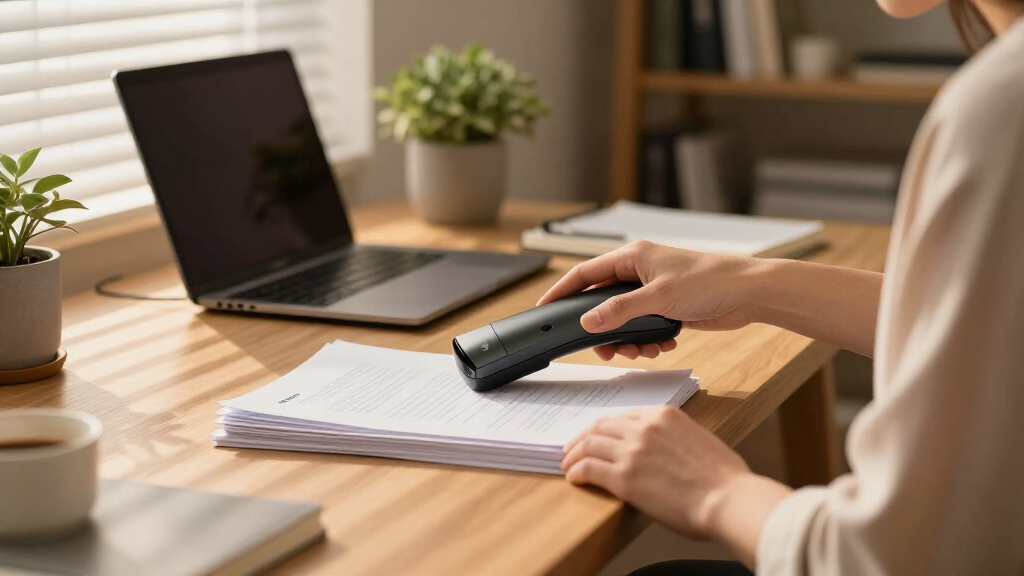
How We Picked
I evaluated these scanners based on their performance, ease of use, build quality, and value. Priority was given to models that balance speed with simplicity, especially for a home office setting where space and budget matter. Reliability and compatibility with both Windows and Mac systems were also considered. The ranking reflects a combination of user-friendly features, document handling capacity, and overall cost-effectiveness, ensuring there are options for different needs and budgets.Factors to Consider When Choosing Document Scanner For Home Office
Choosing the right document scanner for your home office involves more than just looking at specs. Consider how much space you have, your typical document volume, and whether wireless connectivity or portability is more important. Understanding these factors can prevent overspending on features you don’t need or buying a model that doesn’t meet your workflow. A balanced approach ensures you select a scanner that fits seamlessly into your daily tasks and budget.Performance and Speed
Speed matters most if you handle large volumes of documents regularly. Look for scanners with higher pages-per-minute (PPM) ratings and automatic document feeders (ADFs) to save time. However, for light use, slower models with manual feeding might suffice and save money. Be cautious of models that promise high speed but compromise on reliability or image quality, as these can slow you down in the long run.
Connectivity and Compatibility
Wireless options provide flexibility and reduce clutter, especially if your desk space is limited. Ensure the scanner supports your operating system—Windows, Mac, or both—before buying. Some models also offer mobile app integration, which can streamline scanning directly to your phone or cloud services. Keep in mind that wireless features sometimes add to the cost or complexity, so weigh these benefits against your comfort with tech setup.
Size and Portability
If space is tight or you need to move your scanner around, compact models are advantageous. Portable scanners, often single-sheet feeders, are ideal for occasional use or scanning documents on the go. But note that smaller scanners may lack features like high-capacity ADFs or duplex scanning. Assess whether a desktop or portable device aligns best with your work habits and available space.
Price and Value
High-end scanners offer fast, duplex, high-capacity scanning but come at a premium. Budget models can handle basic tasks but might lack speed, durability, or wireless features. Consider how often you will use the scanner and whether investing in more features will pay off in saved time and convenience. Sometimes, spending a bit more upfront results in a more reliable, versatile device that lasts longer.
Maintenance and Durability
Look for models with straightforward paper path designs and easy-to-clean rollers to minimize downtime. Check user reviews for reports of jams or mechanical issues. A well-built scanner with quality parts reduces maintenance frequency and extends its lifespan. For a home office, choosing a durable model ensures consistent performance without constant repairs or replacements.
Frequently Asked Questions
Can I use a home scanner for legal or sensitive documents?
Yes, many home scanners support secure scanning options and can be configured to save files locally or in encrypted cloud storage. It’s important to choose a model with reliable security features if you handle sensitive information regularly. Also, consider your data management practices to ensure privacy and compliance with any relevant regulations.
Is wireless scanning reliable enough for daily use?
Wireless scanning has improved significantly and is suitable for daily use, especially with reputable models. However, it can be affected by your Wi-Fi network stability and range. For critical or high-volume tasks, a wired connection might offer a more consistent experience, though most modern wireless scanners are sufficiently reliable for most home office needs.
What’s the benefit of duplex scanning, and do I need it?
Duplex scanning allows both sides of a document to be scanned automatically, saving time and effort. If you often scan double-sided documents like contracts or receipts, a duplex-capable scanner is a smart investment. For occasional single-sided scans, a simpler model without duplex features could be enough, saving you some money.
How important is resolution in a home office scanner?
Higher resolution, measured in DPI, improves image clarity—important for scanning documents with small text or detailed images. For standard text documents, 300 DPI is generally sufficient. If you need high-quality scans of photos or detailed graphics, consider models with 600 DPI or higher, though this may slow down the scanning process and increase file sizes.
Should I prioritize speed or portability?
This depends on your typical workflow. If you frequently scan large batches of documents, prioritize speed and capacity. However, if your needs are more occasional or on-the-go, a portable, lightweight model will serve you better. Balancing these factors will help you avoid overspending on unnecessary features or sacrificing convenience.