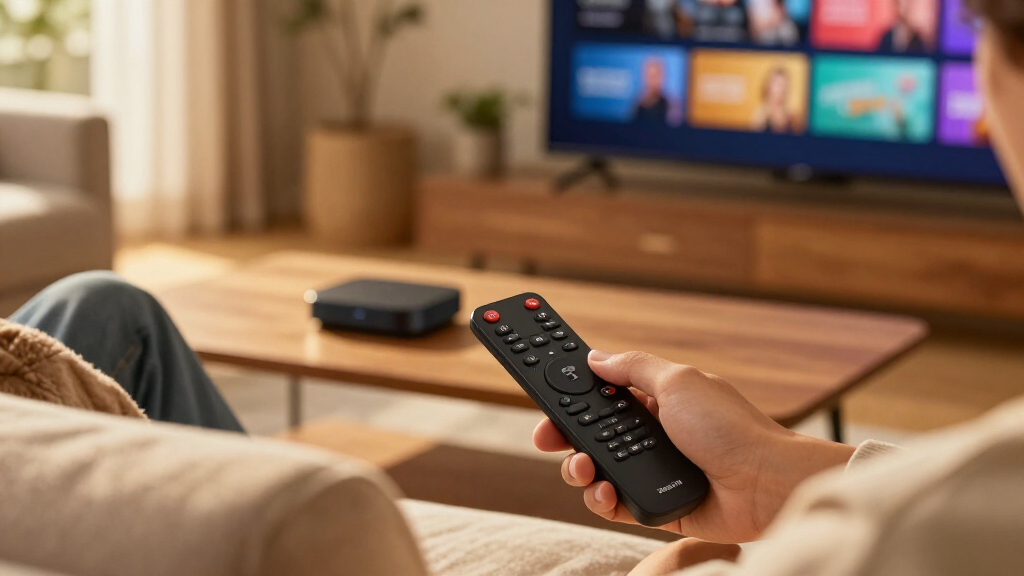

Amazon’s Fire TV lineup now spans everything from a basic HD stick to a hands-free streaming cube with Wi-Fi 6E, and the differences between them matter more than the price gaps suggest. The Fire TV Stick 4K Max (2nd Gen) stands out as the best overall pick for most buyers, pairing fast navigation with Wi-Fi 6 and wide format support at a mid-tier position. If you want a premium experience, the Fire TV Cube (3rd Gen) adds hands-free Alexa and faster processing, while budget shoppers can grab a refurbished Fire TV Stick 4K for full 4K playback at a lower cost. The main tradeoff you’ll face is paying extra for speed and voice control versus sticking with the basics — and deciding whether your TV even supports the formats the pricier devices deliver. Read on for the full breakdown of all eight options and which one fits your setup.

Get everyday essentials delivered free — and shop member deals
- Fast, free delivery on millions of items
- Access to Prime Big Deal Days deals on October 6–7
- Prime Video, Amazon Music and more included
Key Takeaways
- The Fire TV Stick 4K Max (2nd Gen) earned the top spot because its Wi-Fi 6 support and faster processor deliver noticeably snappier menus than the standard 4K Stick without jumping to Cube pricing.
- The Fire TV Cube models are the only picks with hands-free Alexa — every Stick requires you to hold the remote and press a button to talk, which is the single biggest functional split in this lineup.
- Refurbished options (the Like-New Stick 4K and Like-New Cube) undercut their new counterparts while offering identical hardware, making them the smartest value plays if cosmetic packaging doesn’t matter to you.
- The Fire TV Stick HD is the only 1080p device here; buying it for a 4K TV wastes your panel, so it only makes sense as a secondary-room or older-TV device.
- The 4K Select and 4K Plus sit awkwardly between the standard 4K Stick and the Max — they justify themselves mainly through bundled remote upgrades and Wi-Fi 6 rather than picture quality gains.
| Amazon Fire TV Stick 4K (Like-New Refurbished) |  | Best Refurbished 4K Pick | Condition: Refurbished, tested, and certified to look and work like new | Streaming resolution: 4K Ultra HD | Wi-Fi: Wi-Fi 6 | VIEW LATEST PRICE | See Our Full Breakdown |
| Amazon Fire TV Cube (3rd Gen) 4K Streaming Media Player with Alexa and Wi-Fi 6E |  | Best for Hands-Free Control | Generation: 3rd Gen | Dimensions: 3.38 × 3.38 × 2.99 in (86 × 86 × 77 mm) | Weight: 513 g (1.13 lbs) | VIEW LATEST PRICE | See Our Full Breakdown |
| Amazon Fire TV Stick 4K Max (2nd Gen) Streaming Device |  | Best Premium Stick | Dimensions: 99 × 30 × 14 mm housing; 108 × 30 × 14 mm including connector | Weight: 43.5 g | Processor: Quad-core 2.0 GHz | VIEW LATEST PRICE | See Our Full Breakdown |
| Amazon Fire TV Cube (Like-New), 4K Ultra HD Streaming Device with Alexa and Wi-Fi 6E |  | Best Refurbished Home Theater Hub | Condition: Refurbished, tested, and certified to look and work like new | Processor: Octa-core | Wi-Fi: Wi-Fi 6E | VIEW LATEST PRICE | See Our Full Breakdown |
| Amazon Fire TV Stick HD with Alexa Voice Remote |  | Best for Full HD TVs | Resolution: Full HD | Wireless connectivity: Wi-Fi 6 | Power: USB-C cable powered by TV | VIEW LATEST PRICE | See Our Full Breakdown |
| Amazon Fire TV Stick 4K Select |  | Best Budget 4K Pick | Output resolution: Up to 2160p at 60 fps | HDR support: HDR10, HDR10+, HLG | Processor: Quad-core 1.7 GHz | VIEW LATEST PRICE | See Our Full Breakdown |
| Amazon Fire TV Cube (3rd Gen) with Alexa Voice Remote Pro |  | Best Premium Pick | Processor: Octa-core (4× 2.2 GHz + 4× 2.0 GHz) | Video support: 4K Ultra HD, Dolby Vision, HDR10, HDR10+, HLG | Audio support: Dolby Atmos, 7.1 surround, stereo | VIEW LATEST PRICE | See Our Full Breakdown |
| Amazon Fire TV Stick 4K Plus with Wi-Fi 6 and Alexa Voice Remote |  | Best Stick for Dolby Vision | Maximum resolution: 2160p at up to 60 fps | Video formats: Dolby Vision, HDR10, HDR10+, HLG, AV1 | Audio support: Dolby Atmos, 7.1 surround, HDMI pass-through up to 5.1 | VIEW LATEST PRICE | See Our Full Breakdown |
| Amazon Fire TV streaming device | Wi-Fi | Processor |
|---|---|---|
| Amazon Fire TV Stick 4K | Wi-Fi 6 | — |
| Amazon Fire TV Cube | Wi-Fi 6E tri-band; supports 802.11a/b/g/n/ac/ax | Octa-core: 4 × 2.2 GHz and 4 × 2.0 GHz |
| Amazon Fire TV Stick 4K Max | Wi-Fi 6E tri-band (2.4, 5, and 6 GHz) | Quad-core 2.0 GHz |
| Amazon Fire TV Cube | Wi-Fi 6E | Octa-core |
| Amazon Fire TV Stick HD with A | — | — |
| Amazon Fire TV Stick 4K Select | Dual-band MIMO, 802.11a/b/g/n/ac | Quad-core 1.7 GHz |
| Amazon Fire TV Cube | Wi-Fi 6E tri-band | Octa-core (4× 2.2 GHz + 4× 2.0 GHz) |
| Amazon Fire TV Stick 4K Plus w | Dual-band Wi-Fi 6 (802.11ax, 2.4/5 GHz) | Quad-core 1.7 GHz |
More Details on Our Top Picks
Amazon Fire TV Stick 4K (Like-New Refurbished)
I’d choose this refurbished Fire TV Stick 4K for a 4K setup when the smaller stick format matters more than built-in hands-free Alexa. It supports Dolby Vision, HDR10+, and Dolby Atmos, matching key picture and sound formats on the Fire TV Cube (3rd Gen), while its HDMI stick design takes up less room. Wi-Fi 6 can help keep streaming smooth on a busy compatible network, and Alexa voice search makes finding shows easier than typing with a remote. The tradeoff is that this is a refurbished device, even though it is certified to look and work like new and has the same limited warranty as a new device. Compared with the Fire TV Stick HD, it adds 4K and advanced HDR, but buyers with only a Full HD TV may not benefit from those upgrades.
Pros:- 4K streaming with Dolby Vision and HDR10+
- Wi-Fi 6 support for compatible home networks
- Alexa remote supports content search and compatible TV power and volume controls
- Access to Xbox Game Pass cloud gaming and free streaming content
Cons:- Refurbished condition may mean generic Amazon-branded packaging
- Some streaming services require separate subscriptions
Best for: 4K TV owners who want Dolby Vision and HDR10+ in a compact stick and are comfortable choosing a certified refurbished device
Not ideal for: Buyers who want a new device or have a Full HD television and do not need 4K playback
- Condition:Refurbished, tested, and certified to look and work like new
- Streaming resolution:4K Ultra HD
- Wi-Fi:Wi-Fi 6
- HDR formats:Dolby Vision, HDR10+
- Audio:Dolby Atmos
- Voice assistant:Alexa
- Cloud gaming:Xbox Game Pass
- Warranty:Same limited warranty as a new device
Our verdict“Choose this certified refurbished stick for compact 4K streaming with Dolby Vision, provided a refurbished device suits you.”
Amazon Fire TV Cube (3rd Gen) 4K Streaming Media Player with Alexa and Wi-Fi 6E
The Fire TV Cube (3rd Gen) is the strongest fit here for a living room where streaming is only part of the setup. Its hands-free Alexa, HDMI input and output, and ports for Ethernet and an IR extender let it work with compatible devices such as receivers and cable boxes, giving it more control reach than the Fire TV Stick 4K Max. An octa-core processor and Wi-Fi 6E support a responsive experience, though Wi-Fi 6E’s 6 GHz band requires a compatible network. The Cube also supports 4K, Dolby Vision, HDR formats, and Dolby Atmos, so it does not trade away picture and sound capabilities for its extra connections. Its larger, heavier box needs a place near the TV, while the 4K Max is easier to tuck behind it. I’d skip the Cube if you only need a basic HDMI streaming stick.
Pros:- Hands-free Alexa through built-in microphones and speakers
- HDMI input and output support compatible entertainment setups
- 4K video with Dolby Vision, HDR formats, and Dolby Atmos
- Wi-Fi 6E, Ethernet, and IR extender connectivity
Cons:- Larger and heavier than the Fire TV Stick 4K Max
- Wi-Fi 6E’s 6 GHz band requires a compatible network
- 4K playback requires a compatible television
Best for: Home theater owners who want hands-free Alexa and connections for compatible cable, audio, or gaming equipment
Not ideal for: Viewers who want a small stick behind the TV or do not need voice control and extra device connections
- Generation:3rd Gen
- Dimensions:3.38 × 3.38 × 2.99 in (86 × 86 × 77 mm)
- Weight:513 g (1.13 lbs)
- Processor:Octa-core: 4 × 2.2 GHz and 4 × 2.0 GHz
- Storage and memory:16 GB internal storage; 2 GB memory
- Wi-Fi:Wi-Fi 6E tri-band; supports 802.11a/b/g/n/ac/ax
- Video:Up to 2160p at 60 fps; Dolby Vision, HDR 10, HDR10+, HLG
- Ports:HDMI 2.1 input and output, IR extender, USB-A 2.0, Ethernet, power
- Voice control:Hands-free Alexa; Alexa Voice Remote included
Our verdict“Pick the Fire TV Cube if hands-free Alexa and connections to other living room devices matter more than stick-sized convenience.”
Amazon Fire TV Stick 4K Max (2nd Gen) Streaming Device
The Fire TV Stick 4K Max (2nd Gen) is my premium stick pick for a newer 4K TV and a network ready for Wi-Fi 6E. Its 16 GB of storage gives apps and games more room than a leaner streaming setup, while Dolby Vision, HDR10+, and Dolby Atmos cover the main high-end picture and sound formats. Compared with the Fire TV Cube (3rd Gen), the 4K Max is much lighter and connects directly to the TV, but it gives up hands-free Alexa and the Cube’s HDMI input and Ethernet port. Its enhanced Alexa remote keeps voice search and compatible TV controls in reach. Wi-Fi 6E and cloud gaming are useful only if your router, subscriptions, and accessories support them, so this stick is more device than a Full HD viewer needs.
Pros:- 16 GB of storage for apps and games
- Dolby Vision, HDR10+, and Dolby Atmos support
- Wi-Fi 6E tri-band connectivity
- Compact 43.5 g HDMI stick with Alexa Voice Remote Enhanced
Cons:- Wi-Fi 6E benefits require a compatible router
- Cloud gaming requires a subscription and compatible controller
- Some streaming services require separate subscriptions
Best for: 4K TV owners who want a compact Fire TV stick, expanded app storage, and Wi-Fi 6E on a compatible network
Not ideal for: Viewers with a Full HD TV, an older router, or a preference for hands-free voice control and extra device ports
- Dimensions:99 × 30 × 14 mm housing; 108 × 30 × 14 mm including connector
- Weight:43.5 g
- Processor:Quad-core 2.0 GHz
- Storage:16 GB
- Wi-Fi:Wi-Fi 6E tri-band (2.4, 5, and 6 GHz)
- Bluetooth:Bluetooth 5.2 + BLE
- Video formats:Dolby Vision, HDR10, HDR10+, HLG, H.265, H.264, VP9, AV1
- Output resolution:2160p, 1080p, and 720p up to 60 fps
- Voice control:Alexa Voice Remote Enhanced included
Our verdict“Choose the 4K Max for a feature-rich compact stick if your 4K setup can make use of Wi-Fi 6E and its extra storage.”
Amazon Fire TV Cube (Like-New), 4K Ultra HD Streaming Device with Alexa and Wi-Fi 6E
This refurbished Fire TV Cube makes the most sense for buyers who want the Cube’s hub-like role but prefer a like-new certified device. It pairs hands-free Alexa with 4K streaming, Dolby Vision, HDR, Dolby Atmos, and Wi-Fi 6E, and it can connect to compatible TVs, soundbars, receivers, cable boxes, game consoles, and webcams. Compared with the new Fire TV Cube (3rd Gen), the supplied details confirm the same broad control and media capabilities, but do not specify the same port list or processor breakdown. The microphones have an off button that electronically disconnects them, a useful control for households that want voice features on demand. Refurbished packaging may be generic, and subscription services can add ongoing costs. For a compact setup, the Fire TV Stick 4K Max is easier to place.
Pros:- Hands-free Alexa with built-in microphone and speakers
- 4K, Dolby Vision, HDR, and Dolby Atmos support
- Wi-Fi 6E connectivity
- Microphone off button electronically disconnects microphones
Cons:- Refurbished devices may arrive in generic Amazon-branded packaging
- Some streaming services require separate subscriptions
Best for: Home theater households seeking hands-free Alexa and multi-device control in a certified refurbished Cube
Not ideal for: Buyers who want a new device, a simple stick, or precise port and processor specifications before choosing
- Condition:Refurbished, tested, and certified to look and work like new
- Processor:Octa-core
- Wi-Fi:Wi-Fi 6E
- Video:4K Ultra HD, Dolby Vision, HDR
- Audio:Dolby Atmos
- Voice assistant:Alexa with built-in microphone and speakers
- Connectivity:Supports compatible TV, soundbar, receiver, cable box, game console, and webcam
- Privacy:Microphone off button electronically disconnects microphones
- Warranty:Same limited warranty as a new device
Our verdict“Choose this certified refurbished Cube for hands-free control across a compatible home theater, if refurbished condition fits your needs.”
Amazon Fire TV Stick HD with Alexa Voice Remote
The Fire TV Stick HD is the straightforward choice for a Full HD television that does not need 4K playback. It plugs into an HDMI port, supports Wi-Fi 6, and includes an Alexa Voice Remote with compatible TV and soundbar controls. Bluetooth headphone support also lets one viewer listen privately without changing the TV’s speaker setup. Against the refurbished Fire TV Stick 4K, this model gives up 4K, Dolby Vision, and HDR10+; that is a real limit for a 4K screen, but avoids paying for formats a Full HD panel cannot show. The USB-C power arrangement depends on the TV, so some setups may need a separate power source. I’d choose the 4K Stick for a 4K television, while this one fits older or secondary TVs better.
Pros:- Compact HDMI stick for Full HD streaming
- Wi-Fi 6 support
- Alexa remote controls compatible TV and soundbar power and volume
- Bluetooth headphone support for private listening
Cons:- No 4K Ultra HD playback
- USB-C power depends on the TV
Best for: Owners of Full HD bedroom or secondary TVs who want voice search and Bluetooth headphone listening
Not ideal for: 4K TV owners who want ultra-high-definition playback, Dolby Vision, or HDR10+
- Resolution:Full HD
- Wireless connectivity:Wi-Fi 6
- Power:USB-C cable powered by TV
- Remote:Alexa Voice Remote with voice, power, and volume controls
- Connectivity:HDMI
- Audio:Bluetooth headphone support
- Smart home control:Alexa
Our verdict“Choose the HD stick for a Full HD TV where a compact device, voice remote, and private listening matter more than 4K.”
Amazon Fire TV Stick 4K Select
This stick covers the 4K HDR basics — HDR10+, HDR10, and HLG — at the most accessible position in the lineup. Compared with the Fire TV Stick 4K Plus, it gives up Dolby Vision, Dolby Atmos, and Wi-Fi 6, but buyers with standard HDR10+ TVs will notice little difference in day-to-day streaming. The AV1 codec support is a genuine plus at this tier, since it future-proofs playback for services that use the more efficient format. Where the tradeoffs show up is performance under load: the quad-core 1.7 GHz chip and older 802.11ac Wi-Fi mean slower app launches and less headroom in busy wireless households than the Cube or the 4K Plus. Still, for a secondary TV or a first streaming device, this pick makes the most sense for buyers who want 4K without paying for premium features their setup can’t use.
Pros:- Full 4K Ultra HD with HDR10+, HDR10, and HLG support
- AV1 codec support for efficient playback on newer streaming services
- Alexa Voice Remote handles TV and soundbar controls
- Xbox cloud gaming support with a compatible controller
Cons:- No Dolby Vision or Dolby Atmos, which the Fire TV Stick 4K Plus offers
- Older 802.11ac Wi-Fi without Wi-Fi 6, weaker in congested networks
- 4K playback depends on TV and service support
Best for: Buyers adding 4K streaming to a secondary TV with an HDR10+ panel and a quiet home network
Not ideal for: Homeowners with Dolby Vision TVs or crowded Wi-Fi environments — the missing Dolby Vision support and older wireless standard will cap what they can see and how smoothly it streams
- Output resolution:Up to 2160p at 60 fps
- HDR support:HDR10, HDR10+, HLG
- Processor:Quad-core 1.7 GHz
- Wi-Fi:Dual-band MIMO, 802.11a/b/g/n/ac
- Storage:8 GB
- Bluetooth:Bluetooth 5.0 + BLE
- Dimensions:3.9 × 1.2 × 0.6 in
Our verdict“A sensible entry point for 4K streaming on TVs that don’t need Dolby Vision — skip it if your panel supports the premium formats.”
Amazon Fire TV Cube (3rd Gen) with Alexa Voice Remote Pro
This bundle is the most capable package in the roundup, pairing the Fire TV Cube’s octa-core processor with the Alexa Voice Remote Pro. The speed gap versus any stick — including the Fire TV Stick 4K Max — is real: apps open faster, navigation feels instant, and the Cube doubles as a hands-free Alexa speaker for the whole room. The included remote is the differentiator here, with backlit motion-activated buttons, two customizable shortcut keys, and a remote locator, none of which come with the standard sticks. Its wired-friendly design (Ethernet, HDMI 2.1, USB-A) suits an entertainment center better than a stick dangling behind a TV. The tradeoffs: it’s a box that takes shelf space and costs the most, and Wi-Fi 6E only pays off with a 6 GHz router running WPA3 — otherwise it performs like standard Wi-Fi 6.
Pros:- Octa-core processor delivers noticeably faster navigation than any stick model
- Full format support: Dolby Vision, HDR10+, and Dolby Atmos
- Hands-free Alexa controls entertainment and smart home devices without the remote
- Remote Pro adds backlit buttons, custom shortcuts, and a locator
Cons:- Highest-positioned option with a box form factor that needs shelf space
- Wi-Fi 6E requires a compatible 6 GHz router with WPA3
- Premium formats depend on TV and service support
Best for: Home theater owners who want the fastest interface, hands-free Alexa control, and wired connectivity options
Not ideal for: Casual viewers with basic TVs and older routers — much of the Cube’s power, Wi-Fi 6E, and Ethernet flexibility would go unused
- Processor:Octa-core (4× 2.2 GHz + 4× 2.0 GHz)
- Video support:4K Ultra HD, Dolby Vision, HDR10, HDR10+, HLG
- Audio support:Dolby Atmos, 7.1 surround, stereo
- Wi-Fi:Wi-Fi 6E tri-band
- Storage / Memory:16 GB / 2 GB
- Ports:HDMI 2.1 in/out, USB-A 2.0, Ethernet, IR extender
- Remote:Alexa Voice Remote Pro with backlight and locator
Our verdict“The pick for buyers building around a serious entertainment setup who will actually use the speed, wired ports, and remote upgrades.”
Amazon Fire TV Stick 4K Plus with Wi-Fi 6 and Alexa Voice Remote
This stick sits in the sweet spot between the Fire TV Stick 4K Select and the pricier Fire TV Cube. It delivers the two things the Select lacks — Dolby Vision and Dolby Atmos — in the same compact stick format, so owners of Dolby Vision TVs get noticeably better contrast and color without upgrading to a box. The Wi-Fi 6 support is the other meaningful step up, holding a steadier stream in households with many connected devices compared with the Select’s older 802.11ac radio. HDMI 2.1 output with ARC support also makes it friendlier to soundbar setups. The compromises are expected at this size: the quad-core chip trails the Cube’s octa-core in raw speed, and there’s no Ethernet port, so buyers with wired networks or a desire for hands-free Alexa should look at the Cube instead. For most living rooms, this option balances capability and cost better than anything else here.
Pros:- Dolby Vision and Dolby Atmos in a compact stick format
- Wi-Fi 6 holds steadier streams on congested networks than older sticks
- HDMI 2.1 output with ARC input support for soundbar setups
- Bluetooth 5.2 and AV1 codec support
Cons:- No Ethernet port or hands-free Alexa like the Cube
- Quad-core performance trails the Cube’s octa-core processor
- 4K and Wi-Fi 6 benefits require compatible TV and router
Best for: Owners of Dolby Vision TVs in busy multi-device households who want premium formats in a compact stick
Not ideal for: Buyers who want hands-free Alexa or wired Ethernet — only the Fire TV Cube offers those
- Maximum resolution:2160p at up to 60 fps
- Video formats:Dolby Vision, HDR10, HDR10+, HLG, AV1
- Audio support:Dolby Atmos, 7.1 surround, HDMI pass-through up to 5.1
- Wi-Fi:Dual-band Wi-Fi 6 (802.11ax, 2.4/5 GHz)
- Processor:Quad-core 1.7 GHz
- Storage:8 GB
- Bluetooth:Bluetooth 5.2 + BLE
- Ports:HDMI 2.1 output with ARC input support; micro USB
Our verdict“The best-balanced stick for most buyers — full premium formats and Wi-Fi 6 unless you specifically need the Cube’s hands-free control or wired connection.”
How We Picked
I ranked these eight devices around four buyer-relevant criteria: streaming performance (processor speed, Wi-Fi generation, and how quickly apps load and menus respond), picture and audio format support (4K, HDR formats, Dolby Vision, and Dolby Atmos), usability (remote quality, voice control depth, and setup friction), and value positioning within the lineup. Because every device here runs the same Fire OS interface, the real differentiators are hardware speed, wireless capability, and whether Alexa works hands-free — so I weighted those heavily over app selection, which is identical across the board.
The ranking logic follows a simple principle: each device should justify its place by what it adds over the model below it. The Max earns the top spot by balancing performance and price; the Cube models rank as premium picks for hands-free control and raw speed; the refurbished units slot in as value alternatives to their new twins; and the HD Stick lands last for most buyers because it caps you at 1080p. Devices that only differentiate through minor spec bumps — like the 4K Select and 4K Plus — rank lower because their upgrades are the hardest for a typical viewer to notice.
| Amazon Fire TV streaming device | Processor |
|---|---|
| Amazon Fire TV Stick 4K | — |
| Amazon Fire TV Cube | Octa-core: 4 × 2.2 GHz and 4 × 2.0 GHz |
| Amazon Fire TV Stick 4K Max | Quad-core 2.0 GHz |
| Amazon Fire TV Cube | Octa-core |
| Amazon Fire TV Stick HD with A | — |
| Amazon Fire TV Stick 4K Select | Quad-core 1.7 GHz |
| Amazon Fire TV Cube | Octa-core (4× 2.2 GHz + 4× 2.0 GHz) |
| Amazon Fire TV Stick 4K Plus w | Quad-core 1.7 GHz |
Factors to Consider When Choosing Amazon Fire TV Streaming Devices
Before settling on a specific model, it helps to understand what actually separates Fire TV devices from one another — and where buyers commonly overspend or underspend. These are the factors I’d weigh before clicking buy.
Match the Device to Your TV’s Resolution
The most common mistake in this category is pairing a 4K streaming device with a 1080p television, or the reverse. A 4K stick plugged into an HD TV simply downconverts everything, which means you paid for picture quality your screen can’t display. On the flip side, putting the HD Stick on a 4K panel locks you out of the sharper detail and HDR that your television was built for. Check your TV’s native resolution first — it’s printed in the settings menu or the spec label — and let that decision eliminate half the lineup before you compare anything else. If you own a 4K TV with HDR support, anything below the standard 4K Stick is a false economy.
Wi-Fi Generation Matters More Than You Think
Fire TV devices range from basic dual-band Wi-Fi 5 to Wi-Fi 6 and even Wi-Fi 6E on the Cube models, and this affects real-world streaming more than most spec sheets suggest. If your router is older or your streaming device sits far from it in a Wi-Fi-congested apartment building, a Wi-Fi 6 device like the Max will hold a steadier 4K stream with fewer buffering pauses. Wi-Fi 6E only helps if your router actually broadcasts on the 6GHz band — otherwise you’re paying for a radio you’ll never use. A good exercise: check your router’s model number before choosing. Buying Wi-Fi 6E hardware for a Wi-Fi 5 router is one of the quietest ways to waste money in this category.
Hands-Free Alexa: The Feature That Splits the Lineup
Every Fire TV device has Alexa voice control, but the Sticks and the Cubes implement it in fundamentally different ways. Sticks require you to press and hold a remote button before speaking, while Cubes have built-in far-field microphones that respond to your voice across the room — even when the TV is off, functioning like an Echo speaker for timers, music, and smart home commands. If you already own Echo devices scattered around your home, a Cube may be redundant. But if this is your only Alexa device, or you hate hunting for the remote, the hands-free experience changes how you interact with your entire living room. This is the single clearest fork in the road between the two product families.
Refurbished vs. New: When Like-New Makes Sense
Two of the eight devices here are Like-New refurbished units, and they deserve genuine consideration rather than automatic suspicion. Amazon’s refurbished program re-certifies the hardware, includes a working remote, and typically ships in plain packaging — functionally you get the same streaming experience for less. The tradeoffs are real but modest: the warranty period may be shorter than a new unit, and you may not get the latest box contents or retail packaging. For a device that sits hidden behind a TV all day, cosmetic packaging is irrelevant. I’d lean refurbished for a secondary bedroom or guest-room setup, and buy new for a primary living room device where the fuller warranty provides peace of mind.
Don’t Overpay for HDR Formats Your Setup Can’t Use
Fire TV devices support a confusing alphabet of formats — HDR10, HDR10+, Dolby Vision, HLG — and not all TVs accept all of them. Most Fire TV Sticks carry HDR10+ because Amazon backs that standard, while Dolby Vision support narrows your options to specific models like the Max and the Cube. Before paying a premium for Dolby Vision playback, check whether your television actually supports it; many budget and mid-range 4K TVs only handle HDR10. The same logic applies to Dolby Atmos audio — it requires a compatible soundbar or receiver plus content from supporting apps. Format support is only worth what your surrounding equipment can display and hear.
Remote Quality Is an Underrated Differentiator
The remote is the part of the system you touch every single day, and Amazon ships several tiers across this lineup. The standard Alexa Voice Remote covers basics, while the Voice Remote Pro adds a remote-finder feature, backlighting, and customizable buttons — small conveniences that compound over years of daily use. Losing a streaming remote is one of the most common household annoyances, and the finder chime alone can justify an upgrade for households with kids or couch-cushion chaos. Some bundles pair the same stick with different remotes, which is worth noticing when comparing near-identical models. Since replacement remotes cost money separately, buying the bundle with the better remote up front is usually the smarter math.
Frequently Asked Questions
Is the Fire TV Cube worth it over a Fire TV Stick 4K Max?
Are refurbished Fire TV devices reliable, or should I buy new?
Will a 4K Fire TV Stick work on a regular HD TV?
Do I need Wi-Fi 6 or Wi-Fi 6E for smooth 4K streaming?
What’s the difference between the Fire TV Stick 4K, 4K Select, 4K Plus, and 4K Max?
Conclusion
The right Fire TV device depends less on which one is objectively best and more on what your living room actually needs. For most buyers, the Fire TV Stick 4K Max (2nd Gen) is the best overall choice — it hits the performance ceiling of the Stick family with Wi-Fi 6 and the fastest stick processor, and it costs meaningfully less than the Cubes. Value shoppers should look hard at the Like-New refurbished Fire TV Stick 4K, which delivers identical 4K streaming to its new counterpart, or the Fire TV Stick 4K Select if buying new matters to you. For a premium, whole-room experience, the Fire TV Cube (3rd Gen) — especially the bundle with the Voice Remote Pro — is the best pick, combining hands-free Alexa, Wi-Fi 6E, and full home-theater control in one box. Beginners and anyone setting up a secondary 1080p television will be well served by the simple, inexpensive Fire TV Stick HD. And if you want premium hardware at a mid-tier price, the Like-New Fire TV Cube splits the difference perfectly. Whatever you choose, matching the device to your TV’s resolution and your router’s capabilities will get you more value than any spec sheet upgrade.
Fall Picks
fall essentials
As an affiliate, we earn on qualifying purchases.