
To make your home soundbar setup feel cinematic, focus on ideal placement for balanced sound and clear dialogue. Position your soundbar at ear level and consider adding surround speakers or a subwoofer to create depth and immersion. Make sure your wireless connection is stable to avoid interruptions, and experiment with angles to reduce distortion. By combining thoughtful placement with reliable connectivity and additional components, you’ll quickly turn your space into a true home theater—discover more ways to elevate your experience.

Get everyday essentials delivered free with Prime
- Fast, free delivery on millions of items
- Prime Video, Amazon Music and more included
- Member-only deals all year
Key Takeaways
- Proper placement at ear level and directed toward the listening area enhances sound clarity and immersion.
- Adding surround speakers or a subwoofer creates a more immersive, cinematic soundscape.
- Ensuring a stable wireless connection prevents audio interruptions during critical moments.
- Minimizing reflections and sound distortions by positioning speakers thoughtfully improves audio fidelity.
- Streamlined setup with minimal cables and clutter maintains focus on content, boosting the cinematic experience.
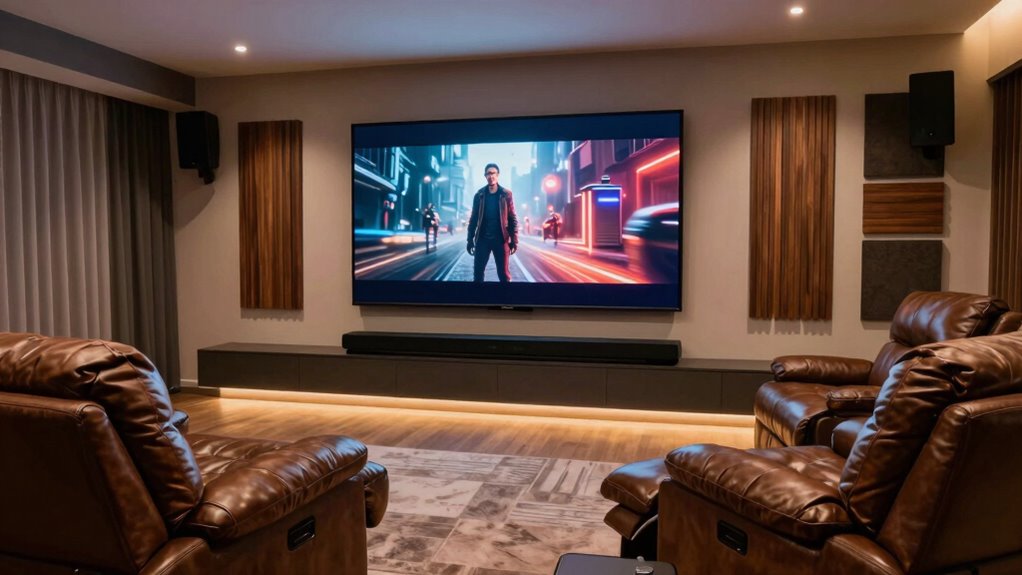
Setting up your soundbar correctly is key to transforming your living room into a cinematic experience. The way you connect and position your soundbar can make all the difference in how immersive your audio feels. Wireless connectivity plays a significant role here, allowing you to avoid cluttered wires and make placement easier. Many modern soundbars come with Bluetooth or Wi-Fi options, so you can connect seamlessly to your TV or streaming devices without hassle. This flexibility means you can position the soundbar in the most suitable spot for sound quality without worrying about running cables across your room. Just confirm your wireless setup is stable to prevent interruptions during those critical movie scenes. Ensuring your wireless connection is reliable is essential for maintaining uninterrupted sound during your viewing.
Speaker placement is equally important when aiming for that theater-like sound. You want your soundbar to be positioned where it can produce a balanced audio experience, ideally at ear level when you’re seated. Placing it directly below or above your TV often works best, but if your setup allows, adding surround speakers or a subwoofer can deepen your soundscape. Proper placement ensures sound is dispersed evenly, enveloping you in audio from all directions. Keep in mind that walls and furniture can reflect sound, so experiment with positions to minimize sound distortion or dead spots. Elevating the soundbar slightly or angling it toward your listening area can enhance clarity and immersion.
A well-placed soundbar with reliable wireless connectivity creates a seamless audio experience that complements your visual setup. When your soundbar is positioned thoughtfully and connected wirelessly, you eliminate distractions and focus on the content. This setup reduces clutter and streamlines your entertainment system, making it easier to operate and enjoy. Additionally, pairing your soundbar with the right accessories, like a subwoofer or surround speakers, amplifies the cinematic feel. When all these elements come together—smart speaker placement, strong wireless connection, and complementary components—you’ll notice how much more engaging your home viewing becomes.
As an affiliate, we earn on qualifying purchases.
Frequently Asked Questions
Can a Soundbar Replace a Full Home Theater System?
Yes, a soundbar can replace a full home theater system, especially if it offers surround sound capabilities. Modern soundbars with multiple speakers and Dolby Atmos create an immersive experience. Proper speaker calibration guarantees ideal sound quality, making your setup feel more cinematic. While a full system might offer more customization, a high-quality soundbar simplifies installation and still delivers rich, immersive audio that transforms your movie nights at home.
What Is the Ideal Placement for a Soundbar?
You should place your soundbar directly below or above your TV for ideal surround sound, ensuring it’s centered and unobstructed. Use speaker calibration features on your soundbar to fine-tune audio, making the sound immersive and balanced. Avoid placing it inside cabinets or behind furniture, as this can muffle sound. Proper placement and calibration create a more cinematic experience, bringing you closer to the feeling of a true home theater.
Do I Need a Subwoofer for Cinematic Sound?
Yes, a subwoofer greatly enhances cinematic sound by providing deep bass that your soundbar alone might lack. Subwoofer integration adds bass enhancement, making explosions, music, and dialogue more immersive. It creates a fuller, richer sound experience, bringing movies to life. Without it, your setup might feel hollow or incomplete. For the best cinematic experience at home, investing in a good subwoofer is highly recommended to complement your soundbar.
How Does Room Size Affect Soundbar Performance?
Room size is like tuning a guitar—larger spaces demand more precise adjustments. In bigger rooms, sound may sound distant or echo, so room acoustics become essential. You’ll need to calibrate your soundbar’s settings carefully, ensuring the audio fills the space without distortion. Proper speaker calibration helps optimize sound quality, making your cinematic experience immersive no matter the room size. Without this, even the best setup can fall flat.
Are There Wireless Options for Connecting Soundbars?
Yes, there are wireless options for connecting soundbars. You can use wireless connectivity methods like Bluetooth pairing, which allows you to connect your soundbar directly to your device without cables. Many modern soundbars also support Wi-Fi, enabling seamless streaming from your smartphone or smart home system. These wireless options make setup easier and reduce clutter, helping you enjoy a cinematic experience at home without the hassle of tangled wires.
Conclusion
To truly make your soundbar setup feel cinematic at home, focus on positioning, quality components, and ideal calibration. When everything’s in sync, you’ll feel like you’re right there in the theater, with sound that surrounds you and visuals that pop. Remember, it’s not just about the gear but how you set it up — because sometimes, a little extra effort can turn your living room into a blockbuster experience. Don’t let this opportunity slip through your fingers!
Halloween Picks
halloween
As an affiliate, we earn on qualifying purchases.