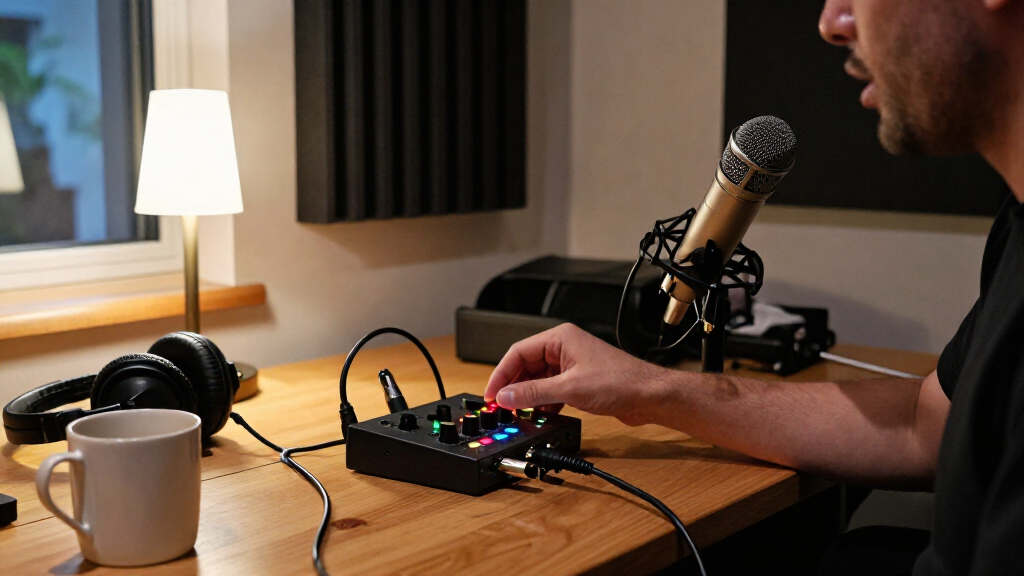
The best overall USB podcast audio interface in this lineup is the Focusrite Scarlett 2i2 4th Gen, a practical fit for one or two voices without the extra inputs of the 4i4. The MOTU M2 stands out for hosts who value clear front-panel metering, while the Elgato Wave XLR MK.2 suits a single-mic streaming workflow with DSP controls. The main tradeoff is between simple, affordable two-input recording and more specialized features such as extra routing, bundled recording gear, or broadcast-style control. I compare all 15 options by how well their inputs and controls match real podcast setups. Read on for the full breakdown and guidance on choosing the right interface for your recording plans.

Get everyday essentials delivered free with Prime
- Fast, free delivery on millions of items
- Prime Video, Amazon Music and more included
- Member-only deals all year
Key Takeaways
- The Scarlett 2i2 4th Gen is the strongest all-around fit for a typical one- or two-mic podcast, while the Scarlett 4i4 makes more sense when extra inputs and routing flexibility matter.
- Input count should follow the actual recording plan. Solo and two-input models cover many home podcasts; multi-person sessions or several sound sources may call for more connections or a mixer-style workflow.
- The MOTU M2 and Elgato Wave XLR MK.2 serve different priorities: the M2 emphasizes clear level monitoring, while the Wave XLR MK.2 centers on a single-mic setup with DSP and streaming controls.
- Bundles can simplify a first setup but narrow upgrade choices. The Scarlett 2i2 Studio and PreSonus AudioBox USB 96 Studio include recording gear, while standalone interfaces let buyers choose microphones and headphones separately.
- Low-cost models trade flexibility for a lower-complexity workflow. M-Track Solo, M-Track Duo, CIXUN, and MAONO options may suit basic recording needs, but buyers should match their connectivity and controls to the gear they already own.
| Focusrite Scarlett 4i4 4th Gen USB-C Audio Interface |  | Best for Multi-Source Podcasts | Connectivity: USB-C | Mic preamps: 2 | Line inputs / outputs: 4 / 4 | VIEW LATEST PRICE | See Our Full Breakdown |
| M-Audio M-Track Solo USB Audio Interface |  | Best Compact Starter | Audio resolution: Up to 48 kHz | Inputs: 1 combo XLR/line input with phantom power; 1 switchable line/instrument input | Headphone output: 1/8-inch | VIEW LATEST PRICE | See Our Full Breakdown |
| Focusrite Scarlett Solo 4th Gen USB-C Audio Interface |  | Best for Solo Podcasters | Connectivity: USB | Inputs: 1 XLR microphone input; 1 Hi-Z instrument input | Bit depth: 24-bit | VIEW LATEST PRICE | See Our Full Breakdown |
| Elgato Wave XLR MK.2 USB Audio Interface and DSP Mixer |  | Best for Software-Based Voice Processing | Connectivity: USB | Audio input: XLR | Channels: 2 | VIEW LATEST PRICE | See Our Full Breakdown |
| M-Audio M-Track Duo USB Audio Interface |  | Best Value for Two Inputs | Audio resolution: Up to 48 kHz | Inputs: 2 combo XLR/line/instrument inputs | Preamps: Crystal preamps with phantom power | VIEW LATEST PRICE | See Our Full Breakdown |
| Focusrite Scarlett 2i2 Studio 4th Gen USB-C Audio Interface Bundle |  | Best Complete Podcast Starter Bundle | Connectivity: USB-C | Inputs and channels: 2 audio inputs; 2 channels | Microphone preamps: 2 | VIEW LATEST PRICE | See Our Full Breakdown |
| MOTU M2 2×2 USB-C Audio Interface with XLR Cable |  | Best for Clear, At-a-Glance Level Monitoring | Connectivity: USB | Channels: 2 | Maximum sample rate: 192 kHz | VIEW LATEST PRICE | See Our Full Breakdown |
| XTUGA Q-12 2-Channel USB Audio Interface |  | Best for Basic, Budget-Conscious Setups | Model: Q12 | Channels: 2 | Resolution: 16-bit/48 kHz | VIEW LATEST PRICE | See Our Full Breakdown |
| CIXUN 2×2 USB-C Audio Interface for PC and Mac |  | Best Feature-Rich Alternative for Two Inputs | Channels: 2 inputs, 2 outputs | Inputs: 2 XLR/TS combo jacks | Resolution and maximum sample rate: 24-bit, up to 192 kHz | VIEW LATEST PRICE | See Our Full Breakdown |
| Focusrite Scarlett 2i2 4th Gen USB-C Audio Interface |  | Best Standalone Interface for New Hosts | Connectivity: USB | Channels and audio inputs: 2 | Microphone preamps: 2 | VIEW LATEST PRICE | See Our Full Breakdown |
| MAONO PS22 Lite USB Audio Interface for Guitar, Vocals, and Streaming |  | Best for Flexible Streaming | Channels: 2 | Maximum sample rate: 192 kHz | Recording resolution: 24-bit | VIEW LATEST PRICE | See Our Full Breakdown |
| MAONO P2 Hybrid USB Audio Interface with Dual XLR Inputs |  | Best for Computer-and-Mobile Streaming | Channels: 2 | Maximum sample rate: 192 kHz | Audio quality: 24-bit/192 kHz | VIEW LATEST PRICE | See Our Full Breakdown |
| PreSonus AudioBox USB 96 Studio Recording Bundle |  | Best Complete Starter Bundle | Channels: 2 | Maximum sample rate: 96 kHz | Microphone preamps: 2 Class-A preamps with +48 V phantom power | VIEW LATEST PRICE | See Our Full Breakdown |
| Universal Audio Volt 176 USB Audio Interface |  | Best for Onboard Vocal Processing | Input/output: 1-in/2-out | Channels: 2 | Maximum sample rate: 192 kHz | VIEW LATEST PRICE | See Our Full Breakdown |
| Focusrite Scarlett Solo 3rd Gen USB-C Audio Interface |  | Best Compact Solo-Host Pick | Channels: 2 | Maximum sample rate: 192 kHz | Bit depth: 24-bit | VIEW LATEST PRICE | See Our Full Breakdown |
| USB podcast audio interface | Maximum sample rate | Connectivity | Channels |
|---|---|---|---|
| Focusrite Scarlett 4i4 4th Gen | 192 kHz | USB-C | — |
| M-Audio M-Track Solo USB Audio | — | — | — |
| Focusrite Scarlett Solo 4th Ge | 192 kHz | USB | — |
| Elgato Wave XLR MK.2 USB Audio | 192 kHz | USB | 2 |
| M-Audio M-Track Duo USB Audio | — | — | — |
| Focusrite Scarlett 2i2 Studio | 192 kHz | USB-C | — |
| MOTU M2 2×2 USB-C Audio Interf | 192 kHz | USB | 2 |
| XTUGA Q-12 2-Channel USB Audio | — | — | 2 |
| CIXUN 2×2 USB-C Audio Interfac | — | — | 2 inputs, 2 outputs |
| Focusrite Scarlett 2i2 4th Gen | 192 kHz | USB | — |
| MAONO PS22 Lite USB Audio Inte | 192 kHz | USB | 2 |
| MAONO P2 Hybrid USB Audio Inte | 192 kHz | USB | 2 |
| PreSonus AudioBox USB 96 Studi | 96 kHz | — | 2 |
| Universal Audio Volt 176 USB A | 192 kHz | USB | 2 |
| Focusrite Scarlett Solo 3rd Ge | 192 kHz | USB | 2 |
More Details on Our Top Picks
Focusrite Scarlett 4i4 4th Gen USB-C Audio Interface
The Scarlett 4i4 4th Gen is the most flexible choice here for a podcast setup that also records instruments, playback, or external gear. Its two mic preamps suit a small conversation, while four line inputs and outputs plus MIDI I/O give it more routing room than the Scarlett Solo or either M-Track model. Auto Gain and Clip Safe can help keep levels manageable when recording, and the 120 dB dynamic range and 192 kHz ceiling leave room for studio work beyond spoken audio. The tradeoff is that its extra connections are wasted in a simple one-mic setup, where the smaller Solo is easier to justify. Buyers should also plan around a 2.2 lb unit and a more involved workflow than a basic USB interface.
Pros:- Two mic preamps support a two-person recording setup
- Four line inputs and outputs allow more complex routing than the other listed interfaces
- MIDI In/Out accommodates compatible keyboards and hardware
- Auto Gain, Clip Safe, Air mode, and bundled recording software add useful recording tools
Cons:- Its additional inputs and outputs add complexity that a basic podcast setup may not use
- At 2.2 lb, it is less portable than the compact M-Track Solo and Duo
- Four line inputs do not mean four built-in microphone preamps
Best for: Podcast creators recording two microphones alongside instruments, external playback, or MIDI equipment who want flexible routing for future projects.
Not ideal for: Solo podcasters with one microphone and no external gear; the Scarlett Solo provides a simpler, smaller setup.
- Connectivity:USB-C
- Mic preamps:2
- Line inputs / outputs:4 / 4
- Instrument inputs:2 Hi-Z
- MIDI:In/Out
- Dynamic range:120 dB
- Maximum sample rate:192 kHz
- Weight:2.2 lb
- Warranty:Three years
Our verdict“Choose the Scarlett 4i4 if your podcast recording needs multiple sources and flexible routing, not just a single mic.”
M-Audio M-Track Solo USB Audio Interface
The M-Track Solo is a straightforward entry point for a host who records one microphone and occasionally connects an instrument. It pairs a combo XLR/line input with phantom power and a switchable line/instrument input, then adds USB power and direct monitoring to keep a small setup simple. Compared with the M-Track Duo, it gives up a second combo input, so it is a poorer fit for two microphones but takes less gear to manage for solo recording. Its 48 kHz recording limit is adequate for spoken-word production, though the Scarlett Solo offers 192 kHz recording and more headroom for broader studio use. The 1/8-inch headphone output may call for an adapter, and the stereo RCA outputs are less suited to setups built around standard 1/4-inch monitor connections.
Pros:- Compact design and USB power suit portable recording
- Combo input includes phantom power for compatible condenser microphones
- Zero-latency direct monitoring helps avoid distracting recording delay
- MPC Beats software is included
Cons:- Only one combo XLR input, so it cannot connect two microphones directly
- Maximum recording resolution is 48 kHz
- The 1/8-inch headphone output and stereo RCA outputs may not match common studio connections
Best for: First-time solo podcasters who need one microphone input, an occasional instrument connection, and a compact USB-powered interface.
Not ideal for: Two-person shows or creators who want two microphone preamps; the M-Track Duo or Scarlett 4i4 is a better match.
- Audio resolution:Up to 48 kHz
- Inputs:1 combo XLR/line input with phantom power; 1 switchable line/instrument input
- Headphone output:1/8-inch
- Main outputs:Stereo RCA
- Power:USB-powered
- Monitoring:Zero-latency direct monitoring
- Supported software:Ableton Live Lite, MPC Beats
Our verdict“Pick the M-Track Solo for a compact, basic one-mic setup, but choose the Duo if you need to record two sources at once.”
Focusrite Scarlett Solo 4th Gen USB-C Audio Interface
For a host who records alone, the Scarlett Solo 4th Gen puts the important connections up front: one XLR mic input and one Hi-Z instrument input for adding guitar or another compatible instrument. Its 24-bit/192 kHz recording and 120 dB dynamic range give it more technical headroom than the M-Track Solo’s 48 kHz limit, while Air modes offer a way to shape vocal tone at the interface. Independent headphone volume control is also useful when monitoring without changing the rest of a listening setup. The constraint is clear: only one microphone can connect directly, unlike the two-preamp Scarlett 4i4 or the two-input M-Track Duo. That makes the Solo a focused choice rather than a flexible one, and its bundled software may not suit creators who already have a preferred recording workflow.
Pros:- One XLR input and one Hi-Z input support a mic-and-instrument setup
- 24-bit/192 kHz recording and 120 dB dynamic range
- Air modes provide vocal and instrument tone options
- Independent headphone volume control and bundled software
Cons:- Only one XLR microphone input limits two-person recording
- Fewer routing connections than the Scarlett 4i4
- Bundled software and plugins may be redundant for users with an established production setup
Best for: Solo hosts who want a dedicated microphone input, a separate instrument input, and higher-resolution recording in a compact interface.
Not ideal for: Co-hosts recording two microphones at once or podcasters who need multiple line connections; consider the Scarlett 4i4 instead.
- Connectivity:USB
- Inputs:1 XLR microphone input; 1 Hi-Z instrument input
- Bit depth:24-bit
- Maximum sample rate:192 kHz
- Dynamic range:120 dB
- Headphone control:Independent volume control
- Weight:14.4 oz
- Warranty:Three years
Our verdict“Choose the Scarlett Solo for a single-host podcast that may also include an instrument, but skip it if you need two mic inputs.”
Elgato Wave XLR MK.2 USB Audio Interface and DSP Mixer
The Elgato Wave XLR MK.2 is aimed at podcasters who want voice processing and routing close to their microphone workflow, rather than a bank of inputs for several guests. Its 80 dB of XLR gain, low-latency monitoring, onboard compression and EQ, and touch mute control give a host useful adjustments without requiring a separate mixer. Wave Link adds software routing and monitoring that the Scarlett Solo and M-Track models do not center in the same way. However, this is not a two-microphone interface despite its two-channel listing: the specified audio input is XLR, and the product data does not describe multiple XLR inputs. Its software requirements are also narrower than the Focusrite models, with Wave Link requiring Windows 11 or newer or macOS 14.2 or newer. Skip it if your computer is outside that support range or you need several physical inputs.
Pros:- Up to 80 dB of gain for XLR microphones
- Onboard compression and EQ support voice processing
- Low-latency monitoring and touch mute control with LED feedback
- Wave Link software supports audio routing and monitoring
Cons:- Wave Link requires Windows 11 or newer or macOS 14.2 or newer
- The listed XLR input does not provide the multi-mic connections of the Scarlett 4i4
- Software-centered controls may be less useful to creators who prefer a simple interface without DSP routing
Best for: Single-mic streamers and podcasters who want hands-on mute control, DSP voice effects, and software routing on a supported computer.
Not ideal for: Creators using older operating systems or recording multiple microphones directly; the Scarlett 4i4 offers more physical input and routing options.
- Connectivity:USB
- Audio input:XLR
- Channels:2
- Maximum sample rate:192 kHz
- Microphone gain:Up to 80 dB
- Supported software:Elgato Wave Link
- Operating systems:Windows 11 and higher; macOS 14.2 and higher
- Weight:11.36 oz
- Warranty:Two years
Our verdict“Choose the Wave XLR MK.2 if you record one XLR mic and want built-in voice processing and Wave Link routing on a supported computer.”
M-Audio M-Track Duo USB Audio Interface
The M-Track Duo is the practical pick when a podcast needs two simultaneous inputs without the wider routing options of the Scarlett 4i4. Its two combo XLR/line/instrument inputs accept microphones or other sources, and phantom power supports compatible condenser mics. USB power and zero-latency direct monitoring keep the setup uncomplicated, while the included MPC Beats software gives new creators a place to start. Compared with the M-Track Solo, the Duo is better suited to co-hosts or a mic-plus-instrument recording because both inputs are available together. The tradeoff is a 48 kHz ceiling and fewer advanced tools than Focusrite’s fourth-generation models, which offer higher sample rates and features such as Air mode or Auto Gain. Its older listed operating-system support and possible headphone adapter requirement are worth checking against your setup.
Pros:- Two combo inputs support simultaneous microphone, line, or instrument sources
- Phantom power supports compatible condenser microphones
- USB-powered design and zero-latency direct monitoring simplify recording
- MPC Beats and Ableton Live Lite are listed as supported software
Cons:- Maximum audio resolution is 48 kHz
- Listed operating-system support is limited to older Windows and macOS versions, with iOS requiring a separate adapter
- The 1/4-inch headphone output may require an adapter for some headphones
Best for: Two-person podcast teams or beginner creators recording two microphones or a microphone and instrument on a USB-powered setup.
Not ideal for: Podcasters seeking higher-resolution recording, advanced routing, or newer listed operating-system support; the Scarlett 4i4 offers more room to grow.
- Audio resolution:Up to 48 kHz
- Inputs:2 combo XLR/line/instrument inputs
- Preamps:Crystal preamps with phantom power
- Main outputs:Stereo 1/4-inch outputs
- Headphone output:1/4-inch
- Monitoring:Zero-latency direct monitoring with USB/Direct switch
- Power:USB-powered
- Supported software:Ableton Live Lite, MPC Beats
- Operating systems:Windows 7–10, macOS High Sierra–Big Sur; iOS with Apple Lightning to USB 3 Camera Adapter
Our verdict“Choose the M-Track Duo when two inputs and a simple USB-powered workflow matter more than higher-resolution recording or extensive routing.”
Focusrite Scarlett 2i2 Studio 4th Gen USB-C Audio Interface Bundle
I’d choose this bundle when the goal is to start recording without sourcing the core gear separately. It pairs the Scarlett 2i2 with a CM25 MkIII condenser microphone, SH-450 headphones, and recording software, while its two preamps support a host and guest or a microphone plus another source. Auto Gain and Clip Safe help keep levels under control, a useful safety net for new hosts. Compared with the standalone Scarlett 2i2 4th Gen, this version adds the mic and headphones, but it also means paying for components you may already own. The tradeoff is a fixed two-input setup: it suits a simple two-person show, not a growing panel. I’d also check whether the included condenser mic fits your room, since untreated spaces can make room noise more noticeable.
Pros:- Includes the interface, CM25 MkIII condenser microphone, SH-450 headphones, and recording software
- Auto Gain and Clip Safe help manage recording levels and reduce clipping
- Two preamps support a host-and-guest setup
- Air mode can add presence to vocal recordings
Cons:- The two-input limit leaves little room for a larger in-person panel
- Bundled microphone and headphones may be redundant for buyers with existing gear
- A condenser microphone can pick up room noise in an untreated recording space
Best for: New solo hosts or two-person podcast teams who need an interface, microphone, headphones, and starter recording software in one bundle.
Not ideal for: Podcasters who already own a suitable microphone and headphones, or teams that need more than two simultaneous inputs.
- Connectivity:USB-C
- Inputs and channels:2 audio inputs; 2 channels
- Microphone preamps:2
- Maximum sample rate:192 kHz
- Included microphone:CM25 MkIII condenser microphone
- Included headphones:SH-450
- Included software:Pro Tools Intro+, Ableton Live Lite, Cubase LE, Hitmaker Expansion
- Supported operating systems:macOS, Windows, iOS
Our verdict“Choose this bundle if you want a ready-to-start two-person podcast kit; skip it if you already own the recording essentials or need extra inputs.”
MOTU M2 2×2 USB-C Audio Interface with XLR Cable
The M2’s strongest podcast advantage is its color LCD level metering: input and output levels are easy to read at the interface, helping hosts catch a signal that is too quiet or close to clipping without relying only on software meters. Its low-noise preamps and stated 120 dB dynamic range on the main outputs make it a capable two-input choice, while low-latency monitoring helps keep a live voice comfortable to hear. Compared with the Scarlett 2i2 4th Gen, the M2 emphasizes visible metering and includes an XLR cable, whereas the Scarlett offers Auto Gain, Clip Safe, and Air mode. The M2’s listed latency figure is specific to a 96 kHz setting and a 32-sample buffer, not a guarantee for every computer or session. I’d also note that the supplied compatibility details focus on Windows and personal computers, so buyers using other platforms should verify support.
Pros:- Color LCD displays input and output levels on the interface
- Low-noise microphone preamps suit spoken-word recording
- Low-latency monitoring supports comfortable live listening
- Includes an XLR cable and recording software
Cons:- No listed Auto Gain or Clip Safe feature like the Scarlett 2i2 4th Gen
- Provided operating-system compatibility information is limited to Windows
- The quoted round-trip latency depends on a specific sample rate and buffer setting
Best for: Podcast hosts recording two microphone or line-level sources who want clear hardware meters and low-latency monitoring.
Not ideal for: Buyers who want automated gain assistance, Air-style vocal processing, or clearly documented compatibility beyond the listed Windows computer setup.
- Connectivity:USB
- Channels:2
- Maximum sample rate:192 kHz
- Main-output dynamic range:120 dB
- Microphone input EIN:-129 dBu
- Round-trip latency:2.5 ms at 96 kHz with a 32-sample buffer
- Included cable:XLR-XLR
- Supported software:Ableton Live Lite, MOTU Performer Lite
Our verdict“Pick the M2 if readable hardware meters matter more to your two-source workflow than automated level tools.”
XTUGA Q-12 2-Channel USB Audio Interface
The XTUGA Q-12 is the simplest fit here for a beginner who wants to connect a microphone and record without chasing high-resolution specs. Its XLR and 3.5 mm microphone inputs provide flexibility for different mic connections, and switchable 48V phantom power accommodates compatible condenser microphones. USB power keeps the setup straightforward, while support for familiar programs such as Audacity and Ableton Live makes it approachable for a basic home setup. The tradeoff is a ceiling of 16-bit/48 kHz, well below the 24-bit/192 kHz capability listed for the CIXUN interface and the 192 kHz support of the Scarlett models. That does not prevent ordinary spoken-word recording, but it gives less headroom for ambitious production workflows. I’d skip it for a two-microphone podcast: its two channels and limited input information make it a less convincing choice for a host-and-guest setup than the Scarlett 2i2.
Pros:- Offers both XLR and 3.5 mm microphone inputs
- Switchable 48V phantom power supports compatible condenser microphones
- USB-powered setup avoids a separate power supply
- Works with several common recording programs
Cons:- Recording is limited to 16-bit/48 kHz
- Two-channel capacity limits flexibility for adding podcast sources
- The listed input details do not establish a two-mic-preamp setup
Best for: A beginner recording solo speech or simple streaming audio who needs USB power, basic software compatibility, and a 3.5 mm mic option.
Not ideal for: Two-person podcast teams, buyers seeking higher-resolution recording, or anyone who needs a clearly specified pair of mic preamps.
- Model:Q12
- Channels:2
- Resolution:16-bit/48 kHz
- Inputs:XLR and 3.5 mm microphone jack
- Phantom power:Switchable 48V
- Connectivity and power:USB; USB-powered
- Compatible software:Audacity, Ableton Live, FL Studio, Pro Tools
- Warranty:One year
Our verdict“Choose the Q-12 for a basic solo recording setup with varied mic connections, but pick a more capable interface for a two-mic podcast.”
CIXUN 2×2 USB-C Audio Interface for PC and Mac
The CIXUN combines a useful set of podcast connections with a high-resolution recording specification: two XLR/TS combo inputs, 48V phantom power, direct monitoring, and a headphone jack. That makes it flexible for a pair of microphones or a mic-and-instrument arrangement, while Hi-Z selection is handy if a guitar or other high-impedance source joins the session. Its listed 24-bit/192 kHz recording capability exceeds the XTUGA Q-12’s 16-bit/48 kHz ceiling, and the CIXUN also lists compatibility with PC, Mac, and mobile devices. The tradeoff is that it still offers only two inputs, just like the Scarlett 2i2 models, so it won’t expand a multi-guest panel. Its product data also leaves frequency response incomplete and does not describe level-assistance features such as the Scarlett’s Auto Gain and Clip Safe. I’d choose it for connection flexibility, not for a proven advantage in workflow automation.
Pros:- Two XLR/TS combo inputs support microphones and other sources
- 24-bit/192 kHz recording specification
- Direct monitoring, headphone output, and Hi-Z selection are included
- Lists compatibility with PC, Mac, mobile devices, and several recording programs
Cons:- Two inputs are not enough for a larger multi-microphone panel
- Frequency-response information is incomplete
- No Auto Gain or Clip Safe feature is listed, unlike the Scarlett 2i2 4th Gen
Best for: Podcasters who want two combo inputs, direct monitoring, and the option to connect a guitar or other Hi-Z source alongside a microphone.
Not ideal for: Hosts recording more than two sources at once or buyers who prioritize established automatic level controls and fully specified performance details.
- Channels:2 inputs, 2 outputs
- Inputs:2 XLR/TS combo jacks
- Resolution and maximum sample rate:24-bit, up to 192 kHz
- Phantom power:+48V
- Input gain:Up to 100 dB
- Monitoring:Direct monitoring; headphone jack
- Power:Bus-powered
- Compatible devices:PC, Mac, and mobile devices
Our verdict“Choose the CIXUN if you need flexible combo inputs and direct monitoring in a two-source interface, not if your podcast needs room to grow beyond two inputs.”
Focusrite Scarlett 2i2 4th Gen USB-C Audio Interface
For a host who already owns a microphone and headphones, the standalone Scarlett 2i2 4th Gen is the more direct buy than the Scarlett Studio bundle: it keeps the same two-preamp podcast format without duplicating those accessories. Auto Gain and Clip Safe reduce the work of setting levels and guarding against sudden peaks, while Air mode offers a way to add presence to vocals. Two mic preamps can handle a host and guest, and the 120 dB dynamic range specification puts it in a capable class alongside the MOTU M2. The distinction is workflow: the M2 provides a color LCD for at-a-glance metering, while this Scarlett offers level-assistance features. The limit is still two inputs, so it is not a solution for a growing panel. It also requires a compatible recording device and software, rather than functioning as a self-contained recorder.
Pros:- Two microphone preamps and two instrument inputs support flexible two-source sessions
- Auto Gain and Clip Safe help with level setup and clipping prevention
- Air mode can add presence to vocals and guitars
- Includes recording software and plugins
Cons:- Requires a connected device and compatible recording software
- Two input channels limit panel-style recording
- Does not include the microphone and headphones supplied with the Scarlett 2i2 Studio bundle
Best for: Solo hosts or two-person podcast teams who already own microphones and headphones and want guided level setup in a USB interface.
Not ideal for: Buyers who need a complete microphone-and-headphone bundle, a standalone recorder, or more than two simultaneous inputs.
- Connectivity:USB
- Channels and audio inputs:2
- Microphone preamps:2
- Maximum sample rate:192 kHz
- Dynamic range:120 dB
- Impedance:50 ohm
- Supported operating systems:Mac OS, Windows OS, iOS
- Warranty:3 years
Our verdict“Choose the standalone Scarlett 2i2 if you own your recording accessories and want automatic level tools for a compact two-person podcast setup.”
MAONO PS22 Lite USB Audio Interface for Guitar, Vocals, and Streaming
The MAONO PS22 Lite suits podcasters who want a small two-channel interface that can handle a microphone, an instrument, and streaming audio without requiring a larger desk setup. Its loopback and virtual routing are useful for mixing computer audio into a stream, while direct monitoring lets you hear your input without relying on software playback. It records at up to 24-bit/192 kHz and provides 48 V phantom power for condenser microphones. Compared with the Focusrite Scarlett Solo 3rd Gen, the PS22 Lite offers more explicit streaming-routing features; the Scarlett counters with Air mode and gain metering. The tradeoff is that MAONO’s listed frequency response is incomplete, and some computer setups require selecting its ASIO driver in recording software.
Pros:- Loopback and virtual channels support mixing computer audio into streams
- 48 V phantom power supports condenser microphones
- Direct monitoring helps avoid software-monitoring delay
- Compact two-channel design supports microphone and instrument workflows
Cons:- Listed frequency response gives only 20 kHz, not a full range
- Compatible software may require selecting the MAONO ASIO driver
- Two channels limit simultaneous microphone inputs
Best for: Solo podcasters and livestreamers who need loopback, direct monitoring, and a compact interface for a microphone plus an instrument.
Not ideal for: Buyers who want a clearly documented frequency-response range or a setup that avoids configuring an audio driver in compatible Windows software.
- Channels:2
- Maximum sample rate:192 kHz
- Recording resolution:24-bit
- Microphone preamp gain:Up to 56 dB
- Phantom power:48 V
- Dynamic range:106 dB
- Connectivity:USB
- Compatible operating systems:Android, ChromeOS, Windows, iOS, macOS
Our verdict“Choose the PS22 Lite if streaming loopback and compact two-channel recording matter more than a fully specified frequency range.”
MAONO P2 Hybrid USB Audio Interface with Dual XLR Inputs
The MAONO P2 Hybrid is the clearest fit here for creators who want a computer and a mobile device in the same recording or streaming setup. Its simultaneous computer-and-mobile connection, independent mute controls, loopback, and direct monitoring give it a practical streaming focus that the MAONO PS22 Lite does not spell out as explicitly. Both offer two-channel, 24-bit/192 kHz recording and 56 dB gain, so the P2’s distinction is workflow rather than a higher recording ceiling. Its aluminum-alloy housing and angled control surface also suit a compact desk. The tradeoff is that its advanced routing and effects depend on software setup; buyers wanting a more straightforward bundle may prefer the PreSonus AudioBox USB 96 Studio Recording Bundle, which includes a microphone and headphones.
Pros:- Can connect a computer and mobile device simultaneously
- Loopback and direct monitoring support live recording workflows
- Independent mute and monitoring controls simplify stream operation
- Aluminum-alloy housing and angled surface suit a compact desk
Cons:- Advanced routing and effects require software setup
- Two channels restrict simultaneous input capacity
- No microphone or headphones are listed as included
Best for: Podcasters and livestreamers who switch between a computer and smartphone and want dedicated mute, monitoring, and loopback controls.
Not ideal for: First-time podcasters seeking an all-in-one microphone-and-headphone kit or users who do not want to configure routing software.
- Channels:2
- Maximum sample rate:192 kHz
- Audio quality:24-bit/192 kHz
- Gain:56 dB
- Connectivity:USB
- Housing:Aluminum alloy
- Weight:0.5 kg
- Supported operating systems:Android, ChromeOS, Windows, iOS, macOS
Our verdict“Pick the P2 Hybrid for a mobile-and-computer streaming setup with hands-on controls, not for an out-of-box recording bundle.”
PreSonus AudioBox USB 96 Studio Recording Bundle
The PreSonus AudioBox USB 96 Studio Recording Bundle is the most ready-to-start option in this group: it pairs a two-channel interface with an M7 condenser microphone, HD7 headphones, stand, and cables. That makes it a more complete first purchase than the Focusrite Scarlett Solo 3rd Gen, which is an interface rather than a full recording kit. Two Class-A preamps with 48 V phantom power allow two microphone inputs, and hardware zero-latency monitoring helps speakers hear their voice without distracting playback delay. The compromises are its 96 kHz recording ceiling, below the 192 kHz offered by the MAONO and Focusrite options here, and its two-channel limit. MIDI In/Out is useful for adding compatible gear, though software compatibility may depend on the user’s computer setup.
Pros:- Includes an M7 microphone, HD7 headphones, stand, and cables
- Two Class-A preamps provide 48 V phantom power
- Hardware zero-latency monitoring supports comfortable recording
- MIDI In/Out adds connections for compatible instruments and equipment
Cons:- Maximum sample rate is 96 kHz, lower than the other 192 kHz options here
- Two-channel interface limits simultaneous recording capacity
- Included software compatibility depends on the user’s setup
Best for: New podcasters who need an interface, condenser microphone, headphones, stand, and cables in one recording package.
Not ideal for: Creators who already own recording accessories, need a sample rate above 96 kHz, or plan to record more than two channels at once.
- Channels:2
- Maximum sample rate:96 kHz
- Microphone preamps:2 Class-A preamps with +48 V phantom power
- Inputs:Combo inputs for microphones, instruments, and line-level sources
- Monitoring:Zero-latency hardware monitoring
- MIDI:MIDI In/Out
- Power:USB bus-powered
- Included accessories:M7 condenser microphone, HD7 headphones, stand, and cables
Our verdict“Choose this bundle if you need the core recording gear together and can work within its 96 kHz ceiling and two-channel capacity.”
Universal Audio Volt 176 USB Audio Interface
The Universal Audio Volt 176 stands apart from the two-channel podcast interfaces in this roundup by focusing on one microphone input with character and compression built into the recording path. Its Vintage Mic Preamp mode adds a voiced preamp option, while the onboard analog compressor can help control vocal dynamics before the signal reaches recording software. That makes it more suited to a solo host refining a vocal sound than the MAONO PS22 Lite, whose strengths are two-channel flexibility and streaming loopback. The Volt also includes LUNA and UAD software, adding tools for recording and production. Its key limitation is equally clear: one input makes it a poor match for two-mic interviews. Mobile use can also need extra power and an adapter, depending on the device.
Pros:- Vintage Mic Preamp mode offers an alternate vocal tone
- Built-in analog compressor can help manage vocal dynamics
- Includes LUNA DAW and a suite of UAD plug-ins and instruments
- Supports use with computers, tablets, and smartphones
Cons:- One input is limiting for interviews and multiple microphones
- Some iPad and iPhone setups require an external power supply and Lightning adapter
- Its focused vocal-processing workflow offers less input flexibility than two-channel alternatives
Best for: Solo podcasters who want onboard vocal shaping and compression, along with software for recording and production.
Not ideal for: Two-person shows needing separate microphone inputs or mobile creators who want a connection without extra adapters or power accessories.
- Input/output:1-in/2-out
- Channels:2
- Maximum sample rate:192 kHz
- Connectivity:USB
- Compatible devices:Personal computer, laptop, tablet, smartphone
- Supported operating systems:Windows, macOS, iOS 14+
- Weight:653 g
- Warranty:1 year manufacturer
Our verdict“Choose the Volt 176 for a solo podcast voice chain with onboard compression, but skip it if you need more than one microphone input.”
Focusrite Scarlett Solo 3rd Gen USB-C Audio Interface
The Focusrite Scarlett Solo 3rd Gen keeps a solo podcast setup simple: one microphone preamp, one instrument input, headphone monitoring, and balanced outputs for studio monitors. Its switchable Air mode gives vocals a different tonal option, while gain metering helps users spot input levels before recording. Against the PreSonus AudioBox USB 96 Studio Recording Bundle, the Solo is the leaner choice for someone who already owns a mic and headphones; the PreSonus is more useful when a complete starter kit is needed and offers two microphone preamps. The Solo records at up to 24-bit/192 kHz, but its single preamp rules it out for two-host shows. The software bundle requires registration and download, so it is not a wholly self-contained hardware purchase.
Pros:- Records at up to 24-bit/192 kHz
- Air mode offers a switchable vocal and instrument tonal option
- Gain metering helps monitor input levels
- Balanced outputs support connection to studio monitors
Cons:- Only one microphone preamp, limiting two-host recording
- Software bundle requires registration and download
- Does not include a microphone or headphones
Best for: Solo podcasters who already own a microphone and headphones and want a compact interface with a dedicated instrument input.
Not ideal for: Two-person podcast teams needing separate mic preamps or buyers seeking an included microphone-and-headphone bundle.
- Channels:2
- Maximum sample rate:192 kHz
- Bit depth:24-bit
- Audio inputs:XLR, instrument
- Frequency response:20 kHz
- Connectivity:USB
- Compatible operating systems:Mac OS, Windows OS, iOS
- Weight:12.32 oz
Our verdict“Pick the Scarlett Solo 3rd Gen for a compact, straightforward solo-host rig if you already have the recording essentials.”
How We Picked
I ranked these USB podcast audio interfaces by how well their input layouts, monitoring, and controls suit common podcast workflows: solo recording, two-person conversations, streaming, and more involved home sessions. I also weighed connection flexibility, ease of setup, portability, included accessories, and whether a feature solves a real recording problem rather than adding complexity for its own sake. Models with a strong balance of useful inputs and straightforward operation rank ahead of options built for a narrower use case.
The order reflects fit, not a claim that one interface is best for every creator. A lower-ranked model may be the smarter choice if its bundle, compact design, or streaming controls match your setup. I gave more weight to clear podcast use cases than to broad studio feature lists, and treated tradeoffs—such as limited inputs, specialized workflow, or reliance on bundled gear—as part of each product’s value.
Factors to Consider When Choosing USB Podcast Audio Interfaces
Before choosing among these interfaces, I would plan the recording session rather than shop by feature count alone. A podcast with one host and a USB-connected laptop has different needs from a two-person show, a remote guest setup, or a stream with music and game audio. These broader checks can help prevent a mismatch that specs alone may not reveal.
Count Microphones and Other Sources Before Inputs
Start with the number of microphones that need to connect at the same time, then add any instruments or playback sources you plan to record locally. A two-input interface may support two people at a desk, but that does not automatically mean it can handle every combination of microphones and other gear. Check which inputs accept microphones and which are intended for line-level or instrument sources. Leave room for a co-host or guest if your format is likely to grow. Buying extra inputs can save a later replacement, but unused channels add complexity without improving a simple solo show.
Separate Recording Channels From a Finished Mix
Think about whether you want separate tracks for each speaker or one combined signal sent to your recording app. Separate tracks make it easier to adjust one voice or remove a problem without changing the rest of the conversation. A compact streaming interface may prioritize fast control and a polished live mix instead. That can be convenient for broadcasts, but it may leave less room to fix individual voices afterward. Check the interface and software routing together, since the ability to connect multiple sources does not always mean they arrive as separate tracks.
Match Monitoring to Your Recording Habits
Monitoring lets you hear a microphone signal while recording, which can reveal clipping, handling noise, or a poor mic position before the session is over. Direct monitoring can reduce the delay some people hear when listening through recording software, while software monitoring may be more useful when you need effects in the headphone mix. If you record with a co-host, check whether the interface can support the headphone arrangement you need. A single headphone output may be fine at first, but sharing one pair or adding a separate headphone amplifier can complicate a two-person setup. Choose controls you can adjust quickly while speaking rather than relying on software menus for every change.
Check Computer, Connection, and Software Compatibility
Confirm that the interface works with your computer’s operating system, available USB ports, and preferred recording software. USB-C describes the connector, not necessarily every detail of power, data, or cable compatibility, so check the supplied cable and connection requirements. If you plan to record on a tablet or phone, verify that the device supports the interface and can provide enough power or accept an external power source. Bundled software can make setup easier, but it should not dictate your entire production workflow. A dependable connection and a familiar recording app matter more than a long feature list you will not use.
Decide Whether a Bundle Saves Work or Adds Clutter
A studio bundle can help a new podcaster start with fewer separate purchases, especially if it includes a microphone and headphones suited to basic recording. The tradeoff is less freedom to select each component around room noise, voice, and comfort. If you already own a microphone, buying a bundle may leave useful gear unused. Compare the included items with what you would actually choose, rather than treating every accessory as added value. A standalone interface is often the cleaner route for creators who already have a mic or expect to upgrade components independently.
Pay for Workflow Benefits, Not Speculation
Spending more makes sense when a particular feature removes a real bottleneck: extra inputs for additional speakers, DSP for a streaming workflow, or clearer metering for frequent level checks. It makes less sense to buy capacity for a hypothetical production if you record one voice and rarely change your setup. Consider how often you will use a feature and whether a simpler interface already covers the job. Also factor in the cost and effort of any supporting gear, such as additional headphones or cables. The best fit is the one that supports your next realistic step without making everyday recording harder.
Frequently Asked Questions
Do I need a four-input interface for a two-person podcast?
Usually, two suitable microphone inputs are enough for a host and one co-host recording at the same time. Extra inputs become useful if you also connect instruments, a phone, or additional microphones, or if you expect the show to add participants. Check the input types and routing rather than counting every socket as a microphone input. If your sessions are consistently two voices and a computer, a two-input model can keep the setup simpler. Choose a larger interface when the extra connections solve a clear need, not just because the number looks safer.
Should I choose an interface with DSP for podcasting?
DSP can be helpful when you want processing or control features during a live stream and prefer to manage them from the interface’s companion workflow. It is not a requirement for recording a podcast, since many creators can edit and process voices in their recording software after the session. The key question is whether you need a controlled live mix or mainly want clean, separate recordings to edit later. A DSP-focused option such as the Elgato Wave XLR MK.2 is more specialized than a straightforward two-input recording interface. Avoid paying for processing features if you will not use their live workflow.
Is a podcast studio bundle a better first purchase than an interface alone?
A bundle can reduce setup decisions when you need several basic recording components at once. It may be a poor fit if you already own a microphone or have specific preferences for headphones and accessories. Before choosing one, list the gear you have and compare it with everything included, not just the interface. Also check whether the bundled microphone suits your room and recording style; no bundle can compensate for a noisy space or poor mic placement. If you expect to upgrade components one at a time, a standalone interface may give you more control.
Can I use a USB podcast interface with a phone or tablet?
Some interfaces can work with mobile devices, but compatibility depends on the device, operating system, connection adapter, and power needs. A USB-C plug alone does not guarantee that a phone or tablet will power the interface or recognize every feature. Check the manufacturer’s supported devices and whether an external power source is required before relying on a mobile setup. Also confirm that your recording app can select the interface as its audio input and output. For a laptop-centered podcast, a standard computer connection is usually the more straightforward path.
When is a single-microphone interface a better choice than a two-input model?
A single-microphone interface is a sensible fit when you record alone, have no plans for a second mic, and prefer a compact or more focused control layout. It can remove unused inputs from the setup, though it leaves less room for a co-host or an additional microphone later. Think about whether you ever record a guest in the same room, even if that is not your usual format. Remote guests joining through a computer do not necessarily require another physical mic input, but local guests do. If your show may expand, the extra input on a two-channel model can be a useful buffer.
Conclusion
For most one- or two-person shows, I recommend the Focusrite Scarlett 2i2 4th Gen as best overall because its two-input layout suits common podcast recording without pushing buyers toward a specialized workflow. For a best value starting point, compare the M-Audio M-Track Duo or Solo against your actual input needs; the Duo leaves more room for two sources, while the Solo keeps things simple. The best premium pick for a single-mic streaming setup is the Elgato Wave XLR MK.2, while the Scarlett 4i4 is the better direction when extra inputs and routing matter more than a compact setup. Beginners who need a ready-made recording kit should look at the Scarlett 2i2 Studio or PreSonus AudioBox USB 96 Studio bundles. For specific needs, choose the MOTU M2 for prominent metering, the MAONO P2 for a dual-XLR hybrid setup, or the Scarlett Solo for solo recording; match the interface to the session you plan to record most often.
Halloween Picks
halloween
As an affiliate, we earn on qualifying purchases.