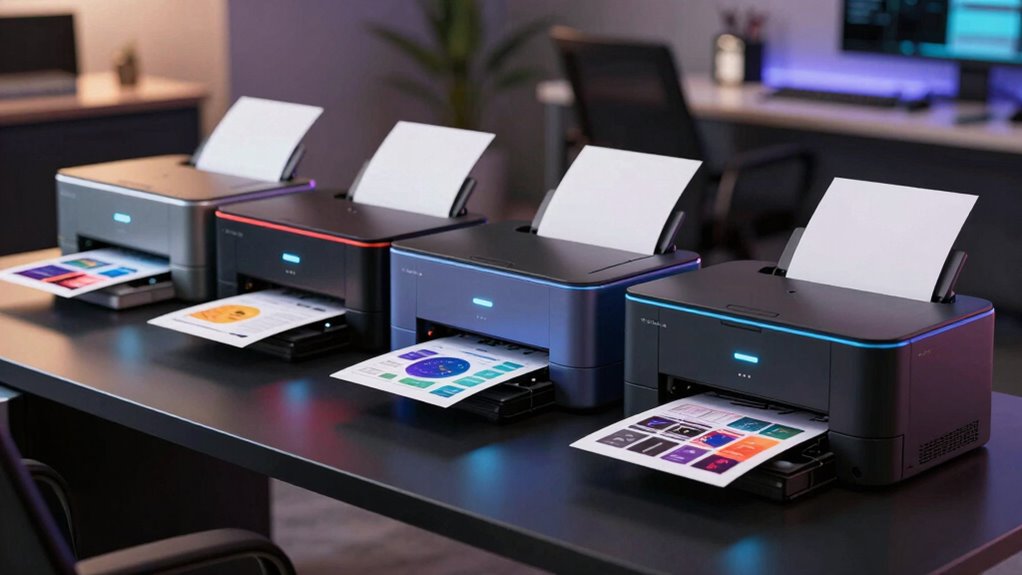

For a color laser printer for graphics, my best overall pick is the Canon imageCLASS MF753Cdw II, which combines a capable all-in-one setup with office-friendly paper handling. The HP Color LaserJet Pro MFP 3301fdw stands out for buyers who want fax and scanning alongside color output, while the Canon LBP646Cdw suits those who mainly need a straightforward printer. The main tradeoffs are multifunction features versus a simpler footprint, and efficient toner-based printing versus the richer tones and media flexibility many graphics workflows need. These printers can handle charts, flyers, and business visuals, but they are not substitutes for photo-focused inkjets or production presses. Read on for the full breakdown and help matching a model to your graphics and workflow.

Get everyday essentials delivered free with Prime
- Fast, free delivery on millions of items
- Prime Video, Amazon Music and more included
- Member-only deals all year
Key Takeaways
- The Canon imageCLASS MF753Cdw II leads the all-in-one group for buyers seeking a broad office workflow; its added functions make less sense if printing is all you need.
- The Canon LBP646Cdw and HP 3201dw are single-function choices, trimming scanner and fax features for people who want a printer-centered setup.
- Brother’s lineup covers distinct levels of complexity: the HL-L3220CDW keeps the job focused, while MFC models add scanning, copying, or faxing.
- Graphics needs change the value of paper handling: a larger tray and duplex printing help with frequent business documents, but neither guarantees good results on specialty media.
- Laser color suits crisp business graphics better than photographic work; buyers who need smooth gradients, vivid photo color, or unusual paper choices should compare inkjet options too.
| Canon Color imageCLASS MF662Cdw Wireless Duplex Laser Printer |  | Best for Fast Everyday Graphics | Type: Laser printer | Functions: Print, scan, copy | Print speed: Up to 26 ppm, color and monochrome | VIEW ON AMAZON | See Our Full Breakdown |
| Brother MFC-L3720CDW Wireless Color Laser Printer, Scanner, Copier, Fax, Auto Duplex, 250-Sheet Capacity |  | Best for Document-Heavy Small Offices | Print speed: Up to 19 ppm | Scan speed: Up to 29/22 ipm, black/color | Paper capacity: 250 sheets | VIEW ON AMAZON | See Our Full Breakdown |
| Brother HL-L3300CDW Wireless Digital Color Multifunction Printer |  | Best Compact Multifunction Pick | Model: HL-L3300CDW | Type: Digital color multifunction printer | Functions: Print, copy, scan | VIEW ON AMAZON | See Our Full Breakdown |
| Canon imageCLASS MF665Cdw Color All-in-One Duplex Laser Printer |  | Best for Graphics and Two-Sided Scanning | Print speed: Up to 26 ppm, color and monochrome | First print time: Approximately 10.3 seconds | Wireless: Yes | VIEW ON AMAZON | See Our Full Breakdown |
| Brother HL-L3280CDW Wireless Color Laser Printer |  | Best for Fast Graphics-Only Printing | Print speed: Up to 27 ppm | Display: 2.7-inch touchscreen | Duplex printing: Automatic | VIEW ON AMAZON | See Our Full Breakdown |
| HP Color LaserJet Pro 3201dw Wireless Color Laser Printer, Office Duplex (499Q9F) |  | Best for Fast, Graphics-Heavy Office Runs | Printer type: Color laser | Print speed: Up to 26 ppm, black and color | Resolution: 600 x 600 dpi | VIEW ON AMAZON | See Our Full Breakdown |
| Brother HL-L3220CDW Color Laser Printer – Wireless, Duplex, 250-Sheet Tray, 19 PPM |  | Best for Mixed-Media Graphics on a Budget of Space | Printer type: Color laser | Print speed: Up to 19 ppm | Resolution: 2400 x 600 dpi | VIEW ON AMAZON | See Our Full Breakdown |
| Canon imageCLASS MF753Cdw II All-in-One Color Duplex Laser Printer |  | Best for Graphics Plus Everyday Office Tasks | Model: MF753Cdw II | Print technology: Color laser | Functions: Print, scan, copy, fax | VIEW ON AMAZON | See Our Full Breakdown |
| HP Color LaserJet Pro MFP 3301fdw Wireless All-in-One Color Laser Printer |  | Best for Fast Graphics and Document Capture | Printer type: Color laser | Print speed: Up to 26 ppm color | Resolution: 600 x 600 dpi | VIEW ON AMAZON | See Our Full Breakdown |
| Brother MFC-L8930CDW Business Color Laser All-in-One Printer |  | Best Premium Pick for High-Volume Graphics Workflows | Print speed: Up to 33 ppm, color and black | Resolution: 2400 x 600 dpi | Scanner: Flatbed and sheetfed | VIEW ON AMAZON | See Our Full Breakdown |
| HP Color LaserJet Pro MFP 3301sdw Wireless All-in-One Color Laser Printer |  | Best for Small-Team Graphics Workflows | Print speed: Up to 26 ppm, black and color | Duplex printing: Automatic two-sided printing | Automatic document feeder: Yes | VIEW ON AMAZON | See Our Full Breakdown |
| Canon imageCLASS LBP646Cdw Wireless Color Laser Printer, Duplex, 26 PPM, White |  | Best Print-Only Pick for Shared Graphics | Print speed: Up to 26 ppm, color and monochrome | First print time: About 10.3 seconds | Display: 5-inch, 5-line LCD | VIEW ON AMAZON | See Our Full Breakdown |
| color laser printer for graphic | Print speed | Connectivity | Functions | Display |
|---|---|---|---|---|
| Canon Color imageCLASS MF662Cd | Up to 26 ppm, color and monochrome | Wireless; Canon PRINT, AirPrint, and Mopria | Print, scan, copy | 5-inch color touchscreen |
| Brother MFC-L3720CDW Wireless | Up to 19 ppm | 2.4GHz/5GHz Wi-Fi, Wi-Fi Direct, USB 2.0 | Print, scan, copy, fax | 3.5-inch color touchscreen |
| Brother HL-L3300CDW Wireless D | Up to 19 ppm | Dual-band Wi-Fi, Wi-Fi Direct, USB | Print, copy, scan | — |
| Canon imageCLASS MF665Cdw Colo | Up to 26 ppm, color and monochrome | — | — | 5-inch color touchscreen |
| Brother HL-L3280CDW Wireless C | Up to 27 ppm | Dual-band wireless, Ethernet | 2.7-inch touchscreen | |
| HP Color LaserJet Pro 3201dw W | Up to 26 ppm, black and color | Ethernet, USB, Wi-Fi | — | — |
| Brother HL-L3220CDW Color Lase | Up to 19 ppm | — | — | — |
| Canon imageCLASS MF753Cdw II A | — | Wireless | Print, scan, copy, fax | — |
| HP Color LaserJet Pro MFP 3301 | Up to 26 ppm color | Dual-band Wi-Fi, Ethernet | Print, scan, copy, fax | — |
| Brother MFC-L8930CDW Business | Up to 33 ppm, color and black | Dual-band wireless, Gigabit Ethernet, NFC | — | 7-inch color touchscreen |
| HP Color LaserJet Pro MFP 3301 | Up to 26 ppm, black and color | Wireless | Printing, scanning, copying and faxing | — |
| Canon imageCLASS LBP646Cdw Wir | Up to 26 ppm, color and monochrome | Wireless | — | 5-inch, 5-line LCD |
More Details on Our Top Picks
Canon Color imageCLASS MF662Cdw Wireless Duplex Laser Printer
For small offices that print graphics regularly but also need scanning and copying, the MF662Cdw offers a useful balance of speed and everyday versatility. Its 26 ppm color output and roughly 10.3-second first-page time make short runs of flyers, charts, or presentation pages less of a wait than with the 19 ppm Brother MFC-L3720CDW. Automatic duplex printing helps when graphics sit alongside longer reports, while the 5-inch touchscreen and mobile printing support make routine jobs accessible from phones or laptops. The tradeoff is a 250-sheet cassette and one-sheet multipurpose tray, which limit convenient switching among paper types and sizes. It makes more sense for recurring office graphics than for frequent specialty-media jobs or large print batches.
Pros:- 26 ppm color and monochrome speed with an approximately 10.3-second first print
- Automatic duplex printing for two-sided reports and graphics
- Wireless printing with Canon PRINT, AirPrint, and Mopria support
- 5-inch color touchscreen and a three-year limited warranty
Cons:- The 250-sheet cassette may need frequent refills in busier offices
- One-sheet multipurpose tray is inconvenient for repeated specialty-paper printing
Best for: Small-office teams printing color charts, presentation pages, and routine documents who also want scan and copy functions.
Not ideal for: Users who frequently switch paper stocks or sizes, or need to feed specialty sheets in batches, because the multipurpose tray holds just one sheet.
- Type:Laser printer
- Functions:Print, scan, copy
- Print speed:Up to 26 ppm, color and monochrome
- First print time:Approximately 10.3 seconds
- Connectivity:Wireless; Canon PRINT, AirPrint, and Mopria
- Display:5-inch color touchscreen
- Paper capacity:250-sheet cassette and 1-sheet multipurpose tray
- Duplex:Automatic two-sided printing
- Warranty:3-year limited warranty
Our verdict“Choose the MF662Cdw for fast, routine color graphics and all-in-one office tasks, but not for frequent paper changes or heavy-volume production.”
Brother MFC-L3720CDW Wireless Color Laser Printer, Scanner, Copier, Fax, Auto Duplex, 250-Sheet Capacity
The MFC-L3720CDW is the most document-oriented pick here: its 50-sheet automatic document feeder, scanning, copying, and fax functions make it a better fit for offices handling paperwork alongside color graphics. The feeder is particularly useful for digitizing multipage reports rather than scanning each page by hand. Its 19 ppm print speed, however, trails the 26 ppm Canon MF662Cdw and the 27 ppm Brother HL-L3280CDW, so it is less appealing when quick graphics batches are the priority. Dual-band Wi-Fi, Wi-Fi Direct, and USB offer flexible placement and connection choices, while the 3.5-inch touchscreen provides access to shortcuts. The listed subscription-related conditions and potentially involved setup deserve attention; choose it for its document workflow, not for the fastest graphics output.
Pros:- 50-sheet automatic document feeder supports multipage office scanning
- Print, scan, copy, and fax functions in one device
- Dual-band Wi-Fi, Wi-Fi Direct, and USB connectivity
- Automatic duplex printing and customizable touchscreen shortcuts
Cons:- 19 ppm is slower than the Canon MF662Cdw and Brother HL-L3280CDW
- Setup may be complex for some users
- Some features involve subscription enrollment and toner adds ongoing costs
Best for: Small-office administrators who print occasional color graphics and regularly scan, copy, or fax multipage documents.
Not ideal for: Teams that prioritize fast color print runs or want a simple setup without subscription-related conditions.
- Print speed:Up to 19 ppm
- Scan speed:Up to 29/22 ipm, black/color
- Paper capacity:250 sheets
- Automatic document feeder:50 sheets
- Connectivity:2.4GHz/5GHz Wi-Fi, Wi-Fi Direct, USB 2.0
- Display:3.5-inch color touchscreen
- Functions:Print, scan, copy, fax
- Duplex:Automatic duplex printing
Our verdict“Pick the MFC-L3720CDW when an ADF and fax matter more to your office than the faster graphics output of the Canon MF662Cdw.”
Brother HL-L3300CDW Wireless Digital Color Multifunction Printer
Among the multifunction choices, the HL-L3300CDW keeps the feature set focused: it prints, copies, and scans in a compact format suited to a home workspace or small office. For graphics buyers who need occasional document handling but do not need fax, that makes it a simpler alternative to the Brother MFC-L3720CDW, which adds fax and a 50-sheet document feeder. Both are rated at up to 19 ppm, so neither is the speed leader; the Canon MF662Cdw and Brother HL-L3280CDW offer faster listed print rates. Dual-band Wi-Fi, Wi-Fi Direct, and USB give it flexible connection options, and security features suit shared workspaces. The key compromise is its one-year limited warranty, shorter than the three-year coverage listed for the Canon models, along with moderate speed.
Pros:- Compact print, copy, and scan functionality for limited workspace
- Dual-band Wi-Fi, Wi-Fi Direct, and USB connectivity
- Security features for shared office documents
- Automatic duplex printing
Cons:- 19 ppm print speed is below the Canon MF662Cdw and Brother HL-L3280CDW
- One-year limited warranty is shorter than the listed Canon alternatives
- No fax function or stated automatic document feeder
Best for: Home-office users who want a compact printer for occasional color graphics plus basic scanning and copying, without a fax function.
Not ideal for: Busy teams needing fast graphics batches, a long warranty, or an automatic feeder for multipage scans.
- Model:HL-L3300CDW
- Type:Digital color multifunction printer
- Functions:Print, copy, scan
- Print speed:Up to 19 ppm
- Connectivity:Dual-band Wi-Fi, Wi-Fi Direct, USB
- Duplex:Yes
- Warranty:1-year limited warranty
- Compatibility:Works with Alexa
Our verdict“Choose the HL-L3300CDW for compact, occasional graphics printing with basic multifunction tools, not for speed-focused or scan-heavy work.”
Canon imageCLASS MF665Cdw Color All-in-One Duplex Laser Printer
The MF665Cdw earns its place for buyers whose graphics workflow includes handling two-sided paperwork as well as printing. Its 50-sheet duplex automatic document feeder can scan both sides of multipage originals, a capability that gives it a practical edge over the MF662Cdw, whose supplied specifications do not list an ADF. Both Canon models share a 26 ppm print rate, a 5-inch touchscreen, mobile printing, a 250-sheet cassette, and a one-sheet multipurpose tray, so graphics output speed and paper flexibility are broadly similar. The MF665Cdw’s extra document-handling hardware is the meaningful distinction, not a faster print engine. It remains a small-office machine rather than a high-volume production device, and its single-sheet multipurpose tray is a poor match for frequent switching between specialty stocks.
Pros:- 26 ppm color and monochrome print speed with approximately 10.3-second first-page output
- 50-sheet duplex ADF handles two-sided document scanning
- Wireless printing with Canon PRINT, Apple AirPrint, and Mopria
- 5-inch color touchscreen and three-year limited warranty
Cons:- One-sheet multipurpose tray slows repeated specialty-paper jobs
- Designed for small and home offices rather than heavy-volume workloads
Best for: Small-office teams that print color graphics and regularly scan both sides of multipage documents.
Not ideal for: High-volume print rooms or users who often load specialty media, since the paper setup is limited to a 250-sheet cassette and one multipurpose sheet.
- Print speed:Up to 26 ppm, color and monochrome
- First print time:Approximately 10.3 seconds
- Wireless:Yes
- Display:5-inch color touchscreen
- Mobile printing:Canon PRINT app, Apple AirPrint, Mopria Print Service
- Paper capacity:250-sheet cassette and 1-sheet multipurpose tray
- Automatic document feeder:50-sheet duplex ADF
- Toner:Canon Genuine Toner 075/075 high-capacity
- Warranty:3-year limited warranty
Our verdict“Choose the MF665Cdw over the MF662Cdw if duplex document scanning is part of your graphics workflow; otherwise, their listed print speeds are alike.”
Brother HL-L3280CDW Wireless Color Laser Printer
For buyers who mainly need printed graphics and do not require scanning or copying, the HL-L3280CDW is the speed-focused choice in this group. Its listed 27 ppm rate edges past the 26 ppm Canon MF662Cdw and MF665Cdw, while automatic duplexing helps conserve paper for two-sided handouts. Unlike those Canon all-in-ones, this Brother is a print-focused model, so it gives up their scan and copy functions in favor of a narrower job. Dual-band Wi-Fi and Ethernet make it suitable for either wireless placement or a wired office connection, and the 2.7-inch touchscreen provides basic on-device control. The tradeoffs include a one-year limited warranty and subscription enrollment requirements tied to the toner offer; check those terms before relying on the included trial.
Pros:- 27 ppm listed print speed, the fastest among these five products
- Automatic duplex printing for two-sided graphics and handouts
- Dual-band Wi-Fi and Ethernet connection options
- Compact design with a 2.7-inch touchscreen
Cons:- Print-only functionality lacks the scan and copy tools of the Canon MF662Cdw
- One-year limited warranty
- Toner offer requires subscription enrollment, and the trial may involve overage fees and an app download
Best for: Small-office users who print color graphics frequently, want a wired or wireless network connection, and do not need scanning or copying.
Not ideal for: Buyers who need an all-in-one device, longer listed warranty coverage, or toner arrangements without subscription enrollment.
- Print speed:Up to 27 ppm
- Display:2.7-inch touchscreen
- Duplex printing:Automatic
- Connectivity:Dual-band wireless, Ethernet
- Warranty:1-year limited warranty
- Functions:Print
- Toner offer:Subscription enrollment required for the monthly Refresh EZ Print offer
Our verdict“Choose the HL-L3280CDW for the quickest listed print speed and flexible networking when all-in-one functions are not needed.”
HP Color LaserJet Pro 3201dw Wireless Color Laser Printer, Office Duplex (499Q9F)
For teams printing color charts, proposals, and presentation graphics in batches, the HP Color LaserJet Pro 3201dw pairs a 26-page-per-minute speed with automatic duplexing, so routine two-sided jobs move along without manual page turning. Its 600 x 600 dpi resolution and TerraJet toner are aimed at clean, vivid office graphics rather than fine-art reproduction. Compared with the Brother HL-L3220CDW, it is the faster choice on paper, while Brother lists a higher 2400 x 600 dpi resolution and broad media support that includes glossy photo paper. The HP’s Ethernet, USB, and dual-band Wi-Fi suit a shared workgroup, but its single 250-sheet tray limits longer runs, and HP cartridge restrictions narrow supply choices. I’d skip it for frequent specialty-media switching or highly detailed photo work.
Pros:- 26 ppm color speed helps keep larger office print jobs moving.
- Automatic duplexing reduces manual handling and paper use.
- Ethernet, dual-band Wi-Fi, and USB support shared and direct connections.
- 250-sheet input tray supports routine workgroup printing.
Cons:- 600 x 600 dpi is less specified detail than the Brother HL-L3220CDW’s 2400 x 600 dpi.
- A single 250-sheet tray means media changes require reloading.
- HP cartridge restrictions limit toner sourcing choices.
Best for: Small office teams that print frequent color reports, presentation graphics, and duplex documents over a shared wired or wireless network.
Not ideal for: Graphic designers seeking fine photographic detail, or offices that need multiple paper types loaded at once or flexible third-party toner options.
- Printer type:Color laser
- Print speed:Up to 26 ppm, black and color
- Resolution:600 x 600 dpi
- Automatic duplex:Yes
- Input tray:250 sheets
- Maximum media size:8.5 x 14 in
- Connectivity:Ethernet, USB, Wi-Fi
- Weight:33 lb
Our verdict“Choose this HP for fast, shared office graphics and duplex documents, but look elsewhere for highly detailed imagery or flexible media handling.”
Brother HL-L3220CDW Color Laser Printer – Wireless, Duplex, 250-Sheet Tray, 19 PPM
The Brother HL-L3220CDW is a practical pick when graphics jobs include labels, envelopes, or occasional glossy photo paper as well as plain sheets. Its listed media support is broader than the HP Color LaserJet Pro 3201dw, and the 2400 x 600 dpi resolution gives it a more detailed stated output specification, though that does not make it a photo printer. The tradeoff is speed: at up to 19 ppm, it trails HP’s 26 ppm for larger batches. Automatic duplexing and a 250-sheet tray keep everyday office jobs convenient, while wireless and mobile connectivity suit home-office users. This is a print-only machine, however, unlike the multifunction Canon imageCLASS MF753Cdw II; skip it if scanning, copying, or faxing needs to happen at the same desk.
Pros:- Supports card stock, envelopes, labels, glossy photo paper, and plain paper.
- 2400 x 600 dpi listed resolution suits crisp office graphics and text.
- Automatic duplexing and a 250-sheet tray ease routine printing.
- Wireless and mobile-device connectivity support flexible placement.
Cons:- 19 ppm is slower than the HP Color LaserJet Pro 3201dw’s 26 ppm.
- Print-only design lacks scanning, copying, and fax functions.
- One tray cannot keep multiple media types ready at the same time.
Best for: Home-office owners and small teams printing occasional color graphics alongside labels, envelopes, and other supported media.
Not ideal for: People who need scanning, copying, or faxing, or teams that routinely print large color batches and need higher throughput.
- Printer type:Color laser
- Print speed:Up to 19 ppm
- Resolution:2400 x 600 dpi
- Automatic duplex:Yes
- Maximum sheet capacity:250 sheets
- Supported media:Card stock, envelopes, glossy photo paper, labels, plain paper
- Maximum media size:8.5 x 14 in
- Weight:24.7 lb
Our verdict“Pick the Brother for varied supported media and everyday graphics, provided print-only operation and slower batch speed fit your workflow.”
Canon imageCLASS MF753Cdw II All-in-One Color Duplex Laser Printer
The Canon imageCLASS MF753Cdw II makes the most sense when color graphics are one part of a broader office workflow. Its print, scan, copy, and fax functions put it ahead of the print-only Brother HL-L3220CDW for users who need one device to handle paperwork as well as output. Automatic duplex printing helps with multipage handouts, and wireless connectivity avoids tying the printer to one desk. The supplied details do not list print speed, resolution, tray capacity, or dimensions, so I can’t rank it against the HP 3201dw or HP 3301fdw for graphic detail or batch throughput. Its multifunction design also takes more room than a single-function printer. I’d choose it for a shared home workspace that values task coverage over a compact footprint, not for a buyer who needs documented image specifications.
Pros:- Combines printing, scanning, copying, and faxing in one device.
- Automatic duplex printing supports efficient two-sided graphics and documents.
- Wireless connectivity supports network printing without a direct cable connection.
Cons:- Multifunction design may occupy more space than a print-only model.
- The supplied product data does not state resolution, speed, or paper capacity.
- No stated media range or graphic-output measurements to guide specialty jobs.
Best for: Home-office users who print color charts and handouts and also need scanning, copying, and faxing from one wireless device.
Not ideal for: Design-focused buyers who need published resolution and speed details before choosing, or anyone with very limited desk space.
- Model:MF753Cdw II
- Print technology:Color laser
- Functions:Print, scan, copy, fax
- Connectivity:Wireless
- Duplex printing:Automatic
Our verdict“Choose the Canon when all-in-one office functions matter more than a small footprint or clearly documented graphics specifications.”
HP Color LaserJet Pro MFP 3301fdw Wireless All-in-One Color Laser Printer
The HP Color LaserJet Pro MFP 3301fdw stands out for offices that need color output and fast document intake in the same machine. Its 26 ppm color printing matches the single-function HP 3201dw, while the single-pass auto document feeder adds a clear advantage when scanning multi-page originals. Scan, copy, and fax functions also make it more versatile than the Brother HL-L3220CDW, which only prints. For graphics, the listed 600 x 600 dpi resolution points toward practical business materials rather than fine image reproduction. A 250-sheet tray and Ethernet plus dual-band Wi-Fi support shared use, but there is just one tray and the 41.4-pound body is harder to reposition than the Brother. HP cartridge restrictions are another ongoing limitation for buyers who want broader toner choices.
Pros:- 26 ppm color speed supports quicker office print batches.
- Single-pass auto document feeder streamlines multi-page scanning.
- Print, scan, copy, and fax functions replace several separate devices.
- 250-sheet input tray plus Ethernet and dual-band Wi-Fi fit shared offices.
Cons:- 600 x 600 dpi resolution is aimed at office graphics rather than fine image detail.
- At 41.4 lb, it is substantially heavier than the Brother HL-L3220CDW.
- HP cartridge restrictions limit toner sourcing flexibility.
Best for: Small businesses that print color reports and marketing handouts while regularly scanning multi-page paperwork, copying, or faxing.
Not ideal for: Users who need fine photographic detail, multiple paper types loaded at once, or a lightweight printer that can be moved between desks.
- Printer type:Color laser
- Print speed:Up to 26 ppm color
- Resolution:600 x 600 dpi
- Functions:Print, scan, copy, fax
- Document feeder:Single-pass auto document feeder
- Input tray:250 sheets
- Connectivity:Dual-band Wi-Fi, Ethernet
- Weight:41.4 lb
Our verdict“Pick this HP when fast color printing and feeder-based document scanning belong in one office machine, not when compactness or fine graphics detail leads.”
Brother MFC-L8930CDW Business Color Laser All-in-One Printer
For a busy office where color graphics share space with large print, copy, and scan workloads, the Brother MFC-L8930CDW is the speed-focused premium option here. Its 33 ppm output exceeds the 26 ppm listed for both HP models, and the 80-page ADF supports sizable scan batches without constant reloading. The 2400 x 600 dpi resolution is also higher on paper than the HP 3201dw’s 600 x 600 dpi, while included toner yields are stated as 3,000 black pages and 1,800 color pages. This scale comes with a real placement cost: at 71.2 pounds and over 20 inches tall, it is much less suitable for a crowded home office than the Brother HL-L3220CDW. Cloud scanning also depends on internet access and accounts.
Pros:- 33 ppm color and black printing leads the listed models in this batch.
- 80-page ADF handles larger scanning and copying batches.
- 2400 x 600 dpi listed resolution supports detailed business graphics.
- Included toner yields are specified at 3,000 black and 1,800 color pages.
Cons:- At 71.2 lb, it is difficult to move and needs a sturdy, planned location.
- The 20.7-inch depth and 21.6-inch height require more space than the HL-L3220CDW.
- Cloud scanning features require internet access and accounts.
Best for: High-output small businesses that produce frequent color handouts and need fast scanning, copying, and a large-capacity document feeder.
Not ideal for: Home-office users with limited desk space, buyers who need an easy-to-move device, or teams that prefer local-only cloud-free scanning workflows.
- Print speed:Up to 33 ppm, color and black
- Resolution:2400 x 600 dpi
- Scanner:Flatbed and sheetfed
- ADF capacity:80 pages
- Connectivity:Dual-band wireless, Gigabit Ethernet, NFC
- Display:7-inch color touchscreen
- Dimensions:20.7 x 16.1 x 21.6 in
- Weight:71.2 lb
- Included toner yield:3,000-page black, 1,800-page color
Our verdict“Choose the Brother MFC-L8930CDW for high-volume graphics and document workflows if you can accommodate its size and weight.”
HP Color LaserJet Pro MFP 3301sdw Wireless All-in-One Color Laser Printer
The HP Color LaserJet Pro MFP 3301sdw suits small teams that need color graphics alongside routine document handling. Its 26 ppm color speed and automatic duplexing help keep multi-page jobs moving, while the 250-sheet tray and ADF support scanning and copying without a separate device. That makes it more versatile than the print-only Canon imageCLASS LBP646Cdw, which has a similar listed print speed but cannot digitize or copy artwork and documents. The tradeoff is a more demanding toner ecosystem: this HP uses 218A or 218X cartridges and blocks non-HP cartridge chips, limiting third-party options. For buyers focused on graphic output, it offers practical office throughput, but the supplied details do not establish color-management tools or specialty media handling. Choose it for an all-in-one workflow, not as a dedicated art-printing machine.
Pros:- Prints color and black-and-white jobs at up to 26 ppm
- Automatic two-sided printing reduces paper use for longer documents
- ADF and scanning/copying functions support shared office workflows
- 250-sheet input tray reduces interruptions for routine jobs
Cons:- Chip restrictions block non-HP toner cartridges
- Multifunction design takes a broader role than buyers who only need printing may need
- Product details do not specify color calibration or specialty-media support for graphics work
Best for: Small offices that print color charts or presentation graphics and also need to scan and copy multi-page paperwork.
Not ideal for: Buyers seeking flexible third-party toner choices or a printer dedicated to color-critical artwork and specialty media.
- Print speed:Up to 26 ppm, black and color
- Duplex printing:Automatic two-sided printing
- Automatic document feeder:Yes
- Input tray capacity:250 sheets
- Toner cartridges:HP 218A standard or HP 218X high-yield
- Connectivity:Wireless
- Functions:Printing, scanning, copying and faxing
Our verdict“Choose the HP 3301sdw if your small team needs brisk color printing plus ADF-based scanning and copying, and can work within HP’s toner system.”
Canon imageCLASS LBP646Cdw Wireless Color Laser Printer, Duplex, 26 PPM, White
The Canon imageCLASS LBP646Cdw is a good fit when the job is simply to print color graphics quickly, without paying for scanning or copying features you will not use. It matches the HP Color LaserJet Pro MFP 3301sdw’s listed 26 ppm speed while adding a 10.3-second first-page time, wireless connectivity and support for AirPrint, Mopria and Canon’s app. Its 250-sheet cassette and automatic duplexing suit regular office output, and a one-sheet multipurpose tray offers another way to feed paper. Unlike the HP, this Canon is print-only, so it cannot handle document capture or copying. The 5-inch, 5-line display also provides limited navigation space. Its stated features favor convenient business graphics and general documents, rather than buyers who need an all-in-one or have specific color-proofing requirements.
Pros:- Prints up to 26 ppm with a listed first-page time of about 10.3 seconds
- Works with Canon PRINT, Apple AirPrint and Mopria
- Automatic duplex printing supports efficient multi-page output
- Includes a 250-sheet cassette and a one-sheet multipurpose tray
Cons:- Print-only design lacks scanning, copying and faxing
- 5-inch, 5-line LCD offers limited navigation space
- Uses Canon Genuine 075 high-capacity toner, with no third-party cartridge details provided
Best for: Home-office users or small teams who print color presentations and graphics wirelessly but already have a separate scanner or copier.
Not ideal for: Users who need scanning, copying or faxing, or who require documented color-calibration features for proofing artwork.
- Print speed:Up to 26 ppm, color and monochrome
- First print time:About 10.3 seconds
- Display:5-inch, 5-line LCD
- Connectivity:Wireless
- Mobile printing:Canon PRINT app, Apple AirPrint and Mopria Print Service
- Toner:Canon Genuine 075 high-capacity
- Paper capacity:250-sheet cassette plus 1-sheet multipurpose tray
- Duplex and certifications:Automatic two-sided printing; ENERGY STAR and EPEAT Silver certified
Our verdict“Pick the LBP646Cdw for fast, wireless color printing and duplexing if you do not need the HP 3301sdw’s scanning and copying functions.”
How We Picked
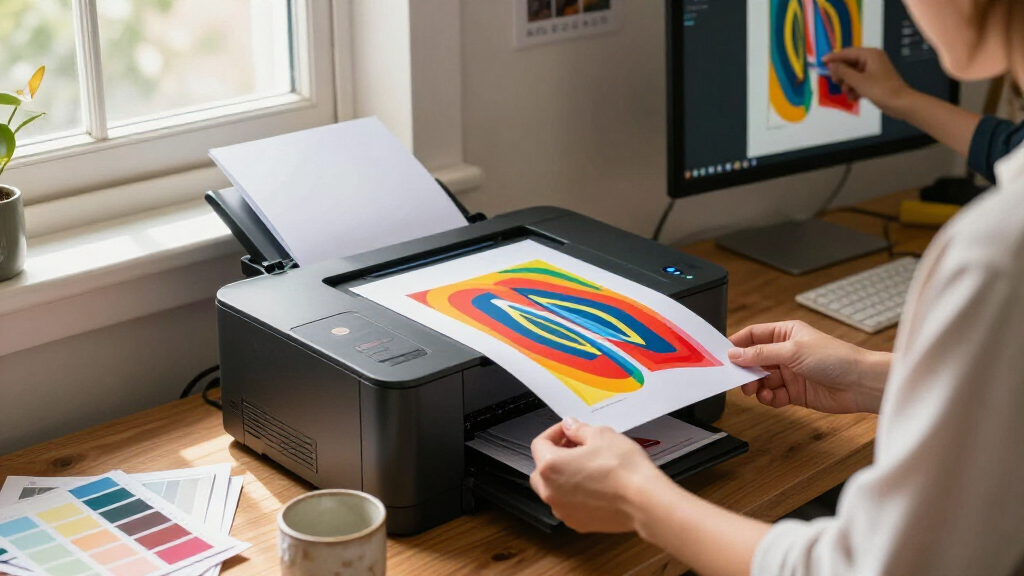
I ranked these printers around the job implied by graphics: producing readable charts, colored diagrams, presentation handouts, and other business visuals without making everyday office tasks cumbersome. I weighed print-focused details such as duplexing, stated speed, paper capacity, connectivity, and whether a printer is single-function or an all-in-one. I also considered how those choices affect the space, setup, and workflow a buyer takes on.
The ranking favors useful balance, not the longest feature list. The Canon MF753Cdw II places first as a versatile all-in-one, while dedicated printers rank well for buyers who value a simpler print-only setup. Brother and HP models are differentiated by their function mix and intended office role. Product specifications alone cannot establish color accuracy or output quality on every paper, so I treat laser graphics as a practical fit for business visuals—not a promise of photo-grade reproduction.
| color laser printer for graphic | Functions | Print speed |
|---|---|---|
| Canon Color imageCLASS MF662Cd | Print, scan, copy | Up to 26 ppm, color and monochrome |
| Brother MFC-L3720CDW Wireless | Print, scan, copy, fax | Up to 19 ppm |
| Brother HL-L3300CDW Wireless D | Print, copy, scan | Up to 19 ppm |
| Canon imageCLASS MF665Cdw Colo | — | Up to 26 ppm, color and monochrome |
| Brother HL-L3280CDW Wireless C | Up to 27 ppm | |
| HP Color LaserJet Pro 3201dw W | — | Up to 26 ppm, black and color |
| Brother HL-L3220CDW Color Lase | — | Up to 19 ppm |
| Canon imageCLASS MF753Cdw II A | Print, scan, copy, fax | — |
| HP Color LaserJet Pro MFP 3301 | Print, scan, copy, fax | Up to 26 ppm color |
| Brother MFC-L8930CDW Business | — | Up to 33 ppm, color and black |
| HP Color LaserJet Pro MFP 3301 | Printing, scanning, copying and faxing | Up to 26 ppm, black and color |
| Canon imageCLASS LBP646Cdw Wir | — | Up to 26 ppm, color and monochrome |
Factors to Consider When Choosing Color Laser Printer For Graphics
Before choosing a model, decide what you mean by graphics and how the printer will fit into your workday. A diagram for a report has different demands from a full-bleed flyer or a color proof. The following checks can help prevent paying for functions you will not use—or choosing a printer that cannot handle your output.
Match Laser Output to the Graphics You Print
Color laser printers are a natural fit for charts, line art, labels, and presentation documents, where clean text and dependable office printing matter. They are less suited to photographs, subtle gradients, and work where color matching must be exact. Toner-based output may appear different from a screen, so plan to print a small sample before committing to a large batch. If your graphics depend on smooth tonal changes or photographic detail, compare a photo-oriented inkjet rather than assuming a higher office specification will solve the gap. For business artwork with blocks of color and crisp outlines, laser can be a practical choice.
Check Paper Support, Not Just the Main Tray
A stated sheet capacity describes convenience for routine paper, not every type or size the printer can accept. Check the supported weights, dimensions, and feed paths before buying for cardstock, glossy stock, or specialty media. A common mistake is assuming that a printer capable of color output will also handle heavy or coated paper reliably. Confirm whether the desired stock can use the normal tray or needs a manual feed, and check whether duplex printing works with it. If your graphics work uses only standard office paper, a large media range may add little value.
Choose Multifunction Features Only When They Fit Your Workflow
An all-in-one can save desk space and simplify scanning artwork, copying marked-up pages, or sending documents, but each added function brings more setup and maintenance. Fax is useful in some offices but may sit unused in a home workspace. If you already have a scanner or rarely digitize documents, a dedicated printer can be the cleaner choice. Think through the tasks that happen together: scanning a diagram and printing a revised copy is a stronger reason for an all-in-one than the vague possibility that scanning might be useful someday. This decision separates print-focused options like the Canon LBP646Cdw from multifunction models such as the MF753Cdw II.
Treat Speed and Duplexing as Workflow Questions
Printer speed matters most when you regularly produce multi-page reports or several sets of handouts; occasional single-page graphics place less demand on it. Automatic duplexing can cut paper use and make reference packets easier to manage, but it does not guarantee that every type of stock can be printed on both sides. Consider how many pages you print in a normal batch, how often you wait for output, and whether double-sided pages suit the finished piece. A faster model may be worthwhile for a shared office, while a simpler printer can serve a low-volume workspace well. Compare the expected workflow rather than choosing by a speed figure alone.
Budget for the Full Printing Routine
The purchase decision is only one part of owning a color laser printer. Check the replacement toner options, drum or other maintenance parts where applicable, and the expected yield assumptions for your mix of text and graphics. Large areas of color can consume supplies differently from pages dominated by black text, so published yield figures will not predict every user’s results. Also account for the space needed for paper loading, access to toner, and network setup. A compact single-function model may be a better value for a light workload, while a shared office can benefit from capacity and multifunction tools that reduce interruptions.
Frequently Asked Questions
Can a color laser printer produce graphics suitable for client presentations?
Yes, these printers can suit charts, diagrams, and business handouts where sharp text and clear blocks of color matter. The result depends on the artwork, printer settings, and paper, so print a sample before producing a large set. Laser output may not reproduce subtle gradients or brand colors exactly as they appear on a calibrated screen. If color matching is a formal requirement, use a proofing workflow and assess the actual output rather than relying on specifications. For photographic presentation boards, compare inkjet models as well.
Should I choose an all-in-one or a print-only model for graphics?
Choose an all-in-one if scanning or copying is part of the same workflow—for example, capturing a marked-up graphic and printing a revised version. A print-only model can be a better fit when you already own a scanner or only need hard copies. The Canon MF753Cdw II and HP 3301fdw cover broader office tasks, while options such as the Canon LBP646Cdw keep the focus on printing. Added functions can take up room and bring extra setup, so do not treat them as automatic value. Base the choice on tasks you expect to use regularly.
Will these printers handle cardstock or glossy paper for flyers?
Do not assume that a color laser printer supports every flyer stock. Check the exact model’s accepted paper weights, sizes, and feed instructions, along with any limits on duplexing or coated media. Paper designed for laser printers is usually a safer starting point than material made specifically for inkjet devices. Even with compatible stock, run a test page to check feeding, toner adhesion, and appearance before printing a batch. If heavy, coated, or unusual media is central to your work, compare the printer’s manual-feed options carefully.
Does a higher print speed mean a printer is better for graphics?
Not by itself. Speed mainly affects how long you wait for a batch, while the suitability of graphics output depends on the type of artwork, media support, and the printer’s color results. A shared office printing many presentation sets may benefit from faster output and a larger paper supply. Someone printing occasional diagrams may gain more from a simpler setup or scanning features. Compare stated speeds alongside the number of pages you print and how often you print them, rather than treating speed as a measure of image quality.
When should I choose an inkjet instead of one of these color lasers?
Look at inkjet alternatives if your graphics include photographs, delicate gradients, specialty art paper, or color-critical proofs. Laser printers in this group are aimed more at routine office visuals and document workflows. An inkjet may offer a better fit for fine tonal detail or broader creative media choices, though it may come with different maintenance and running-cost considerations. If your work mixes charts with photos, identify which output is least acceptable to compromise on. A printed sample on your intended paper is a useful deciding test.
Conclusion
For a balanced office setup, I recommend the Canon imageCLASS MF753Cdw II as best overall, especially when scanning and copying belong in the same workflow. For a print-focused setup, the Canon LBP646Cdw is my best value direction among these picks, while buyers who prioritize a straightforward Brother printer can compare the HL-L3220CDW. The best premium fit is the business-oriented Brother MFC-L8930CDW for buyers who need a more office-focused all-in-one, and the best choice for beginners is a simple single-function model such as the HP 3201dw when scanning and fax are unnecessary. For a specific need, choose the HP 3301fdw if fax belongs in your all-in-one workflow; choose a multifunction Canon or Brother only when its extra document tools will see regular use. If your priority is photo-like graphics rather than crisp business visuals, I would compare inkjets before settling on a laser.
Halloween Picks
halloween
As an affiliate, we earn on qualifying purchases.