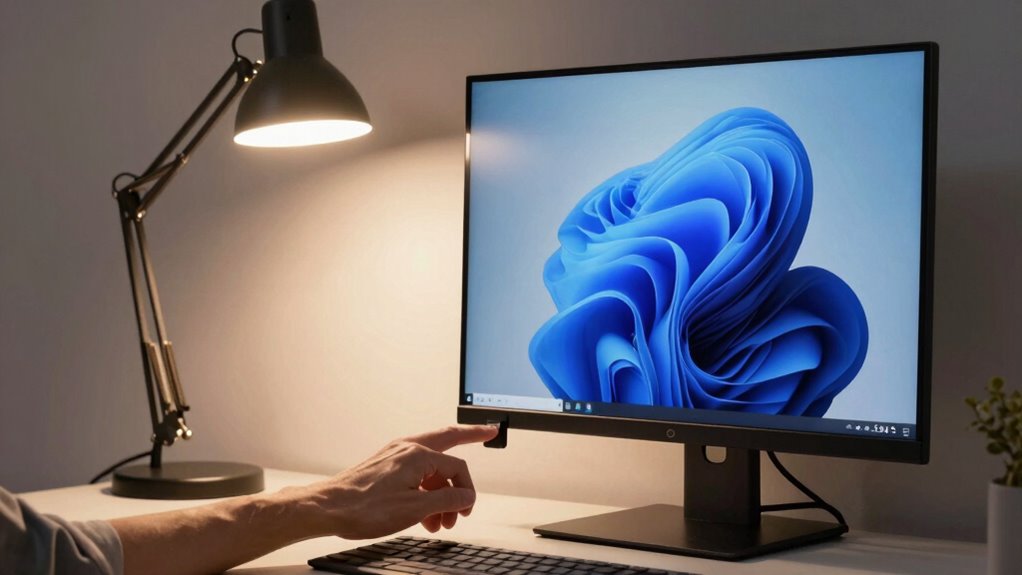

To instantly improve screen comfort, choose lighting that minimizes glare and matches your screen brightness. Use diffused, warm or neutral-colored lights with adjustable brightness to prevent eye strain and fluctuating pupils. Position lights away from your monitor to avoid reflections, and make certain ambient light complements your screen’s luminance. This simple change can make a noticeable difference in how your eyes feel, and if you keep exploring, you’ll discover even more ways to boost your eye health and comfort.

Get everyday essentials delivered free with Prime
- Fast, free delivery on millions of items
- Prime Video, Amazon Music and more included
- Member-only deals all year
Key Takeaways
- Use adjustable, diffused lighting to quickly reduce glare and minimize eye strain.
- Match room lighting color temperature with screen brightness for immediate comfort.
- Position light sources away from the monitor to prevent reflections and glare.
- Incorporate task lighting that can be easily dimmed or brightened as needed.
- Ensure ambient lighting balances with screen brightness for instant visual relief.

Choosing the right lighting for your screen can considerably reduce eye strain and improve overall comfort during long periods of use. The key lies in understanding how to optimize your environment, especially through factors like color temperature and glare reduction. When you select lighting with the correct color temperature, you create an atmosphere that aligns with your screen’s brightness and your natural circadian rhythm. Cooler temperatures, around 5000K to 6500K, mimic daylight and help keep you alert, while warmer tones, between 2700K and 3000K, foster relaxation during late-night work or leisure. By adjusting the color temperature to match your activity, you prevent your eyes from constantly adjusting between mismatched light and screen brightness, which can cause fatigue and discomfort.
Glare reduction plays a crucial role in screen comfort because glare forces your eyes to work harder to focus, leading to headaches and eye strain. To minimize glare, you should position your lighting sources away from your screen or use diffused light fixtures that scatter light evenly around the room. Avoid placing bright lights directly behind or in front of your monitor, as this creates high-contrast reflections and reduces contrast on your screen, making it harder to see details comfortably. Using lamps with adjustable brightness allows you to fine-tune your environment, ensuring the light doesn’t overpower your display or cause unwanted reflections. Incorporating anti-glare screens or matte finishes on your monitor also complements your efforts in glare reduction, creating a softer visual environment that’s easier on your eyes.
Additionally, the overall ambient lighting should be balanced with your screen’s brightness. Too bright or too dim surroundings can cause your pupils to constantly adjust, leading to eye fatigue. You want your room lighting to be about the same brightness level as your screen, reducing the strain caused by rapid pupil dilation and contraction. Proper lighting placement can further enhance your visual environment, making your space more comfortable and supporting your eye health. Achieving optimal indoor air quality is also essential for maintaining overall comfort, as good ventilation can reduce dust and allergens that might irritate your eyes during extended screen time. Furthermore, maintaining a comfortable lighting environment can help prevent long-term eye issues and improve your productivity during extended periods of screen use. Ensuring your environment has the right balance of light, air quality, and glare control is fundamental for sustained visual comfort.
Popular right now

LG 85-Inch QNED73B Mini LED 4K Smart TV (2026)

Hisense 85 U7 Mini-LED ULED 4K UHD Smart Google TV (85U7SG, 2026)

Dyson Airwrap i.d. Multi-Styler for Straight and Wavy Hair
As an affiliate, we earn on qualifying purchases.
Frequently Asked Questions
How Does Lighting Affect Eye Strain During Screen Use?
Lighting directly impacts your eye strain during screen use by influencing screen glare and eye fatigue. When your environment is too bright or unevenly lit, glare increases, forcing your eyes to work harder. Proper ambient lighting reduces glare and minimizes eye fatigue, making it easier to focus and reducing discomfort. Adjusting your lighting helps protect your eyes, keeps your vision clear, and allows you to work or relax longer without strain.
Can Adjustable Lighting Improve Overall Workspace Productivity?
Adjustable lighting can considerably boost your workspace productivity by reducing eye strain and creating a comfortable environment. When combined with ergonomic seating and well-organized desks, it helps you stay focused and prevents fatigue. You can easily customize brightness levels to match your tasks, minimizing discomfort and enhancing concentration. This flexible lighting setup encourages better posture and workspace organization, making it easier to maintain productivity throughout your workday.
What Are the Best Color Temperatures for Screen Comfort?
You should aim for a color temperature around 5000K to 6500K for screen comfort. This range enhances color perception without causing excessive screen glare, reducing eye strain. Cooler temperatures (above 6500K) can create harsh lighting, while warmer ones (below 5000K) may dull colors. Adjust your lighting to match your screen’s brightness and your environment to minimize eye fatigue and improve overall comfort during extended use.
Is Natural Light Better Than Artificial Lighting for Screens?
Natural light often offers a softer, more balanced illumination, reducing screen glare and light flickering, making it easier on your eyes. Unlike artificial lighting, which can cause harsh shadows and uneven brightness, natural light adapts with the time of day, providing a more consistent environment. However, direct sunlight might cause glare, so positioning your screen appropriately is key. Overall, natural light enhances comfort when managed properly.
How Often Should I Adjust My Lighting Setup for Optimal Comfort?
You should adjust your lighting setup whenever you notice increased screen glare or discomfort. Regularly check your ambient brightness and match it to your screen’s lighting to reduce eye strain. Typically, make small adjustments weekly or whenever your environment changes, like switching rooms or time of day. Keeping your lighting balanced prevents glare and maintains visual comfort, helping you work longer without fatigue. Stay attentive to these cues for ideal screen comfort.
Conclusion
Choosing the right lighting is like tuning a guitar—when you get it just right, everything sounds and feels better. By adjusting your environment to reduce glare and match your screen’s brightness, you create a haven where your eyes can rest easily. Don’t let poor lighting be the storm that disrupts your comfort. Instead, steer your space toward harmony, and enjoy a smooth, soothing experience every time you settle in to work or unwind.