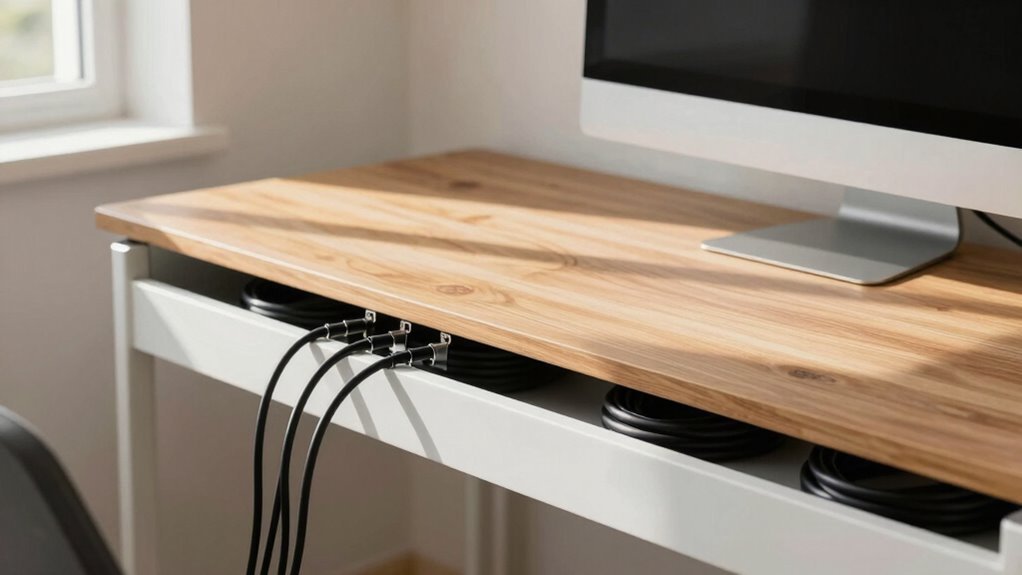

To stop daily cable clutter, create a simple system with cable clips, sleeves, and under-desk trays to route and hide cords. Use wireless devices where possible to reduce wires and keep your workspace sleek. Regularly check and organize cables, label them for easy troubleshooting, and route them along designated paths. This setup prevents tangles, trips, and device damage. Keep your workspace safe and tidy—discover more tips to optimize your home office environment.
Key Takeaways
- Assess your devices to determine which need wired or wireless connections for minimal clutter.
- Use cable clips, sleeves, and under-desk trays to route and conceal cords effectively.
- Incorporate wireless peripherals like keyboards and mice to eliminate unnecessary cables.
- Regularly label and adjust cables to prevent tangling, damage, and tripping hazards.
- Plan your setup for easy maintenance and upgrades, ensuring safety and a clean workspace.
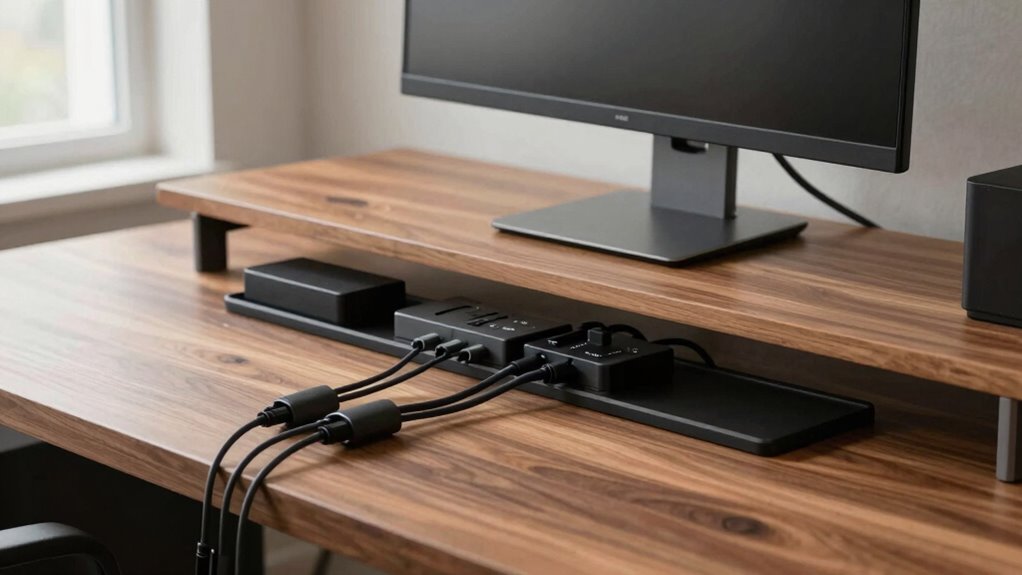
A cluttered home office can hinder productivity and increase stress, but proper cable management can transform your workspace. When cables are tangled and sprawled across your desk, it’s easy to feel overwhelmed and distracted. The good news is that streamlining your cables doesn’t mean sacrificing functionality. By adopting wireless solutions whenever possible, you eliminate the need for excess cords, creating a cleaner, more organized environment. Wireless keyboards, mice, and printers reduce clutter markedly, giving your workspace a sleek and modern look. Plus, they make it easier to move around and adjust your setup without dealing with tangled cords or limited mobility.
Alongside wireless solutions, ergonomic accessories play a vital role in maintaining a tidy and efficient home office. Think about cable clips, cable sleeves, and under-desk trays—these accessories help route and conceal cables, keeping them out of sight and preventing them from tangling. Not only do they improve the visual appeal of your workspace, but they also reduce the risk of tripping over cords or accidentally unplugging devices. When your cables are properly managed and secured, you can focus more on your work and less on fixing or adjusting tangled wires.
Ergonomic accessories like cable clips and trays keep cords organized and your workspace tidy.
Implementing a cable management system begins with planning. Start by evaluating what devices you truly need wired and which can be wireless. For instance, if you rely heavily on a wired internet connection for stability, consider using a high-quality Ethernet cable with clips to keep it tidy. For peripherals, switch to wireless options to minimize cords on your desk. Then, gather your ergonomic accessories—such as cable sleeves, clips, and under-desk trays—and strategically route your cables along designated paths. Use adhesive-backed clips to attach cables to the underside of your desk or along the edges, keeping them out of sight yet accessible if needed. Incorporating cable quality considerations can further improve the durability and performance of your setup.
Maintaining your setup is just as important as creating it. Regularly check and adjust your cable organization, especially if you add new devices. Labeling cables can also save time when troubleshooting or upgrading. Remember, the goal isn’t just aesthetics; proper cable management enhances safety by reducing tripping hazards and prevents damage to your devices. When your cables are neatly organized, it’s easier to clean your workspace and keep everything functioning smoothly.
In the end, combining wireless solutions with ergonomic accessories and thoughtful planning creates a home office that’s both efficient and stress-free. With fewer wires cluttering your space, you’ll find it easier to concentrate, work comfortably, and enjoy your environment. The right setup can make a profound difference in your daily routine, turning a chaotic workspace into a calm, productive haven.

N NOROCME 192 PCS Cable Management Kit 4 Wire Organizer Sleeve,11 Cable Holder,35Cord Clips 10+2 Roll Cable Organizer Straps and 100 Fastening Cable Ties for Computer TV Under Desk, black,clear
Cable Management Kit: 4pcs Cable Sleeves( 20 in L x 0.4 in w), 20pcs reusable wire ties,35Cable Clips…
As an affiliate, we earn on qualifying purchases.
As an affiliate, we earn on qualifying purchases.
Frequently Asked Questions
What Are the Best Tools for Cable Management?
You should use clamp solutions and cable sleeves for effective cable management. Clamp solutions help secure cords neatly along desks or walls, preventing tangling. Cable sleeves bundle multiple cables together, giving your workspace a clean look and reducing clutter. These tools are easy to install and versatile, making your home office safer and more organized. Try combining clamp solutions and cable sleeves for the best results in managing your cables efficiently.
How Often Should I Reorganize My Cables?
You should reorganize your cables every few months to maintain a tidy setup. During this time, check your cable labeling to confirm everything is correctly identified, and adjust cable length optimization to prevent clutter. Regular reorganization helps prevent tangling and makes it easier to troubleshoot or add new devices. Staying consistent with these habits keeps your workspace efficient and minimizes daily annoyance, making your home office much more enjoyable.
Can Cable Management Improve Wi-Fi Signal?
Yes, cable management can improve your Wi-Fi signal. When cables are tangled or poorly organized, they may cause wireless interference, weakening your signal strength. By neatly arranging cables and keeping them away from electronics that produce interference, you reduce signal disruptions. Proper cable management creates a cleaner setup, which helps maintain a stronger, more reliable Wi-Fi connection and minimizes issues caused by signal interference.
Are There Eco-Friendly Cable Management Options?
Yes, eco-friendly cable management options are available. You can choose solutions made from eco-friendly materials like bamboo, recycled plastic, or biodegradable solutions that break down naturally over time. These options help reduce environmental impact while keeping your workspace organized. By selecting biodegradable cable sleeves or containers, you support sustainability and enjoy a tidy setup without harming the planet. It’s a simple way to make your home office greener.
How Do I Prevent Cables From Overheating?
Did you know overheating cables can cause fires? To prevent this, guarantee proper heat dissipation by using cables with quality insulation that reduces heat buildup. Keep cables organized to avoid tangling, which can trap heat. Avoid running cables under carpets or near heat sources. Regularly inspect for signs of wear and replace damaged cables promptly. Good cable insulation and proper heat dissipation techniques keep your setup safe and efficient.

Logitech MK270 Wireless Keyboard and Mouse Combo for Windows, 2.4 GHz Wireless, Compact Mouse, 8 Multimedia and Shortcut Keys, 2-Year Battery Life, for PC, Laptop – Black
Reliable Plug and Play: The USB receiver provides a reliable wireless connection up to 33 ft (1), so…
As an affiliate, we earn on qualifying purchases.
As an affiliate, we earn on qualifying purchases.
Conclusion
By taking the time to organize your cables, you turn chaos into calm, making your home office feel like a sanctuary rather than a tangle of wires. A tidy setup isn’t just neat—it’s a invigorating gust that clears your mind and boosts productivity. Think of cable management as the backbone of your workspace; once it’s in place, everything flows smoothly like a well-oiled machine. So, get started and enjoy the seamless, clutter-free environment you deserve.

Under Desk Cable Management Tray No Drill, Metal Mesh Cable Management Under Desk with Clamp Mount, 2 Hole Cable Tray with Wire Management and Cord Organizer for Home Office Standing Desk
【No Drill Mounted】Cable management tray can be assembled in as little as 3 minutes or less-simply. Side clips…
As an affiliate, we earn on qualifying purchases.
As an affiliate, we earn on qualifying purchases.
N NOROCME 192 PCS Cable Management Kit 4 Wire Organizer Sleeve,11 Cable Holder,35Cord Clips 10+2 Roll Cable Organizer Straps and 100 Fastening Cable Ties for Computer TV Under Desk, black,clear
Cable Management Kit: 4pcs Cable Sleeves( 20 in L x 0.4 in w), 20pcs reusable wire ties,35Cable Clips…
As an affiliate, we earn on qualifying purchases.
As an affiliate, we earn on qualifying purchases.