Portable video conferencing microphones fall into two camps: omnidirectional conference mics that sit in the middle of a table and pick up a whole room, and personal USB microphones that capture one voice with more clarity. The Anker PowerConf S330 takes the best overall spot because it combines speaker and microphone in one compact unit that handles both audio directions well, while the Samson Go Mic wins on value for solo callers and the Anker PowerConf with 6 mics suits small teams that need wider room coverage. The main tradeoff in this category is between room-filling pickup and single-voice fidelity — a mic that hears everyone rarely sounds as crisp as one tuned for one speaker. Battery-powered Bluetooth models add travel flexibility but cost more than plug-and-play USB options. Keep reading for the full breakdown, including which budget models actually hold up and which ones to skip.

Get everyday essentials delivered free with Prime
- Fast, free delivery on millions of items
- Prime Video, Amazon Music and more included
- Member-only deals all year
Complete the kit



Key Takeaways
- Speakerphone hybrids (amazon.com/dp/B09FJ7LWX4?tag=id-times-20&ascsubtag=dc-599999″ target=”_blank” rel=”nofollow sponsored noopener”>Anker PowerConf S330, AIRHUG, EMEET M0 Plus) dominated the top of the ranking because two-way audio matters more than raw mic quality for real conference calls.
- Ultra-cheap omnidirectional USB mics like the TONOR G11 and ANSTEN cost under $30 but amplify keyboard noise and room echo, making them better for quiet single-user spaces than shared rooms.
- The Samson Go Mic’s clip-on design proved the most genuinely portable pick in the lineup, while the Logitech MeetUp is barely ‘portable’ at all and really belongs in a fixed small meeting room.
- Dedicated podcast mics (ZealSound, FIFINE K669B, Amazon Basics) delivered richer voice capture but are the wrong shape for conferencing — cardioid pickup misses anyone off-axis.
- Mute buttons and LED indicators separated the practical daily drivers from the frustrating ones; models without hardware mute forced awkward software fumbling mid-call.
| TONOR Conference USB Microphone, Omnidirectional Condenser PC Mic G11 |  | Best Budget Table Mic | Pickup Pattern: Omnidirectional | Pickup Distance: 11.5 ft | Connectivity: USB | VIEW LATEST PRICE | See Our Full Breakdown |
| Anker PowerConf S330 USB Speakerphone for Home Office |  | Best Overall for Home Offices | Voice Enhancement: Smart noise suppression and voice enhancement | Microphone Coverage: 360° with 4 high-sensitivity microphones | Pickup Range: Up to 3 meters | VIEW LATEST PRICE | See Our Full Breakdown |
| AIRHUG Conference Speaker and Microphone, Bluetooth & USB Speakerphone |  | Best Portable for Travel | Connectivity: Bluetooth and USB-C | Microphone Range: 6 ft | Sampling Rate: 48,000 samples/sec | VIEW LATEST PRICE | See Our Full Breakdown |
| Amazon Basics Condenser Microphone for PC, Cardioid Pickup, USB Mic for Streaming, Recording, and Podcasting, 360° Adjustable Stand, Black |  | Best for the Solo Presenter | Diaphragm Size: 14mm | Pickup Pattern: Cardioid | Dimensions: 5.8″ x 3.4″ | VIEW LATEST PRICE | See Our Full Breakdown |
| Logitech BCC950 Desktop Video Conferencing Webcam & Speakerphone – Black |  | Best All-in-One AV Solution | Video Resolution: 1080p HD | Frame Rate: 30 fps | Lens: Carl Zeiss | VIEW LATEST PRICE | See Our Full Breakdown |
| Samson Go Mic Portable USB Condenser Microphone for Video Conferencing |  | Best Ultra-Portable Pick | Type: USB condenser microphone | Compatibility: Mac and PC | Design: Compact, clip-on or desk placement | VIEW LATEST PRICE | See Our Full Breakdown |
| Samson Go Mic Video USB Microphone with Webcam |  | Best Mic-and-Camera Combo | Video resolution: 1080p at 30 fps | Microphone patterns: Unidirectional (cardioid) and omnidirectional | Connectivity: USB-C, plug-and-play | VIEW LATEST PRICE | See Our Full Breakdown |
| ZealSound Podcast Microphone for PC, Noise Cancellation USB Mic with Gain, Volume Adjustment & Mute Button |  | Best Feature-Rich Mic | Frequency response: 40Hz–18kHz | Sampling rate: 46kHz | Sensitivity: –45dB ±3dB | VIEW LATEST PRICE | See Our Full Breakdown |
| FIFINE K669B USB Microphone, Condenser Recording Mic for Vocals and Meetings |  | Best Budget Pick | Pickup pattern: Cardioid | Connection: USB-A, 5.9-foot attached cable | Construction: Metal body with tripod stand | VIEW LATEST PRICE | See Our Full Breakdown |
| Anker PowerConf Speakerphone, Zoom Certified Conference Speaker with 6 Mics |  | Best for Group Calls | Microphone count: 6 | Coverage: 360° voice pickup | Connectivity: Bluetooth and USB-C | VIEW LATEST PRICE | See Our Full Breakdown |
| Logitech MeetUp Video Conferencing System 4K 3 Microphones – Black |  | Best All-in-One Room System | Video Resolution: 4K Ultra HD | Field of View: 120° | Zoom: 5x HD zoom | VIEW LATEST PRICE | See Our Full Breakdown |
| TONOR USB Conference Microphone for Laptop, Adjustable Computer Mic with Mute Button & LED Indicator, 200 cm Cable |  | Best Budget Desk Mic | Microphone Type: Supercardioid | Cable Length: 200 cm / 78 inches | Compatibility: Windows 7/8/10/11, macOS, PS4/5 | VIEW LATEST PRICE | See Our Full Breakdown |
| EMEET M0 Plus Conference Speaker and Microphone, 4 Mics, 360° Voice Pickup |  | Best Expandable Speakerphone | Microphone Count: 4 | Voice Pickup: 360° | Connectivity: USB-C, Bluetooth 5.0 | VIEW LATEST PRICE | See Our Full Breakdown |
| ANSTEN Conference USB Microphone, Omnidirectional Condenser PC Mic |  | Best for Small Group Calls on a Budget | Microphone Type: Omnidirectional Condenser | Connectivity: USB Type-C | Cable Length: 6 ft | VIEW LATEST PRICE | See Our Full Breakdown |
| portable video conferencing microphone | Connectivity | Compatibility |
|---|---|---|
| TONOR Conference USB Microphon | USB | — |
| Anker PowerConf S330 USB Speak | USB-C (includes USB-A adapter) | — |
| AIRHUG Conference Speaker and | Bluetooth and USB-C | Windows 7-11, Mac OS, Android, Linux |
| Amazon Basics Condenser Microp | USB | Windows 7/8/10 or higher, Mac OS 10.10 or higher |
| Logitech BCC950 Desktop Video | USB plug-and-play | Microsoft Lync 2013, Skype for Business, Cisco Jabber, WebEx |
| Samson Go Mic Portable USB Con | USB | Mac and PC |
| Samson Go Mic Video USB Microp | USB-C, plug-and-play | Mac and Windows |
| ZealSound Podcast Microphone f | USB-C with Lightning adapters included | Windows, Mac, iPhone, iPad, Android, PS4, PS5 |
| FIFINE K669B USB Microphone | — | PC, Mac, PS4, PS5 |
| Anker PowerConf Speakerphone | Bluetooth and USB-C | — |
| Logitech MeetUp Video Conferen | USB plug-and-play | Microsoft Teams Rooms, Zoom Rooms, Google Meet |
| TONOR USB Conference Microphon | — | Windows 7/8/10/11, macOS, PS4/5 |
| EMEET M0 Plus Conference Speak | USB-C, Bluetooth 5.0 | — |
| ANSTEN Conference USB Micropho | USB Type-C | Mac OS X, Windows 7/8/10 |
More Details on Our Top Picks
TONOR Conference USB Microphone, Omnidirectional Condenser PC Mic G11
For buyers who just need everyone at a small table heard clearly, the TONOR G11 delivers the basics without the speakerphone price tag. Its 360° omnidirectional pickup with an 11.5 ft range actually out-reaches the pricier AIRHUG 01‘s 6 ft microphone range, which matters if you’re seating four or five people around a conference table. Setup is genuinely painless — plug in the USB cable and you’re talking. Compared with the Anker PowerConf S330, you lose the built-in speaker and smart voice enhancement, so you’ll rely on your laptop or external speakers for output. The tradeoff is real: this is a microphone only, and its flat 360° pattern will happily pick up keyboard clatter and HVAC hum alongside voices. Still, at this price, the mute button with indicator light and sturdy metal anti-slip base feel like bonuses rather than compromises.
Pros:- 360° pickup reaches 11.5 ft, longer range than most compact speakerphones
- True plug-and-play with no drivers on Windows or macOS
- Mute button with indicator light for quick mid-call control
- Metal build and anti-slip base stay planted on the table
Cons:- Microphone-only design means no speaker output
- Omnidirectional pattern picks up room noise and echoes in untreated spaces
- No carrying case, so portability between locations is an afterthought
Best for: Small teams of 3-5 people sharing one table who need wide voice pickup on a tight budget
Not ideal for: Anyone wanting an all-in-one audio solution — there’s no speaker, so you’ll still need separate output
- Pickup Pattern:Omnidirectional
- Pickup Distance:11.5 ft
- Connectivity:USB
- Cable Length:1.8 m
- Material:Metal
- Base:Anti-slip
Our verdict“The cheapest credible way to make a shared table audible on calls, as long as you already have speakers.”
Anker PowerConf S330 USB Speakerphone for Home Office
The PowerConf S330 earns the top spot because it solves the two problems home offices actually have: background noise and tinny laptop audio. Its four high-sensitivity microphones with 360° coverage pair with smart voice enhancement to suppress household sounds before they reach the call — something the TONOR G11, a mic-only device, simply can’t do. The built-in 1.75-inch driver means you hear the other side clearly too, closing the loop the TONOR leaves open. Compared with the AIRHUG 01, the S330 trades portability for a more stable wired USB-C connection — no Bluetooth pairing hiccups before a big meeting, but also no tossing it in a bag for travel. The 3-meter pickup range comfortably covers a home office or small huddle room. Its main limitation is ambition: this is a personal-to-small-group device, not a boardroom solution like the larger Anker PowerConf with six mics.
Pros:- Smart noise suppression cleans up household and office background sounds
- Four-mic 360° array captures voices from any seat at a small table
- Built-in speaker delivers full duplex conversation without laptop speakers
- Dependable wired USB-C connection with included USB-A adapter
Cons:- No wireless option — you’re always tethered to the computer
- 3-meter pickup range is limiting for rooms beyond a small huddle space
Best for: Remote workers in home offices who need both clear input and better-than-laptop speaker output
Not ideal for: Frequent travelers and large meeting rooms — the tethered design and 3-meter range cap its reach
- Voice Enhancement:Smart noise suppression and voice enhancement
- Microphone Coverage:360° with 4 high-sensitivity microphones
- Pickup Range:Up to 3 meters
- Driver Size:1.75 inches
- Connectivity:USB-C (includes USB-A adapter)
- Setup:Plug-and-play
Our verdict“The most balanced pick for daily home-office calls where noise cleanup and two-way audio both matter.”
AIRHUG Conference Speaker and Microphone, Bluetooth & USB Speakerphone
If your meetings happen in hotel rooms, cafés, and coworking desks rather than one fixed office, the AIRHUG 01 is the pick built for that life. It’s genuinely pocket-sized, ships with a carry bag, and offers dual Bluetooth and USB-C connectivity — a flexibility the wired-only Anker PowerConf S330 can’t match. The 48,000 samples/sec capture rate translates to noticeably fuller voice reproduction than typical budget speakerphones, and compatibility stretches across Windows, macOS, Android, and Linux. The tradeoffs follow directly from the small footprint: the 6 ft microphone range is the shortest in this lineup, barely half the TONOR G11’s reach, so it’s really a one-to-two-person device. The automatic shutdown after a full charge is also an odd quirk that can force a restart before your first call of the day. For solo travelers, those are acceptable prices for something that fits in a jacket pocket.
Pros:- Pocket-sized with included carry bag for genuine portability
- Simultaneous Bluetooth and USB connections add flexibility no wired rival offers
- 48 kHz sampling delivers above-average voice fidelity for its size
- Works across Windows, Mac, Android, and Linux and all major meeting platforms
Cons:- 6 ft mic range is the shortest here, limiting it to one or two speakers
- Auto shutdown after full charge can interrupt workflow and require a restart
Best for: Solo professionals and consultants who take calls from multiple locations and need audio that travels
Not ideal for: Group meetings — the 6 ft pickup range can’t cover a full table of participants
- Connectivity:Bluetooth and USB-C
- Microphone Range:6 ft
- Sampling Rate:48,000 samples/sec
- Compatibility:Windows 7-11, Mac OS, Android, Linux
- Included Accessories:USB-C cable, USB-A cable, carry bag, user manual
- Size:Pocket-sized, portable
Our verdict“The traveler’s speakerphone — small enough to forget you packed it, best used solo.”
Amazon Basics Condenser Microphone for PC, Cardioid Pickup, USB Mic for Streaming, Recording, and Podcasting, 360° Adjustable Stand, Black
The Amazon Basics condenser mic takes a different approach from every speakerphone in this lineup: instead of capturing a room, its cardioid pickup pattern deliberately focuses on one voice in front of it. That makes it the right tool for the person who is the meeting — presenters, trainers, and podcast-style hosts — rather than a group participant. Where the TONOR G11 grabs everything from every direction, this mic’s rejection of off-axis sound means background noise stays off the recording. The built-in shock absorber and silicone boot tame desk vibrations that plague cheaper mics, and the 360° adjustable stand helps you dial in positioning. The compromises are clear: no speaker, no room coverage, and its 5.8-inch footprint is bulkier than portable options like the AIRHUG 01. Compared with the Samson Go Mic, it’s cheaper but lacks a clip-on form factor for laptop travel.
Pros:- Cardioid pattern isolates the speaker’s voice and rejects background noise
- Built-in shock absorber and silicone boot reduce desk-borne rumble
- 360° adjustable stand allows precise aim without extra hardware
- High sensitivity 14mm diaphragm with low self-noise for clear capture
Cons:- Single-direction pickup makes it useless for multi-person calls
- No speaker or tripod included, and it lacks any real travel-friendly design
Best for: Solo presenters, streamers, and trainers whose voice is the focus and who want background noise rejected
Not ideal for: Team meetings — a cardioid pattern pointed at one seat leaves everyone else inaudible
- Diaphragm Size:14mm
- Pickup Pattern:Cardioid
- Dimensions:5.8″ x 3.4″
- Stand:360° adjustable
- Connectivity:USB
- Compatibility:Windows 7/8/10 or higher, Mac OS 10.10 or higher
- Additional Features:Shock absorber, silicone boot, one-tap mute
Our verdict“A budget condenser for the individual who talks and doesn’t need the room heard.”
Logitech BCC950 Desktop Video Conferencing Webcam & Speakerphone – Black
The Logitech BCC950 is the only product in this batch that treats audio as half the problem — it pairs a 1080p camera with a Carl Zeiss lens and a full duplex speakerphone in one desk unit. The remote control for pan, tilt, zoom, mute, and answer/hang-up is a genuine meeting-changer compared with speakerphone-only rivals like the Anker PowerConf S330, letting you adjust framing without leaning into the frame. Full duplex audio means both sides can talk over each other naturally rather than in walkie-talkie turns. The tradeoffs are size and age: this is a desktop-permanent fixture, far less portable than the AIRHUG 01, and its 200Hz–8KHz frequency response is narrower than modern dedicated mics, so voices sound slightly less rich. Certification for Skype for Business, Cisco Jabber, and WebEx also skews it toward enterprise software stacks rather than casual Zoom or Teams setups.
Pros:- Combines 1080p camera, speakerphone, and noise-cancelling mic in one device
- Remote control handles pan, tilt, zoom, volume, mute, and call answer/hang-up
- Full duplex audio allows natural simultaneous conversation
- Plug-and-play USB setup with broad enterprise platform certification
Cons:- Bulky desktop design offers no real portability
- Narrow 200Hz–8KHz frequency response sounds thinner than dedicated modern mics
Best for: Small offices wanting camera plus audio in one controllable unit without buying separate devices
Not ideal for: Travelers and anyone on modern consumer platforms — it’s heavy, desk-bound, and certified for older enterprise software
- Video Resolution:1080p HD
- Frame Rate:30 fps
- Lens:Carl Zeiss
- Microphone:Noise-cancelling, full duplex
- Speakerphone:Built-in, full duplex
- Connectivity:USB plug-and-play
- Compatibility:Microsoft Lync 2013, Skype for Business, Cisco Jabber, WebEx
- Frequency Response:200Hz – 8KHz
Our verdict“The pick when you need video and audio solved together at a fixed desk — skip it if you’re ever packing a bag.”
Samson Go Mic Portable USB Condenser Microphone for Video Conferencing
For travelers who want conference audio that fits in a laptop sleeve, the Samson Go Mic is hard to beat. Its clip-on design attaches directly to a laptop screen, which means no desk stand to pack and no awkward positioning like the FIFINE K669B, which is built around a fixed tripod base. Plug-and-play USB means it works within seconds on Mac or PC without drivers. Compared with the Anker PowerConf, it only captures one voice well — it’s a personal mic, not a room mic — but that single-speaker focus actually produces cleaner voice pickup for solo calls than an omnidirectional puck. The tradeoff is flexibility: USB-only connectivity rules out phones and tablets, and you may want a small stand or adapter for ideal placement on a desktop monitor.
Pros:- Clips directly to a laptop lid for zero-footprint setup
- True plug-and-play with no drivers on Mac or PC
- Far more travel-friendly than desk-based mics like the FIFINE K669B
- Versatile enough for podcasting and voice recognition beyond calls
Cons:- USB-only, so no phone or tablet support without adapters
- Single-speaker design can’t pick up a group around a table
Best for: Remote workers and students who take calls from laptops in cafés, hotels, or shared spaces
Not ideal for: Teams huddling around one device — its single-direction pickup can’t cover a conference room like the Anker PowerConf can
- Type:USB condenser microphone
- Compatibility:Mac and PC
- Design:Compact, clip-on or desk placement
- Setup:Plug-and-play, no drivers required
- Use cases:Video conferencing, podcasting, voice recognition, webcasting
- Connectivity:USB
Our verdict“The pick for solo callers who prioritize pocketability over room-filling pickup.”
Samson Go Mic Video USB Microphone with Webcam
If your laptop webcam is the weakest link on calls, the Samson Go Mic Video solves two problems at once: it pairs a 1080p camera with a mic that offers switchable cardioid and omnidirectional patterns. That pattern switch is the real differentiator — cardioid for solo calls, omni for capturing a small group — something neither the FIFINE K669B nor the ZealSound K66 can do, since both lock you into one pickup style. Compared with the Logitech BCC950, it’s far cheaper and more portable, though it gives up the speakerphone functionality, so you’ll still rely on your computer’s speakers. The tradeoffs are real: 1080p/30 is fine for conferencing but dated next to 4K options like the Logitech MeetUp, and the USB-C requirement can mean hunting for an adapter on older machines.
Pros:- Combines 1080p webcam and quality mic in one compact device
- Switchable cardioid/omnidirectional patterns for solo or small-group capture
- Tripod thread plus laptop clip for flexible mounting
- Driver-free USB-C plug-and-play
Cons:- 1080p only — no 4K upgrade path
- USB-C requirement may need adapters on older laptops
- No built-in speaker, unlike dedicated speakerphones
Best for: Laptop owners with poor built-in webcams who want to upgrade audio and video in one purchase
Not ideal for: Buyers who already have a good webcam — they’d be paying twice for video they don’t need
- Video resolution:1080p at 30 fps
- Microphone patterns:Unidirectional (cardioid) and omnidirectional
- Connectivity:USB-C, plug-and-play
- Mounting:Laptop clip, desktop clip, or 1/4″-20 tripod thread
- Compatibility:Mac and Windows
- Setup:No drivers required
Our verdict“A smart two-in-one for people whose laptop camera and mic are both past their prime.”
ZealSound Podcast Microphone for PC, Noise Cancellation USB Mic with Gain, Volume Adjustment & Mute Button
The ZealSound K66 is the most control-hungry option in this lineup. Physical knobs for gain, volume, and monitoring put real-time adjustments at your fingertips, and the zero-latency headphone jack lets you hear yourself clearly — a genuine advantage over the FIFINE K669B, which offers only a volume knob. Its device reach is also unusually broad: included adapters get you onto iPhones, iPads, and Android phones, where the FIFINE simply can’t go. That said, this is a mic tuned for creators, and the echo effects and layered controls can feel like overkill if your only goal is sounding decent on a Tuesday status call. There’s no XLR option either, so anyone eyeing a future upgrade to an audio interface will outgrow it.
Pros:- Zero-latency headphone monitoring for live self-check
- Works across Windows, Mac, iOS, Android, PS4/PS5
- Physical knobs for gain, volume, and mute without digging into software
- Studio-leaning sound with noise reduction built in
Cons:- Steeper learning curve than plug-and-play simple mics like the FIFINE K669B
- No XLR option limits long-term upgrade paths
- Creator-focused features inflate the price for pure conferencing use
Best for: Streamers and content creators who also take frequent video calls and want on-device control
Not ideal for: Occasional callers who just want clear voice pickup — the extra controls add cost and confusion
- Frequency response:40Hz–18kHz
- Sampling rate:46kHz
- Sensitivity:–45dB ±3dB
- Connectivity:USB-C with Lightning adapters included
- Compatibility:Windows, Mac, iPhone, iPad, Android, PS4, PS5
- Controls:Gain, volume, mute, monitoring, echo
Our verdict“Buy it if you split your time between calls and content creation; skip it for conferencing alone.”
FIFINE K669B USB Microphone, Condenser Recording Mic for Vocals and Meetings
At its price, the FIFINE K669B is the value benchmark of this roundup. It delivers crisp cardioid pickup with genuine background noise rejection — the kind of upgrade over a laptop’s internal mic that makes the whole difference on a call — inside a metal body that feels far more expensive than it is. Compared with the ZealSound K66, you lose headphone monitoring and phone support, but you also skip the learning curve entirely: plug it in, turn the volume knob, talk. Against the Amazon Basics condenser, the FIFINE’s build quality and cardioid focus on your voice rather than the whole room. The compromises are its fixed USB-A cable and tripod stance — no phones, no Xbox, and you may have to disable automatic gain in some apps to stop it fighting your settings.
Pros:- Excellent voice clarity for the price with cardioid background rejection
- Solid full-metal construction
- Simple plug-and-play with an on-mic volume knob
- Works with PC, Mac, PS4, and PS5
Cons:- USB-A only, and the cable is non-detachable
- Incompatible with Xbox and smartphones
- Some apps require disabling automatic volume adjustment to sound right
Best for: First-time buyers and home-office workers who want a big audio upgrade for very little money
Not ideal for: Mobile users — no phone support — or anyone wanting the room-filling pickup of a speakerphone like the Anker PowerConf
- Pickup pattern:Cardioid
- Connection:USB-A, 5.9-foot attached cable
- Construction:Metal body with tripod stand
- Power:USB-powered, no phantom power needed
- Compatibility:PC, Mac, PS4, PS5
- Controls:On-mic volume knob
Our verdict“The cheapest credible way to stop sounding like you’re on a laptop mic.”
Anker PowerConf Speakerphone, Zoom Certified Conference Speaker with 6 Mics
Every other mic on this list serves one person; the Anker PowerConf serves the room. Six microphones with 360° pickup mean voices are captured clearly whether you’re sitting near it or across the table — something a cardioid mic like the FIFINE K669B fundamentally cannot do. Zoom certification means it’s been validated for the platform most offices live on, and AI noise reduction plus echo cancellation keep things intelligible in less-than-perfect rooms. The 24-hour battery doubles it as a portable meeting hub, and PowerIQ lets it charge your phone between calls. Compared with the smaller Anker PowerConf S330, this model’s six-mic array and battery give it room-scale reach, but you pay for that in price and footprint. It won’t replace a dedicated mic for solo podcasting — it’s built for conversation, not production.
Pros:- 360° pickup from 6 mics captures everyone at the table
- Zoom-certified with AI noise reduction and echo cancellation
- 24-hour battery for cord-free all-day meetings
- Doubles as a 5200mAh power bank via PowerIQ
Cons:- Pricier than every solo mic in this roundup
- Speakerphone form factor doesn’t suit one-person podcast or stream setups
- Needs recharging for back-to-back heavy use days
Best for: Small teams and hybrid offices running group calls from a shared table or huddle space
Not ideal for: Solo callers who only need their own voice captured — a dedicated mic like the Samson Go Mic does that better for less
- Microphone count:6
- Coverage:360° voice pickup
- Connectivity:Bluetooth and USB-C
- Battery:5200mAh, up to 24 hours of call time
- Certification:Zoom certified
- Extras:PowerIQ device charging
Our verdict“The clear choice when multiple people need to be heard, not just the person nearest the laptop.”
Logitech MeetUp Video Conferencing System 4K 3 Microphones – Black
Most entries in this roundup are microphones you plug into a laptop; the Logitech MeetUp is a different animal — a complete room system that pairs 4K video with three beamforming microphones and a 120° field of view. Its mic pickup reaches about 4 meters, which outclasses desk units like the TONOR TM310 or ANSTEN condenser when multiple people spread across a huddle room need to be heard. The tradeoff is real, though: you’ll need a mini PC or RoomMate to run it, expansion mics cost extra, and it’s overkill for solo home-office calls. Compared with the Logitech BCC950, it trades desktop convenience for genuinely room-filling coverage.
Pros:- Beamforming mics pick up voices clearly up to 4 meters away
- 4K video with a wide 120° field of view captures the whole room
- Works with Teams Rooms, Zoom Rooms, and Google Meet
- Multiple mounting options for wall, credenza, or TV
Cons:- Expansion microphones and a mini PC or RoomMate are sold separately
- No built-in speaker in the bar itself for standalone use
Best for: Small businesses outfitting huddle rooms where several people join one call and need shared video and audio
Not ideal for: Solo remote workers — the price, mounting hardware, and room-system requirements are wasted on a one-person desk
- Video Resolution:4K Ultra HD
- Field of View:120°
- Zoom:5x HD zoom
- Microphones:3 built-in beamforming microphones
- Additional Microphones:Sold separately
- Mounting Options:Wall, credenza, TV mount
- Compatibility:Microsoft Teams Rooms, Zoom Rooms, Google Meet
- Connectivity:USB plug-and-play
Our verdict“Buy this if you’re equipping a shared meeting room rather than a personal desk — it’s a room solution, not a travel mic.”
TONOR USB Conference Microphone for Laptop, Adjustable Computer Mic with Mute Button & LED Indicator, 200 cm Cable
At the opposite end of the spectrum from the Logitech MeetUp, the TONOR TM310 does one affordable job: capturing one or two voices at a desk. Its supercardioid pattern is the key differentiator — where the ANSTEN’s omnidirectional pickup grabs every keyboard clack in the room, the TM310 focuses on whoever is in front of it. The mute button with LED indicator is a practical touch for frequent callers, and the 200 cm cable plus adjustable angles let you position it precisely. Don’t expect it to cover a conference table, and forget phones entirely — it’s strictly a computer and console mic.
Pros:- Supercardioid pattern rejects background noise better than omnidirectional budget mics
- Mute button with LED indicator is handy mid-call
- 360° horizontal and vertical angle adjustment
- Clip-on design keeps the desk clear
Cons:- Not compatible with smartphones
- May need adapters depending on your available USB ports
Best for: Students, freelancers, or hybrid workers who take calls from a laptop and want focused voice pickup under a tight budget
Not ideal for: Teams gathered around a table — the directional pickup pattern is designed for one or two people, not a group
- Microphone Type:Supercardioid
- Cable Length:200 cm / 78 inches
- Compatibility:Windows 7/8/10/11, macOS, PS4/5
- Adjustability:360° horizontal, -25° to 10° vertical
- Features:Mute button with LED indicator, noise reduction, clip-on design
Our verdict“The cheapest sensible upgrade from your laptop’s built-in mic, provided you’re the only one talking.”
EMEET M0 Plus Conference Speaker and Microphone, 4 Mics, 360° Voice Pickup
The EMEET M0 Plus sits closer to the Anker PowerConf in this roundup than to the pure microphones — it’s a speakerphone with four mics and 360° pickup, meaning you both hear and are heard. That dual function immediately beats mic-only options like the TONOR TM310 for group calls, and the 10+ hour battery plus Bluetooth 5.0 make it genuinely portable between rooms. Its standout trick is linking two units for larger tables, which cheaper omnidirectional mics like the ANSTEN simply can’t do. The catch: for very large rooms you’ll need that second unit, adding cost, and connectivity stops at Bluetooth and USB-C.
Pros:- Four mics with 360° pickup and noise filtering capture everyone at the table
- Doubles as a speaker, unlike mic-only alternatives
- Over 10 hours of battery for all-day, cable-free meetings
- Two units can be linked for larger tables
Cons:- Larger meetings require purchasing an additional unit
- Only Bluetooth and USB-C connection options
Best for: Small teams that move between meeting rooms and need both speaker and mic coverage at the table
Not ideal for: Very large conference rooms unless you’re willing to buy a second unit to pair
- Microphone Count:4
- Voice Pickup:360°
- Connectivity:USB-C, Bluetooth 5.0
- Battery Life:Over 10 hours
- Expansion Capability:Link with 2 units for larger meetings
Our verdict“The most flexible mid-range pick if your calls involve several people and you want to hear them clearly too.”
ANSTEN Conference USB Microphone, Omnidirectional Condenser PC Mic
The ANSTEN fills the gap between single-person mics and full speakerphones: its omnidirectional condenser picks up three or four people around a small table, which the supercardioid TONOR TM310 deliberately won’t. Plug-and-play USB-C and a mute button keep it simple, and the compact footprint means it travels in a laptop bag. Compared with the EMEET M0 Plus, you lose the speaker, Bluetooth, and expandability — but you also pay a fraction of the price. Compatibility is the weak spot: Linux, Android, and Raspberry Pi users are out of luck, and noise reduction only goes so far in untreated rooms.
Pros:- 360° omnidirectional pickup suits small seated groups
- Noise reduction cleans up typical office rumble
- Plug-and-play with no drivers on Mac and Windows
- Compact enough to toss in a bag
Cons:- No speaker function — you’ll still need headphones or external speakers to hear the call
- Incompatible with Linux, Android, Raspberry Pi, and Xbox
Best for: Budget-conscious small groups doing online classes or team calls from a shared table with Mac or Windows
Not ideal for: Linux or Android users, and anyone who also needs playback audio — this is a microphone only
- Microphone Type:Omnidirectional Condenser
- Connectivity:USB Type-C
- Cable Length:6 ft
- Compatibility:Mac OS X, Windows 7/8/10
- Noise Reduction:Yes
- Mute Button:Yes
- Dimensions:Portable
Our verdict“The cheapest way to make a small group audible on a call, as long as everyone’s on Windows or Mac.”
How We Picked
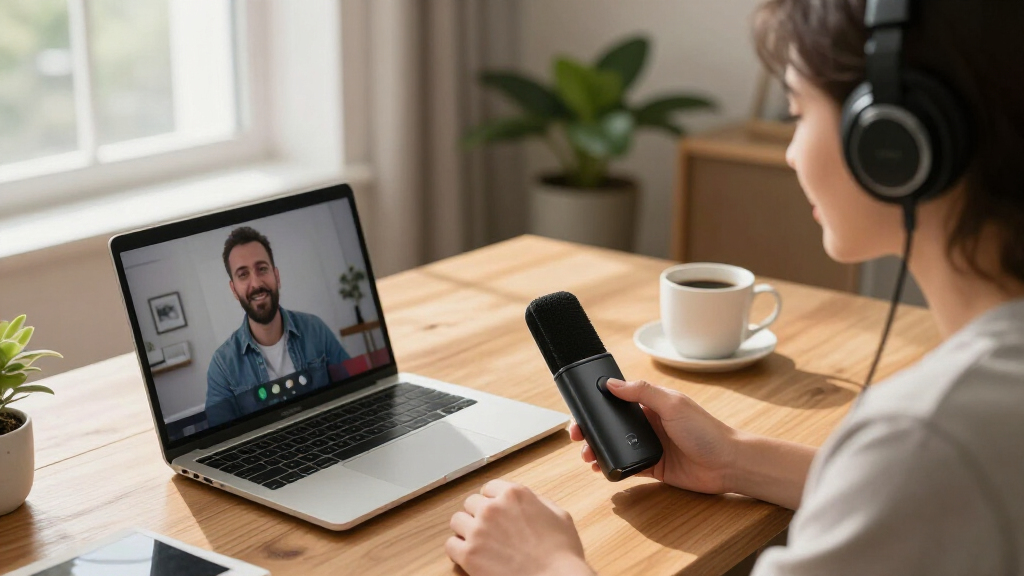
My ranking logic puts conferencing performance first: how well a mic picks up multiple voices, how cleanly it handles echo and keyboard clatter, and whether the person on the other end hears you clearly without adjusting anything. Since this is a portability roundup, I also weighed size, weight, and setup simplicity — a model that needs drivers, a power brick, or permanent wall mounting lost points, while plug-and-play USB and battery-powered Bluetooth options gained them. Two-way audio mattered too, because a conference mic that can’t play back the other side clearly forces you back to laptop speakers, which is exactly what these products exist to replace.
From there, I separated the lineup by buyer fit. Speakerphone hybrids ranked highest for general use because they solve the whole audio problem at once. Single-user USB condensers ranked mid-pack for solo callers who prioritize voice quality. At the bottom sat the models whose price, feature set, or form factor mismatched the portable-conferencing mission. Value was judged against the realistic street price of each product — a $30 mic that performs like a $30 mic ranks honestly, not generously.
Factors to Consider When Choosing Portable Video Conferencing Microphones
Before clicking buy on the first conference mic that looks convenient, it helps to understand what actually separates a frustrating call from a clear one. These are the factors that shaped my ranking, and the ones most buyers get wrong.Omnidirectional vs. Cardioid: Pick Your Room First
The single biggest mistake in this category is buying a mic designed for one job and expecting it to do another. Omnidirectional mics (TONOR, ANSTEN, EMEET) hear in every direction, which sounds great until you realize they also hear your fan, your keyboard, and the colleague three desks away. Cardioid mics (Samson, FIFINE, Amazon Basics) capture what’s directly in front of them and reject side noise — ideal for one person, useless for a huddle table. If you regularly host calls with two or more people in the room, omnidirectional pickup or a multi-mic array is non-negotiable. Solo callers should almost always go cardioid, because the background noise rejection translates directly into fewer ‘can you repeat that?’ moments. Match the pickup pattern to your actual room, not the room you wish you had.
Microphone Only vs. Speakerphone Combo
A mic-only product solves half the audio problem — you’ll still be listening through laptop speakers, which are the weak link in most calls. Speakerphone combos like the Anker and EMEET models handle both directions, with echo cancellation that prevents the mic from re-transmitting the incoming audio. This is why they dominate my upper rankings despite costing more. The catch is that combo units need processing power for that echo cancellation, and cheap ones do it badly, creating robotic artifacts. My rule: if you take more than five calls a week, the combo premium pays for itself in reduced frustration. Mic-only options still make sense when you already own good speakers or headphones for playback, or when your calls are mostly listen-only with brief speaking turns.
USB vs. Bluetooth (and Why Certified Matters)
Every product here connects via USB, and a handful add Bluetooth — but the two connections behave differently on calls. USB is the reliability choice: no pairing drops, no battery to forget, and full bandwidth for audio processing. Bluetooth introduces convenience but also compression, occasional pairing glitches before meetings, and the classic mid-call battery death. If you go Bluetooth, look for platform certification — Zoom or Teams certification means the vendor has actually tested the device against real meeting software, which catches quirks that generic compatibility claims miss. The safest pattern I saw in this lineup is dual-mode: Bluetooth for phone calls and travel, USB as the dependable daily driver at your desk. Treat Bluetooth as a bonus feature, never your only connection.
Room Coverage Claims vs. Reality
Manufacturers quote pickup ranges — 3 meters, 5 meters, even 8 meters — and these numbers deserve healthy skepticism. In practice, quoted range assumes a quiet room and a confident speaking voice; real-world usable range is typically half to two-thirds of the claimed figure. A mic rated for 5 meters handles a 3-meter table comfortably, but put it in a room with hard walls and HVAC noise and voices at the far end fade fast. Multi-mic arrays (the 6-mic Anker, the 4-mic EMEET) genuinely extend coverage because each mic works at shorter range and the processor stitches them together. For rooms larger than about 4 meters across, a single omnidirectional mic — no matter how cheap or well-reviewed — will disappoint. Measure your table before you shop, not after.
Hardware Mute and Physical Controls
It’s the feature nobody thinks about until a client hears them muttering. A hardware mute button with a visual indicator lets you silence yourself instantly and confirm you’re actually muted — software mute buttons hide in a toolbar and fail silently when a window loses focus. The TONOR adjustable model earned its mid-ranking spot largely on this: the LED indicator removes all guesswork. Volume controls on speakerphones matter similarly, letting you adjust a quiet remote participant without digging through meeting app settings. None of these features cost much to include, so their absence at higher price points is a genuine red flag about the manufacturer’s priorities. If you take calls where confidential side conversations happen, treat hardware mute as mandatory, not optional.
What You Should Actually Spend
This category has a strange price-performance curve. Between $25 and $40 sit the basic omnidirectional USB mics — adequate for one person in a quiet room, poor beyond that. Between $60 and $130 sit the capable speakerphones, and this is where most buyers get the best value; the jump from budget mic to mid-range speakerphone is the largest quality leap in the entire category. Above $250, you’re paying for room-scale systems like the Logitech MeetUp, which only make sense for dedicated meeting spaces, not laptop bags. My honest advice: don’t try to stretch a $30 budget to cover a group room, and don’t spend $300 to improve solo calls. The mid-tier exists precisely because it solves both scenarios adequately.
Frequently Asked Questions
Can I use a podcast microphone like the FIFINE K669B or ZealSound for video calls instead of a conference mic?
Yes, and it will probably make your voice sound richer than any conference mic in this lineup — but only yours. Podcast microphones use cardioid pickup tuned for a single close-talking speaker, so anyone sitting even 45 degrees off-axis will sound muffled or vanish entirely. They also lack echo cancellation, so if you use laptop speakers for playback, the other side may hear themselves. A podcast mic works well for conferencing if you’re always alone, always wear headphones, and always sit in the same spot. The moment a second person joins your side of the call, a dedicated conference speakerphone becomes the better tool.
Do cheap omnidirectional conference mics like the TONOR or ANSTEN actually work for meetings?
They work within a narrow window: one to two people, close to the mic, in a reasonably quiet room. Within those limits, the sub-$30 omnidirectional mics deliver surprisingly acceptable voice pickup, which is why they remain best-sellers. Push past those limits and the weaknesses show — they amplify every background sound equally, they have no echo cancellation, and voices beyond about two meters thin out fast. The other caller will also hear you through your laptop speakers unless you use headphones, which many buyers don’t realize until the first call. Treat them as a solo-worker upgrade over a laptop mic, not a budget team solution.
Is it worth paying extra for Zoom or Teams certification on a speakerphone?
Certification is less about audio quality and more about behavioral integration. Certified devices like the Anker PowerConf map their hardware buttons to the meeting software, sync mute status so you never get caught in the ‘I thought I was muted’ trap, and have been tested against the specific echo and bandwidth quirks of that platform. Uncertified devices usually work fine, but occasionally exhibit quirks — button presses that do nothing, mute lights that desync, or audio profile switches mid-call. If you live in one platform for hours daily, certification is worth real money. If you bounce between browser calls, phone calls, and different apps, don’t pay a premium for a badge tied to software you use occasionally.
Do I need a webcam-mic combo like the Logitech BCC950 or Samson Go Mic Video, or should I buy separately?
Combos make sense when portability is the priority and your expectations are moderate. They guarantee the camera and mic are always together, sharing one USB connection and one setup step, which matters if you move between rooms or travel to client sites. The tradeoff is that combo products typically match the quality of a mid-range separate component rather than a good one — you’re paying for convenience, not excellence. If you already own a decent webcam or plan to upgrade your camera separately for streaming quality, a standalone mic gives you better audio per dollar. Buy the combo only if one-cable simplicity genuinely describes your workflow.
How far away can people actually sit from a portable conference microphone and still be heard clearly?
As a working rule, cut the manufacturer’s claimed pickup radius by roughly a third, then assume another penalty for noise. A mic advertised at 5 meters realistically performs well to about 3 meters with normal speaking volume in a carpeted, quiet room — and worse on a hard-surfaced room with an open window. Multi-mic arrays hold up better at distance because they combine several shorter-range pickups rather than stretching one sensor. Speaker position relative to walls also matters more than buyers expect; a mic at the center of a table outperforms the same mic pushed to one end. If your farthest participant sits beyond 3 meters, plan on a daisy-chained second unit or a larger fixed system rather than one portable mic.
Conclusion
For most readers, the Anker PowerConf S330 is the best overall pick — it solves both sides of the call audio in one compact, plug-and-play unit, and nothing else in this price band does both jobs as well. Best value goes to the Samson Go Mic, which clips onto a laptop lid, costs less than dinner for two, and outperforms every laptop mic ever made; solo callers on a budget should stop there. Buyers needing true room-scale performance should step up to the 6-mic Anker PowerConf or the EMEET M0 Plus, which earn their premium with multi-mic arrays and daisy-chain expansion for growing teams.
Beginners who just want better-than-laptop audio with zero learning curve should grab the TONOR adjustable model with hardware mute — its LED indicator and one-button operation remove the most common new-user frustrations. For specific needs: frequent travelers get genuine portability from the clip-on Samson, content creators who double their mic for recording should choose the FIFINE or ZealSound, and anyone outfitting a fixed small meeting room rather than a laptop bag should consider the Logitech MeetUp despite its weak portability. Whatever you choose, match the pickup pattern and range to your real room — that single decision predicts call quality more than price ever will.