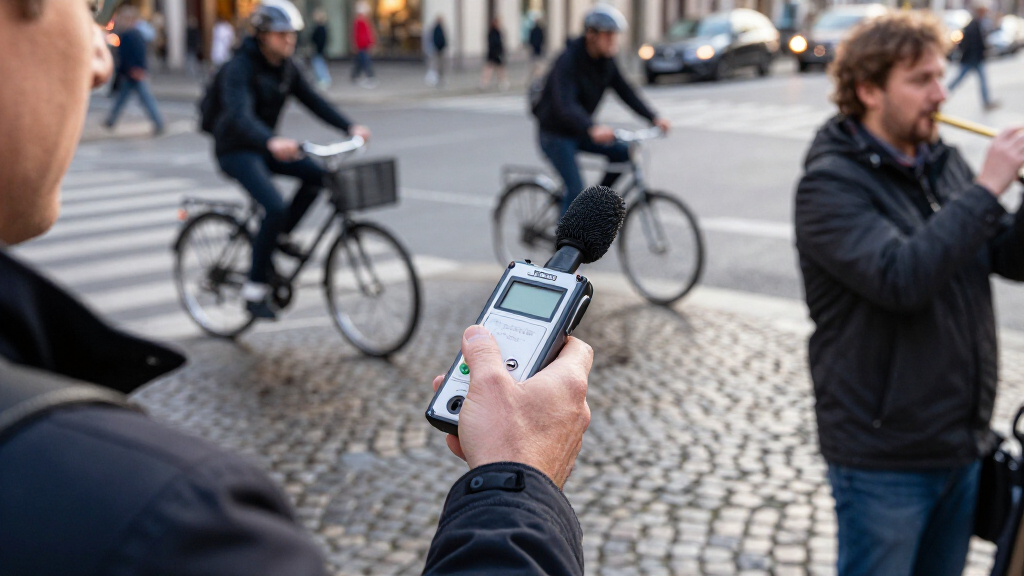

For a versatile choice, I’d start with the Zoom H4 Essential, which offers more recording control than a basic voice recorder and suits a wider range of sources. The Zoom F3 is a standout for field recording where dependable levels matter, while the Sony ICD-PX370 keeps everyday voice capture simple. The main tradeoff is between easy, affordable voice recording and the extra inputs, controls, and workflow options needed for music or professional work. Storage capacity and features such as voice activation or transcription also matter, but they do not replace good microphone placement. Read on for how I’d match each of these 15 digital audio recorders to a buyer’s needs.

Get everyday essentials delivered free with Prime
- Fast, free delivery on millions of items
- Prime Video, Amazon Music and more included
- Member-only deals all year
Key Takeaways
- The Zoom models serve a different job from pocket voice recorders: the H4 Essential and F3 offer more scope for music and field work, while compact voice recorders focus on straightforward speech capture.
- More built-in storage is not a substitute for the right recording setup: models with 64GB, 128GB, 136GB, or 160GB can hold more files, but microphone quality, placement, and transfer options still shape results.
- Simple controls have real value for lectures and notes: the Sony ICD-PX370 and Philips DVT1170 prioritize accessible voice recording over multichannel production features.
- Special features come with workflow tradeoffs: voice activation can reduce empty recording time, while AI transcription can speed up review but may require checking software compatibility and output accuracy.
- Input flexibility is the clearest reason to move up to a field recorder: the Zoom H1 XLR, H4 Essential, and F3 better suit external microphones and demanding recording situations than basic built-in-mic models.
| EVISTR L357 64GB Digital Voice Recorder with Playback |  | Best for Long-Session Voice Notes | Storage: 64 GB | Recording formats: WAV, MP3 | Microphone: Built-in stereo | VIEW LATEST PRICE | See Our Full Breakdown |
| Anker Soundcore Work AI Voice Recorder, 64 GB, MFi-Certified |  | Best for AI Meeting Notes | Storage: 64 GB | Battery life: Up to 32 hours | Microphone form factor: Lavalier | VIEW LATEST PRICE | See Our Full Breakdown |
| Zoom H1 XLR 2-Channel Portable Recorder |  | Best for Modular Mic and Instrument Setups | Channels: 2 | Recording format: 32-bit float | Sample rate: Up to 96 kHz | VIEW LATEST PRICE | See Our Full Breakdown |
| HoTiyan 8GB Digital Voice Recorder with Voice Activation |  | Best for Budget-Conscious Playback and Practice | Storage: 8 GB | Recording formats: MP3, WAV | Microphone: Built-in stereo | VIEW LATEST PRICE | See Our Full Breakdown |
| Zoom F3 Professional Field Recorder |  | Best for Rugged Field Recording | Recording format: WAV | Microphone operation mode: Mono, Stereo | Inputs: Dual locking XLR/TRS | VIEW LATEST PRICE | See Our Full Breakdown |
| Sunlan 16GB Digital Voice Recorder with Playback |  | Best for Simple, Lightweight Recording | Storage: 16 GB | Recording format: WAV | Microphone: Built-in mono with noise cancellation | VIEW LATEST PRICE | See Our Full Breakdown |
| EVIDA 128GB Digital Voice Recorder with Voice Activation and Playback |  | Best for High-Capacity Archiving | Model: VR01 | Storage: 128 GB | Recording formats: MP3, WAV | VIEW LATEST PRICE | See Our Full Breakdown |
| Tonfarb 136GB Digital Voice Recorder |  | Best for Long Recording Sessions | Storage: 136 GB total: 8 GB built in and 128 GB TF card | Recording formats: MP3, WAV | Maximum audio quality: 1536 kbps PCM | VIEW LATEST PRICE | See Our Full Breakdown |
| Cappsu Digital Voice Recorder with Playback, 32GB Built-in Memory |  | Best for an Accessible Recording Kit | Model: V02 | Storage: 32 GB built in | Maximum recording bitrate: 1536 Kbps | VIEW LATEST PRICE | See Our Full Breakdown |
| EVISTR L359 128GB Digital Voice Recorder with AI Transcription |  | Best for Recording and Transcription Workflows | Storage: 128 GB | Maximum audio bitrate: 3072 Kbps | Audio formats: MP3, WAV | VIEW LATEST PRICE | See Our Full Breakdown |
| 160GB Digital Voice Recorder with Playback |  | Best for Long Recording Sessions | Storage: 160GB total: 32GB built-in storage plus 128GB memory card | Battery capacity: 1100mAh | Stated battery life: 68+ hours | VIEW LATEST PRICE | See Our Full Breakdown |
| Philips DVT1170 VoiceTracer Audio Recorder, 8 GB, MicroSD Slot, 360° Microphone |  | Best for Simple Meeting Capture | Model: DVT1170 | Internal storage: 8GB | Expandable storage: MicroSD card slot | VIEW LATEST PRICE | See Our Full Breakdown |
| Tonfarb 64GB Digital Voice Recorder with Playback |  | Best for One-Click Everyday Recording | Memory storage: 64GB | Battery details: 600mAh listed; product data also says an AAA battery is required | Stated battery life: Up to 48 hours when recording MP3 at 32kbps | VIEW LATEST PRICE | See Our Full Breakdown |
| Zoom H4 Essential Handheld Recorder |  | Best for Music and Production | Tracks: 4 | Built-in microphones: Stereo | Inputs: Two XLR/TRS inputs | VIEW LATEST PRICE | See Our Full Breakdown |
| Sony ICD-PX370 Mono Digital Voice Recorder with Built-In USB |  | Best for Easy File Transfer | Model: ICD-PX370 | Recording format: MP3 | Recording modes: Mono and stereo listed; product described as a mono recorder | VIEW LATEST PRICE | See Our Full Breakdown |
| digital audio recorder | Storage |
|---|---|
| EVISTR L357 64GB Digital Voice | 64 GB |
| Anker Soundcore Work AI Voice | 64 GB |
| Zoom H1 XLR 2-Channel Portable | — |
| HoTiyan 8GB Digital Voice Reco | 8 GB |
| Zoom F3 Professional Field Rec | — |
| Sunlan 16GB Digital Voice Reco | 16 GB |
| EVIDA 128GB Digital Voice Reco | 128 GB |
| Tonfarb 136GB Digital Voice Re | 136 GB total: 8 GB built in and 128 GB TF card |
| Cappsu Digital Voice Recorder | 32 GB built in |
| EVISTR L359 128GB Digital Voic | 128 GB |
| 160GB Digital Voice Recorder w | 160GB total: 32GB built-in storage plus 128GB memory card |
| Philips DVT1170 VoiceTracer Au | — |
| Tonfarb 64GB Digital Voice Rec | — |
| Zoom H4 Essential Handheld Rec | — |
| Sony ICD-PX370 Mono Digital Vo | — |
More Details on Our Top Picks
EVISTR L357 64GB Digital Voice Recorder with Playback
The EVISTR L357 is the most straightforward choice here for recording lectures, interviews, and long voice notes without managing external cards. Its 64GB internal storage and stated 32-hour continuous recording time suit extended sessions, while voice activation with adjustable sensitivity can cut down on silent stretches. Unlike the Anker Soundcore Work AI Recorder, it focuses on recording and playback rather than transcripts or meeting summaries; that makes it less dependent on an app, but leaves transcription to you. WAV and MP3 support offer a choice between file detail and smaller recordings, and USB-C transfers work with Windows and Mac. The main tradeoff is that the supplied battery information has conflicting life figures, so I would not plan a session around an unverified runtime.
Pros:- 64GB of internal storage for extended recordings
- Voice activation has adjustable sensitivity
- Records in both WAV and MP3
- USB-C file transfer supports Windows and Mac
Cons:- Battery-life figures are conflicting, making runtime harder to plan around
- No automatic transcription or structured meeting summaries
- Built-in microphones offer less input flexibility than the Zoom H1 XLR
Best for: Students, interviewers, and note-takers who want generous onboard storage, simple playback, and computer file transfers
Not ideal for: Buyers who need automatic transcripts, phone-based meeting summaries, or a clearly verified battery runtime
- Storage:64 GB
- Recording formats:WAV, MP3
- Microphone:Built-in stereo
- USB interface:USB Type-C
- Continuous recording:32 hours
- Continuous playback:35 hours
- Battery:500 mAh lithium polymer, included
- Weight:2.24 ounces
Our verdict“Choose the EVISTR L357 for long, self-managed voice recordings and easy computer transfer, but skip it if you need transcription or dependable runtime information.”
Anker Soundcore Work AI Voice Recorder, 64 GB, MFi-Certified
The Anker Soundcore Work is the clearest fit for people who want a meeting record to become usable notes, not just an audio file. Its app-based workflow can create transcripts and structured summaries with key points, decisions, and action items, with support for more than 150 languages and speaker identification. That sets it apart from the EVISTR L357, which records and plays audio but does not provide transcription. The wearable lavalier form and included attachment options also make it easier to keep close during interviews or meetings. I would weigh that convenience against its phone-and-app dependence: audio files cannot be exported over USB, and transcription beyond the included monthly allowance requires an optional plan. It is a less suitable pick for buyers who simply want direct file access and a self-contained recorder.
Pros:- Creates transcripts and structured summaries with action items
- Supports more than 150 languages and identifies speakers
- Compact wearable design includes necklace and magnetic attachment options
- AES-256 encryption and 300 transcription minutes per month are included
Cons:- Audio files cannot be exported via USB
- More transcription capacity and advanced features require optional paid plans
- Does not support iPhone 7 or earlier
Best for: Professionals, researchers, and interviewers who want searchable transcripts and organized meeting action items on a smartphone
Not ideal for: Buyers who need USB audio-file exports, a recorder that works independently of a phone, or substantial transcription without optional plans
- Storage:64 GB
- Battery life:Up to 32 hours
- Microphone form factor:Lavalier
- Hardware interface:USB Type-C
- Compatible devices:Smartphones; iPhone (excluding iPhone 7 and earlier) and Android
- Transcription languages:150+
- Included transcription:300 minutes per month
- Encryption:AES-256
Our verdict“Pick the Anker Soundcore Work if meeting summaries matter more than direct file handling, and choose the EVISTR L357 instead for simpler computer-based recording and transfers.”
Zoom H1 XLR 2-Channel Portable Recorder
The Zoom H1 XLR is a better match for creators who bring their own microphones or instruments than for buyers seeking a pocket voice recorder. Its two locking XLR/TRS combo inputs accept compatible professional sources, while 32-bit float recording at up to 96 kHz gives more latitude when recording levels vary. Compared with the Zoom F3, the H1 XLR adds a 3.5 mm stereo input and an OLED waveform display, which can make source monitoring more direct; the F3 instead lists much longer AA-battery recording time. The H1 XLR’s compact body and SDXC support up to 1 TB suit mobile setups, but its listed battery life is only up to 10 hours and it requires two AA batteries. No built-in microphone specifications are provided, so I would not choose it as a self-contained recorder for quick voice notes.
Pros:- Two locking XLR/TRS combo inputs support compatible microphones and instruments
- 32-bit float recording at sample rates up to 96 kHz
- OLED waveform display helps monitor incoming audio
- SDXC card support reaches up to 1 TB
Cons:- Requires two AA batteries and lists up to 10 hours of battery life
- No built-in microphone specifications are provided
- More input-focused than a simple handheld voice recorder
Best for: Videographers, musicians, and field recordists who need two professional mic or instrument inputs in a compact recorder
Not ideal for: Students and meeting attendees who want built-in microphones, long battery life, and simple one-button voice recording
- Channels:2
- Recording format:32-bit float
- Sample rate:Up to 96 kHz
- Inputs:2 locking XLR/TRS combo inputs; 3.5 mm stereo input
- Headphone output:3.5 mm
- Display:0.96-inch OLED
- Memory support:SDXC up to 1 TB
- Battery life:Up to 10 hours with 2 AA batteries
Our verdict“Choose the H1 XLR for a compact recorder with professional inputs and waveform monitoring, but favor the Zoom F3 if extended AA-powered sessions are the priority.”
HoTiyan 8GB Digital Voice Recorder with Voice Activation
The HoTiyan H-10001 is geared toward buyers who want basic recording plus useful listening controls, rather than the larger capacity of the EVISTR L357. Its voice activation can reduce stretches of silence, and playback tools such as A-B repeat and variable speed are helpful for reviewing lectures, practicing a language, or checking interview passages. It records MP3 and WAV, with USB 2.0 Type-B transfer and a 3.5 mm headphone jack. Compared with the Anker Soundcore Work, it offers local playback controls instead of transcripts and meeting summaries, keeping the workflow focused on audio. The compromise is clear: 8GB storage is modest, and its listed playback battery life is only eight hours with earphones. Buyers planning long sessions or frequent playback should look at a higher-capacity option.
Pros:- Voice activation can reduce silent recording and conserve storage
- Records MP3 and WAV files
- A-B repeat and variable playback speed aid review and practice
- Up to 20 hours of continuous recording is listed
Cons:- 8GB storage is limited compared with the 64GB EVISTR L357
- Playback is listed at only 8 hours with earphones
- Uses USB 2.0 Type-B rather than USB-C
Best for: Learners and students who want voice-activated recording with A-B repeat and variable-speed playback for reviewing material
Not ideal for: People recording long events, keeping large audio libraries, or needing extended headphone playback between charges
- Storage:8 GB
- Recording formats:MP3, WAV
- Microphone:Built-in stereo
- Recording time:Up to 128 hours
- Continuous recording battery life:20 hours
- Playback battery life:8 hours with earphones
- USB interface:USB 2.0 Type-B
- Headphone jack:3.5 mm
Our verdict“Choose the HoTiyan for focused study recordings and playback practice, but choose the EVISTR L357 if capacity and longer playback are higher priorities.”
Zoom F3 Professional Field Recorder
The Zoom F3 suits location sound work where input security and variable audio levels matter more than a pocket-friendly interface. Its dual locking XLR/TRS inputs help keep connected microphones secure, and 32-bit float recording is intended to capture quiet dialogue and sudden peaks without level adjustments. The stated up to 73 hours on AA batteries gives it a different endurance profile from the Zoom H1 XLR, which lists up to 10 hours; the H1 XLR, however, specifies an OLED waveform display and a 3.5 mm stereo input. The F3’s wireless control is useful when it is placed away from the operator, while its small 2-inch screen can make menu work less comfortable. It is also an input-driven field recorder, not the simplest choice for casual voice notes.
Pros:- 32-bit float recording accommodates quiet dialogue and sudden peaks
- Dual locking XLR/TRS inputs help secure microphone connections
- Wireless control supports remote operation
- Listed recording time reaches up to 73 hours on AA batteries
Cons:- Requires two AA batteries for power
- The 2-inch screen can make navigation and menu browsing cumbersome
- Its external-input focus is less suited to quick standalone voice notes
Best for: Field sound recordists and video crews using external microphones who need secure connections, remote operation, and long recording sessions
Not ideal for: Casual note-takers who want built-in microphones, a large screen, or a simple handheld recording workflow
- Recording format:WAV
- Microphone operation mode:Mono, Stereo
- Inputs:Dual locking XLR/TRS
- Maximum storage capacity:512 GB microSD
- Recording time:Up to 73 hours on AA batteries
- Battery:2 AA batteries required
- Screen size:2 inches
- Headphone jack:3.5 mm
Our verdict“Choose the Zoom F3 for extended field sessions with external microphones and remote control, but pick the H1 XLR if its waveform display and stereo input better fit your setup.”
Sunlan 16GB Digital Voice Recorder with Playback
The Sunlan is the most straightforward pick here for everyday voice notes: one-button recording, a compact 35 g body, and a built-in mono microphone keep setup simple. Its 16GB of storage and WAV recording suit users who want to capture and transfer spoken audio without managing a memory card or extra microphone. Compared with the Cappsu V02, it lists longer continuous recording time, but Cappsu includes a USB-C connection and several accessories. Sunlan’s voice activation can save power when there are pauses, though its playback battery life is only up to 7 hours. The product details also do not clarify compatibility beyond Windows file transfer, so I would choose it for basic recording rather than a device-centered workflow.
Pros:- One-button recording is easy to operate quickly
- Voice activation can reduce recording of silence
- Lightweight 35 g design fits easily in a pocket
- USB connection supports file transfers
Cons:- Playback lasts up to 7 hours, shorter than its stated recording time
- The product details do not specify compatibility beyond Windows file transfer
- Built-in mono microphone offers less flexibility than a recorder with an external microphone
Best for: Students and meeting attendees who want a small recorder for straightforward WAV voice notes and USB file transfers.
Not ideal for: People who need long playback sessions, confirmed compatibility across operating systems, or advanced microphone options.
- Storage:16 GB
- Recording format:WAV
- Microphone:Built-in mono with noise cancellation
- Digital recording time:Up to 30 hours
- Battery life:Up to 30 hours recording; up to 7 hours playback
- Connectivity:USB
- Headphone jack:3.5 mm
- Dimensions and weight:0.5 × 1.4 × 3.3 inches; 35 g
Our verdict“Choose the Sunlan for uncomplicated, lightweight WAV recording, but skip it if playback endurance or broad computer compatibility matters.”
EVIDA 128GB Digital Voice Recorder with Voice Activation and Playback
The EVIDA makes the strongest case for buyers who want to keep many recordings on one device: 128GB of storage is substantially more than the Sunlan’s 16GB or Cappsu’s 32GB. It records in MP3 or WAV, and six voice-activation sensitivity levels give users more control over when recording starts and stops. Its stated maximum of 54 hours of continuous recording also favors long sessions, while password protection and file organization help manage stored material. The tradeoff is a less flexible listening setup: unlike the Tonfarb 136GB, it has no listed headphone jack, and its battery is described as a C battery, which may be inconvenient for a compact recorder. I’d favor it for capacity and organization, not for easy on-device monitoring.
Pros:- 128GB storage supports a large collection of recordings
- Records in both MP3 and WAV
- Six voice-activation sensitivity levels offer recording control
- Password protection and file organization support private, orderly storage
Cons:- No headphone jack is listed for direct listening or monitoring
- The listed C battery may be less convenient than a rechargeable battery
- USB 2.0 is specified for file transfer
Best for: Researchers, interviewers, and students who accumulate many recordings and want adjustable voice activation with room for MP3 and WAV files.
Not ideal for: Listeners who want to monitor recordings through a headphone jack or prefer a rechargeable battery in a compact device.
- Model:VR01
- Storage:128 GB
- Recording formats:MP3, WAV
- Maximum recording quality:1536 kbps
- Continuous recording time:Up to 54 hours
- Voice activation:6 sensitivity levels
- Interface:USB 2.0
- Dimensions and weight:2.59 × 0.41 × 0.77 inches; 3.35 ounces
Our verdict“Pick the EVIDA when storage capacity and adjustable voice activation matter more than headphone monitoring or a rechargeable battery.”
Tonfarb 136GB Digital Voice Recorder
The Tonfarb combines generous storage with the longest stated battery life among these five picks: up to 68 hours per charge makes it a strong fit for extended sessions away from a charger. Its 136GB total comes from 8GB built in plus a 128GB TF card, and the included card avoids a separate memory-card purchase. Dual noise-reduction microphones, voice activation, and one-touch recording give it a more feature-rich capture setup than the basic Sunlan. It also adds USB-C, a headphone jack, A-B repeat, and password protection. The main caveat is that its headline capacity of up to 9,775 MP3 hours depends on format, not every recording will fit that estimate; the listed weight also differs between product details and specifications.
Pros:- Up to 68 hours of stated battery life per charge
- Includes 128GB TF card alongside 8GB built-in storage
- Dual noise-reduction microphones and voice activation support flexible capture
- USB-C, headphone jack, and A-B repeat support transfer and playback
Cons:- The stated 9,775-hour capacity applies to MP3 recording and varies by format
- Weight is listed as both 97 g and 100 g
- Its additional storage depends partly on the included TF card
Best for: Interviewers, students, and field note-takers who record for long stretches and want high capacity, USB-C, and on-device playback features.
Not ideal for: Buyers who need an independently verified weight or want predictable recording-hour estimates across formats and quality settings.
- Storage:136 GB total: 8 GB built in and 128 GB TF card
- Recording formats:MP3, WAV
- Maximum audio quality:1536 kbps PCM
- Battery:1100 mAh rechargeable lithium battery
- Battery life:Up to 68 hours
- Microphone:Built-in dual noise-reduction microphones
- Connectivity and headphone jack:USB-C; 3.5 mm headphone jack
- Features:Voice activation, one-touch recording, A-B repeat, password protection
- Dimensions and weight:0.47 × 1.45 × 4 inches; listed as 97 g in description and 100 g in specifications
Our verdict“Choose the Tonfarb for extended recording sessions and included high-capacity storage, while treating its maximum MP3-hour figure as format-dependent.”
Cappsu Digital Voice Recorder with Playback, 32GB Built-in Memory
The Cappsu pairs simple one-click recording with a useful starter bundle: the box includes earphones, a USB-C cable, and an external microphone. Its 32GB of built-in storage is a practical middle ground between the Sunlan’s 16GB and the EVIDA’s 128GB, without relying on a card. Voice activation can extend stated recording time to up to 50 hours, compared with up to 20 hours of continuous recording. That makes it a better fit for intermittent lectures or meetings than for uninterrupted all-day capture. The included external microphone offers more placement flexibility than the Sunlan’s built-in mic alone, but the product notes that balanced recordings depend on placing the device near the sound source. I’d favor the Cappsu for a ready-to-use kit, not distant or long continuous recording.
Pros:- 32GB built-in memory needs no separate card
- Voice activation can extend stated recording time to up to 50 hours
- USB-C connection and 3.5 mm headphone jack
- Includes earphones, cable, and external microphone
Cons:- Continuous recording is limited to up to 20 hours
- Balanced recording depends on placing the recorder near the sound source
- The supplied details do not specify recording formats
Best for: Students and first-time recorder buyers who want built-in storage, USB-C, and basic accessories for nearby lectures, interviews, or voice notes.
Not ideal for: People recording long uninterrupted sessions or audio from far away, since continuous recording is limited to 20 hours and placement affects balance.
- Model:V02
- Storage:32 GB built in
- Maximum recording bitrate:1536 Kbps
- Continuous recording time:Up to 20 hours
- Voice-activated recording time:Up to 50 hours
- Connectivity:USB Type-C
- Headphone jack:3.5 mm
- Dimensions and weight:4.16 × 1.46 × 0.47 inches; 1.6 ounces
- Included accessories:USB-C cable, earphones, external microphone, user manual
Our verdict“Choose the Cappsu for a simple recorder kit with useful accessories and voice activation, but look elsewhere for extended continuous sessions.”
EVISTR L359 128GB Digital Voice Recorder with AI Transcription
The EVISTR L359 is the clearest choice here for buyers who want recordings to feed into a transcription workflow. It pairs 128GB of storage with a stated maximum bitrate of 3072 Kbps and offers app-based transcription, summaries, mind maps, and speaker identification across 113 supported languages. That gives it a different job from the EVIDA, which emphasizes storage and voice activation rather than turning recordings into text. One-touch controls, a hold switch, password protection, USB-C, and a headphone jack keep the recorder useful beyond its app features. The tradeoff is that transcription requires the AI DVR Link app, and phone transfer uses a wired OTG connection rather than Bluetooth. Its nonstandard included battery is another practical limitation to check before choosing it.
Pros:- AI app features include transcription, summaries, mind maps, and speaker identification
- 128GB storage accommodates a substantial recording library
- Maximum audio bitrate is listed at 3072 Kbps
- One-touch controls, password protection, and a hold switch support focused recording
Cons:- AI features require the AI DVR Link app
- Phone transfers use wired OTG rather than Bluetooth
- The included battery is listed as nonstandard
Best for: Journalists, students, and meeting professionals who want a dedicated recorder with a phone-based transcription and summary workflow.
Not ideal for: Buyers who want Bluetooth transfers, transcription without a companion app, or a standard, easy-to-replace battery.
- Storage:128 GB
- Maximum audio bitrate:3072 Kbps
- Audio formats:MP3, WAV
- Continuous recording time:Up to 33 hours
- Supported transcription languages:113
- Connectivity:USB Type-C; wired OTG transfer to phone
- Microphone and headphone jack:Built-in mono microphone; 3.5 mm headphone jack
- Dimensions and weight:0.39 × 1.25 × 4 inches; 2.24 ounces
- Battery:1 included nonstandard battery
Our verdict“Choose the EVISTR L359 if app-based transcription is central to your workflow; skip it if you want wireless transfer or a standard battery.”
160GB Digital Voice Recorder with Playback
For buyers who want to keep long-running recordings on the device, this recorder stands apart from the Tonfarb 64GB Digital Voice Recorder with its stated 160GB total storage and up to 68 hours of battery life. Its dual microphones and stereo recording support give it a better fit for capturing broader sound than mono-focused options such as the Philips DVT1170. Voice activation and scheduled recording also suit users who cannot operate the recorder throughout a session.
The tradeoff is that the 160GB figure combines 32GB of built-in memory with a 128GB card, so it is not all onboard storage. The listed noise reduction and recording-quality claims also come without independent evidence. I’d choose it for capacity and recording controls, not as a proven high-fidelity field recorder.
Pros:- High combined storage capacity from built-in memory and included memory card
- Stated battery life of more than 68 hours
- Dual microphones and WAV/MP3 recording support
- Voice activation, scheduled recording, bookmarking, and variable-speed playback
Cons:- The 160GB total includes a memory card rather than built-in storage alone
- Recording-quality and noise-reduction claims are not independently substantiated
- The available details do not identify the recorder’s connection interface for file transfer
Best for: Students, interviewers, and meeting recorders who want long battery life, stereo capture, and ample combined onboard and card storage.
Not ideal for: Buyers who need independently verified audio quality or a stated storage capacity entirely in built-in memory.
- Storage:160GB total: 32GB built-in storage plus 128GB memory card
- Battery capacity:1100mAh
- Stated battery life:68+ hours
- Recording bitrate:Up to 1536kbps
- Microphones:Dual microphones
- Supported formats:WAV and MP3
- Recording modes:Normal, meeting, outdoor, and long-distance
- Playback and security:A-B repeat, bookmarking, variable speed, and password protection
Our verdict“Choose this model for lengthy sessions and generous combined storage, but not if you need verified sound performance or all storage built in.”
Philips DVT1170 VoiceTracer Audio Recorder, 8 GB, MicroSD Slot, 360° Microphone
The Philips DVT1170 is a straightforward choice for people who want a recognizable voice-recorder format rather than the multiple modes and playback controls of the Tonfarb 64GB Digital Voice Recorder. Its built-in 360° mono microphone is intended to pick up voices around the recorder, while voice activation can start recording when sound is detected. Timestamped files help keep sessions organized, and the MicroSD slot gives buyers a way to add capacity beyond the internal 8GB.
Its main limitation is also clear: recordings are mono, not stereo, so it is less suited to music or spatially rich ambience than the dual-microphone 160GB recorder in this lineup. The included AAA batteries are convenient to replace, but buyers looking for a rechargeable-battery setup should check their preferences before choosing it. I’d favor this model for uncomplicated speech capture and file organization.
Pros:- 360° built-in microphone for capturing speech around the recorder
- Voice-activated recording supports hands-free sessions
- Timestamped files help organize recordings
- MicroSD slot adds capacity beyond the internal 8GB
Cons:- Records in mono, limiting stereo ambience and music capture
- Only 8GB of internal storage before adding a MicroSD card
- Uses two AAA batteries rather than a listed rechargeable battery
Best for: Meeting attendees and students who want a simple recorder with voice activation, timestamped files, and expandable storage.
Not ideal for: Musicians and field recordists who need stereo recording or buyers who specifically want a rechargeable internal battery.
- Model:DVT1170
- Internal storage:8GB
- Expandable storage:MicroSD card slot
- Recording format:WAV
- Microphone:Built-in 360° mono microphone
- Recording features:Voice activation and timestamped files
- Connections:3.5mm headphone jack and USB 2.0
- Power and weight:Two included AAA batteries; 89g
Our verdict“Pick the Philips for organized, uncomplicated speech recording, and look to a stereo-capable model for music or field ambience.”
Tonfarb 64GB Digital Voice Recorder with Playback
The Tonfarb’s appeal is its practical balance: one-click recording, a 1.44-inch screen, voice activation, and playback tools make routine interviews or lectures easier to start and review than on a more production-focused machine such as the Zoom H4 Essential. Its 64GB storage and WAV/MP3 support also give it more room and format flexibility than the Philips DVT1170, whose internal memory is 8GB and whose recording is mono.
That flexibility comes with a battery-life caveat: the stated maximum of 48 hours applies to MP3 recording at just 32kbps, not necessarily higher-quality WAV sessions. The specs also conflict on power, listing a 600mAh battery while the drawbacks say it requires an AAA battery. I would verify the power arrangement before buying. This is a feature-rich personal recorder, not a substitute for the Zoom’s external inputs.
Pros:- One-click controls make starting and saving recordings direct
- 64GB storage and WAV/MP3 recording support
- Voice activation, scheduled recording, and noise reduction features
- A-B looping and bookmarking help review specific passages
Cons:- The 48-hour battery claim is specified for MP3 recording at 32kbps
- Power details are inconsistent: the data lists a 600mAh battery and also mentions AAA battery use
- No external microphone inputs are listed, unlike the Zoom H4 Essential
Best for: Students and interviewers who want quick recording controls, substantial storage, and on-device playback tools.
Not ideal for: Buyers who need a clear, verified battery configuration, predictable runtime at high recording quality, or XLR/TRS inputs for production gear.
- Memory storage:64GB
- Battery details:600mAh listed; product data also says an AAA battery is required
- Stated battery life:Up to 48 hours when recording MP3 at 32kbps
- Recording formats:WAV and MP3
- Maximum PCM bitrate:Up to 1536kbps
- Microphone and display:Built-in stereo microphone; 1.44-inch screen
- Connections:3.5mm headphone jack and USB 2.0
- Recording and playback features:Voice activation, scheduled recording, file segmentation, A-B loop, and bookmarking
Our verdict“Choose the Tonfarb for accessible everyday recording and playback, but confirm its power setup and do not assume maximum runtime at high quality.”
Zoom H4 Essential Handheld Recorder
The Zoom H4 Essential serves a different job from pocket voice recorders such as the Sony ICD-PX370: its four-track design and two XLR/TRS inputs let creators connect microphones, instruments, mixers, or soundboards rather than relying only on built-in mics. Built-in stereo microphones handle portable capture, while USB-C supports recording or streaming to a connected device. The ability to save an SD-card backup while sending audio to a device adds flexibility for podcasts, interviews, and live sessions.
That production reach makes it less direct for someone who only wants to record lectures and move files with a built-in USB plug, as the Sony does. This model records to an SD card, and the supplied product details do not state battery life, supported formats, or physical dimensions. I’d rank it ahead of simple voice recorders for input flexibility, but not for minimal setup.
Pros:- Four-track recording supports more involved creative sessions
- Two XLR/TRS inputs accept microphones, instruments, mixers, and soundboards
- USB-C supports recording or streaming to a connected device
- Can save an SD-card backup while recording or streaming to a device
Cons:- SD-card storage requires separate card management compared with the Sony ICD-PX370’s built-in memory
- External-input capability may add setup complexity for basic voice notes
- Product details provided do not specify battery life or supported recording formats
Best for: Musicians, podcasters, and video creators who need stereo capture, external mic or instrument inputs, and device streaming with an SD-card backup.
Not ideal for: Lecture and meeting recorders who want a simple one-purpose device, built-in USB file transfer, or clearly stated battery-life details.
- Tracks:4
- Built-in microphones:Stereo
- Inputs:Two XLR/TRS inputs
- Connectivity:USB-C
- Recording storage:SD card
- Recording and streaming:Can record or stream to a connected device
- Backup recording:Can save an SD-card backup while recording or streaming to a device
- Accessibility:Spoken menu guidance
Our verdict“Choose the H4 Essential for flexible music, podcast, and video capture; choose a simpler voice recorder for basic lectures and meetings.”
Sony ICD-PX370 Mono Digital Voice Recorder with Built-In USB
The Sony ICD-PX370 makes routine recording and file transfer uncomplicated. Its built-in USB connector plugs directly into a computer, avoiding the separate card reader or cable workflow used by recorders such as the Zoom H4 Essential. With 4GB of internal memory and a stated battery life of up to 57 hours, it is aimed at meetings, lectures, and voice notes rather than multi-input production. Auto voice recording is intended to reduce background noise when recording speech.
The tradeoff is limited onboard capacity and a 2.5mm headphone jack, which is less common than the 3.5mm connection listed on the Tonfarb 64GB. Although the recording modes are listed as mono and stereo, the product is described as a mono digital voice recorder, so buyers seeking dependable stereo capture should choose a purpose-built stereo model. Two AA batteries are replaceable, but add a recurring battery-management task.
Pros:- Built-in USB connection allows direct file transfer
- Up to 57 hours of stated battery life
- 4GB of built-in memory avoids a separate memory card
- Auto voice recording is designed to reduce background noise for speech
Cons:- 4GB internal memory is limited beside the 64GB Tonfarb and 160GB recorder
- Uses two AA batteries rather than a listed rechargeable battery
- The product is described as mono, limiting its fit for stereo audio
- Uses a 2.5mm headphone jack rather than the 3.5mm jack found on some alternatives
Best for: Students and office users who record speech and want to transfer files directly to a computer without managing a memory card.
Not ideal for: Musicians, stereo-focused field recordists, and users who want large onboard storage or a standard 3.5mm headphone jack.
- Model:ICD-PX370
- Recording format:MP3
- Recording modes:Mono and stereo listed; product described as a mono recorder
- Built-in memory:4GB
- Stated battery life:Up to 57 hours
- Power:Two AA batteries
- Connections:Built-in direct USB and 2.5mm headphone jack
- Weight and dimensions:136g; 0.76 × 1.51 × 4.49in
Our verdict“Pick the Sony for simple speech recording and direct computer transfers, but choose a stereo recorder with more storage for music or extended field sessions.”
How We Picked
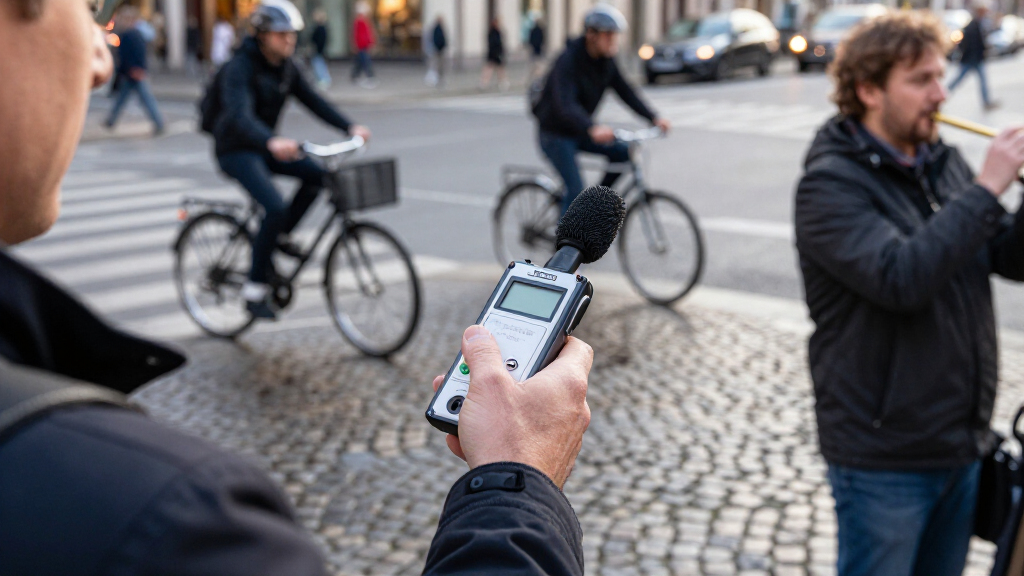
I compared these recorders by the job they appear designed to do: everyday voice notes, interviews and lectures, or music and field recording. The ranking gives priority to recording flexibility, usable controls, and a clear fit for a defined buyer, then weighs storage, playback, microphone and input options, portability, and the likely learning curve. A high storage figure alone does not place a basic voice recorder above a model with more useful input control.
The list spans entry-level voice recorders, feature-focused portable models, and Zoom field recorders, so the order reflects versatility rather than treating every device as interchangeable. The Zoom H4 Essential leads for its broader range of recording jobs; the F3 and H1 XLR rise for buyers with more specific audio needs. Simple models remain worthwhile when they offer a more direct route to recording speech, but I rank them lower for buyers who need external sources, deeper control, or a production-oriented workflow.
Factors to Consider When Choosing Digital Audio Recorders
Before choosing a recorder, start with what you plan to record and how you will use the files afterward. The right choice for a lecture can be a poor fit for a music session, and extra storage or software features cannot fix a mismatch in microphone placement or inputs.
Match the recorder to the source
For a single speaker nearby, a compact voice recorder may be easier to carry and operate than a field recorder. Interviews with several people, room ambience, or music may call for external microphone connections or more control over the recording setup. Buyers often focus on the built-in microphone and overlook whether it can be positioned near the sound source. Think about distance, room noise, and whether the recorder will sit on a table or be held. If you expect your needs to expand, input flexibility can matter more than a larger memory figure. If you only need occasional spoken notes, that added flexibility may mean controls you will rarely use.
Choose controls you can use under pressure
A recorder used for a one-time interview or lecture should make record, pause, and playback functions easy to find. Menus and multiple input choices can help with complex sessions, but slow down someone who only wants to capture a reminder. Check whether you can confirm recording status at a glance and whether key controls are accessible without searching through settings. Voice activation can save space during pauses, yet it may miss quiet speech or the start of a sentence if its threshold is poorly matched to the room. For unpredictable events, a continuous recording may be safer than relying on automatic triggering. Match the interface to the cost of missing a moment.
Treat storage and battery life as a workflow question
Large onboard storage is useful when recording long sessions or when moving files off the device is inconvenient. It does not automatically mean longer battery life, faster transfers, or easier file management. Estimate how often you record, how long each session runs, and whether you can carry spare power or a memory card. A MicroSD slot can offer a path to added capacity, but it also means managing another removable item. Avoid buying solely by the largest advertised capacity if your recordings are short and you regularly transfer them. For long events, test the full recording workflow before relying on a new device.
Know when external inputs are worth the added complexity
External microphone and line-input options matter when you need to connect a preferred mic, capture a mixer output, or place microphones apart from the recorder. They can improve setup flexibility, but they also introduce cables, compatibility checks, and more chances for connection errors. Confirm the connector type and the source you intend to record before buying; a recorder’s input count alone does not guarantee it will match your equipment. For music or multi-source work, flexible inputs can justify a more involved device. For a single voice recorded close to the unit, a built-in microphone may be all you need. Paying for unused connections adds complexity without improving that simple task.
Separate transcription convenience from recording quality
Transcription features can make spoken content easier to search and review, but they are a separate part of the workflow from capturing clean audio. Names, technical terms, accents, overlapping speakers, and background noise can all require corrections. Check whether the transcription function depends on an app, an account, an internet connection, or a particular file format before treating it as a deciding feature. Keep the original audio if accuracy matters, so you can verify uncertain passages. A recorder without transcription may still be a better fit if it offers simpler file access or more suitable microphones. Choose software assistance for the time it saves, not as a replacement for clear recording.
Pay for capability you will use, not complexity you might need
A more capable recorder can be a sensible purchase if you regularly record music, field sound, or multiple sources. For occasional lectures and voice memos, simpler controls and easy playback may have more day-to-day value than advanced recording options. Consider how often you will use each feature and whether you already own microphones or accessories that the recorder can support. Extra capability can bring a steeper learning curve and a more involved file-transfer routine. If you are unsure, list your next few likely recording situations rather than buying for every hypothetical project. That approach helps distinguish useful headroom from features that will sit unused.
Frequently Asked Questions
Can a basic digital voice recorder handle interviews, or do I need a field recorder?
A basic voice recorder can work for a one-on-one interview when it can sit close to both speakers in a quiet room. A field recorder makes more sense when you need external microphones, separate sources, or more control over the setup. Room layout and microphone distance may affect clarity more than the recorder’s storage capacity. Before upgrading, consider whether you can place the device centrally and keep background noise low. If the interview is important or the setting is unpredictable, choose a setup that gives you more placement and input options.
Is voice activation a good idea for lectures and long meetings?
Voice activation can reduce stretches of silence and help conserve storage during sessions with long pauses. Its performance depends on the trigger threshold and the room: quiet speakers or distant voices may not activate it promptly. That can clip the start of a comment, which may matter more than saving space. For a meeting you cannot repeat, continuous recording is often the safer choice if power and storage allow. Try voice activation in a low-stakes setting before relying on it for an important session.
Should I prioritize built-in storage or a memory-card slot?
Built-in storage is convenient because there is no card to buy, carry, or misplace. A memory-card slot can make it easier to add capacity or move files between devices, depending on the recorder’s format and transfer options. Neither choice tells you how long the recorder will run on a charge or how easy its files are to organize. Check recording formats and the expected file sizes for your use, especially for long or high-quality sessions. Choose the setup that fits how you archive and transfer recordings, not just the biggest capacity number.
Do I need a recorder with AI transcription if my main goal is meeting notes?
AI transcription can speed up searching and drafting notes, but it may mishear names, jargon, and overlapping speech. It is most helpful when you are willing to review the transcript against the original audio. Check whether the feature relies on a companion app or service and whether it fits your privacy and file-handling preferences. If your meetings are short, a simple recorder plus a separate transcription workflow may be enough. Clear microphone placement remains important whichever transcription method you choose.
When does it make sense to choose a Zoom field recorder over a compact voice recorder?
A Zoom field recorder is a better match when you want to connect external microphones, record music, or adapt the setup to different sound sources. That flexibility can also bring more controls and setup steps than a pocket voice recorder. If your main use is a quick voice memo or a lecture recorded from one seat, the compact option may be easier to operate. Think about whether you need to connect gear you already own or separate sources in a session. The added capability pays off when it supports a recurring task, not just a remote possibility.
Conclusion
For the broadest mix of voice, music, and portable recording needs, I’d choose the Zoom H4 Essential as best overall. The Sony ICD-PX370 is my best value-minded pick for straightforward voice capture, while the Zoom F3 is the premium-leaning choice for field work that benefits from a dedicated recorder. Beginners who want a direct path to recording speech should start with a simple model such as the Philips DVT1170 or Sony ICD-PX370, rather than paying for inputs they may not use. For transcription-focused workflows, compare the EVISTR L359 with the Anker Soundcore Work and check app and service requirements before deciding. Choose the Zoom H1 XLR or H4 Essential when external microphones matter; for uncomplicated notes and lectures, prioritize easy controls and playback instead.