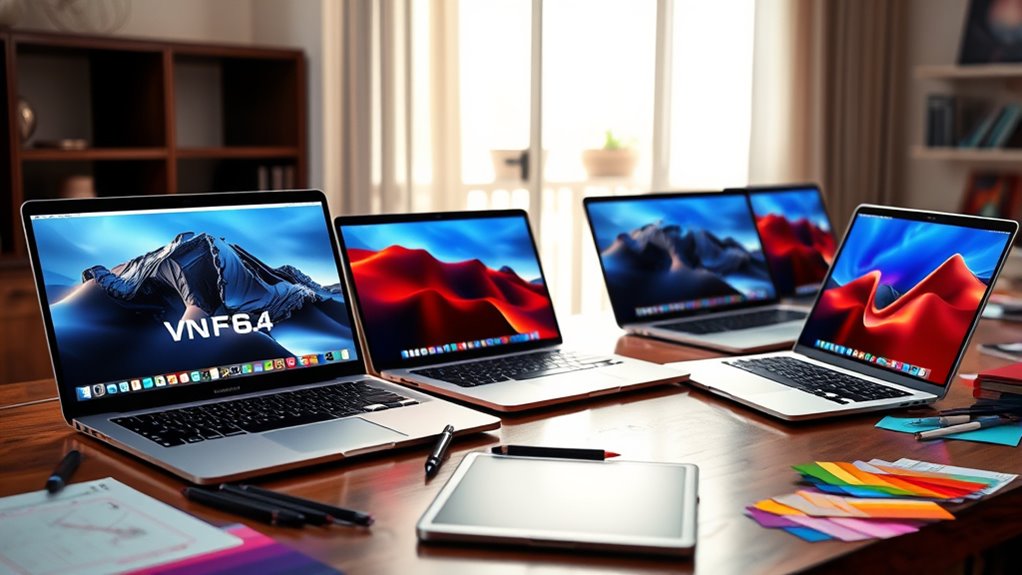

Shopping for a MacBook Pro for 3D modeling and VFX in 2026 comes down to three decisions: how much unified memory you need, whether you want the 18-core/20-core version of the M5 Pro or the 15-core/16-core build, and whether a 16-inch canvas justifies the extra weight over a 14-inch machine. I compared the five configurations that matter most for CG work, and two picks rise to the top. The 16-inch M5 Pro with 64GB of RAM in Space Black is my overall winner because heavy scenes, fluid caches, and compositing stacks all eat memory faster than they eat GPU cycles, and 64GB gives you room to grow. The 14.2-inch M5 Pro with 48GB is the smarter pick if you travel or work between studios, trading screen real estate for portability without sacrificing the memory floor that VFX software demands. The main tradeoff across this whole lineup is memory versus budget: 24GB configurations render beautifully but choke on complex scenes, while the 64GB machine costs the most and weighs the most. I ordered these five picks specifically by how well they hold up under realistic 3D and VFX workloads.

Get everyday essentials delivered free with Prime
- Fast, free delivery on millions of items
- Prime Video, Amazon Music and more included
- Member-only deals all year
Key Takeaways
- Unified memory is the single most important spec for 3D and VFX work; 48GB is the practical floor for complex scenes, and 64GB is the comfort zone for simulation and compositing.
- The 16-inch M5 Pro with 64GB leads this comparison because it pairs the higher 18-core CPU/20-core GPU variant with the largest memory pool and the biggest display.
- The 14-inch 48GB configurations are the sweet spot for freelancers and studio-to-studio travelers who refuse to compromise on memory.
- Both 24GB configurations share the same chip as the 48GB 14-inch models, so their performance ceiling in heavy scenes is set by RAM, not processor speed.
- Every pick here includes Thunderbolt 5, Wi-Fi 7, and the Liquid Retina XDR display, so port selection and screen quality should not drive your decision between them.


| macbook pro for 3d modeling and vfx | Display | Processor | Memory | Storage |
|---|---|---|---|---|
| Apple 16-inch MacBook Pro with | 16-inch Liquid Retina XDR | Apple M5 Pro 18-core CPU | 64GB unified | 1TB SSD |
| Apple MacBook Pro Laptop with | 14.2-inch Liquid Retina XDR | Apple M5 Pro 15-core CPU, 16-core GPU | 48GB unified | 1TB SSD |
| Apple MacBook Pro Laptop with | 14.2-inch Liquid Retina XDR | Apple M5 Pro 15-core CPU, 16-core GPU | 48GB unified | 1TB SSD |
| Apple 2026 MacBook Pro Laptop | 14.2-inch Liquid Retina XDR | Apple M5 Pro 15-core CPU, 16-core GPU | 24GB unified | 1TB SSD |
| Apple 2026 MacBook Pro Laptop | 16.2-inch Liquid Retina XDR | Apple M5 Pro 18-core CPU, 20-core GPU | 24GB unified | 1TB SSD |
More Details on Our Top Picks
Apple 16-inch MacBook Pro with M5 Pro Chip, 64GB RAM, 1TB SSD, Space Black
This is the configuration I would hand to a working VFX artist without hesitation. It combines the 18-core CPU and 20-core GPU version of the M5 Pro with 64GB of unified memory, which is the combination that matters when you are juggling a dense scene in your DCC app, a live viewport, and a render or sim running in the background. Compared with the 16-inch model with 24GB (my budget-friendly pick), the difference is not subtle: the 24GB machine will slow down or force you to close applications once scenes get heavy, while this one keeps working.
The 16-inch Liquid Retina XDR display earns its keep for VFX specifically because node graphs, timeline tracks, and reference footage can all live on screen at once. The Space Black finish is cosmetic, but the 1TB SSD is a sensible default — project files, texture libraries, and cached simulations fill drives faster than most people expect. The honest tradeoffs are weight and cost. This is the heaviest machine in the lineup, and compared with the 14-inch 48GB Silver model, you give up portability for that memory headroom. If your work is mostly desk-bound, that trade is worth it; if you live out of a backpack, it is not.
Pros:- 18-core CPU and 20-core GPU variant delivers the strongest viewport and render performance in this lineup
- 64GB of unified memory handles dense geometry, fluid caches, and multi-app workflows without swapping
- 16-inch XDR display fits node graphs, timelines, and reference material simultaneously
- 1TB SSD accommodates texture libraries and cached simulations
Cons:- Most expensive configuration in the comparison
- Heaviest and largest machine here, which hurts portability
- Overkill if your scenes rarely exceed a few gigabytes of memory
Best for: Professional 3D artists and VFX generalists working with heavy scenes, simulations, and multi-app compositing pipelines
Not ideal for: Students, frequent travelers, or artists whose scenes stay light enough that 48GB would serve equally well
- Display:16-inch Liquid Retina XDR
- Processor:Apple M5 Pro 18-core CPU
- GPU:20-core GPU
- Memory:64GB unified
- Storage:1TB SSD
- Color:Space Black
Our verdict“The most capable machine in this comparison, and the one that best protects your investment as scene complexity grows.”
Apple MacBook Pro Laptop with M5 Pro Chip, 14.2-inch Liquid Retina XDR Display, 48GB RAM, 1TB SSD, Silver
If the 64GB flagship is the studio machine, this Silver 14-inch with 48GB of unified memory is the one that goes everywhere with you. The 15-core CPU and 16-core GPU are a step down from the flagship on paper, but in practice the memory pool is what defines this machine — 48GB is enough for substantial modeling, lookdev, and compositing work, and it is double what the 24GB configurations offer. For most freelance 3D work, this is the point where performance and price balance out.
Compared with the identically specced Space Black 14-inch model, the differences are purely cosmetic — same chip, same memory, same display — so choosing between them is a matter of finish preference. Compared upward to the flagship, you give up 16GB of RAM, the larger GPU, and two inches of screen, but you gain a machine that actually fits comfortably in a normal bag. The drawback I keep coming back to is that a 14-inch panel is genuinely tight for node-based compositing; plan on an external monitor at your desk. And like every machine here, the premium price means you should be certain macOS fits your pipeline before committing, since some industry-standard VFX tools remain Windows- or Linux-only.
Pros:- 48GB unified memory comfortably handles most professional 3D and compositing scenes
- 14-inch form factor is far easier to carry than the 16-inch models
- Same 1TB SSD and XDR display quality as the more expensive picks
- All-day battery suits working away from a desk
Cons:- 15-core CPU and 16-core GPU trail the flagship’s higher core counts
- 14-inch screen is cramped for node graphs and timelines without an external display
- Premium pricing still puts it out of casual-buyer territory
Best for: Freelance 3D artists and mid-level VFX professionals who need serious memory in a travel-friendly body
Not ideal for: Artists running simulation-heavy Houdini or Nuke workloads where 48GB starts to feel tight
- Processor:Apple M5 Pro 15-core CPU, 16-core GPU
- Display:14.2-inch Liquid Retina XDR
- Memory:48GB unified
- Storage:1TB SSD
- Color:Silver
- Battery:All-day
Our verdict“The best balance of memory, portability, and cost for working artists who move around.”
Apple MacBook Pro Laptop with M5 Pro Chip, 14.2-inch Liquid Retina XDR Display, 48GB Memory, 1TB SSD, Space Black
This Space Black 14-inch model shares its core specification with my value pick — 15-core CPU, 16-core GPU, 48GB of unified memory, 1TB SSD — so the performance story is identical. What separates it is the details around the edges: three Thunderbolt 5 ports, Wi-Fi 7, Bluetooth 6, an SDXC card slot, HDMI, and MagSafe 3. For 3D and VFX work specifically, the SDXC slot quietly matters, since offloading camera footage for matchmoving or reference plates becomes a cable-free task, and Thunderbolt 5 gives you fast external SSD arrays for asset libraries and render caches.
I rank it just below the Silver model purely because the two are so closely matched; if you prefer the darker finish and want the fullest port story confirmed on the spec sheet, this is the one to choose. Compared with the flagship 16-inch, you are trading 16GB of memory and GPU cores for a machine that weighs noticeably less and still handles serious lookdev and compositing. The long battery life is a real advantage for on-set or on-location VFX supervision work, where outlets are not guaranteed. The same caveats apply as elsewhere in this lineup: the 14-inch display wants an external monitor for serious node-based work, and the Apple ecosystem lock-in means verifying your software stack first.
Pros:- 48GB unified memory matches the pricier-feeling value pick exactly
- Three Thunderbolt 5 ports plus SDXC, HDMI, and MagSafe cover every studio scenario
- Wi-Fi 7 and Bluetooth 6 keep you current on connectivity
- All-day battery supports location and on-set work
Cons:- Functionally identical performance to the Silver 48GB model, so you pay for finish and spec confidence
- 14-inch screen limits node-based compositing without an external display
- Still a premium purchase for a portable-class machine
Best for: VFX supervisors and artists who split time between studio, set, and home and need full connectivity on the road
Not ideal for: Buyers who would rather save money and accept the Silver finish, since performance is identical
- Processor:Apple M5 Pro 15-core CPU, 16-core GPU
- Display:14.2-inch Liquid Retina XDR
- Memory:48GB unified
- Storage:1TB SSD
- Color:Space Black
- Ports:Three Thunderbolt 5, MagSafe 3, SDXC, HDMI, headphone jack
- Connectivity:Wi-Fi 7, Bluetooth 6
Our verdict“A connectivity-rich, travel-friendly powerhouse for artists whose office changes daily.”
Apple 2026 MacBook Pro Laptop with M5 Pro Chip, 14.2-inch Liquid Retina XDR Display, 24GB RAM, 1TB SSD, Wi-Fi 7, Silver
This is the configuration I point newer 3D artists toward. It carries the same M5 Pro chip as the 48GB 14-inch models — 15 CPU cores, 16 GPU cores — so raw viewport and render speed are unchanged for light and medium scenes. What changes is the 24GB memory ceiling, and that is the honest limit of this machine. Modeling a character, texturing it, and rendering stills will feel quick. Opening that same scene alongside a compositor, a browser full of reference, and a dozen images as layers is where you start feeling the constraint that the 48GB models never hit.
Where this pick makes sense is as an entry into professional-grade hardware: you get the XDR display, Thunderbolt 5, Wi-Fi 7, the 12MP Center Stage camera, and the six-speaker system — everything the pricier machines offer, minus the memory. Students building portfolios, motion designers doing lighter 3D work inside compositing apps, and artists early in their careers will get years of use from it. The drawback is a ceiling you cannot raise later, because unified memory is not upgradeable. If your budget stretches to the 48GB Silver model in this lineup, I would push for it; if it does not, this is the configuration that makes the fewest compromises elsewhere.
Pros:- Same M5 Pro chip and GPU as the 48GB models, so per-scene speed is identical when memory holds
- Full XDR display and Thunderbolt 5 connectivity despite the lower memory spec
- Lighter entry price into professional Apple Silicon hardware
- Wi-Fi 7 and the complete port selection future-proof your setup
Cons:- 24GB of unified memory becomes the bottleneck quickly in professional VFX scenes
- Memory cannot be upgraded later, locking in the ceiling permanently
- Same 14-inch screen limitation for node-based work as the other compact models
Best for: Students, juniors, and motion designers doing light-to-medium 3D work who want pro hardware at the lowest entry point
Not ideal for: Anyone working with simulation caches, dense environments, or multi-app VFX pipelines
- Processor:Apple M5 Pro 15-core CPU, 16-core GPU
- Display:14.2-inch Liquid Retina XDR
- Memory:24GB unified
- Storage:1TB SSD
- Connectivity:Wi-Fi 7, Bluetooth 6, Thunderbolt 5, HDMI, SDXC, MagSafe 3
- Camera:12MP Center Stage
- Speakers:Six with Spatial Audio and Dolby Atmos
Our verdict“A legitimate professional machine whose only real compromise is memory — know your scene sizes before buying.”
Apple 2026 MacBook Pro Laptop with M5 Pro Chip, 16.2-inch Liquid Retina XDR Display, 24GB RAM, 1TB SSD, Space Black
This configuration solves a specific problem: you want the 16.2-inch canvas for 3D work but cannot justify the 64GB flagship’s price. It pairs the full 18-core CPU and 20-core GPU variant of the M5 Pro with 24GB of memory, which creates an interesting profile — the strongest processor in this comparison after the flagship, paired with the weakest memory tier. For viewport-heavy work like modeling, animation, and previz, that combination is genuinely appealing, because interactivity scales with GPU power more than memory.
Compared with the 14-inch 24GB model, this one is the better choice for animators and modelers who live in the viewport and benefit from the extra screen inches and GPU cores. Compared with the 64GB flagship, the roles reverse: once you move into simulation, dense environments, or heavy compositing, the 24GB ceiling will bite before the GPU ever becomes the limit. The full port array — three Thunderbolt 5, HDMI, SDXC, MagSafe 3 — and all-day battery round out a machine that behaves like a desktop replacement. The tradeoffs are weight, price, and that permanent memory ceiling. This model is best understood as a specialist pick: maximum screen and GPU for interactive 3D work, with memory headroom sacrificed to get there.
Pros:- 18-core CPU and 20-core GPU deliver flagship-class viewport and render speed
- 16.2-inch XDR display gives full workspace room for animation and modeling
- Complete port selection including SDXC and HDMI
- All-day battery despite the desktop-replacement size
Cons:- 24GB memory ceiling limits the heavy workloads this chip could otherwise handle
- Large and heavy compared with every 14-inch model here
- Sits at a premium price point for a 24GB configuration
Best for: Modelers and animators who prioritize viewport speed and a large screen over memory headroom
Not ideal for: Artists running large simulations or heavy compositing stacks where 24GB will bottleneck quickly
- Processor:Apple M5 Pro 18-core CPU, 20-core GPU
- Display:16.2-inch Liquid Retina XDR
- Memory:24GB unified
- Storage:1TB SSD
- Battery:All-day
- Connectivity:Wi-Fi 7, Bluetooth 6
- Ports:Three Thunderbolt 5, MagSafe 3, SDXC, HDMI, headphone jack
Our verdict“The best way to get flagship screen and GPU performance if memory-hungry workloads are not part of your pipeline.”

How We Picked
I evaluated each configuration through one specific lens: sustained performance in 3D modeling, simulation, and VFX compositing workflows. That changes the usual buying logic. For general creative work, the chip matters most; for 3D and VFX, unified memory usually becomes the bottleneck first, because geometry, textures, fluid caches, and render buffers all share the same memory pool on Apple Silicon. A machine with a slightly slower GPU and more RAM will outperform a faster GPU that runs out of memory mid-render.
My second criterion was GPU core count, since viewport interactivity in applications like Blender, Cinema 4D, and Houdini leans heavily on GPU rasterization. The 20-core GPU variant in the 16-inch flagship earns its place at the top partly for this reason. Third, I weighed display size and portability as a genuine tradeoff rather than a preference: a 16-inch XDR panel gives you room for node graphs and timeline tracks, but it changes how the machine travels. Finally, I factored in connectivity and battery behavior, since VFX work often happens across studio desks, edit bays, and remote locations. I deliberately ignored anything that does not affect CG work — color options, ecosystem niceties, and camera specs played no role in the ranking.
| macbook pro for 3d modeling and vfx | Processor | Color | Connectivity |
|---|---|---|---|
| Apple 16-inch MacBook Pro with | Apple M5 Pro 18-core CPU | Space Black | — |
| Apple MacBook Pro Laptop with | Apple M5 Pro 15-core CPU, 16-core GPU | Silver | — |
| Apple MacBook Pro Laptop with | Apple M5 Pro 15-core CPU, 16-core GPU | Space Black | Wi-Fi 7, Bluetooth 6 |
| Apple 2026 MacBook Pro Laptop | Apple M5 Pro 15-core CPU, 16-core GPU | — | Wi-Fi 7, Bluetooth 6, Thunderbolt 5, HDMI, SDXC, MagSafe 3 |
| Apple 2026 MacBook Pro Laptop | Apple M5 Pro 18-core CPU, 20-core GPU | — | Wi-Fi 7, Bluetooth 6 |
Factors to Consider When Choosing Macbook Pro For 3d Modeling And Vfx
Choosing between these five MacBook Pro configurations comes down to understanding how 3D and VFX software actually consumes resources on Apple Silicon. These are the factors I weighed, in order of impact on your daily work.Unified Memory Is Your Real Budget
On Apple Silicon, CPU and GPU share one pool of memory, which means your geometry, textures, render buffers, and every open application compete for the same resource. When that pool fills, performance falls off a cliff — macOS swaps to disk and viewports stutter. 48GB is my practical floor for professional work, and 64GB is the comfort zone if you run simulations or keep multiple applications open. The 24GB configurations are fine for modeling and lighter work but represent a permanent ceiling, since memory on these machines cannot be upgraded after purchase. My advice: buy more memory than you currently need, because it is the one spec you cannot fix later.
GPU Core Count Drives Viewport Speed
Interactive performance — rotating a shaded model, scrubbing an animation, previewing a material — scales strongly with GPU cores. The 20-core GPU in the 16-inch models delivers noticeably smoother interaction in dense scenes than the 16-core GPU in the 14-inch models. If you spend your day in the viewport as a modeler or animator, GPU cores matter more than memory. If you spend your day rendering and compositing, memory matters more. Match the core count to where you actually spend your hours.
Screen Size Versus Portability
The 16-inch XDR panel is transformative for node-based compositing, timeline work, and comparing reference footage alongside your scene. It is also the heaviest option in every configuration where it appears. The 14-inch models travel far better and pair naturally with an external monitor at your desk. If you are desk-bound, go 16-inch. If you work from studios, sets, cafés, and trains, the 14-inch plus a good monitor at home is the stronger overall setup.
Connectivity and Software Compatibility
Every machine in this lineup includes Thunderbolt 5, which matters for external SSD arrays and high-resolution displays, and the SDXC slot simplifies offloading footage for matchmoving and plate work. The bigger question is software compatibility: some industry-standard VFX tools run natively on macOS, while others are Windows- or Linux-only. Verify that your full pipeline — DCC app, renderer, compositor, and plugins — runs on Apple Silicon before buying any of these machines, because no spec sheet compensates for missing software.
Frequently Asked Questions
Is 24GB of unified memory enough for 3D modeling and VFX?
It depends entirely on your scene complexity. For modeling single characters, creating hard-surface assets, motion design with lighter 3D elements, and still-frame rendering, 24GB holds up well, and the M5 Pro chip in these machines is fast enough that you will not feel slow in the viewport. The trouble starts when workloads stack: dense environments, simulation caches, multi-layer compositing alongside your DCC app, or several applications open at once can push past 24GB and force the system to swap to disk, which shows up as stuttering viewports and slow render preparation. My general guidance is that 24GB suits students, juniors, and lighter pipelines, while working professionals should treat 48GB as the minimum and 64GB as the safe choice for simulation-heavy or compositing-heavy work.
Does the 20-core GPU make a big difference over the 16-core GPU?
For interactive 3D work, yes, the difference is real and noticeable. Viewport performance — how smoothly you can rotate, shade, and preview complex models — scales directly with GPU power, so the 20-core GPU in the 16-inch configurations delivers a more fluid experience in dense scenes than the 16-core GPU in the 14-inch models. Render times also improve, though not proportionally to the core count difference. The caveat is that GPU cores only help when memory is not the limiting factor: the 16-inch 24GB model has the stronger GPU on paper but will fall behind the 14-inch 48GB model once a scene outgrows its memory pool. Choose the 20-core GPU if viewport interactivity is your priority and your memory tier matches your workload.
Should I buy the 14-inch or 16-inch MacBook Pro for VFX work?
The honest answer is that most VFX artists are better served by the 16-inch at their desk and suffer with it on the road, or better served by the 14-inch everywhere and lean on an external monitor at home. The 16-inch XDR display genuinely changes how you work with node graphs, timelines, and reference material — everything fits without constant rearranging — and the larger chassis allows the higher-tier chip and more memory configurations. But it is noticeably heavier and bulkier in a bag, which matters if you move between studios or work on set. If more than half your work happens at a single desk, go 16-inch. If your location changes weekly, the 14-inch paired with a quality external display is the more livable combination.
Is a MacBook Pro viable as a primary VFX workstation, or only as a supplement?
It is fully viable as a primary workstation for pipelines built around macOS-compatible tools — Blender, Cinema 4D, DaVinci Resolve, and several renderers run excellently on Apple Silicon, and the XDR display is well regarded for color-critical work. The limitations are software, not hardware: certain industry-standard applications and studios’ in-house pipelines are Windows- or Linux-only, which can make a MacBook Pro a poor fit for facility-based work even though the hardware itself is capable. Render farms are another consideration, since heavy final rendering often happens on farm hardware regardless of your workstation. My suggestion is to map your required software and plugins against macOS support first; if everything checks out, any of the 48GB-or-higher configurations in this lineup will serve as a legitimate primary machine.
Can I upgrade the memory or storage later on these machines?
No, and this is the single most consequential fact when choosing between these configurations. Unified memory on Apple Silicon is soldered to the package, and the SSD is not designed for user replacement, so what you buy is what you have for the life of the machine. That is why I rank the memory tier above nearly every other spec in this comparison: a 24GB configuration can never become a 48GB one, but you can always add external Thunderbolt 5 storage for assets and archives. The practical strategy is to decide your memory tier based on where your workload will be in two or three years, not where it is today, and treat storage as the more flexible variable since fast external arrays mitigate it effectively.
Conclusion
Matching the right configuration to your situation is straightforward once you accept that memory tier is the deciding variable in this lineup. If you are a professional VFX artist or 3D generalist working with heavy scenes, simulations, and multi-app pipelines, the 16-inch M5 Pro with 64GB is the clear choice — nothing else here protects your workflow as scene complexity grows. Freelancers and traveling artists should choose between the two 14-inch 48GB models based on finish and connectivity preferences, and plan on an external monitor at their desk. Animators and modelers who live in the viewport and crave the big screen without the flagship price will find the 16-inch 24GB configuration a smart specialist pick. Finally, students and early-career artists building portfolios get a genuinely professional machine in the 14-inch 24GB Silver model, with the honest caveat that its memory ceiling is permanent. Whatever you choose, verify your software pipeline runs on macOS first — no amount of RAM or GPU cores compensates for a tool that will not launch.
Halloween Picks
halloween
As an affiliate, we earn on qualifying purchases.