For photographers, choosing the right iMac means balancing powerful performance with excellent display quality. The Apple 2024 iMac with M4 chip and 24-inch Retina Display stands out as the best overall due to its advanced processing and stunning visuals. The Apple 2021 iMac with M1 chip offers a reliable, more affordable option, while the Apple 2024 iMac with M4 chip and 24GB RAM is ideal for heavy editing workflows. The main tradeoffs in this category involve balancing price against performance and display quality. Keep reading for a detailed breakdown of each option and how to choose the right iMac for your photography needs.

Get everyday essentials delivered free — and shop member deals
- Fast, free delivery on millions of items
- Access to Prime Big Deal Days deals on October 6–7
- Prime Video, Amazon Music and more included
Key Takeaways
- The latest M4 chip models deliver significant performance gains, especially for demanding photo editing tasks.
- Display quality and size are critical; 24-inch Retina screens offer the best balance of color accuracy and workspace.
- RAM size impacts multitasking and large file handling; 16GB is typically sufficient, but 24GB or more benefits professional workflows.
- Renewed or older models can save money but may lack the latest features and performance improvements.
- Color options and design are mostly aesthetic but can influence workspace harmony for creative professionals.
| Apple 2017 iMac with 2.3GHz Intel Core i5, 21.5-inch, 8GB RAM, 256GB SSD (Renewed) |  | Best Budget Option for Photographers on a Tight Budget | Processor: 2.3GHz Intel Core i5 | Display: 21.5-inch | RAM: 8GB | VIEW ON AMAZON | See Our Full Breakdown |
| Apple 2024 iMac All-in-One Desktop Computer with M4 Chip, 24-inch Retina Display, 16GB RAM, 256GB SSD, Silver |  | Best for Power Users Needing High Performance and Seamless Apple Integration | Processor: M4 chip with 10-core CPU and 10-core GPU | Display: 24-inch Retina, 4.5K resolution | Memory: 16GB Unified Memory | VIEW ON AMAZON | See Our Full Breakdown |
| Apple 2024 iMac All-in-One Desktop Computer with M4 Chip, 24-inch Retina Display, 24GB Memory, 512GB SSD, Blue |  | Best for Heavy Multitasking and Creative Professionals | Processor: M4 chip with 10-core CPU and GPU | Display: 24-inch Retina, 4.5K | Memory: 24GB Unified Memory | VIEW ON AMAZON | See Our Full Breakdown |
| Apple 2024 iMac All-in-One Desktop Computer with M4 Chip, 24-inch Retina Display, 16GB RAM, 512GB SSD, Silver | 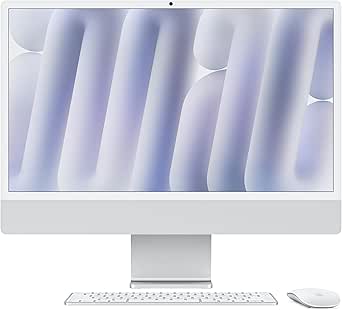 | Best for Versatile Workflows with Premium Features | Processor: M4 chip with 10-core CPU and GPU | Display: 24-inch Retina, 4.5K | Memory: 16GB Unified Memory | VIEW ON AMAZON | See Our Full Breakdown |
| Apple 2024 iMac All-in-One Desktop Computer with M4 Chip, 24-inch Retina Display, 16GB Memory, 256GB SSD, Green |  | Best Overall iMac for Photographers | Processor: M4 chip with 8-core CPU and 8-core GPU | Display: 24-inch Retina (4.5K) with 500 nits brightness | Memory: 16GB Unified Memory | VIEW ON AMAZON | See Our Full Breakdown |
| Apple 2024 iMac All-in-One Desktop Computer with M4 Chip, 24-inch Retina Display, 16GB Memory, 256GB SSD – Silver |  | Best Value for Creative Professionals | Processor: M4 chip with 8-core CPU and 8-core GPU | Display: 24-inch Retina (4.5K) with 500 nits brightness | Memory: 16GB Unified Memory | VIEW ON AMAZON | See Our Full Breakdown |
| Apple iMac with Retina 4K Display (21.5-inch, 8GB RAM, 1TB Storage) (Renewed) |  | Best Budget Friendly iMac for Entry-Level Editing | Display: 21.5-inch Retina 4K | RAM: 8GB | Storage: 1TB | VIEW ON AMAZON | See Our Full Breakdown |
| Apple 2023 iMac with M3 Chip (24-inch, 8GB RAM, 256GB SSD, Renewed) |  | Best for Budget-Conscious Creatives | Display: 24-inch 4.5K Retina | Processor: Apple M3 chip | RAM: 8GB | VIEW ON AMAZON | See Our Full Breakdown |
| Apple 2024 iMac All-in-One Desktop Computer with M4 Chip, 24-inch Retina Display, 16GB Memory, 256GB SSD, Pink |  | Best for Creative Personalities and Color Lovers | Display: 24-inch Retina | Processor: Apple M4 chip with 8-core CPU and 8-core GPU | Memory: 16GB Unified Memory | VIEW ON AMAZON | See Our Full Breakdown |
| imac for photographer | Display | Storage | Processor | Memory |
|---|---|---|---|---|
| Apple 2017 iMac with 2.3GHz In | 21.5-inch | 256GB SSD | 2.3GHz Intel Core i5 | — |
| Apple 2024 iMac All-in-One Des | 24-inch Retina, 4.5K resolution | 256GB SSD | M4 chip with 10-core CPU and 10-core GPU | 16GB Unified Memory |
| Apple 2024 iMac All-in-One Des | 24-inch Retina, 4.5K | 512GB SSD | M4 chip with 10-core CPU and GPU | 24GB Unified Memory |
| Apple 2024 iMac All-in-One Des | 24-inch Retina, 4.5K | 512GB SSD | M4 chip with 10-core CPU and GPU | 16GB Unified Memory |
| Apple 2024 iMac All-in-One Des | 24-inch Retina (4.5K) with 500 nits brightness | 256GB SSD | M4 chip with 8-core CPU and 8-core GPU | 16GB Unified Memory |
| Apple 2024 iMac All-in-One Des | 24-inch Retina (4.5K) with 500 nits brightness | 256GB SSD | M4 chip with 8-core CPU and 8-core GPU | 16GB Unified Memory |
| Apple iMac with Retina 4K Disp | 21.5-inch Retina 4K | 1TB | — | — |
| Apple 2023 iMac with M3 Chip | 24-inch 4.5K Retina | 256GB SSD | Apple M3 chip | — |
| Apple 2024 iMac All-in-One Des | 24-inch Retina | 256GB SSD | Apple M4 chip with 8-core CPU and 8-core GPU | 16GB Unified Memory |
More Details on Our Top Picks
Apple 2017 iMac with 2.3GHz Intel Core i5, 21.5-inch, 8GB RAM, 256GB SSD (Renewed)
This refurbished 2017 iMac offers a surprisingly capable setup for photographers who need a reliable machine without the latest hardware. Compared to newer models like the 2024 M4 iMacs, it falls short in raw performance and future-proofing but compensates with a lower price point. The 21.5-inch display is smaller than the 24-inch screens of newer models, which might limit workspace comfort, especially for detailed editing. Its 8GB RAM and SSD deliver decent speed for editing and browsing, but heavy multitasking or large raw files could cause slowdowns. The minimal cosmetic imperfections and high battery capacity (over 80%) make it attractive for those who want a clean, functional setup without premium cost. However, accessories are not original, and it may arrive in a generic box, which could impact aesthetic consistency. This pick is best for budget-conscious photographers who prioritize affordability over the latest hardware.
Pros:- Refurbished with minimal cosmetic imperfections
- Battery capacity exceeds 80%, useful for portable setups
- Compatible accessories included
Cons:- Accessories are not original, impacting aesthetics and compatibility
- May come in a generic box, affecting presentation and perceived value
Best for: Photographers who need an affordable, reliable machine for light to moderate editing and don’t mind an older model.
Not ideal for: Professionals working with large RAW files or requiring cutting-edge performance for heavy multitasking.
- Processor:2.3GHz Intel Core i5
- Display:21.5-inch
- RAM:8GB
- Storage:256GB SSD
- Condition:Renewed
- Battery capacity:Over 80%
Our verdict“This refurbished iMac suits photographers on a budget seeking a dependable machine for basic editing tasks.”
Apple 2024 iMac All-in-One Desktop Computer with M4 Chip, 24-inch Retina Display, 16GB RAM, 256GB SSD, Silver
The 2024 M4 iMac stands out for its blistering performance, thanks to the latest M4 chip with a 10-core CPU and GPU, making it ideal for intensive editing workflows. Compared to the 2021 M1-based iMac, this model handles multitasking and large RAW files with ease, significantly reducing render times. The 24-inch Retina display with 4.5K resolution offers stunning color accuracy, a key benefit for photographers seeking precise editing. Its sleek, colorful design makes it a visual asset in any workspace. However, the high price and limited storage options (512GB SSD) may deter some users with large photo libraries or tight budgets. Its lack of upgradeability for RAM and storage makes future expansion difficult. This choice is perfect for professional photographers who prioritize speed and vibrant display quality.
Pros:- Powerful M4 chip for fast processing
- Vivid 24-inch Retina display with 4.5K resolution
- Sleek, colorful design that fits modern spaces
- Excellent integration within the Apple ecosystem
Cons:- Limited storage capacity for large photo collections
- Premium price point may be prohibitive
- No upgrade options for RAM or storage
Best for: Pro photographers or serious hobbyists needing fast performance and excellent display accuracy.
Not ideal for: Budget-conscious users or those needing extensive local storage for massive image libraries.
- Processor:M4 chip with 10-core CPU and 10-core GPU
- Display:24-inch Retina, 4.5K resolution
- Memory:16GB Unified Memory
- Storage:256GB SSD
- Color:Silver
- Connectivity:Wi-Fi 6E, Bluetooth 5.3, Thunderbolt 4
Our verdict“This iMac is best suited for demanding photographers who require speed, color accuracy, and seamless Apple ecosystem integration.”
Apple 2024 iMac All-in-One Desktop Computer with M4 Chip, 24-inch Retina Display, 24GB Memory, 512GB SSD, Blue
The 2024 M4 iMac with 24GB RAM and 512GB SSD caters to creatives who run multiple demanding applications simultaneously. Its 10-core CPU and GPU ensure smooth handling of large RAW files, batch processing, and multitasking, outperforming the 2021 models with less memory. The 24-inch Retina display, supporting a billion colors, provides exceptional visual fidelity for detailed editing. The vibrant blue finish adds a splash of color to any workspace. While storage is ample for most needs, heavy users might find 512GB limiting over time. The all-in-one design restricts future upgrades, and the premium price could be a barrier for some. Still, this model balances performance and aesthetics for professional workflows. It’s ideal for advanced photographers who need speed and ample memory in a sleek package.
Pros:- High RAM capacity for multitasking
- Fast M4 chip with excellent graphics performance
- Vibrant 24-inch Retina display with rich colors
- Beautiful, colorful design
Cons:- Limited storage for very large photo libraries
- All-in-one design reduces upgrade flexibility
- Premium price may be out of reach for some
Best for: Professional photographers or creative professionals managing large projects and multitasking extensively.
Not ideal for: Casual users or those with limited budgets who don’t require high RAM or large storage capacity.
- Processor:M4 chip with 10-core CPU and GPU
- Display:24-inch Retina, 4.5K
- Memory:24GB Unified Memory
- Storage:512GB SSD
- Color:Blue
- Ports:Up to four Thunderbolt 4
Our verdict“This iMac suits photographers who demand high performance, large memory, and vivid display quality for demanding creative workflows.”
Apple 2024 iMac All-in-One Desktop Computer with M4 Chip, 24-inch Retina Display, 16GB RAM, 512GB SSD, Silver
The 2024 M4 iMac with 16GB RAM and 512GB SSD offers a balanced package for photographers who need both performance and versatility. Its 10-core CPU and GPU make editing large RAW files and multitasking smooth, outperforming older models with less memory. The 24-inch Retina display, supporting a billion colors, provides stunning visuals crucial for color-accurate editing. Its sleek, silver finish makes it a stylish addition to any workspace. The all-in-one design, while elegant, limits future upgrade options for RAM and storage, which could be a concern for long-term users. Its premium price is justified by performance, but buyers should consider their storage needs carefully. This model is best for photographers seeking a high-performance, stylish machine with excellent display quality.
Pros:- Excellent performance with M4 chip
- Vivid, color-accurate Retina display
- Sleek, modern design in silver
- Good balance of performance and form factor
Cons:- Limited upgradeability for RAM and storage
- Premium price for some budgets
- Storage might be limiting for large collections
Best for: Creative professionals who want a powerful, stylish machine capable of handling intensive editing tasks.
Not ideal for: Budget-conscious users or those needing maximum storage for extensive photo libraries.
- Processor:M4 chip with 10-core CPU and GPU
- Display:24-inch Retina, 4.5K
- Memory:16GB Unified Memory
- Storage:512GB SSD
- Color:Silver
- Connectivity:Wi-Fi 6E, Bluetooth 5.3, Thunderbolt 4
Our verdict“This iMac is well-suited for photographers who want a high-performing, stylish machine with excellent display fidelity.”
Apple 2024 iMac All-in-One Desktop Computer with M4 Chip, 24-inch Retina Display, 16GB Memory, 256GB SSD, Green
This 2024 iMac with M4 chip is a standout choice for photographers who need a balanced combination of power, display quality, and versatility. Compared with the M3-powered 2023 model, the M4 offers a noticeable performance boost, especially during multitasking and photo editing workflows. Its 24-inch Retina display provides vibrant, color-accurate visuals, essential for editing photos with precision. While the 256GB SSD may be limiting for large raw files, its fast storage and seamless integration with other Apple devices make it a compelling choice for those who prioritize a sleek, all-in-one setup. The main tradeoff involves the higher price point and limited storage, which could require external drives for extensive photo libraries.
Pros:- Powerful M4 chip ensures smooth multitasking and fast rendering
- Vivid 24-inch Retina display with high brightness and color accuracy
- Vibrant color options and sleek all-in-one design
- Excellent connectivity with Thunderbolt 4 and Wi-Fi 6E
Cons:- Limited storage capacity may require external drives for large photo libraries
- Higher price relative to some competing desktops
- No dedicated GPU options for intensive graphics tasks
Best for: Professional photographers or advanced hobbyists seeking a powerful, visually stunning all-in-one for editing and multimedia tasks.
Not ideal for: Photographers with massive photo collections or needing extensive local storage, as the 256GB SSD may prove restrictive.
- Processor:M4 chip with 8-core CPU and 8-core GPU
- Display:24-inch Retina (4.5K) with 500 nits brightness
- Memory:16GB Unified Memory
- Storage:256GB SSD
- Color:Green
- Connectivity:Wi-Fi 6E, Bluetooth 5.3, four Thunderbolt 4 ports
Our verdict“This iMac is ideal for photographers who want a high-performance, visually stunning machine with seamless Apple ecosystem integration and are willing to manage storage externally.”
Apple 2024 iMac All-in-One Desktop Computer with M4 Chip, 24-inch Retina Display, 16GB Memory, 256GB SSD – Silver
This Silver 2024 iMac offers similar performance to the Green version but in a more subdued, versatile color. It supports up to two external 6K displays, providing more flexibility for multi-monitor workflows—an advantage over the Green model’s standard connectivity. Its powerful M4 chip handles photo editing, multitasking, and casual video work efficiently, making it well-suited for creative professionals who don’t need extensive local storage. However, like the Green version, the 256GB SSD can be limiting for large photo libraries, and the premium price may deter budget-conscious buyers. Its major distinction is the added display support capability, making it more adaptable for complex setups.
Pros:- Strong M4 chip for fast, efficient performance
- Supports two external 6K displays for enhanced workspace flexibility
- Elegant all-in-one design available in vibrant colors
- Excellent integration with Apple ecosystem
Cons:- Limited internal storage may necessitate external drives
- Premium pricing may be prohibitive for some
- No dedicated GPU options for demanding graphics work
Best for: Photographers who need a balanced mix of performance, aesthetics, and multi-display support within a streamlined, all-in-one design.
Not ideal for: Users with large photo collections or requiring extensive local storage, as the 256GB SSD remains a limiting factor.
- Processor:M4 chip with 8-core CPU and 8-core GPU
- Display:24-inch Retina (4.5K) with 500 nits brightness
- Memory:16GB Unified Memory
- Storage:256GB SSD
- Color:Silver
- Connectivity:Wi-Fi 6E, Bluetooth 5.3, up to four Thunderbolt 4 ports, supports two external 6K displays
Our verdict“This model suits photographers seeking a powerful, multi-display-capable all-in-one that balances performance with aesthetic versatility and is comfortable with external storage solutions.”
Apple iMac with Retina 4K Display (21.5-inch, 8GB RAM, 1TB Storage) (Renewed)
This renewed 21.5-inch Retina 4K iMac provides a reliable, budget-conscious option for photographers starting out or working on smaller projects. Its Retina 4K display offers crisp visuals, although it doesn’t match the color accuracy and brightness of the 24-inch Retina models. With 8GB RAM and 1TB storage, it handles photo editing and storage needs reasonably well, but the older hardware may lag behind newer models in demanding workflows. The included basic keyboard and mouse are less durable, and the factory renewal status might raise concerns about warranty and longevity. It’s a solid entry point but not suited for intensive professional work.
Pros:- High-resolution Retina 4K display for clear visuals
- Ample 1TB storage for photo collections
- Affordable renewed option
- Reliable performance for basic tasks
Cons:- Older hardware may be less capable with demanding workflows
- Includes generic accessories that might feel less durable
- Limited warranty or uncertain condition due to renewal status
Best for: Beginner photographers or those on a tight budget who need a dependable machine for basic editing and storage.
Not ideal for: Experienced professionals requiring high-performance hardware and color-critical workflows, as it may struggle with large files and advanced editing tasks.
- Display:21.5-inch Retina 4K
- RAM:8GB
- Storage:1TB
- Condition:Renewed
Our verdict“This iMac is suitable for entry-level photographers who prioritize affordability and basic editing capabilities over cutting-edge performance or color accuracy.”
Apple 2023 iMac with M3 Chip (24-inch, 8GB RAM, 256GB SSD, Renewed)
The 2023 M3 iMac offers a good entry point for photographers on a budget, blending solid performance with a vibrant 24-inch Retina display. Its M3 chip handles most editing tasks smoothly, but with only 8GB RAM, performance may slow down with large files or multitasking. The 256GB SSD is comparable to newer models, though storage may fill quickly for large raw files. Its renewed status means potential savings but less certainty about longevity and warranty. This pick makes the most sense for casual or hobbyist photographers who want Apple’s design and display quality without the latest high-end specs.
Pros:- Powerful M3 chip for solid performance
- Vivid 24-inch Retina display
- Affordable renewed option
- Includes Magic Keyboard and Mouse
Cons:- Limited to 8GB RAM, which can bottleneck performance
- Only 256GB SSD may restrict storage
- Renewed product may have limited warranty or wear
Best for: Budget-conscious photographers or hobbyists needing a capable machine for light to moderate editing tasks.
Not ideal for: Professionals or heavy users who require extensive RAM and larger local storage for demanding workflows.
- Display:24-inch 4.5K Retina
- Processor:Apple M3 chip
- RAM:8GB
- Storage:256GB SSD
- Condition:Renewed
Our verdict“This iMac is a practical choice for budget-conscious photographers who do light editing and value Apple’s display quality without top-tier specs.”
Apple 2024 iMac All-in-One Desktop Computer with M4 Chip, 24-inch Retina Display, 16GB Memory, 256GB SSD, Pink
This Pink 2024 iMac stands out thanks to its vibrant color and high performance with the M4 chip. Its 24-inch Retina display provides excellent clarity, ideal for editing photos with accurate color reproduction. The 16GB of RAM offers more headroom for multitasking and demanding editing workflows compared to models with 8GB. Its seamless integration with other Apple devices and vibrant aesthetic make it appealing for creatives who want their workspace to reflect their personality. The primary tradeoff involves the limited internal storage of 256GB, which may necessitate external drives for extensive photo libraries, and the premium price for the extra RAM and design flair.
Pros:- Vivid 24-inch Retina display with high color accuracy
- Powerful M4 chip for fast editing and multitasking
- Bright, unique pink color for personalization
- Excellent ecosystem integration
Cons:- Limited internal storage of 256GB requires external solutions
- Higher price point due to color and extra RAM
- No dedicated GPU options for intensive graphics tasks
Best for: Photographers who value a colorful, personalized workspace and require strong performance for editing tasks.
Not ideal for: Photographers needing large local storage or those on a strict budget, given the higher price and storage limitations.
- Display:24-inch Retina
- Processor:Apple M4 chip with 8-core CPU and 8-core GPU
- Memory:16GB Unified Memory
- Storage:256GB SSD
- Color:Pink
- Connectivity:Wi-Fi 6E, Bluetooth 5.3, four Thunderbolt 4 ports, supports two 6K displays
Our verdict“This iMac suits creative professionals who want a colorful, high-performance machine with ample RAM but are prepared to manage storage externally.”

How We Picked
These iMacs were evaluated based on performance benchmarks relevant to photo editing, display quality, RAM and storage options, build quality, and overall value. Priority was given to models that handle high-resolution images smoothly, support professional color accuracy, and offer longevity through future software updates. The ranking reflects a balance between cutting-edge hardware and affordability, ensuring options for different budgets and skill levels. Consideration was also given to user reviews and Apple’s ecosystem integration to identify models that empower photographers without unnecessary over-spending.| imac for photographer | Color | Connectivity |
|---|---|---|
| Apple 2017 iMac with 2.3GHz In | — | — |
| Apple 2024 iMac All-in-One Des | Silver | Wi-Fi 6E, Bluetooth 5.3, Thunderbolt 4 |
| Apple 2024 iMac All-in-One Des | Blue | — |
| Apple 2024 iMac All-in-One Des | Silver | Wi-Fi 6E, Bluetooth 5.3, Thunderbolt 4 |
| Apple 2024 iMac All-in-One Des | Green | Wi-Fi 6E, Bluetooth 5.3, four Thunderbolt 4 ports |
| Apple 2024 iMac All-in-One Des | Silver | Wi-Fi 6E, Bluetooth 5.3, up to four Thunderbolt 4 ports, supports two external 6K displays |
| Apple iMac with Retina 4K Disp | — | — |
| Apple 2023 iMac with M3 Chip | — | — |
| Apple 2024 iMac All-in-One Des | Pink | Wi-Fi 6E, Bluetooth 5.3, four Thunderbolt 4 ports, supports two 6K displays |
Factors to Consider When Choosing Imac For Photographers
When selecting an iMac for photography, understanding key factors can help you avoid common pitfalls and make a choice that supports your workflow. The right combination of hardware, display, and price ensures your investment pays off with smooth editing, color fidelity, and future-proofing.Performance and Processor Power
Photographers working with high-resolution images and complex editing software need a powerful processor. The transition from Intel to Apple’s M series chips has been a game-changer, with M4 chips providing unmatched speed and efficiency. Opting for a model with more cores and higher processing power ensures faster rendering and smoother multitasking, especially when working with large files or applying intensive edits. However, more powerful chips often come at a higher price, so consider your workload size when choosing.
Display Quality and Size
The display is arguably the most critical factor for photographers. A 24-inch Retina display with wide color gamut and high resolution offers excellent detail and color accuracy, essential for editing. Larger screens provide more workspace but can be less space-efficient. If color fidelity and detail are your priorities, prioritize models with high-quality Retina or 4K displays. Avoid older or smaller screens if you work with detailed images regularly or require precise color matching.
RAM and Storage
RAM affects your ability to multitask and work with large image files smoothly. 16GB is often enough for casual editing, but professionals should consider 24GB or more for demanding workflows. Storage capacity impacts how many high-res images you can store locally; SSDs offer fast access but can be costly. Balance your storage needs with budget, and consider cloud storage options for additional space. Upgradability is limited, so choose wisely at the time of purchase.
Budget and Future-Proofing
While newer, high-end iMacs deliver top-tier performance, they come with a higher price tag. Mid-range models can serve hobbyists and semi-professionals well, providing a good balance of performance and cost. Think about future needs—if you plan to expand your editing workload or use newer software, investing in a more powerful model now can extend the lifespan of your device. Conversely, if your needs are modest, a slightly older or refurbished model might suffice.
Design, Ergonomics, and Ecosystem
While aesthetics may seem secondary, a well-designed workspace can boost productivity. The sleek, minimal design of the latest iMacs complements any studio setup. Consider ergonomic factors like adjustable stands or external accessories to improve comfort during long editing sessions. Compatibility with other Apple devices can enhance your workflow, allowing seamless integration with iPad, iPhone, or MacBook tools, especially for photographers heavily invested in the Apple ecosystem.
Frequently Asked Questions
Is it worth investing in the latest M4 iMac for photography?
Yes, the latest M4 iMac offers substantial improvements in processing speed, graphics performance, and energy efficiency, making it highly suitable for professional photo editing. Its advanced display capabilities also ensure color accuracy and detail, which are vital for photographers. Although it may come at a premium, the performance gains often justify the investment, especially for those handling large files or using complex software regularly.
Should I prioritize display quality over processing power?
For photography, display quality often takes precedence because accurate color reproduction and high resolution are essential for editing. However, pairing a high-quality display with adequate processing power is ideal. If budget constraints exist, choose a model with a good display first, then consider the processor based on your workflow needs. Sacrificing display quality for raw power can lead to less accurate edits, undermining your work’s quality.
Are refurbished iMacs reliable for professional photography?
Refurbished iMacs can be a smart way to save money while still getting high performance, especially from recent models. Apple’s refurbishment program includes rigorous testing and warranty, making them a trustworthy option. However, they may lack the latest hardware or features found in new models. For professionals, ensure the refurbished unit has adequate RAM, storage, and display quality to meet your specific needs.
What is the best iMac size for photo editing?
The 24-inch iMac strikes a good balance between workspace and desk space, offering a high-quality Retina display ideal for most photographers. Larger models, like a 27-inch or more, provide even more screen real estate but often come at a higher cost and require more space. For portability and space efficiency, 24-inch is usually the most practical choice, while professionals needing extensive screen space might opt for larger external monitors paired with a Mac mini or MacBook.
How important is RAM when choosing an iMac for photography?
RAM is critical for multitasking and handling large image files smoothly. Photographers working with high-resolution files or multiple applications simultaneously benefit from 16GB or more. For intensive workflows involving 3D editing or video integration, 24GB or higher can prevent slowdowns and improve productivity. Since RAM upgrades are limited post-purchase, selecting the right amount initially is essential for a future-proof investment.
Conclusion
For those seeking the best overall experience, the Apple 2024 iMac with M4 chip and 24-inch Retina Display makes the most sense, combining power and display quality. Budget-conscious photographers or hobbyists will appreciate the Apple 2021 iMac with M1 chip for its affordability. Professionals demanding peak performance should consider the Apple 2024 iMac with 24GB RAM and M4 chip to handle large files effortlessly. Beginners or casual users can start with older or refurbished models, while those needing portability might explore external monitor setups. Your ideal choice depends on balancing performance, size, and budget.
Fall Picks
fall essentials
As an affiliate, we earn on qualifying purchases.