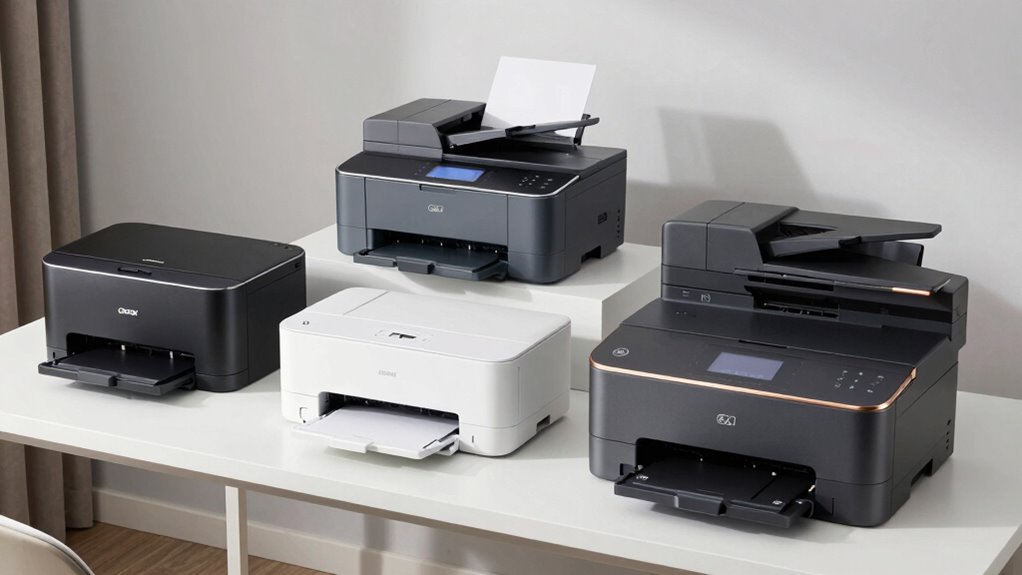
Choosing a laser printer for your home office involves balancing print quality, speed, and ongoing costs. The HP LaserJet M110w stands out as the best overall for its reliable performance and ease of setup. For those needing color, the HP Color LaserJet Pro 3201dw offers vibrant output, though at a higher price. If budget is a concern, the Brother HL-L2405W provides solid monochrome printing without breaking the bank. Tradeoffs often come down to color versus monochrome, speed versus cost-per-page, and multifunctionality versus simplicity. Keep reading to see how these picks stack up to help you find the perfect fit for your home office.

Get everyday essentials delivered free with Prime
- Fast, free delivery on millions of items
- Prime Video, Amazon Music and more included
- Member-only deals all year
Key Takeaways
- Top-tier models balance speed and print quality with affordable ongoing costs.
- Color laser printers tend to be significantly more expensive and slower than monochrome options.
- Multifunction printers provide scanning and copying but often come with higher price tags and complexity.
- Compact designs are available but may sacrifice some features or speed.
- Wireless connectivity is common but can vary in stability and setup complexity across models.
| HP LaserJet M110w Wireless Black & White Printer |  | Best Compact for Small Spaces | Print Speed: Up to 21 pages per minute | Connectivity: Wireless, Mobile Printing | Compatibility: Microsoft, Mac, AirPrint, Android, Chromebook | VIEW ON AMAZON | See Our Full Breakdown |
| Brother HL-L2405W Wireless Monochrome Laser Printer with Mobile Printing |  | Best Value for High-Volume Monochrome Printing | Print Speed: 30 pages per minute | Connectivity: Wi-Fi (dual-band), USB | Paper Capacity: 250 sheets | VIEW ON AMAZON | See Our Full Breakdown |
| HP Color LaserJet Pro 3201dw Wireless Color Laser Printer |  | Best Color for Small Teams | Print Speed: 26 ppm | Color: Yes | Duplex: Auto | VIEW ON AMAZON | See Our Full Breakdown |
| HP LaserJet M209d Laser Printer, Black and White, Automatic Duplex, Wired Connection (USB Included) |  | Best Wired Monochrome for Simplicity | Color: Black & White | Print Technology: Laser | Automatic Duplex: Yes | VIEW ON AMAZON | See Our Full Breakdown |
| Brother HL-L2460DW Wireless Monochrome Laser Printer with Duplex and Mobile Printing |  | Best for High-Volume Black & White Printing | Print Speed: 36 pages per minute | Connectivity: Wi-Fi, Ethernet, USB | Paper Capacity: 250 sheets | VIEW ON AMAZON | See Our Full Breakdown |
| HP LaserJet MFP M234sdw Wireless Printer, Print, Scan, Copy, Fast Speeds, Easy Setup, Mobile Printing |  | Best All-in-One for Small Teams | Printer Type: Laser | Printer Output Type: Monochrome | Auto-Duplex: Yes | VIEW ON AMAZON | See Our Full Breakdown |
| HP LaserJet Pro MFP 3101sdw Wireless Black and White All-in-One Laser Printer |  | Best for Small Teams Needing Reliability & Speed | Print Speed: up to 35 ppm | Functions: Print, Scan, Copy | Duplex: Auto 2-sided | VIEW ON AMAZON | See Our Full Breakdown |
| HP LaserJet Pro 3001dw Wireless Black & White Printer |  | Best for Small Offices with High Speed & Security Needs | Print Speed: Up to 35 pages per minute | Connectivity: Wi-Fi, Ethernet, Bluetooth | Auto Duplex: Yes | VIEW ON AMAZON | See Our Full Breakdown |
| Brother DCP-L2640DW Wireless Monochrome Multi-Function Laser Printer with Copy and Scan |  | Best for Budget-Conscious Small Businesses | Print Speed: 36 ppm | Scan Speed: 23.6/7.9 ipm | Auto Document Feeder: 50 pages | VIEW ON AMAZON | See Our Full Breakdown |
| Canon imageCLASS LBP6030w Monochrome Wireless Laser Printer – Print Only, Compact Design, 19 PPM, White |  | Best Compact Personal Printer | Printer Type: Laser | Color: Black & White | Print Speed: 19 pages per minute | VIEW ON AMAZON | See Our Full Breakdown |
| HP LaserJet MFP M140w Wireless Black & White Printer |  | Best for Small Teams Needing a Compact, Easy-to-Use Device | Print Speed: Up to 21 pages per minute | Connectivity: Wireless, Mobile Printing | Functions: Print, Scan, Copy | VIEW ON AMAZON | See Our Full Breakdown |
| Brother HL-L3220CDW Color Laser Printer with Wireless Printing and Duplex |  | Best for Color Printing at Home with High Capacity | Print Speed: 19 PPM | Paper Tray Capacity: 250 sheets | Duplex: Automatic | VIEW ON AMAZON | See Our Full Breakdown |
| HP Color LaserJet Pro MFP 3301sdw Wireless All-in-One Color Laser Printer |  | Best for Small Offices Needing Fast, All-in-One Color Printing | Print Speed: 26 ppm | Functions: Print, Scan, Copy | Connectivity: Wireless | VIEW ON AMAZON | See Our Full Breakdown |
| HP LaserJet Pro MFP 3101fdw Wireless Black & White All-in-One Laser Printer |  | Best for Small Teams Needing Speed, Security, and Versatility | Print Speed: Up to 35 ppm | Functions: Print, Scan, Copy, Fax | Connectivity: Wi-Fi, Ethernet, Bluetooth | VIEW ON AMAZON | See Our Full Breakdown |
| laser printer for home office | Print Speed | Connectivity |
|---|---|---|
| HP LaserJet M110w Wireless Bla | Up to 21 pages per minute | Wireless, Mobile Printing |
| Brother HL-L2405W Wireless Mon | 30 pages per minute | Wi-Fi (dual-band), USB |
| HP Color LaserJet Pro 3201dw W | 26 ppm | Wireless (dual-band Wi-Fi) |
| HP LaserJet M209d Laser Printe | — | USB |
| Brother HL-L2460DW Wireless Mo | 36 pages per minute | Wi-Fi, Ethernet, USB |
| HP LaserJet MFP M234sdw Wirele | — | — |
| HP LaserJet Pro MFP 3101sdw Wi | up to 35 ppm | Wireless |
| HP LaserJet Pro 3001dw Wireles | Up to 35 pages per minute | Wi-Fi, Ethernet, Bluetooth |
| Brother DCP-L2640DW Wireless M | 36 ppm | Wi-Fi, Ethernet, USB |
| Canon imageCLASS LBP6030w Mono | 19 pages per minute | Wireless |
| HP LaserJet MFP M140w Wireless | Up to 21 pages per minute | Wireless, Mobile Printing |
| Brother HL-L3220CDW Color Lase | 19 PPM | — |
| HP Color LaserJet Pro MFP 3301 | 26 ppm | Wireless |
| HP LaserJet Pro MFP 3101fdw Wi | Up to 35 ppm | Wi-Fi, Ethernet, Bluetooth |
More Details on Our Top Picks
HP LaserJet M110w Wireless Black & White Printer
The HP LaserJet M110w excels in tight spaces, offering a compact design that fits easily on a desk or shelf, making it ideal for individuals or very small teams. Its fast printing speed of 21 ppm ensures quick black-and-white output, surpassing many small models like the Brother HL-L2405W, which shares similar speed but offers larger paper capacity. However, its focus on monochrome printing limits versatility, and it only works with HP cartridges with original chips, which could be a cost concern long-term. Compared to larger, more feature-rich printers like the Color LaserJet Pro 3201dw, it sacrifices color and advanced functions for space savings. This pick makes the most sense for those needing a simple, space-efficient printer for occasional use, not high-volume or color printing.
Pros:- Extremely compact, fits into tight spaces
- Fast black-and-white printing speeds for its size
- Wireless printing supports mobile device use
Cons:- Limited to monochrome output, no color option
- Works only with HP cartridges with original chips, potentially increasing costs
Best for: Individuals working in small apartments or home offices with limited space who mainly print black-and-white documents
Not ideal for: Small teams or users needing color printing or high-volume output, as it lacks color and higher capacity options
- Print Speed:Up to 21 pages per minute
- Connectivity:Wireless, Mobile Printing
- Compatibility:Microsoft, Mac, AirPrint, Android, Chromebook
- Size:Smallest in its class
- Paper Handling:Standard tray
- Color:Black & White only
Our verdict“This printer is perfect for individuals who prioritize space-saving design and basic monochrome printing over versatility or color features.”
Brother HL-L2405W Wireless Monochrome Laser Printer with Mobile Printing
The Brother HL-L2405W offers a compelling balance of speed and capacity, with a 30 ppm print rate that outpaces most competitors like the HP LaserJet M110w, making it suitable for small offices with higher print demands. Its large 250-sheet paper tray supports high-volume printing without frequent refills, and the inclusion of a toner subscription trial can lower ongoing costs. Despite its strengths, it remains monochrome-only and lacks duplex printing, which could be a drawback for those who need double-sided documents regularly. Compared to the Brother HL-L2460DW, which adds wireless Ethernet and more advanced features, the L2405W keeps things simple and affordable but sacrifices some flexibility. This printer targets users who prioritize speed, capacity, and cost-effectiveness for monochrome tasks, but not those who need duplex or color capabilities.
Pros:- High print speed of 30 ppm
- Large 250-sheet capacity reduces refills
- Supports mobile printing with Wi-Fi
Cons:- Limited to monochrome printing only
- No automatic duplex feature
Best for: Home office users with moderate to high-volume black-and-white printing needs looking for cost savings
Not ideal for: Users requiring color printing or automatic duplex to handle double-sided documents efficiently
- Print Speed:30 pages per minute
- Connectivity:Wi-Fi (dual-band), USB
- Paper Capacity:250 sheets
- Supported Paper Types:Envelopes, specialty paper
- Warranty:1 year
- Color:Black & White only
Our verdict“This model makes the most sense for those who need fast, high-volume monochrome printing with minimal fuss and cost.”
HP Color LaserJet Pro 3201dw Wireless Color Laser Printer
The HP Color LaserJet Pro 3201dw stands out for delivering vibrant, professional-quality color documents, making it ideal for small teams that need to produce marketing materials or colorful reports. Its speed of 26 ppm aligns well with business needs, outperforming some monochrome-only printers like the HP M209d in color quality. The auto duplex feature helps save paper, and its reliable wireless connection supports seamless mobile printing. However, it relies on original HP cartridges with chips or circuitry, which can add to ongoing costs. Compared to the monochrome Brother HL-L2460DW, it offers the advantage of color but at a higher price and with potentially more complex maintenance. This printer suits teams who require high-quality color output regularly and value automation features, but it may be overkill for users with basic black-and-white needs.
Pros:- Vivid, professional-quality color printing
- Fast speeds up to 26 ppm
- Auto duplex printing for efficiency
- Reliable wireless connection
Cons:- Requires original HP cartridges with circuitry
- Higher purchase and consumable costs
Best for: Small business teams or home offices needing vibrant color documents regularly
Not ideal for: Users who only print in black and white or have tight budgets, as color models typically cost more and have higher consumable costs
- Print Speed:26 ppm
- Color:Yes
- Duplex:Auto
- Input Tray Capacity:250 sheets
- Connectivity:Wireless (dual-band Wi-Fi)
Our verdict“This printer is best suited for small teams that prioritize color quality and automation over initial cost or simple monochrome printing.”
HP LaserJet M209d Laser Printer, Black and White, Automatic Duplex, Wired Connection (USB Included)
The HP LaserJet M209d is a straightforward, reliable monochrome laser printer that excels in environments where a wired connection is acceptable. Its automatic duplexing speeds up double-sided printing, and its compact design saves desk space. Compared with wireless models like the Brother HL-L2460DW, the M209d offers fewer connectivity options but benefits from simplicity and stability, especially in settings where Wi-Fi might be unreliable. Its limited to black-and-white printing and only works with HP chips or circuitry, which may influence long-term costs. This model is ideal for users who prioritize dependability and straightforward operation over wireless flexibility or color printing, making it a good choice for dedicated home office setups with fixed locations.
Pros:- Reliable laser print quality
- Automatic duplex printing speeds up workflow
- Compact design fits small spaces
Cons:- No wireless connectivity, only USB
- Limited to monochrome printing, no color option
- Compatible only with specific HP cartridges
Best for: Home office users who prefer a wired setup for stability and simplicity, and mainly print black-and-white documents
Not ideal for: Those who need wireless or color printing capabilities, or who want a more versatile, multi-function device
- Color:Black & White
- Print Technology:Laser
- Automatic Duplex:Yes
- Connectivity:USB
- Input Tray Capacity:150 sheets
- Included:USB cable
Our verdict“This printer suits users seeking a dependable wired monochrome printer for basic black-and-white tasks, without wireless or color features.”
Brother HL-L2460DW Wireless Monochrome Laser Printer with Duplex and Mobile Printing
The Brother HL-L2460DW earns its spot for high-speed, high-capacity monochrome printing, making it ideal for busy home offices or small teams with frequent printing demands. Its 36 ppm output surpasses many competitors like the HP M110w, and the 250-sheet paper tray minimizes refills. Its wireless and Ethernet capabilities, along with mobile printing support, provide excellent flexibility, similar to the Brother HL-L2405W but with added automation features like duplex printing. The starter toner (~700 pages) might require more frequent replacement for large-volume users. It’s limited to black-and-white printing, which keeps costs lower but doesn’t serve those needing color. This model suits users who prioritize speed, capacity, and network options for frequent printing tasks.
Pros:- Exceptional speed of 36 ppm
- Large 250-sheet capacity reduces downtime
- Wireless and Ethernet connectivity for flexible setup
- Automatic duplex printing saves time and paper
Cons:- Limited to monochrome printing
- Starter toner may require frequent replacement for high volume
Best for: Home office workers with frequent black-and-white printing needs who want fast, networked, high-capacity solutions
Not ideal for: Those needing color printing or duplex capabilities in a more compact or budget-friendly package
- Print Speed:36 pages per minute
- Connectivity:Wi-Fi, Ethernet, USB
- Paper Capacity:250 sheets
- Automatic Duplex:Yes
- Included Toner:Starter toner (~700 pages)
Our verdict“This printer is ideal for high-volume monochrome printing where speed and network flexibility are priorities, not color or multifunction features.”
HP LaserJet MFP M234sdw Wireless Printer, Print, Scan, Copy, Fast Speeds, Easy Setup, Mobile Printing
This compact monochrome laser printer excels in small office environments where space and efficiency matter. Its fast two-sided printing up to 30 pages per minute makes it suitable for busy workflows, and the auto document feeder simplifies scanning and copying tasks. Compared to the Brother DCP-L2640DW, it offers more seamless mobile printing and better security features, but it’s limited to monochrome output and has a single paper tray. The 19-pound weight could be a drawback if mobility is needed, but for fixed office setups, it’s manageable. Its combination of wireless connectivity, security, and multifunctional design makes it ideal for small teams needing reliable all-in-one capabilities. The tradeoff is the lack of color options and limited paper handling.
Pros:- Fast two-sided printing up to 30 pages per minute
- Wireless and mobile printing capabilities
- Auto document feeder for hands-free copying and scanning
- Strong security features
Cons:- Limited to monochrome printing
- Only one paper tray
- Relatively heavy at 19 pounds
Best for: Small teams that need a compact, fast, and secure all-in-one device with mobile printing capabilities
Not ideal for: Large offices or users requiring color printing or multiple paper trays
- Printer Type:Laser
- Printer Output Type:Monochrome
- Auto-Duplex:Yes
- Network-Ready:Yes
- Energy Star Certified:Yes
- Display Type:LCD
- Maximum Copy Speed:30 pages per minute
- Controller Type:Android
Our verdict“This model is best suited for small office teams prioritizing speed and multifunctionality over color printing and expandable paper handling.”
HP LaserJet Pro MFP 3101sdw Wireless Black and White All-in-One Laser Printer
This model is designed for small office environments where speed and dependability are key. Offering up to 35 pages per minute, it surpasses the slower options like the Canon imageCLASS LBP6030w, making it ideal for rapidly processing large volumes. Its 250-sheet input tray and auto duplexing help reduce interruptions and save paper, while reliable wireless connectivity ensures seamless integration with multiple devices. However, it requires firmware updates for security and is limited to black-and-white output, much like the HP LaserJet M234sdw. Compared to the Brother DCP-L2640DW, it offers a larger paper capacity and faster speeds but doesn’t include scanning or copying functions. The choice here hinges on needing a straightforward, fast black-and-white printer for a small team.
Pros:- Fast printing speeds of up to 35 ppm
- Automatic duplex printing saves paper
- Reliable wireless connectivity
- Suitable for small teams
Cons:- Limited to black-and-white printing
- Requires firmware updates for security
- No scanning or copying features
Best for: Small office teams needing quick, reliable monochrome printing with minimal fuss
Not ideal for: Users who require scanning, copying, or color printing functionalities
- Print Speed:up to 35 ppm
- Functions:Print, Scan, Copy
- Duplex:Auto 2-sided
- Input Tray Capacity:250 sheets
- Connectivity:Wireless
- Maximum Print Resolution:600 x 600 dpi
Our verdict“Best for small teams prioritizing high-speed black-and-white printing with minimal additional functionalities.”
HP LaserJet Pro 3001dw Wireless Black & White Printer
This dependable monochrome laser printer is tailored for small office teams needing quick, secure printing. With up to 35 pages per minute and support for auto duplexing, it strikes a balance between speed and efficiency. Its support for multiple wireless and Ethernet connections provides flexibility for varied device setups, comparable to the Brother DCP-L2640DW. A notable strength is its HP Wolf Pro Security, which adds an extra layer of protection, suitable for sensitive documents. The main tradeoffs include the need for firmware updates for optimal security and a reliance on original HP cartridges with chips. It’s less versatile than multi-function models like the HP LaserJet MFP M234sdw but excels in straightforward, fast printing scenarios.
Pros:- Fast printing speeds of up to 35 pages per minute
- Supports multiple wireless and Ethernet connections
- Enhanced security with HP Wolf Pro Security
- Auto duplex printing
Cons:- Limited to monochrome printing
- Requires original HP cartridges with chips
- Firmware updates may be necessary for security
Best for: Small offices needing fast, secure monochrome printing with multiple connectivity options
Not ideal for: Users requiring scanning, copying, or color printing functions
- Print Speed:Up to 35 pages per minute
- Connectivity:Wi-Fi, Ethernet, Bluetooth
- Auto Duplex:Yes
- Intended Use:Small office (up to 7 people)
Our verdict“Ideal for small office environments demanding speed, security, and flexible connectivity in a monochrome printer.”
Brother DCP-L2640DW Wireless Monochrome Multi-Function Laser Printer with Copy and Scan
Compared with the HP LaserJet options, the Brother DCP-L2640DW offers a more budget-friendly package without sacrificing core functions. Its 36 ppm print speed and 23.6/7.9 ipm scan speeds make it suitable for small businesses with moderate volume needs. The 50-sheet auto document feeder simplifies copying and scanning, and the toner subscription service helps control ongoing costs. However, it is limited to monochrome output and lacks the advanced security features found in higher-end models like the HP LaserJet Pro 3001dw. Its compact design fits well in tight spaces, but the toner capacity may require frequent replacements if volumes are high. It strikes a good balance for those needing multifunctionality on a tight budget.
Pros:- Fast printing and scanning speeds
- Multiple connectivity options including Wi-Fi and Ethernet
- Compact size fits small spaces
- Includes toner subscription service
Cons:- Limited to monochrome printing
- Toner capacity may require frequent replacement
- No color printing
Best for: Small businesses on a budget that need a multifunction device with reliable speed
Not ideal for: Large teams or users who need color printing or advanced security features
- Print Speed:36 ppm
- Scan Speed:23.6/7.9 ipm
- Auto Document Feeder:50 pages
- Connectivity:Wi-Fi, Ethernet, USB
- Toner Capacity:700 pages (starter toner)
- Paper Tray Capacity:250 sheets
Our verdict“A practical choice for budget-conscious small businesses that need multifunctional monochrome printing with decent speed and connectivity.”
Canon imageCLASS LBP6030w Monochrome Wireless Laser Printer – Print Only, Compact Design, 19 PPM, White
This lightweight, space-saving laser printer makes a good fit for personal use or small home offices where space is limited. Its 19 pages per minute speed is modest but sufficient for light daily printing. The 600 x 600 dpi resolution ensures clear text output, and its wireless connection supports printing from mobile devices with ease. Compared with the larger HP models, this Canon model is less feature-rich but excels in portability. Its main limitations are the lack of scanning or copying and a smaller paper capacity of 150 sheets, which could be restrictive over time. Overall, it’s a solid choice for single users or those with minimal printing needs in tight spaces.
Pros:- Compact and space-efficient design
- Wireless printing from mobile devices
- Fast print speeds of up to 19 ppm
- Low power consumption
Cons:- Limited to print-only functionality
- Small paper capacity of 150 sheets
- No scanning or copying features
Best for: Individuals or small home offices needing a compact, reliable, print-only device
Not ideal for: Users requiring scanning, copying, or higher volume printing
- Printer Type:Laser
- Color:Black & White
- Print Speed:19 pages per minute
- Maximum Print Resolution:600 x 600 dpi
- Paper Capacity:150 sheets
- Connectivity:Wireless
Our verdict“Best suited for single users or small spaces needing a straightforward, space-efficient monochrome printer.”
HP LaserJet MFP M140w Wireless Black & White Printer
The HP LaserJet MFP M140w stands out for its small footprint and straightforward setup, making it ideal for individuals or small teams that prioritize space efficiency. Compared with larger models like the HP LaserJet Pro 3101fdw, it sacrifices some multifunctionality (like faxing) in favor of simplicity. Its print speed of 21 ppm is speedy enough for occasional office use, but its monochrome-only output limits its versatility. The wireless and mobile printing features make it convenient for device flexibility, yet it’s designed specifically for light workloads. The main tradeoff is its lack of color and lower duty cycle, so it’s best for low-volume, black-and-white printing. This pick makes the most sense for freelancers or small teams who want quick, reliable monochrome printing without extra features.
Pros:- Compact size fits small workspaces easily
- Fast printing speeds of up to 21 ppm
- Wireless and mobile printing capabilities for convenience
- Simple setup and user-friendly interface
Cons:- Limited to black-and-white printing only, reducing versatility
- Requires original HP cartridges with chips, potentially increasing ongoing costs
Best for: Small teams or individuals needing a compact, easy-to-use monochrome printer for basic printing tasks
Not ideal for: Small offices requiring color printing or high-volume workflows, as it’s limited to black-and-white output and small paper capacity
- Print Speed:Up to 21 pages per minute
- Connectivity:Wireless, Mobile Printing
- Functions:Print, Scan, Copy
- Compatibility:Microsoft, Mac, AirPrint, Android, Chromebook
- Size:Smallest in its class
Our verdict“This is a solid choice for individuals or very small teams seeking a compact, reliable black-and-white printer for light use.”
Brother HL-L3220CDW Color Laser Printer with Wireless Printing and Duplex
Compared with monochrome models like the HP LaserJet MFP M140w, the Brother HL-L3220CDW offers vibrant color output suitable for marketing materials or creative projects. Its 19 ppm speed balances well with its large 250-sheet paper tray, reducing refill interruptions during busy periods. The automatic duplex feature adds efficiency for double-sided printing, although its initial cost can be higher, which might deter budget-conscious buyers. While it excels at color and high-volume tasks, it isn’t as compact or simple as smaller monochrome printers, making it less ideal for tight spaces. The main tradeoff is higher upfront cost and potentially higher color toner expenses, but for those needing consistent color quality, it’s a worthwhile investment. This model suits small offices or advanced home users who want to print vibrant documents regularly.
Pros:- Vivid, high-quality color output
- Large 250-sheet paper capacity reduces refills
- Automatic duplex printing boosts efficiency
- Wireless and mobile device compatibility
Cons:- Higher initial purchase price compared to monochrome models
- Potentially higher ongoing toner costs for color printing
Best for: Home office users printing color documents or marketing materials in moderate volumes
Not ideal for: Casual users or those with limited space, as its size and cost are higher relative to basic monochrome models
- Print Speed:19 PPM
- Paper Tray Capacity:250 sheets
- Duplex:Automatic
- Wireless Connectivity:Yes
- Mobile Compatibility:Yes
Our verdict“Ideal for home offices needing vibrant color printing with high capacity and efficiency, though at a higher cost.”
HP Color LaserJet Pro MFP 3301sdw Wireless All-in-One Color Laser Printer
The HP Color LaserJet Pro 3301sdw combines high-speed color printing with scanning, copying, and duplexing, making it suitable for small office environments that handle multiple document types daily. Its 26 ppm print speed outperforms many competitors like the Brother HL-L3220CDW, ensuring quick turnaround times. The auto document feeder and 250-sheet input tray streamline workflows, but it is primarily designed for small office use, which means it may be overkill for casual home users. Its reliance on HP-specific toner chips can also lead to higher ongoing costs, and firmware updates might occasionally disrupt operation. Despite these tradeoffs, its robust features and speed make it well-suited to offices that demand a versatile, high-quality color printer.
Pros:- Fast printing speed of 26 ppm for color documents
- All-in-one functions with scanning and copying
- Auto duplex printing and large input tray
- Wireless connectivity with cloud support
Cons:- Higher purchase price compared to basic monochrome models
- Requires HP-specific cartridges, which may be costly over time
- Designed mainly for small office environments
Best for: Small office teams needing fast, reliable, all-in-one color printing and scanning
Not ideal for: Home users with minimal printing needs or those on a tight budget, due to its higher price and professional-grade features
- Print Speed:26 ppm
- Functions:Print, Scan, Copy
- Connectivity:Wireless
- Duplex:Yes
- Input Tray Capacity:250 sheets
Our verdict“Best suited for small teams or small offices requiring rapid, high-quality color printing with multifunction capabilities.”
HP LaserJet Pro MFP 3101fdw Wireless Black & White All-in-One Laser Printer
The HP LaserJet Pro 3101fdw offers a compelling package for small teams that require fast monochrome printing, scanning, copying, and faxing. Its 35 ppm speed makes it one of the quickest monochrome options, ideal for busy environments. The inclusion of security features like HP Wolf Pro Security adds peace of mind for sensitive data, and cloud connectivity simplifies workflow management. Compared to the HP LaserJet MFP M140w, it provides more functions and higher speed, but it’s also more expensive and larger in size. Its reliance on original HP cartridges means ongoing costs are higher, and firmware updates may occasionally impact security settings. This model excels where speed, security, and multifunctionality are priorities for small teams.
Pros:- Fast print speeds up to 35 ppm
- Built-in security features protect sensitive documents
- Wireless and cloud connectivity streamline workflows
- Auto duplex printing reduces paper usage
Cons:- Designed specifically for monochrome printing, not color
- Higher initial cost and ongoing cartridge expenses
- Bulkier size may challenge limited space
Best for: Small teams requiring rapid monochrome printing with secure, multifunction capabilities
Not ideal for: Home users or small offices with infrequent printing needs, since it’s larger and more expensive than basic monochrome printers
- Print Speed:Up to 35 ppm
- Functions:Print, Scan, Copy, Fax
- Connectivity:Wi-Fi, Ethernet, Bluetooth
- Auto Duplex:Yes
- Recommended Users:Up to 7 people
Our verdict“This printer is best for small teams needing high-speed, secure monochrome printing with multifunction support.”
How We Picked
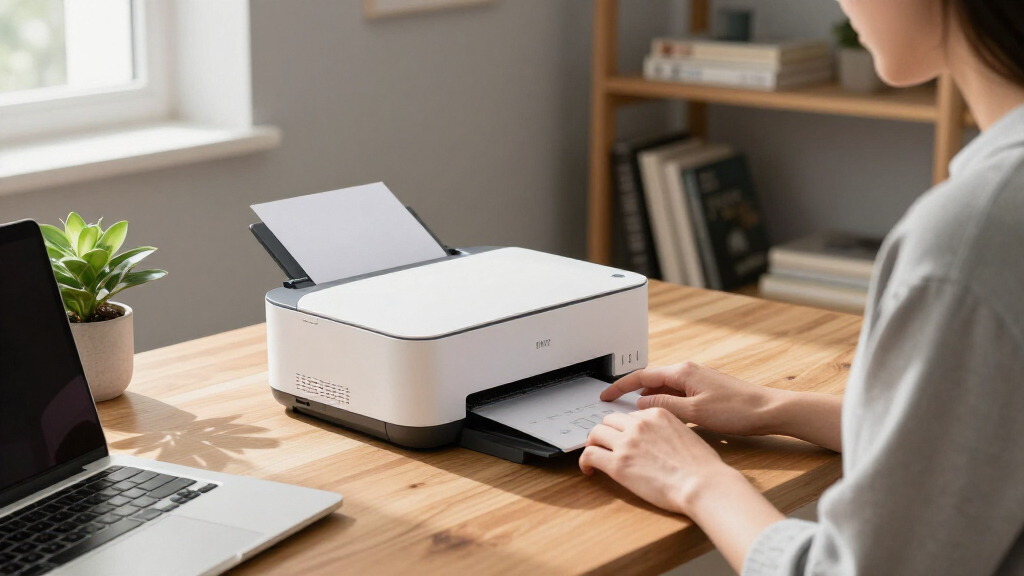
We evaluated each laser printer based on performance, usability, build quality, ongoing costs, and versatility. Priority was given to models with reliable print speeds, clear output quality, and straightforward setup processes suitable for a home environment. Cost of consumables and maintenance was also a key factor, alongside the availability of wireless features and multifunction options. The ranking reflects the best balance of these criteria, aiming to recommend printers that serve typical home office needs without unnecessary complexity or expense.Factors to Consider When Choosing Laser Printer For Home Office
When choosing a laser printer for your home office, understanding key factors can help you avoid common pitfalls and select a model that truly fits your workflow. Consider how much you’ll print each month, whether you need color or monochrome, and if multifunctionality is essential. Budgeting for ongoing toner replacement is also vital, as some models have higher consumable costs. By weighing these factors, you can find a printer that offers the right combination of speed, quality, and convenience.Print Speed and Volume
For a busy home office, a higher pages-per-minute (PPM) rate can significantly reduce wait times. However, if your printing volume is low, a slower but more affordable model might suffice. Be aware that faster printers often cost more upfront and may have higher toner costs. Choosing a model aligned with your typical monthly volume ensures efficiency without overspending on unnecessary speed or capacity.
Color vs. Monochrome
Color laser printers are ideal if you frequently print marketing materials, charts, or images. Yet, they tend to be more expensive and slower than monochrome models. For most home offices focused on documents, monochrome printers provide excellent speed and lower ongoing costs. Consider your actual color needs to avoid paying a premium for features you rarely use.
Multifunctionality
Having a printer that scans, copies, and even faxes can save space and money, especially if you handle various tasks. However, multifunction models are often more complex to operate and can have higher repair costs. If you primarily print documents, a simple printer may be more reliable and easier to maintain in the long run.
Connectivity and Compatibility
Wireless printing offers convenience but can sometimes be unreliable or tricky to set up. Ensure the model supports your preferred connectivity options, whether Wi-Fi, Ethernet, or mobile printing. Compatibility with your devices and operating systems is essential to avoid frustration down the line.
Cost of Consumables
Inks and toners are ongoing expenses that can significantly impact total cost of ownership. Look for models with high-yield toner options and check the prices of replacement cartridges. Balancing initial costs with long-term expenses helps prevent surprises and makes your investment more worthwhile.
Frequently Asked Questions
Can I use a color laser printer for black and white printing to save costs?
Yes, many color laser printers can print in black and white, and doing so often reduces toner usage and extends the life of color cartridges. However, some models might still use color toner during black and white printing, which can increase costs slightly. If you mostly print monochrome documents, selecting a dedicated monochrome model could be more economical in the long run.
Are multifunction laser printers worth the extra cost for home use?
Multifunction printers combine printing, scanning, and copying, which can save space and add convenience. For those who frequently scan or copy documents, they’re a smart investment, especially if you want a single device to handle multiple tasks. However, they tend to be more complex and may have higher maintenance costs, so if your needs are limited to basic printing, a simpler model might be more reliable and cost-effective.
How often should I replace toner cartridges in a home office laser printer?
The frequency of toner replacement depends on your printing volume. High-yield cartridges can last several thousand pages, making them ideal for regular use, while standard cartridges may need replacement every few hundred pages. Monitoring your printing habits and choosing high-yield options can reduce the hassle and cost of frequent replacements.
Is wireless connectivity reliable enough for frequent printing?
Wireless connections are generally convenient but can sometimes be prone to interference or setup issues. For consistent performance, ensure your printer supports the latest Wi-Fi standards and is placed close to your router. Wired Ethernet or a direct USB connection can offer more stability if you encounter frequent wireless disruptions.
What should I prioritize: print speed or print quality?
This depends on your typical printing needs. If you print large volumes of simple documents, speed is more important to keep your workflow moving. For professional-looking reports with graphics, opt for a model with higher print resolution, even if it prints a bit slower. Balancing these factors based on your primary tasks ensures you get the best value for your specific use case.
Conclusion
For most home office users, the HP LaserJet M110w offers the best overall balance of performance, ease of use, and cost. Those prioritizing lower ongoing expenses might prefer the Brother HL-L2405W for its affordability. If you need vibrant color output, the HP Color LaserJet Pro 3201dw is worth the investment despite higher costs. Beginners should consider simple, wireless monochrome models, while power users with diverse needs may find multifunction options like the HP LaserJet MFP M234sdw more suitable. Understanding your print volume, color needs, and budget will guide you toward the right choice.
As an affiliate, we earn on qualifying purchases.Halloween Picks

HOPOCO Halloween Pumpkin Fog Machine with 12 LED Colors & 4 Light Modes

27FT Giant Inflatable Pumpkin Lighted Outdoor Halloween Decor

12.2 ft Halloween Inflatable Outdoor Decoration – Giant Pumpkin