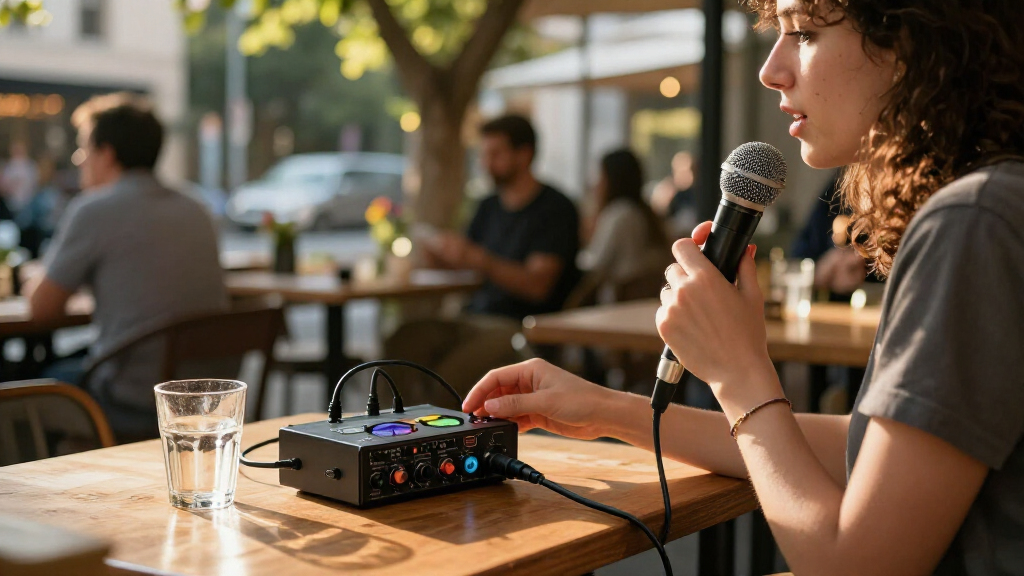
For portable podcast recording, I’d start with the Zoom PodTrak P4: its recorder-first design and support for multiple participants make it a versatile fit for interviews away from a desk. The Zoom PodTrak P4next is a strong alternative for buyers drawn to a newer recorder-focused option, while the Shure MVX2U Gen 2 suits a compact, single-microphone setup. The main tradeoff is between a self-contained recorder with podcast-specific controls and a smaller USB interface that depends on a computer or phone. Bundles can add microphones and accessories, but may be less flexible than buying an interface for a setup you already own. Read on for the full comparison and guidance on which approach fits your recording plans.

Get everyday essentials delivered free with Prime
- Fast, free delivery on millions of items
- Prime Video, Amazon Music and more included
- Member-only deals all year
Key Takeaways
- The Zoom PodTrak P4 leads for mobile group recording because a podcast recorder is a better fit for multi-person sessions than a basic two-input desktop interface.
- The P4 and P4next fill similar recorder-first roles, so buyers should compare their actual workflow and available connections rather than assume a newer model is automatically the better fit.
- The Shure MVX2U Gen 2 prioritizes a compact XLR-to-USB-C path; it is a more targeted choice than a multi-microphone recorder for a solo host.
- Traditional USB interfaces and podcast recorders solve different problems: products such as the Scarlett 2i2 and M-Track Duo make more sense when a computer is central to the setup.
- Bundles vary widely in flexibility: multi-mic kits address a ready-to-record group setup, while small interfaces such as the Scarlett Solo are better matched to buyers choosing their own gear.
| Zoom PodTrak P4 Podcast Recorder |  | Best for Four-Person Field Podcasts | Microphone inputs: 4 XLR with phantom power | Headphone outputs: 4 with individual volume control | Connectivity: USB 2.0, TRRS, smartphone | VIEW LATEST PRICE | See Our Full Breakdown |
| MAONO P2 Hybrid USB Audio Interface with Dual XLR Inputs |  | Best for Hybrid Computer-and-Phone Streaming | Channels: 2 | Connectivity: USB-C; dual USB ports | Microphone gain: 56 dB | VIEW LATEST PRICE | See Our Full Breakdown |
| Zoom PodTrak P4next Podcast Recorder |  | Best for On-the-Go Audio Processing | Microphone inputs: 4 XLR | Headphone outputs: 4 | Maximum microphone gain: +70 dB | VIEW LATEST PRICE | See Our Full Breakdown |
| Antelope Audio Zenith 2 USB-C Audio Interface |  | Best Premium USB-C Interface | Connectivity: USB-C | Channels: 2 | Audio conversion: 32-bit | VIEW LATEST PRICE | See Our Full Breakdown |
| XTUGA Q-12 USB Audio Interface for PC |  | Best Entry-Level Portable Interface | Channels: 2 | Inputs: XLR and 3.5 mm microphone jack | Resolution: 16-bit | VIEW LATEST PRICE | See Our Full Breakdown |
| Focusrite Scarlett 2i2 4th Gen USB-C Audio Interface |  | Best Overall for Two-Mic Recording | Connectivity: USB-C | Channels and inputs: 2 channels; 2 audio inputs | Mic preamps: 2 | VIEW LATEST PRICE | See Our Full Breakdown |
| M-Audio M-Track Duo USB Audio Interface |  | Best Value for a Simple Two-Input Setup | Inputs: 2 combo XLR/line/instrument inputs | Audio resolution: 48 kHz | Phantom power: Yes | VIEW LATEST PRICE | See Our Full Breakdown |
| BM-800 Podcast Equipment Bundle with Microphone and Voice Changer |  | Best Starter Bundle with Microphone Included | Microphone: BM-800 condenser microphone | Pickup pattern: Cardioid | Connectivity: USB | VIEW LATEST PRICE | See Our Full Breakdown |
| MAONO Podcast Equipment Bundle with Audio Mixer and 3.5 mm Microphone |  | Best for Mobile Streaming Effects | Mixer channels: 9 | Connectivity: USB Type-C, 3.5 mm, auxiliary, Bluetooth | Microphone input: 3.5 mm; no phantom power | VIEW LATEST PRICE | See Our Full Breakdown |
| Shure MVX2U Gen 2 XLR-to-USB-C Audio Interface |  | Best Compact XLR-to-Mobile Interface | Connectivity: USB-C | Audio input: XLR | Channels: 1 | VIEW LATEST PRICE | See Our Full Breakdown |
| Focusrite Scarlett Solo 3rd Gen USB-C Audio Interface |  | Best Compact Interface for Solo Podcasts | Connectivity: USB | Channels: 2 | Inputs: XLR microphone and instrument | VIEW LATEST PRICE | See Our Full Breakdown |
| MAONO PS22 Lite USB Audio Interface for Guitar, Vocals, and Streaming |  | Best Value for a Two-Input USB Setup | Channels: 2 | Maximum sample rate: 192 kHz | Recording resolution: 24-bit | VIEW LATEST PRICE | See Our Full Breakdown |
| MAONO E2 Gen2 Podcast Audio Interface and Mixer |  | Best Battery-Powered Interface for Mobile Shows | Inputs: 2 XLR combo inputs | Channels: 10 | Preamplifier gain: Up to 60 dB | VIEW LATEST PRICE | See Our Full Breakdown |
| 4-Person Podcast Equipment Bundle with M100 Audio Interface and 4 Dynamic Microphones |  | Best Starter Kit for Four-Person Recording | Number of channels: 4 | Microphones included: 4 dynamic microphones | Microphone inputs: 2 XLR and 2 3.5 mm | VIEW LATEST PRICE | See Our Full Breakdown |
| Movo PodPro Portable Podcast Equipment Bundle for Two |  | Best Complete Kit for Two-Person Remote Recording | Audio interface channels: 2 | XLR inputs: 2 with 48V phantom power | Headphone outputs: 2 | VIEW LATEST PRICE | See Our Full Breakdown |
| portable podcast audio interface | Connectivity | Weight | Channels | Maximum sample rate |
|---|---|---|---|---|
| Zoom PodTrak P4 Podcast Record | USB 2.0, TRRS, smartphone | 130 g | — | — |
| MAONO P2 Hybrid USB Audio Inte | USB-C; dual USB ports | 0.5 kg | 2 | 192 kHz |
| Zoom PodTrak P4next Podcast Re | — | 10.56 oz | — | — |
| Antelope Audio Zenith 2 USB-C | USB-C | 1.07 kg | 2 | 192 kHz |
| XTUGA Q-12 USB Audio Interface | USB | 0.31 kg | 2 | — |
| Focusrite Scarlett 2i2 4th Gen | USB-C | — | — | 192 kHz |
| M-Audio M-Track Duo USB Audio | — | — | — | — |
| BM-800 Podcast Equipment Bundl | USB | 1.37 kg | 1 | 192 kHz |
| MAONO Podcast Equipment Bundle | USB Type-C, 3.5 mm, auxiliary, Bluetooth | — | — | — |
| Shure MVX2U Gen 2 XLR-to-USB-C | USB-C | 100 g | 1 | 192 kHz |
| Focusrite Scarlett Solo 3rd Ge | USB | 12.32 oz | 2 | 192 kHz |
| MAONO PS22 Lite USB Audio Inte | USB | — | 2 | 192 kHz |
| MAONO E2 Gen2 Podcast Audio In | USB-C, Bluetooth, AUX | 0.89 kg | 10 | 48 kHz |
| 4-Person Podcast Equipment Bun | USB | — | — | — |
| Movo PodPro Portable Podcast E | — | — | — | — |
More Details on Our Top Picks
Zoom PodTrak P4 Podcast Recorder
I rank the Zoom PodTrak P4 highest for mobile podcast groups because it combines four XLR inputs, four individually controlled headphone outputs, and battery-powered recording in a compact unit. That setup lets each guest use a microphone and monitor at their own level without adding a separate headphone amp. Mix-minus also makes phone interviews easier to manage. Compared with the two-input MAONO P2, the P4 is the clearer choice when several people are recording together; the MAONO is better suited to a simpler computer-and-mobile streaming setup. The tradeoff is that the P4 runs for about 3.5 hours on two AA batteries, and it relies on an external storage card. I’d choose it for interview mobility, not as a no-maintenance all-day recorder.
Pros:- Four XLR inputs with phantom power accommodate a multi-microphone group.
- Four headphone outputs have individual volume controls for guest monitoring.
- Mix-minus and TRRS connectivity support phone interviews.
- Battery-powered recording and USB interface mode suit mobile and computer workflows.
Cons:- About 3.5 hours of battery life can be limiting for extended sessions.
- Requires an external storage card rather than offering substantial internal storage.
Best for: Podcast hosts recording interviews with up to four XLR microphones who need separate guest headphone controls and phone-call support away from a desk.
Not ideal for: Solo creators seeking a small USB interface for computer-only recording, or groups planning long sessions without spare AA batteries and an SD card.
- Microphone inputs:4 XLR with phantom power
- Headphone outputs:4 with individual volume control
- Connectivity:USB 2.0, TRRS, smartphone
- Power:2 AA batteries
- Battery life:Approximately 3.5 hours
- Storage capacity:Up to 1 TB
- Recording format:WAV
- Dimensions:6.1 × 4.41 × 1.85 in
- Weight:130 g
Our verdict“Choose the PodTrak P4 for portable group interviews with several XLR mics; skip it if your priority is long battery sessions or a simple two-input desktop interface.”
MAONO P2 Hybrid USB Audio Interface with Dual XLR Inputs
The MAONO P2 earns its place for creators who move between computer recording and mobile streaming: its dual USB ports can connect a computer and mobile device at the same time, while loopback and direct monitoring support live production. Two XLR inputs make it more suitable than the XTUGA Q-12 for a two-mic conversation, and its stated 24-bit/192 kHz recording supports higher-resolution workflows. But this is a compact interface, not a battery-powered field recorder like the Zoom PodTrak P4; its portability depends on having compatible devices and a USB power source. Some of the more advanced routing and effects also rely on ProStudio 2 software. I’d pick it for a flexible streaming desk or mobile-device setup, rather than for recording a larger group off-grid.
Pros:- Dual USB ports allow simultaneous computer and mobile-device connections.
- Two channels suit a host-and-guest or two-source recording setup.
- Loopback and direct monitoring support streaming and low-latency listening.
- Supports up to 24-bit/192 kHz recording and multiple operating systems.
Cons:- Does not offer the stated standalone battery-powered recording of the Zoom PodTrak P4.
- Advanced routing and effects depend on ProStudio 2 software.
- The supplied frequency-response specification is incomplete, limiting what it tells buyers about audio range.
Best for: Two-person podcast or livestream creators who want to route audio between a computer and phone and use loopback for streaming.
Not ideal for: Field podcasters needing standalone battery recording, four microphone inputs, or a recorder that stores sessions directly to a card.
- Channels:2
- Connectivity:USB-C; dual USB ports
- Microphone gain:56 dB
- Maximum sample rate:192 kHz
- Audio resolution:24-bit
- Supported operating systems:Android, ChromeOS, Windows, iOS, macOS
- Dimensions:6.42 × 8.27 × 3.23 in
- Weight:0.5 kg
Our verdict“Pick the MAONO P2 for two-channel podcasting that combines computer and phone workflows, but choose a recorder like the PodTrak P4 for untethered group sessions.”
Zoom PodTrak P4next Podcast Recorder
The Zoom PodTrak P4next keeps the four-mic, four-headphone layout that makes the original PodTrak P4 useful for group interviews, then adds AI noise reduction, Tone Enhancement, and compression to help shape voices during recording. Its listed maximum microphone gain of +70 dB and call-in guest support suit varied interview setups, while phone connectivity can also support video recording workflows. Compared with the Antelope Audio Zenith 2, the P4next is much more focused on a self-contained podcast recorder than a two-channel USB interface with onboard DSP. The tradeoff is power: it still runs on two AA batteries, and the supplied data does not state battery life. It also records to an SD card rather than replacing a computer-based editing workflow. I’d favor it when built-in processing and group recording matter more than desktop interface flexibility.
Pros:- Four XLR inputs and four separately controlled headphone outputs support group sessions.
- AI noise reduction, Tone Enhancement, and compression provide onboard audio processing.
- Supports a call-in guest and phone connection for mobile recording workflows.
- Can record to an SD card or operate as a USB audio interface.
Cons:- Requires two AA batteries, with no battery-life figure supplied in the product data.
- The listed digital recording time is 510 minutes, so longer sessions may need careful storage planning.
- The provided information does not specify phantom power for its XLR inputs.
Best for: Mobile podcast teams recording up to four XLR microphones plus a call-in guest who want onboard voice-processing tools and separate headphone controls.
Not ideal for: Creators who need a clearly specified long battery runtime, a lightweight computer-only interface, or extensive details about recording duration and power options before choosing.
- Microphone inputs:4 XLR
- Headphone outputs:4
- Maximum microphone gain:+70 dB
- Recording format:WAV
- Storage capacity:Up to 2 TB
- Digital recording time:510 minutes
- Power:2 AA batteries
- Audio features:AI noise reduction, Tone Enhancement, COMP effects, sound pads
- Weight:10.56 oz
Our verdict“Choose the P4next if you want a portable four-person recorder with onboard voice processing, but compare its unspecified battery runtime against your session length before buying.”
Antelope Audio Zenith 2 USB-C Audio Interface
The Antelope Audio Zenith 2 is the premium pick for podcasters who want a portable, bus-powered interface with hands-on DSP rather than a standalone recorder. Its two discrete preamps, up to 75 dB of gain, and onboard effects support microphone recording and processed monitoring; loopback is useful when a podcast includes computer audio or a livestream. Two headphone outputs with independent mixes give host and guest more control than a basic two-output setup. Unlike the battery-powered Zoom PodTrak P4next, the Zenith 2 is built around a USB-C connection and two-channel computer or mobile workflows, not multitrack group capture to an SD card. It also weighs 1.07 kg, making it less pocketable than the word “portable” may suggest. I’d choose it for a mobile production rig that still centers on a host and one guest.
Pros:- USB-C bus power avoids carrying a separate power adapter.
- Two discrete preamps offer up to 75 dB of gain.
- Onboard DSP effects and loopback support live monitoring and streaming workflows.
- Independent mixes on two headphone outputs help host and guest monitor separately.
Cons:- Two channels cannot match the four-mic capacity of either Zoom PodTrak recorder.
- At 1.07 kg, it is heavier than a pocket-sized portable interface.
- Optional software control is limited to PC and Mac, according to the supplied product data.
Best for: Podcast hosts and two-person interviewers who want a USB-C-powered interface with high-gain preamps, DSP monitoring, and independent headphone mixes.
Not ideal for: Four-person crews needing multiple XLR inputs, or field recordists who want battery operation and standalone SD-card recording.
- Connectivity:USB-C
- Channels:2
- Audio conversion:32-bit
- Maximum sample rate:192 kHz
- Dynamic range:123 dB
- Microphone preamps:2 discrete preamps; up to 75 dB gain
- Headphone outputs:2 with independent mixes
- Power:USB-C bus-powered
- Weight:1.07 kg
Our verdict“Choose the Zenith 2 for a feature-rich, USB-powered two-person recording rig; choose a PodTrak model if you need standalone recording or more microphone inputs.”
XTUGA Q-12 USB Audio Interface for PC
The XTUGA Q-12 is the straightforward pick for a beginner who needs a compact USB interface for a single microphone or a simple two-channel setup. Its XLR input with switchable 48V phantom power accommodates a condenser mic, while the additional 3.5 mm microphone jack gives entry-level creators another connection option. It is smaller and lighter than the Antelope Audio Zenith 2, but its 16-bit/48 kHz recording specification is more modest than the MAONO P2’s stated 24-bit/192 kHz capability. Unlike the battery-powered Zoom PodTrak P4, the Q-12 is a computer-connected interface, not a standalone multi-person recorder. Plug-and-play operation and no external power adapter keep setup simple, but the basic resolution and limited input details make it a less compelling fit for growing, multi-mic shows.
Pros:- Switchable 48V phantom power supports condenser microphones.
- USB connection and no external power adapter keep setup simple.
- Includes both an XLR input and a 3.5 mm microphone jack.
- Compact dimensions and 0.31 kg weight suit a small home recording space.
Cons:- 16-bit/48 kHz resolution is lower than the MAONO P2’s stated recording capability.
- The product data does not specify the number of XLR inputs, limiting confidence for multi-mic planning.
- USB computer operation does not provide the standalone battery recording of the Zoom PodTrak P4.
Best for: Students and first-time home podcasters recording one condenser microphone to a computer who want a compact interface with basic controls.
Not ideal for: Multi-person podcast crews, mobile field recordists needing standalone battery recording, or creators seeking higher-resolution recording and several XLR inputs.
- Channels:2
- Inputs:XLR and 3.5 mm microphone jack
- Resolution:16-bit
- Sample rate:48 kHz
- Phantom power:Switchable 48V
- Connectivity:USB
- Dimensions:5.98 × 4.92 × 1.97 in
- Weight:0.31 kg
- Compatible software:Audacity, Ableton Live, FL Studio, Pro Tools
Our verdict“Pick the Q-12 for an uncomplicated beginner setup with one condenser mic, but move to a higher-resolution or multi-input option as your podcast grows.”
Focusrite Scarlett 2i2 4th Gen USB-C Audio Interface
I’d put the Scarlett 2i2 4th Gen near the top for portable podcasting when two XLR-capable inputs and room to grow matter more than built-in show controls. Its two mic preamps and 69 dB of gain suit a host recording with a guest, while Auto Gain and Clip Safe can reduce level-setting guesswork and guard against clipping. Compared with the single-channel Shure MVX2U Gen 2, it records two sources at once; unlike the M-Audio M-Track Duo, it offers a stated 192 kHz maximum sample rate and Air mode for added presence. That extra capability still comes in a compact 1.3-pound unit, but it depends on a connected recording device and software, rather than functioning as a standalone podcast recorder. I’d skip it if you need onboard effects or a self-contained mobile workflow.
Pros:- Two mic preamps and inputs allow simultaneous recording of two microphones or other sources.
- Auto Gain and Clip Safe can help manage recording levels and reduce clipping.
- USB-C connectivity and a 1.3-pound body suit a portable desk or travel rig.
- Air mode and included recording software add shaping and production options.
Cons:- Requires a compatible computer or other supported device and recording software.
- Does not provide the self-contained recording controls or built-in effects of podcast-focused mixers.
Best for: Solo hosts who sometimes record a guest or instrument and want a compact, computer- or tablet-based setup with two mic preamps.
Not ideal for: Podcasters who need a standalone recorder, built-in sound effects, or a one-cable microphone-to-phone setup without recording software.
- Connectivity:USB-C
- Channels and inputs:2 channels; 2 audio inputs
- Mic preamps:2
- Maximum sample rate:192 kHz
- Dynamic range:120 dB
- Analogue gain:69 dB
- Dimensions and weight:4.61 × 7.09 × 1.87 inches; 1.3 pounds
- Supported operating systems:Mac OS, Windows OS, iOS
- Warranty:Three years
Our verdict“Choose the Scarlett 2i2 if you want a portable two-input interface for software-based podcasting, and skip it if you need a standalone recorder.”
M-Audio M-Track Duo USB Audio Interface
The M-Track Duo makes sense for a portable podcast rig that needs two inputs and straightforward monitoring without extra onboard production features. Its combo inputs accept microphones, instruments, or line-level sources, and USB power keeps the setup simple when recording on a laptop. The USB/Direct monitoring switch lets you hear an input without the delay that can disrupt conversation. Compared with the Focusrite Scarlett 2i2 4th Gen, it offers a more basic feature set and a 48 kHz stated resolution rather than a 192 kHz maximum sample rate; it also lacks the Scarlett’s Auto Gain, Clip Safe, and Air mode. That tradeoff is a reasonable fit for uncomplicated voice capture, but its listed operating-system support is older and its iOS setup requires an adapter.
Pros:- Two combo inputs accommodate microphones, instruments, and line-level sources.
- USB-powered design avoids a separate power supply.
- Zero-latency direct monitoring helps hosts hear themselves while recording.
- MPC Beats and Ableton Live Lite are included.
Cons:- The listed audio resolution is 48 kHz, below the Scarlett 2i2 4th Gen’s stated maximum sample rate.
- iOS use requires a Lightning to USB 3 Camera Adapter.
- The listed Windows and macOS compatibility covers older operating-system versions.
Best for: Beginning podcasters recording two microphones or a microphone and instrument on a supported Mac or Windows computer who want direct monitoring.
Not ideal for: Mobile-first creators who want current, broad iOS compatibility, higher listed sample-rate capability, or built-in level assistance and vocal effects.
- Inputs:2 combo XLR/line/instrument inputs
- Audio resolution:48 kHz
- Phantom power:Yes
- Outputs:Stereo 1/4-inch outputs; 1/4-inch headphone output
- Monitoring:Zero-latency monitoring with USB/Direct switch
- Power:USB-powered
- Supported operating systems:Windows 7–10, macOS High Sierra–Big Sur; iOS with Lightning to USB 3 Camera Adapter
- Included software:Ableton Live Lite, MPC Beats
Our verdict“Pick the M-Track Duo for a basic, USB-powered two-input setup on a supported computer, but look elsewhere for newer mobile compatibility or advanced recording aids.”
BM-800 Podcast Equipment Bundle with Microphone and Voice Changer
The BM-800 bundle is aimed at someone who wants the microphone and basic mounting pieces in one portable package, not someone shopping for a conventional multi-input interface. It includes a cardioid condenser mic, suspension arm, shock mount, pop filter, windscreen, cables, and a live sound card with voice effects. That all-in-one approach differs from the Focusrite Scarlett 2i2 4th Gen, which is the stronger choice for two-channel recording with established interface features but requires a separate microphone and accessories. The bundle’s listed one-channel input and unspecified sound-card performance make it harder to judge as a serious recording interface; the voice effects point more toward casual streaming than clean, flexible podcast production. I’d choose it for a low-complexity starter setup, while buyers prioritizing predictable software-based recording should choose a dedicated interface instead.
Pros:- Includes a condenser microphone, arm, shock mount, pop filter, windscreen, and cables.
- Cardioid pickup pattern is suited to focusing on a nearby speaker.
- Works with listed computers, mobile devices, and several gaming platforms.
- Sound card offers multiple voice effects for casual live content.
Cons:- One-channel configuration does not suit recording two separate microphone sources.
- No supported recording software is listed.
- The bundle’s broad device compatibility does not specify detailed recording workflows or sound-card performance.
Best for: New streamers or casual podcasters who want a microphone, arm, pop filter, and voice-effect sound card supplied together.
Not ideal for: Two-person shows, XLR-mic owners seeking a conventional interface, or creators who need clearly documented software support and recording specifications.
- Microphone:BM-800 condenser microphone
- Pickup pattern:Cardioid
- Connectivity:USB
- Audio input:3.5 mm jack
- Channels:1
- Maximum sample rate:192 kHz
- Compatible devices:Laptop, personal computer, mobile phone, tablet, PS4, Xbox, Switch
- Included components:Microphone, suspension arm stand, shock mount, pop filter, foam windscreen, live sound card, cables
- Weight:1.37 kg
Our verdict“Choose this bundle for an accessory-rich first streaming setup, not for a clearly specified, expandable podcast interface.”
MAONO Podcast Equipment Bundle with Audio Mixer and 3.5 mm Microphone
I’d choose the MAONO podcast bundle when a portable setup needs more live controls and connection options than a basic USB interface. Its battery-powered mixer offers built-in and recordable effects, voice effects, reverb, tone controls, and connections for microphone, auxiliary audio, and Bluetooth; the bundle also includes a microphone and several setup accessories. That makes it more focused on live streaming and phone-centered production than the M-Track Duo, which keeps to two combo inputs and direct monitoring for simpler software recording. The tradeoff is important: this mixer’s microphone input is 3.5 mm and does not support phantom power, so it is not a conventional XLR interface for studio condenser microphones. It also weighs 1.3 kg, making it less convenient to carry than a small interface such as the Shure MVX2U Gen 2.
Pros:- Battery-powered mixer and included microphone support a portable streaming setup.
- Built-in and recordable effects, reverb, and tone controls enable live sound changes.
- Supports connections through USB-C, 3.5 mm, auxiliary, and Bluetooth.
- Designed to support up to two people, four devices, and four platforms simultaneously.
Cons:- The 3.5 mm microphone input does not support phantom power.
- Phone OTG and 6.35 mm-to-3.5 mm instrument adapters are not included.
- At 1.3 kg, it is heavier to carry than a compact interface such as the Shure MVX2U Gen 2.
Best for: Mobile streamers who want a portable mixer with live vocal effects, multiple device connections, and an included microphone.
Not ideal for: Podcasters using XLR condenser microphones with phantom power or anyone seeking a lightweight, straightforward desktop interface for clean multitrack recording.
- Mixer channels:9
- Connectivity:USB Type-C, 3.5 mm, auxiliary, Bluetooth
- Microphone input:3.5 mm; no phantom power
- Output connectors:1/4 inch, XLR, 3.5 mm, USB Type-C
- Power source:Battery powered
- Mixer dimensions:9.45 × 5.51 × 1.65 inches
- Item weight:1.3 kg
- Compatibility:Windows, macOS, iOS, Android, smartphones, PCs, tablets
Our verdict“Pick the MAONO bundle for effects-led mobile streaming, but choose a conventional XLR interface if microphone flexibility and phantom power matter more.”
Shure MVX2U Gen 2 XLR-to-USB-C Audio Interface
The Shure MVX2U Gen 2 is the portability specialist here: a 100 g, single-channel adapter that connects an XLR microphone directly to a USB-C desktop or mobile device. With up to 60 dB of gain, 48 V phantom power, and onboard automatic level control and noise reduction, it supports both dynamic and condenser mics without carrying a larger interface. Compared with the Scarlett 2i2 4th Gen, it is far easier to pack and simpler for a one-microphone setup, but it cannot record a host and guest on separate channels. It also has a maximum sample rate of 192 kHz, while the two-input Scarlett offers a 120 dB dynamic range and a much more flexible recording layout. Compatibility is limited to select devices, so I’d check device support before making it the center of a travel rig.
Pros:- 100 g form makes it the easiest interface in this group to pack.
- XLR input works with dynamic and condenser microphones.
- Provides up to 60 dB of gain and 48 V phantom power.
- Onboard automatic level control and noise reduction support a streamlined mobile workflow.
Cons:- Single-channel design cannot record two microphones as separate sources.
- Compatibility is limited to select Mac, Windows, iOS, and Android devices.
- Offers less input and routing flexibility than the Scarlett 2i2 4th Gen.
Best for: Solo hosts with an XLR microphone who want a very small USB-C connection for a supported phone, tablet, or computer.
Not ideal for: Interviewers recording two microphones at once, users with devices outside the supported list, or buyers who need a mixer-style control surface.
- Connectivity:USB-C
- Audio input:XLR
- Channels:1
- Maximum sample rate:192 kHz
- Maximum gain:60 dB
- Phantom power:48 V
- Weight:100 g
- Compatible operating systems:Android, Windows, iOS, macOS
- Warranty:2-year limited
Our verdict“Choose the MVX2U Gen 2 for a compact, one-microphone XLR setup on a supported device, but not for guest interviews or multi-input recording.”
Focusrite Scarlett Solo 3rd Gen USB-C Audio Interface
The Scarlett Solo 3rd Gen suits a portable podcast setup when one person speaks and a guitar or other instrument may join the recording. Its single mic preamp keeps the unit small, while the separate instrument input avoids sacrificing that mic connection. Air mode can add presence to a voice, and the gain Halo gives a quick visual warning when levels are getting too hot. Compared with the two-mic MAONO PS22 Lite, this is a more established fit for a focused solo recording chain, but it cannot record two XLR microphones at once. Its balanced outputs and headphone monitoring are useful for a desk setup, though it lacks the built-in battery and mixer controls of the MAONO E2 Gen2. The bundled software is a useful start, but some items require registration and downloads.
Pros:- Compact body with one XLR microphone input and a separate instrument input
- Air mode can add vocal presence without extra hardware
- Gain Halo metering helps spot clipping while setting levels
- Balanced outputs, headphone monitoring, and recording software are included
Cons:- Only one microphone preamp, so it cannot handle a two-mic interview by itself
- Requires a computer or compatible device for operation rather than offering a built-in battery
- Some bundled software requires registration and separate downloads
Best for: Solo podcasters who want a compact USB interface for one microphone, with an instrument input available for occasional music recording
Not ideal for: Co-hosts who need two microphone preamps or mobile creators who want battery-powered operation and onboard podcast effects
- Connectivity:USB
- Channels:2
- Inputs:XLR microphone and instrument
- Maximum sample rate:192 kHz
- Bit depth:24-bit
- Outputs:2 balanced outputs
- Dimensions:1.71 × 5.65 × 3.77 in
- Weight:12.32 oz
Our verdict“Choose the Scarlett Solo if your portable podcast setup is built around one mic and you value straightforward recording over onboard mixing features.”
MAONO PS22 Lite USB Audio Interface for Guitar, Vocals, and Streaming
The MAONO PS22 Lite is a straightforward choice for podcasters who need a microphone input plus an instrument or another supported source, without moving up to a mixer-style device. It records at 24-bit/192 kHz, supplies 48V phantom power for condenser mics, and includes direct monitoring so you can hear the input without relying entirely on software playback. Its loopback routing also gives streamers a way to bring computer audio into a broadcast. Compared with the Scarlett Solo, the PS22 Lite is the more flexible pick for a second source, while the Solo offers its own Air mode and a smaller footprint. It is still only a two-channel interface, not a multi-mic podcast mixer like the MAONO E2 Gen2. Windows users may need to select the MAONO ASIO driver in their recording software to connect properly.
Pros:- Two-channel design supports a microphone and an additional recording source
- 48V phantom power supports condenser microphones
- Direct monitoring helps keep recording latency out of the headphone signal
- Loopback routing and broad operating-system compatibility suit streaming setups
Cons:- Two channels limit its usefulness for multi-guest conversations
- Windows recording software may require the MAONO ASIO driver to be selected
- No built-in battery is specified for recording away from a powered device
Best for: New podcasters and streamers recording one microphone alongside guitar, computer audio, or another compatible source on a laptop or tablet
Not ideal for: Interview shows needing several XLR microphones or users who want a battery-powered interface with physical sound-effect controls
- Channels:2
- Maximum sample rate:192 kHz
- Recording resolution:24-bit
- Microphone preamp gain:Up to 56 dB
- Phantom power:48 V
- Dynamic range:106 dB
- Connectivity:USB
- Dimensions:6.29 × 5.19 × 2 in
Our verdict“Pick the PS22 Lite for an accessible two-source USB setup with monitoring and loopback, but skip it if your show needs multiple mic preamps.”
MAONO E2 Gen2 Podcast Audio Interface and Mixer
The MAONO E2 Gen2 prioritizes a self-contained podcast workflow over high-resolution studio recording. Two XLR combo inputs and up to 60 dB of preamp gain make it a better match for a host and guest than the one-preamp Scarlett Solo, while Bluetooth and 3.5 mm connections let you bring in external audio without building a separate routing chain. Its built-in battery is rated for up to eight hours, and mute, loopback, voice effects, and customizable sound buttons put common live-show controls on the unit. That portability comes with a tradeoff: its maximum sample rate is 48 kHz, well below the 192 kHz figures listed for the Solo and PS22 Lite. It is also larger and heavier than a pocket interface, and it does not provide phone charging or power delivery.
Pros:- Two XLR combo inputs and up to 60 dB of preamp gain suit host-and-guest recording
- Built-in battery is rated for up to eight hours of use
- Loopback, mute, voice effects, and customizable sound buttons support live workflows
- Bluetooth and 3.5 mm connectivity provide additional audio-input options
Cons:- Maximum sample rate is 48 kHz, lower than the 192 kHz offered by the Scarlett Solo and PS22 Lite
- Does not support phone charging or power delivery
- Larger and heavier than a simple compact USB interface
Best for: Mobile podcast hosts and streamers who record two XLR microphones and want onboard effects, loopback, and battery operation
Not ideal for: Music producers prioritizing sample rates above 48 kHz or creators who need their interface to charge a phone during recording
- Inputs:2 XLR combo inputs
- Channels:10
- Preamplifier gain:Up to 60 dB
- Maximum sample rate:48 kHz
- Connectivity:USB-C, Bluetooth, AUX
- Battery capacity:1500 mAh
- Battery life:Up to 8 hours
- Weight:0.89 kg
Our verdict“Choose the E2 Gen2 for two-person mobile shows that benefit from onboard controls and a battery, not for high-resolution music recording.”
4-Person Podcast Equipment Bundle with M100 Audio Interface and 4 Dynamic Microphones
This four-person bundle is the quickest route in this group to outfitting a roundtable: it includes four dynamic microphones, stands, shock mounts, cables, and an interface with four listed channels. That makes it more ready for a group than the two-mic Movo PodPro, which is aimed at a host and one guest. The M100 also adds dual USB connections, noise reduction, sound effects, voice changing, and Bluetooth accompaniment for casual streaming. The main limitation is the input layout: only two of the four microphone inputs are XLR, with the other two using 3.5 mm connections. That is less conventional than the two XLR combo inputs on the MAONO E2 Gen2, and may constrain mic upgrades or cable choices. At six pounds and battery-powered, it is portable as a kit, but less convenient to pack than a small interface alone.
Pros:- Includes four dynamic microphones, stands, shock mounts, cables, and accessories
- Four listed microphone inputs allow a group setup without buying separate microphones
- Noise reduction, sound effects, and voice-changing options support casual live streaming
- Dual USB connections and compatibility with computers and mobile devices add setup flexibility
Cons:- Only two microphone inputs are XLR; the other two are 3.5 mm
- Six-pound kit is bulkier to transport than a standalone compact interface
- Battery-powered operation means charging needs to be part of the recording plan
Best for: First-time four-person podcast groups who need microphones, stands, and basic streaming effects in one portable package
Not ideal for: Podcasters who want four standard XLR microphone connections, a lightweight travel setup, or a clearly specified extended battery runtime
- Number of channels:4
- Microphones included:4 dynamic microphones
- Microphone inputs:2 XLR and 2 3.5 mm
- Connectivity:USB
- Output connectors:Auxiliary, USB, XLR
- Power source:Battery powered
- Compatibility:Windows, Mac, iOS, Android
- Item weight:6 pounds
Our verdict“Choose this bundle for an all-in-one four-person starter setup, but skip it if all guests need standard XLR connections.”
Movo PodPro Portable Podcast Equipment Bundle for Two
The Movo PodPro is built around a practical two-person kit rather than an interface alone: it includes two dynamic microphones, two headphone pairs, tabletop stands, XLR cables, and connections for computers, phones, and tablets. Its two XLR inputs make it a more conventional host-and-guest setup than the four-person M100 bundle, where only two inputs are XLR. Two headphone outputs let both speakers monitor without an added splitter. The battery supports up to eight hours, though that falls to up to three hours with phantom power, so longer sessions may need a power plan. The listed maximum sample rate of 16 kHz is a notable limitation beside the 48 kHz MAONO E2 Gen2 and 192 kHz PS22 Lite. This bundle favors ready-to-record convenience over recording headroom and upgrade flexibility.
Pros:- Complete two-person kit includes microphones, headphones, tabletop stands, and cables
- Two XLR inputs and two headphone outputs support host-and-guest recording
- Connects to laptops, computers, smartphones, and tablets
- Battery operation is rated for up to eight hours without phantom power
Cons:- Listed maximum sample rate is 16 kHz, below the MAONO E2 Gen2 and PS22 Lite specifications
- Battery life falls to up to three hours when phantom power is on
- The complete kit weighs 5.76 kg, making frequent transport less convenient
Best for: Two-person interviewers who want microphones, headphones, stands, and mobile-device cables in one battery-powered package
Not ideal for: Creators who need higher listed sample rates, long sessions with phantom power, or a lightweight bundle to carry frequently
- Audio interface channels:2
- XLR inputs:2 with 48V phantom power
- Headphone outputs:2
- Included microphones:2 CastMic dynamic microphones
- Included monitoring:2 headphone pairs
- Battery life:Up to 8 hours; up to 3 hours with phantom power
- Microphone frequency response:40 Hz–16 kHz
- Item weight:5.76 kg
Our verdict“Pick the PodPro when a ready-made two-person mobile kit matters more than sample-rate headroom or extended battery use with phantom power.”

How We Picked
I ranked these portable podcast audio interfaces by how well each product supports real recording situations away from a fixed studio: solo narration, two-person conversations, and larger group sessions. I weighed input count and connection types against portability, recording workflow, ease of setup, and whether the product can work without relying on a computer. I also considered how clearly each option serves a distinct buyer, from a simple XLR-to-USB-C connection to a podcast-oriented recorder or a bundled kit.
The ranking favors useful podcast workflows over feature lists. A self-contained recorder ranks well when its controls and participant support reduce setup friction; a compact interface can rank higher for a solo host who values a small footprint. Products aimed at streaming, guitar recording, or bundled starter setups remain relevant, but their narrower use or less flexible fit keeps them below options with a clearer advantage for portable podcasting. I treated portability as more than small size: the power, device, microphone, and accessory requirements all affect how practical a setup is to carry and use.
| portable podcast audio interface | Connectivity |
|---|---|
| Zoom PodTrak P4 Podcast Record | USB 2.0, TRRS, smartphone |
| MAONO P2 Hybrid USB Audio Inte | USB-C; dual USB ports |
| Zoom PodTrak P4next Podcast Re | — |
| Antelope Audio Zenith 2 USB-C | USB-C |
| XTUGA Q-12 USB Audio Interface | USB |
| Focusrite Scarlett 2i2 4th Gen | USB-C |
| M-Audio M-Track Duo USB Audio | — |
| BM-800 Podcast Equipment Bundl | USB |
| MAONO Podcast Equipment Bundle | USB Type-C, 3.5 mm, auxiliary, Bluetooth |
| Shure MVX2U Gen 2 XLR-to-USB-C | USB-C |
| Focusrite Scarlett Solo 3rd Ge | USB |
| MAONO PS22 Lite USB Audio Inte | USB |
| MAONO E2 Gen2 Podcast Audio In | USB-C, Bluetooth, AUX |
| 4-Person Podcast Equipment Bun | USB |
| Movo PodPro Portable Podcast E | — |
Factors to Consider When Choosing Portable Podcast Audio Interfaces
Before choosing an interface, decide what “portable” means for your recording routine. A lightweight device may still need a laptop, power source, cables, and separate microphones, while a recorder-style unit can bring more of the workflow into one device. These factors help reveal which tradeoffs matter before you commit to a setup.
Choose a recorder or a computer-based interface
A recorder-style unit is built around capturing a session, while a standard USB interface is usually a bridge between microphones and a computer or mobile device. That distinction changes what you need to pack and how much setup your recording location allows. If you need to record somewhere without a dependable computer, check the exact standalone recording and power options before buying. If your editing and recording already happen on a laptop, a conventional interface may be smaller and simpler. Avoid choosing by the word “portable” alone; portability depends on the whole recording chain. Think through where the audio file is created and what device you need to finish a session.
Match inputs to the people and sources you record
Count the microphones you need at the same time, not just the number of people who might appear on your show. A guest joining remotely does not use the same physical input as an in-room guest, and instruments or phone audio can call for different connections. Leave room for your likely format to grow, but do not carry extra inputs that add bulk without a clear use. A two-input interface can suit a host and co-host, while a group recorder or multi-microphone bundle addresses a different kind of session. Check whether the connections support your intended microphones and accessories. This step can prevent the common mistake of buying a compact interface that cannot handle the planned conversation.
Check the power and device chain before traveling
A portable setup is only practical if you can power it and connect it to the device you plan to record with. Confirm whether the interface needs a computer, a separate power source, or a compatible phone connection, and check whether required cables are included. Phone and tablet recording can introduce adapter or operating-system compatibility issues that do not arise at a desk. A self-contained workflow may reduce dependence on a laptop, but it can require a different approach to file transfer and editing. Before a trip, map the full chain from microphone to saved recording. This small check can reveal that the smallest device is not the easiest one to use on location.
Plan around headphones, monitoring, and conversation control
Podcast recording is easier when the host can hear the microphone feed clearly and manage levels without interrupting conversation. For a two-person session, consider whether each person needs a separate headphone connection and whether the device offers the controls your routine requires. A basic interface can capture clean input while leaving monitoring and session management to software. A podcast-focused unit may bring more direct controls, which can be useful when recording without an engineer. Do not assume that a microphone input count tells you how comfortable a multi-person setup will be. Think about what you need to hear, adjust, and mute during a live conversation.
Treat bundles as a convenience tradeoff
A bundle can simplify a first purchase by pairing an interface with microphones or accessories, but included gear may not suit every host or recording room. Check the type and number of microphones, the connection requirements, and whether the accessories match your intended use. A four-microphone package may be convenient for a group show, yet it is a poor match for a solo traveler who wants to pack light. Bundled kits also make it harder to compare the interface on its own, so separate the value of the core device from the convenience of the extras. If you already own microphones, an interface-only option may avoid duplicate gear. Choose a bundle for a defined setup, not just because it contains more pieces.
Pay for workflow benefits, not unused capacity
Spending more makes sense when a product solves a recurring problem, such as recording multiple guests or simplifying sessions away from a computer. It is less useful to pay for extra channels or controls that never enter your routine. A solo host may gain more from a compact, straightforward connection than from a larger recorder designed for groups. On the other hand, frequent interviews can make the added control and input capacity of a podcast-oriented device more valuable than a minimal interface. Consider how often you record, how many people join, and what you currently have to carry. That checklist is a better guide than picking the device with the longest feature list.
Frequently Asked Questions
Can I record a podcast away from a computer with any of these interfaces?
No. Some products in this roundup are podcast recorders, while many USB interfaces are designed to send audio to a computer or compatible device. Check whether the exact model can save recordings on its own and what power source it needs. If independent recording is a requirement, do not assume a USB connection means the device records without a host. Also plan how you will move files to your editing setup afterward.
Is a two-input interface enough for a podcast with two hosts?
It can be, if each host has one microphone and you do not need other wired sources at the same time. Count every source that must be connected during recording, including a guest microphone or instrument. Also check headphone monitoring and the way the interface handles separate microphone signals. If your show often expands beyond two people, a recorder or interface with more capacity may prevent a replacement later.
Should I choose a podcast recorder or a compact USB interface for travel?
Choose based on the device you want to rely on during the session. A recorder is appealing when you want a podcast-focused workflow and less dependence on a computer, while a USB interface can suit a laptop-based routine with a smaller, simpler recording chain. Compare the complete kit, including microphones, cables, power, and headphones, rather than the interface alone. A compact device that needs several extra components may be less travel-friendly than a larger all-in-one option.
Will a bundled podcast kit work with microphones I already own?
That depends on the bundle’s inputs and the connections used by your microphones. Check whether your microphones are XLR, 3.5 mm, or another type, and confirm that the kit provides compatible connections and any required power. A bundle can be convenient for starting from scratch but may duplicate equipment you already have. If your current microphones matter to your setup, an interface chosen around those connections is often a more adaptable purchase.
What should I prioritize for a podcast recorded on a phone?
Start with verified compatibility between the interface, phone model, and recording app. Then check connection adapters, power needs, and whether the phone can monitor and capture the audio as you expect. A compact XLR-to-USB-C option may suit a one-microphone setup, but it is not automatically the right choice for multiple hosts. Test the complete connection chain before an important recording, since an adapter or app limitation can disrupt an otherwise suitable setup.
Conclusion
For the best overall portable podcast setup, I’d choose the Zoom PodTrak P4 for its recorder-first fit with multi-person sessions. The best value direction is a straightforward interface such as the M-Audio M-Track Duo when you already have a computer and only need a basic recording chain; the right value depends on your existing gear, not a bundle’s size. For a best premium choice, compare the Antelope Audio Zenith 2 with your actual mobile workflow before paying for a more advanced interface. Beginners can start with a simple interface or a clearly matched bundle, while a solo host seeking a compact XLR-to-USB-C connection should consider the Shure MVX2U Gen 2. For group recording or a ready-made multi-mic setup, choose a recorder or kit that matches the number of people you actually record. The best pick is the one that fits your participants, power plan, and recording device without making travel harder.
Fall Picks
fall essentials
As an affiliate, we earn on qualifying purchases.