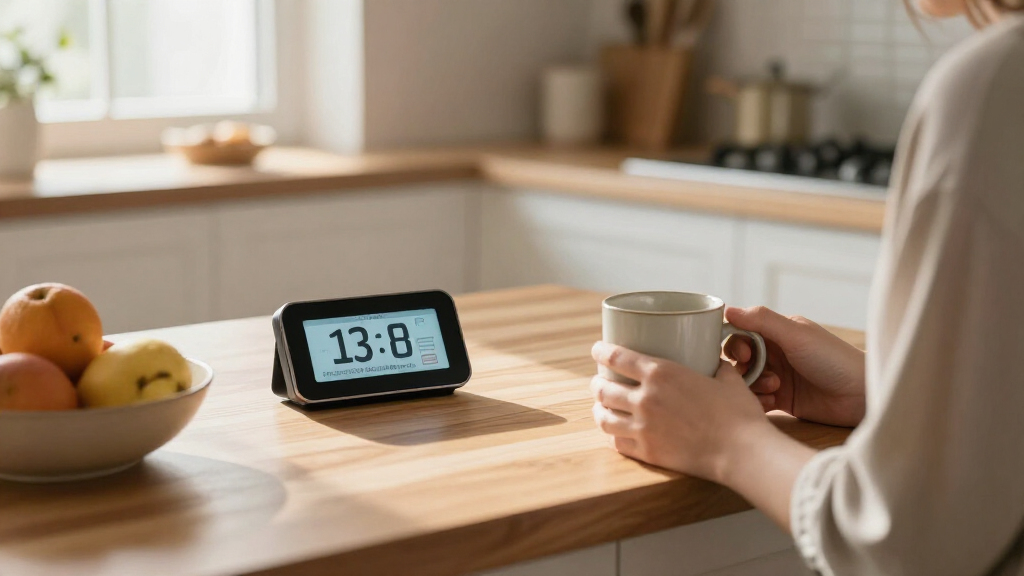
A smart home news display clock can be a quiet glanceable calendar, a voice-controlled screen, or a colorful dashboard that puts live information on your desk. I rank the Amazon Echo Show 5 first for buyers who want news alongside smart-home controls, while the Intelevia 7-Inch E-Paper Display suits people who prefer a calm, paper-like calendar and weather view. For a more expressive desk display, the Divoom Times Gate offers five screens for weather, clocks, and live data.

Get everyday essentials delivered free with Prime
- Fast, free delivery on millions of items
- Prime Video, Amazon Music and more included
- Member-only deals all year
The tradeoff is not simply screen size. Touchscreen models can serve as small media and calling devices, but ask for more interaction and online services. The Intelevia is more restrained, while LaMetric and Divoom focus on glanceable, customizable information. I also compare the two Echo Show 5 listings carefully: their core experience is similar, so color, listed model details, and the specific fit of each listing matter more than treating them as separate categories.
Key Takeaways
- Best all-around smart-home hub: Echo Show 5 combines a compact touchscreen with Alexa controls, news, weather, video calls, and compatible-camera viewing.
- Best calm calendar view: Intelevia uses a 7-inch E-Ink display for time, weather, holidays, and multiple cities, but depends on Wi-Fi for online updates.
- Best playful desk dashboard: Divoom’s five LCD panels can show pixel art, animations, clocks, weather, calendars, and live data, though the unit needs continuous USB power.
- Best notification-focused pixel display: LaMetric TIME mixes clock faces and messages with phone and smart-home notifications, but setup requires a smartphone and its Wi-Fi is 2.4 GHz only.
- The Echo listings are close alternatives: The Cloud Blue and Glacier White Echo Show 5 models share the same core compact-screen concept; choose between them by the listing and color that fit your setup.
| Amazon Echo Show 5 Smart Display, Cloud Blue |  | Best Overall for News and Smart-Home Control | Display: 5.5-inch touchscreen | Camera: 2 MP with built-in shutter | Speaker: 1.75-inch full-range speaker | VIEW LATEST PRICE | See Our Full Breakdown |
| Intelevia 7-Inch Wi-Fi E-Paper Smart Calendar and Weather Display |  | Best for a Calm Calendar and Weather Dashboard | Display: 7-inch E-Ink | Connectivity: Wi-Fi | Functions: Calendar, weather, temperature, humidity, holidays, world clock | VIEW LATEST PRICE | See Our Full Breakdown |
| LaMetric TIME Wi-Fi Smart Clock with 37 × 8 LED Display |  | Best for Notifications and Custom Pixel Clock Faces | Display: Digital LED, 37 × 8 resolution | Connectivity: 2.4 GHz Wi-Fi and Bluetooth | Power: Corded electric | VIEW LATEST PRICE | See Our Full Breakdown |
| Divoom Times Gate Cyberpunk Digital Desk Clock with Five Screens |  | Best for Colorful Multi-Panel Desk Displays | Display: Five full-color LCD screens, 128 × 128 pixels each | Connectivity: 2.4 GHz Wi-Fi | Power: USB; continuous power required; no built-in battery | VIEW LATEST PRICE | See Our Full Breakdown |
| Amazon Echo Show 5 Smart Display (Newest Model), Glacier White |  | Best Alternative Echo Finish for a Clean, Neutral Setup | Display: 5.5-inch touchscreen | Camera: 2 MP with built-in shutter | Speaker: 1.75-inch full-range speaker | VIEW LATEST PRICE | See Our Full Breakdown |
| smart home news display clock | Display | Dimensions | Weight | Color |
|---|---|---|---|---|
| Amazon Echo Show 5 Smart Displ | 5.5-inch touchscreen | 5.8 × 3.6 × 3.2 inches | 16.1 oz | Cloud Blue |
| Intelevia 7-Inch Wi-Fi E-Paper | 7-inch E-Ink | 4.72 in W × 7.28 in H | — | White |
| LaMetric TIME Wi-Fi Smart Cloc | Digital LED, 37 × 8 resolution | 7.9 in W × 2.4 in H | 1.2 lb | — |
| Divoom Times Gate Cyberpunk Di | Five full-color LCD screens, 128 × 128 pixels each | 283 × 47 × 97 mm | 2 lb | — |
| Amazon Echo Show 5 Smart Displ | 5.5-inch touchscreen | 5.8 × 3.6 × 3.2 inches | — | Glacier White |
More Details on Our Top Picks
Amazon Echo Show 5 Smart Display, Cloud Blue
I place the Echo Show 5 first because it is the most complete connected-home option here: its 5.5-inch touchscreen can show news, weather, photos, and video, while Alexa voice control can also manage compatible smart devices. That combination makes it more than a clock face. It can act as a small information screen and a control point in a kitchen, bedroom, or desk area.
Compared with the Intelevia E-Ink display, the Echo offers a richer, interactive screen and a camera, but it is less focused on a quiet, always-visible calendar-and-weather layout. Compared with LaMetric TIME, it is better suited to video and voice interaction; LaMetric instead leans toward pixel-style notifications and customizable clock faces. The Echo’s 2 MP camera supports video calls and viewing compatible cameras, and a physical shutter plus mic-and-camera-off control gives users ways to limit access.
The main limitation is scale: a 5.5-inch display is compact, so it is not a large household bulletin board. Some skills and services may require subscriptions or fees, and it does not support ad-hoc or peer-to-peer Wi-Fi networks. I would choose it when smart-home control and mixed media matter more than a minimalist display devoted to a single dashboard.
Pros:- Combines news, weather, photos, streaming, and smart-home controls on a touchscreen.
- Alexa voice control offers a hands-free way to request information or operate compatible devices.
- Camera supports video calls and compatible-camera viewing, with a physical shutter and mic/camera-off control.
- Compact format is easier to place on a bedside table or crowded desk than a larger display.
Cons:- The 5.5-inch screen is too small for a large shared household dashboard.
- Some skills and services may require subscriptions or other fees.
- Does not support ad-hoc or peer-to-peer Wi-Fi networks.
Best for: People who want one compact Alexa screen for news, weather, compatible smart-home controls, video calls, and camera viewing.
Not ideal for: Buyers seeking a large, passive calendar board, a screen-free clock, or a device that avoids online services and voice interaction.
- Display:5.5-inch touchscreen
- Camera:2 MP with built-in shutter
- Speaker:1.75-inch full-range speaker
- Wi-Fi:Dual-band 802.11a/b/g/n/ac
- Bluetooth:A2DP and AVRCP support
- Dimensions:5.8 × 3.6 × 3.2 inches
- Weight:16.1 oz
- Color:Cloud Blue
Our verdict“I recommend the Cloud Blue Echo Show 5 as the most versatile pick when news display, Alexa control, and compact video features matter more than a dedicated passive clock face.”
Intelevia 7-Inch Wi-Fi E-Paper Smart Calendar and Weather Display
The Intelevia 7-Inch E-Paper Display earns its place near the top by doing less, but doing it with a clear purpose. Its paper-like, flicker-free E-Ink panel is designed for a steady view of time, weather, temperature, humidity, holidays, and calendar information. With multiple cities and time zones supported, it makes sense for someone who wants practical context on a desk or bedside table without a streaming interface.
That makes it a different proposition from the Echo Show 5. Echo is the stronger pick for video, voice requests, compatible-device control, and calls; the Intelevia is better suited to a static glance at weather and schedule information. It also has a larger stated display than Echo’s 5.5-inch touchscreen, though the E-Ink format is not intended to replace an interactive media screen. Against LaMetric TIME, it favors a restrained calendar-and-weather presentation over notifications, apps, and pixel-style messaging.
The tradeoff is dependence on Wi-Fi for weather and other online updates. The supplied details do not specify battery or power arrangements, so I would check the product listing for placement and cable expectations before choosing it for a bedside table. Its desk-mounted form and slim white body are straightforward, but it is not described as a voice assistant or general smart-home controller. I would skip it if news feeds, calls, or touch interaction are the main goal.
Pros:- 7-inch E-Ink screen is described as paper-like, flicker-free, and free of blue light.
- Shows calendar, local weather, temperature, humidity, holidays, and time.
- Multiple cities and time zones make it useful for households or work involving different locations.
- Slim white desk-mount design can fit a desk or bedside table.
Cons:- Weather and other online information require Wi-Fi syncing.
- Power and battery details are not provided in the supplied specifications.
- Does not offer the touchscreen media, camera, or voice-control functions found on Echo Show 5.
Best for: People who want a compact, low-distraction calendar and weather view with holidays, humidity, and multiple time zones.
Not ideal for: Buyers who want a touchscreen, voice assistant, media playback, video calls, or a clearly specified battery-powered device.
- Display:7-inch E-Ink
- Connectivity:Wi-Fi
- Functions:Calendar, weather, temperature, humidity, holidays, world clock
- Viewing angle:180°
- Mounting:Desk mount
- Dimensions:4.72 in W × 7.28 in H
- Material:ABS plastic
- Color:White
Our verdict“I would choose the Intelevia when an uncluttered calendar-and-weather display matters more than interactive news, media, or smart-home commands.”
LaMetric TIME Wi-Fi Smart Clock with 37 × 8 LED Display
LaMetric TIME is the most notification-oriented option in this group. Its 37 × 8 LED matrix can show time, weather, timers, messages, smartphone notifications, and information from smart-home devices. Customizable clock faces and community apps give it more personality than the Intelevia’s restrained E-Ink layout, while its internet radio and Spotify support add an audio role that the calendar-focused model does not have.
Compared with the Divoom Times Gate, LaMetric uses one slim, low-profile pixel display rather than five full-color screens. That makes it a more compact choice for short messages and clock graphics; Divoom is more suited to decorative animations and varied visual panels. LaMetric can also show news and metrics through community apps, but prospective buyers should treat that as app-driven customization rather than assume it works like a full touchscreen news reader.
There are setup and network limits. A smartphone is required to configure it, and Wi-Fi is limited to 2.4 GHz, so homes using only a 5 GHz network may need to check compatibility. It is corded and tabletop-only, and its small display cannot present the same variety of video or full-screen content as an Echo Show 5. I rank it below the first two because its dashboard flexibility is appealing but more specialized: it makes the most sense for people who enjoy notifications, custom faces, and app-based information.
Pros:- Custom clock faces and pixel-style messages make the display easy to personalize.
- Can show time, weather, timers, smartphone notifications, and smart-home information.
- Community apps can add news and other metrics.
- Internet radio and Spotify support give it an audio role beyond clock display.
Cons:- A smartphone is required for setup and configuration.
- Wi-Fi support is limited to 2.4 GHz networks.
- The 37 × 8 LED matrix is not a substitute for a full touchscreen news or video display.
Best for: Desk users who want a customizable pixel clock with smartphone and smart-home notifications, timers, messages, and audio features.
Not ideal for: People who want a touchscreen news reader, a large visual dashboard, setup without a phone, or 5 GHz-only Wi-Fi compatibility.
- Display:Digital LED, 37 × 8 resolution
- Connectivity:2.4 GHz Wi-Fi and Bluetooth
- Power:Corded electric
- Features:Clock faces, weather, timers, messages, notifications, radio, Spotify
- Mounting:Tabletop
- Dimensions:7.9 in W × 2.4 in H
- Weight:1.2 lb
- Setup:iPhone or Android smartphone required
Our verdict“I recommend LaMetric TIME for a compact, app-customized notification clock, not for buyers who want a traditional full-screen news display.”
Divoom Times Gate Cyberpunk Digital Desk Clock with Five Screens
The Divoom Times Gate is the visual outlier in this roundup. Five full-color LCD screens, each listed at 128 × 128 pixels, can display pixel art, animations, world clocks, weather, calendars, and live data. Rather than offering the broad voice-and-media mix of the Echo Show 5, it treats a desk clock as a customizable display object. That will appeal to buyers who want information mixed with artwork and motion.
Compared with LaMetric TIME, Divoom divides its content across five panels and brings a metal frame, while LaMetric keeps to a single slim LED matrix that is better suited to concise messages and clock faces. Divoom’s multi-screen arrangement gives it more room for visual variety, but it does not include touch interaction or audio output. It is also more decorative than the Intelevia, whose E-Ink screen prioritizes a quiet, paper-like glance at calendar and weather details.
The biggest practical drawback is power: it needs continuous USB connection and has no built-in battery, so it is not a portable clock for moving around the house. Customization runs through the Divoom app and 2.4 GHz Wi-Fi, which adds a setup step and makes network compatibility worth checking. I rank it fourth because its display personality is distinctive, but its role is narrower than Echo’s connected-home functionality or the Intelevia’s straightforward information view.
Pros:- Five LCD screens allow separate panels for clocks, weather, calendars, live data, and pixel art.
- Full-color animations and app customization offer more visual variety than a single LED matrix.
- Metal frame gives the tabletop unit a more substantial physical presence.
- Can combine practical information with decorative designs.
Cons:- Requires continuous USB power and has no built-in battery.
- Uses 2.4 GHz Wi-Fi and requires the Divoom app for customization.
- No touch interaction or audio output.
Best for: People who want a colorful, app-customized desk centerpiece that mixes pixel art and animations with weather, calendars, clocks, and live data.
Not ideal for: Buyers who need portability, touch controls, audio, a quiet screen, or a simple hands-free smart-home assistant.
- Display:Five full-color LCD screens, 128 × 128 pixels each
- Connectivity:2.4 GHz Wi-Fi
- Power:USB; continuous power required; no built-in battery
- Display features:Pixel art, animations, world clocks, weather, holiday calendars, live data
- Dimensions:283 × 47 × 97 mm
- Weight:2 lb
- Frame:Metal
- Mounting:Tabletop
Our verdict“I would pick the Divoom Times Gate for a colorful, customizable desk display, while choosing Echo or Intelevia for a more functional everyday information hub.”
Amazon Echo Show 5 Smart Display (Newest Model), Glacier White
The Glacier White Echo Show 5 offers the same core proposition as the Cloud Blue model: a 5.5-inch touchscreen for information and media, a built-in speaker, a camera with a physical shutter, and controls for compatible smart-home devices. It belongs in this guide because those functions make it a capable smart-home news display clock, but the supplied descriptions do not establish a meaningful difference in the everyday role between the two Echo listings.
I therefore rank this version below the Cloud Blue listing as a finish-specific alternative, not as a lesser-performing device. Buyers choosing between them should focus on color and the exact listing they intend to purchase. Its dual-band Wi-Fi and compact dimensions match the other Echo entry, and the Glacier White description also specifies recycled fabric yarn and aluminum components with recyclable packaging. Like its counterpart, it offers a more interactive screen than the Intelevia and a broader mix of media than LaMetric TIME.
Its familiar limitations remain: a 5.5-inch panel is compact, ad-hoc and peer-to-peer Wi-Fi networks are unsupported, and Bluetooth speakers requiring PIN codes are not supported. Bluetooth voice control is also not supported for Mac OS X devices. I would not pay extra or choose it on an assumption of better performance based on the provided details; its clearest distinction here is the Glacier White finish and the specifics of this listing.
Pros:- Touchscreen combines at-a-glance information, video calls, streaming, and smart-home controls.
- Physical camera shutter and mic-and-camera-off button provide privacy controls.
- Can view compatible cameras and control compatible smart-home devices.
- Listed recycled materials and recyclable packaging may matter to material-conscious buyers.
Cons:- Core functions overlap closely with the Cloud Blue Echo Show 5 listing, so the main distinction is the finish.
- Does not support ad-hoc or peer-to-peer Wi-Fi networks.
- Bluetooth speakers that require PIN codes are not supported.
Best for: Buyers who want the Echo Show 5’s compact Alexa display and prefer a Glacier White finish for their room or desk.
Not ideal for: People seeking a substantially different Echo feature set, a large news display, or a screen-free clock with no camera.
- Display:5.5-inch touchscreen
- Camera:2 MP with built-in shutter
- Speaker:1.75-inch full-range speaker
- Wi-Fi:Dual-band 802.11a/b/g/n/ac
- Bluetooth:A2DP audio streaming and AVRCP voice control
- Dimensions:5.8 × 3.6 × 3.2 inches
- Materials:Recycled polyester fabric yarn and recycled aluminum
- Color:Glacier White
Our verdict“I recommend the Glacier White Echo Show 5 when its finish suits your setup; otherwise, compare it directly with the Cloud Blue listing rather than expecting a different class of device.”
How We Picked
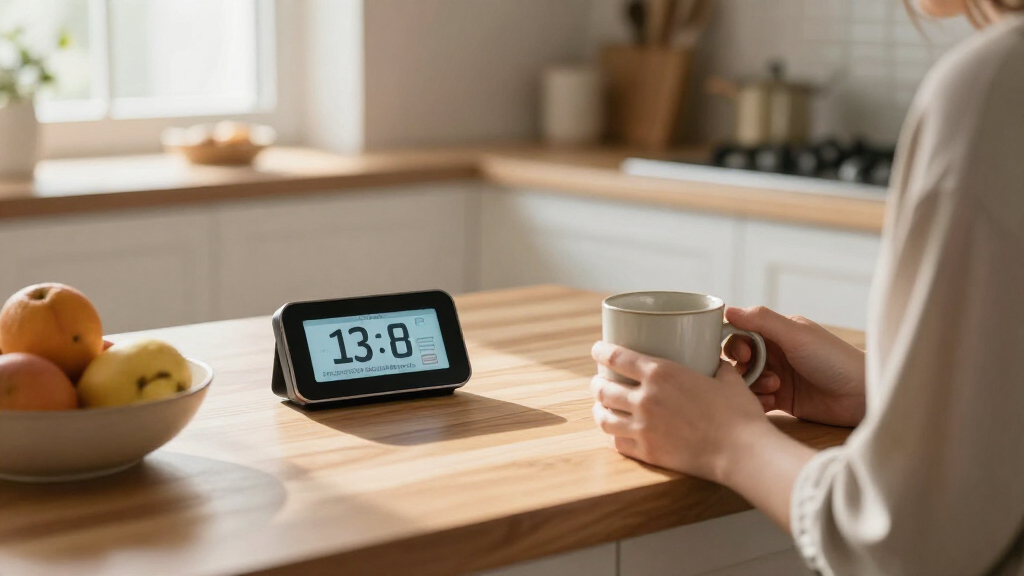
I ranked these products by how well they answer the specific need behind smart home news display clocks: showing useful information at a glance while fitting into a connected home. A clock that only looks distinctive is not automatically the best pick; I also weighed whether it can present weather, news, notifications, calendars, or smart-home information in a practical way.
Information usefulness came first. I compared the kind of content each screen can show, from the Intelevia’s weather and calendar details to Echo Show’s news and connected-device features. Then I looked at interaction and setup: voice, touch, app configuration, phone requirements, and Wi-Fi limits can all change how convenient a display is day to day.
I also considered placement and display character. An E-Ink panel is a different choice from a bright touchscreen or a row of colorful pixel displays; each supports a different room, viewing habit, and appetite for visual activity. Finally, I accounted for drawbacks such as required power, network dependence, small screen dimensions, and limited connectivity. Where two listings describe almost the same device, I avoid inventing a performance gap and explain the overlap instead.
This is a feature-based editorial comparison, not a claim of hands-on testing. Product order reflects the balance of connected-home usefulness, glanceability, flexibility, and tradeoffs for this particular category—not a claim that every buyer needs the same type of clock.
| smart home news display clock | Color | Mounting |
|---|---|---|
| Amazon Echo Show 5 Smart Displ | Cloud Blue | — |
| Intelevia 7-Inch Wi-Fi E-Paper | White | Desk mount |
| LaMetric TIME Wi-Fi Smart Cloc | — | Tabletop |
| Divoom Times Gate Cyberpunk Di | — | Tabletop |
| Amazon Echo Show 5 Smart Displ | Glacier White | — |
Factors to Consider When Choosing Smart Home News Display Clocks
I would start by deciding what you want to see at a glance. The phrase news display clock can mean a small Alexa screen that answers questions, a passive calendar display, or a decorative pixel dashboard. Those choices behave differently in a room, so matching the display type to your routine matters more than choosing the most feature-dense device.
Decide whether you want news, a dashboard, or a clock first
If you want to ask for news, weather, or a smart-home action, the Echo Show 5 is the clearest fit in this lineup. Its touchscreen, Alexa voice control, camera, and media features give it several jobs beyond displaying time. A small screen remains a small screen, though; it is better for short interactions and glanceable content than for reading a full page or serving as a shared wall display.
The Intelevia takes the opposite approach. It focuses on calendar, weather, humidity, holidays, and time zones, with no listed camera, speaker, or voice assistant. That makes its purpose easier to understand: it is for people who want a calm reference display, not a smart-home command center. LaMetric and Divoom sit between those ideas, emphasizing customizable clock graphics and information panels rather than full-screen browsing.
Choose a display style that fits the room
E-Ink is the most restrained style here. The Intelevia’s paper-like display is described as flicker-free and free of blue light, which can suit a bedside table or desk where a screen should not dominate the space. Its listed viewing angle is 180 degrees, but the supplied information does not specify battery or power details. I would verify those before planning a cable-free placement.
The Echo Show 5 uses a touchscreen for mixed content and interaction. LaMetric’s LED matrix presents concise graphics and messages, while Divoom’s five LCD panels favor color and animation. Consider whether you want a screen that fades into the background or one that acts as a visual feature. If animated artwork would distract you while working, Divoom may be the wrong style even if its customization sounds appealing.
Check setup and network requirements before choosing
All five options rely on connectivity for at least some of their smart information, but the details differ. The Intelevia requires Wi-Fi to sync weather and other online information. LaMetric TIME specifies 2.4 GHz Wi-Fi and requires an iPhone or Android smartphone for setup. Divoom also specifies 2.4 GHz Wi-Fi and app customization. If your home network is configured differently, check compatibility before buying rather than assuming every Wi-Fi device joins in the same way.
The Echo Show 5 supports dual-band Wi-Fi but does not support ad-hoc or peer-to-peer networks. Its setup and everyday features also rely on an Alexa-connected environment, and some services may have additional requirements or fees. Think about whether you are comfortable using an app, voice commands, accounts, and online services. A simpler display can be more suitable if all you need is local time and a few synced details.
Match the information density to your viewing distance
Screen format determines how much information feels readable. Echo’s 5.5-inch touchscreen can display more varied content, but its compact footprint means it is best viewed nearby. The Intelevia’s 7-inch E-Ink panel provides a larger stated screen, although it is centered on a limited set of calendar and weather functions. LaMetric’s 37 × 8 matrix is designed for short text and recognizable graphics, not dense articles.
Divoom spreads content over five small panels, which can make multiple categories visible at once while also adding visual complexity. Ask where the device will sit and how far away you will be when checking it. A desk clock can be small because it is close; a display intended for a kitchen counter across the room needs legible information at that distance. Do not confuse multiple panels with a larger, easier-to-read screen.
Account for power, privacy, and daily interaction
The Divoom requires continuous USB power and has no built-in battery. LaMetric is also corded. The Intelevia’s supplied specifications do not state its power arrangement, so that point needs checking. The Echo listings provide device dimensions and features but do not establish a battery-powered use case. Plan for a nearby outlet or cable route if the chosen model requires one.
Privacy can shape placement as much as screen size. Both Echo listings include a camera shutter and mic-and-camera-off control, giving buyers a physical way to limit camera use. The other products in this set are presented as clock or display devices rather than video-call screens. Also think about interaction: Echo relies on touch and voice; LaMetric and Divoom use app configuration; the Intelevia is positioned as a glanceable information display. Choose the level of involvement you want every day, not just the feature list that looks appealing.
Treat the two Echo Show 5 listings as close alternatives
The Cloud Blue and Glacier White Echo Show 5 listings share a 5.5-inch touchscreen, 2 MP camera with shutter, compact dimensions, full-range speaker, and dual-band Wi-Fi. The supplied descriptions do not support a claim that one is a meaningful upgrade over the other. I list Cloud Blue first because it earns the overall role in this comparison; Glacier White is a finish-focused alternative.
For a buyer, that means comparing the exact listing, color, and included details rather than expecting a different category of device. The Glacier White listing explicitly describes recycled polyester fabric yarn, recycled aluminum, and recyclable packaging. Both remain compact Alexa displays with similar limitations, including unsupported ad-hoc or peer-to-peer Wi-Fi. If you already know you want an Echo Show 5, choose the version that fits your room and purchasing requirements.
Frequently Asked Questions
Which of these smart home news display clocks is best for most people?
I rank the Amazon Echo Show 5 first for buyers who want a mix of news, weather, voice control, compatible smart-home operation, video calls, and camera viewing in one compact device. It is the broadest all-purpose choice in this lineup, but its small screen and connected-service requirements will not suit everyone. For a quieter calendar and weather view, I would choose the Intelevia instead.
Can the Intelevia display news headlines?
The supplied description lists calendar, weather, temperature, humidity, holidays, time, and multiple cities or time zones. It does not specify a news feed or news-headline feature. I would buy it for its calendar-and-weather focus, not on the assumption that it will provide the kind of news browsing available through an interactive smart display.
What is the difference between the two Echo Show 5 products here?
The listings are Cloud Blue and Glacier White versions of the compact Echo Show 5, and their core described display, camera, speaker, connectivity, and smart-home functions are very similar. The available details do not establish a major performance difference. I would compare the color and exact product listing; the Glacier White description also spells out its recycled materials and recyclable packaging.
Which option works best as a bedside clock?
The Intelevia is a strong fit for someone who wants a quiet, paper-like calendar and weather display beside the bed, while the Echo Show 5 is better for someone who wants voice requests, media, or calls as well as time and information. Check power details before placing the Intelevia, since the supplied specifications do not say whether it has a battery. Divoom and LaMetric both require a powered tabletop setup.
Do LaMetric TIME and Divoom Times Gate need a smartphone?
LaMetric TIME explicitly requires an iPhone or Android smartphone for setup and configuration. Divoom describes app-based customization, so buyers should expect to use its app to adjust displays, though the supplied details do not state a particular phone requirement. Both use 2.4 GHz Wi-Fi; check your home network and preferred setup process before choosing either one.
Conclusion
For a buyer who wants news, voice control, calls, and smart-home access, I recommend the Cloud Blue Echo Show 5 as the most versatile choice; pick the Glacier White listing if that finish better fits your room. If your priority is a calm calendar-and-weather reference rather than media, the Intelevia E-Ink display is the better match. Choose LaMetric TIME for short notifications and customizable pixel clock faces, or Divoom Times Gate if you want a colorful, animated desk centerpiece and can keep it connected to USB power.
My ranking favors balanced usefulness for the category, not a single feature. The right choice depends on whether you want an interactive assistant, a passive information display, or a decorative dashboard. Check network compatibility, power needs, setup expectations, and privacy features before deciding; those practical details are what separate these five options once their basic clock functions are covered.