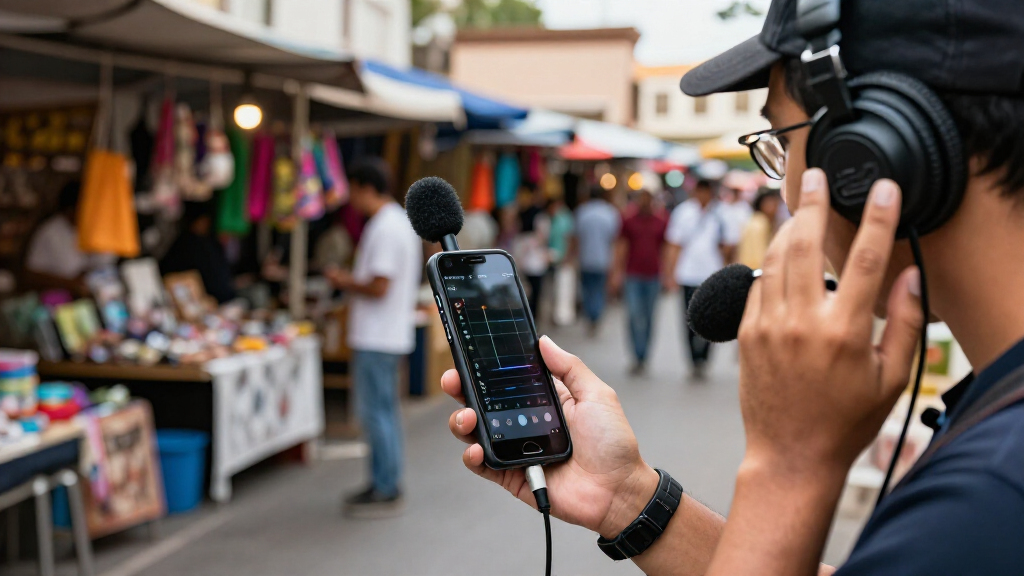
This checklist is for reporters, hosts, and anyone preparing to record a mobile interview with a compact setup. It covers sound, recording, framing, on-camera delivery, and lighting, with advice for the slots that do not have a named product pick.

Get everyday essentials delivered free with Prime
- Fast, free delivery on millions of items
- Prime Video, Amazon Music and more included
- Member-only deals all year
The sections follow the main parts of a recording workflow: capture clear speech, keep the camera steady, deliver prepared lines, and light the scene. Each pick is listed by its supplied product name; the remaining sections offer practical selection guidance.
Use the checklist to identify what your interview needs, then confirm that each item works with your phone or camera, recording method, and space. Check connections, fit, and setup requirements before the interview so you can focus on the conversation.
Wireless Lavalier Microphone
A wireless lavalier can keep a speaker’s voice close to the microphone while leaving them free to move within the system’s usable range. That can help when an interview involves gestures, standing, or a camera position that makes a wired connection awkward. The listed pick is the Shure BLX14/CVL Wireless Lavalier Microphone System, H10 Band.
Before choosing a system, check that its receiver can connect to the device or recording chain you plan to use. Confirm the required cables and any adapters, and make sure the transmitter and receiver can be placed conveniently for your setup. A common mistake is assuming a wireless microphone will connect directly to every phone or camera; verify the actual input and connector requirements first.
Think about where the lavalier will sit on the speaker and whether clothing or movement could rub against it. Allow time to position and secure the mic, then listen to a short test recording in the actual interview space. Check the system’s band and local operating requirements for your location, and make sure the included components suit the way you intend to record.
What to look for:
- A receiver connection compatible with your recording device
- Any required cables or adapters
- A comfortable way to secure the microphone on clothing
- A placement that avoids fabric rubbing
- Band and operating requirements for your location
Shure BLX14/CVL Wireless Lavalier Microphone System, H10 Band

This wireless lavalier system includes a single-channel receiver, bodypack transmitter, and cardioid clip-on microphone with windscreen for hands-free speech capture. It provides up to 300 ft (100 m) of line-of-sight range and up to 14 hours of operation on two AA batteries under typical conditions.
Pros:
- Includes the receiver, transmitter, and lavalier microphone for a complete setup
- Up to 14 hours of operation on two AA batteries
- Hands-free microphone with discreet clip-on placement
- Supports up to 12 compatible systems per band
Cons:
- The listed UHF frequency band may not be authorized in every region
- The stated range is line-of-sight and based on typical conditions
Best for: Interviewers who need a wireless lavalier setup.
Not ideal for: Setups that cannot accommodate the receiver connection or system requirements.
Bottom line: Choose this system when its connections and operating requirements match your recording setup.
Portable Audio Recorder
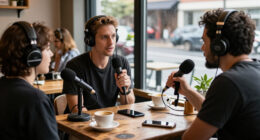
A dedicated recorder can give an interview its own audio capture path, which is useful when you want to manage sound separately from the camera. The listed pick is the Zoom F3 Professional 2-Channel Field Recorder. Consider how you will place it, connect microphones, and monitor or review recordings as part of the full setup.
Check that the recorder’s inputs match the microphone outputs you plan to use, and confirm what cables or adapters are needed. A frequent buying mistake is focusing on the recorder alone and overlooking how it connects to the microphone or how you will transfer files afterward. Also check the controls and display against your working conditions: a compact device may need careful handling during setup, especially if you are positioning it without a table.
Plan the recorder’s role before interview day. Decide whether it will be carried, mounted, or placed nearby, and make sure its controls remain accessible. Review the supported recording formats and workflow against the editing tools you expect to use. Make a short test recording with the intended microphone and check that the resulting file can be imported and played back as expected. Keep the recorder, microphone, and camera workflow coordinated so you can tell which device captured each track.
What to look for:
- Input compatibility with the microphones you plan to use
- Required cables and adapters
- A workable placement with accessible controls
- Supported formats that suit your editing workflow
- A clear process for transferring and checking recordings
Zoom F3 Professional 2-Channel Field Recorder
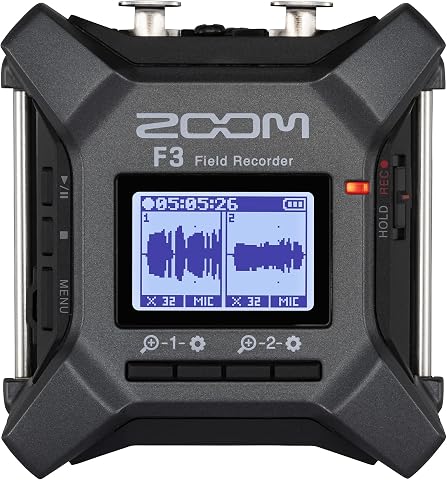
The Zoom F3 records two-channel audio in 32-bit float WAV format, helping capture quiet dialogue and sudden peaks without manual level adjustments. It has two locking XLR/TRS inputs, low-noise preamps, wireless control, and flexible battery or USB power options for field and location recording.
Pros:
- 32-bit float recording handles a wide range of audio levels
- Two locking inputs help keep connections secure
- Low-noise preamps support clean recordings
- Flexible battery and USB power options
Cons:
- Requires two AA batteries for battery-powered operation
- Built-in storage is not specified; recording uses MicroSD
Best for: Interviewers recording audio separately from camera video.
Not ideal for: People who need a direct connection without checking the full signal chain.
Bottom line: Match the recorder’s inputs and file workflow to your microphone and editing setup.
Compact Video Tripod
A steady camera position helps keep an interview framed consistently, especially when the person recording also needs to ask questions or take notes. For a mobile setup, a compact tripod can be easier to carry and place than a larger support. Choose one around the camera or phone you will actually use, including any holder or mounting plate needed.
Check the mounting method, device fit, and how securely the head holds the intended framing. A common mistake is buying a tripod based on folded size alone: confirm its working height and footprint for the locations where you expect to record. If you use a phone case, cage, or other attachment, include it when checking fit and balance.
Consider the surface and interview environment. The legs need room to open, and the setup should remain stable where people may pass nearby. If you need to change framing between shots, check that the head allows the adjustments you expect. For an interview with a seated guest, make sure the camera can reach a suitable height without placing the tripod in an awkward position. Test the full combination of tripod, mount, and device before relying on it in the field.
What to look for:
- A mount that fits your phone or camera
- Compatibility with your case, cage, or plate
- A suitable working height for the interview framing
- A footprint that fits the recording location
- A head that can hold and adjust the desired angle
Smartphone Teleprompter
A teleprompter can help a presenter deliver prepared material while keeping their attention near the camera. The listed pick is the Elgato Prompter with Built-in Screen and 1080p Full HD Resolution. Before choosing it, map out how the prompter will sit with your phone or camera and how you will display and control the script.
Check which devices and mounting arrangements the prompter supports, including the camera or phone you intend to use. A common mistake is confirming screen features but forgetting the physical fit: the lens, phone, mount, and prompter all need to work together in the planned arrangement. Review the supported control method and the way your script will be loaded, then check that the workflow is comfortable for the person reading.
Think about your interview style. A full script may call for different scrolling and pacing than short prompts or questions. Test the text size and reading distance from the intended position, and make sure the presenter can look toward the lens without an uncomfortable posture. Check the setup in the actual framing, since a change in camera height or prompter position can affect the shot. Allow time to assemble and rehearse so the interview does not begin with unfamiliar controls.
What to look for:
- Compatibility with your phone or camera and mount
- A physical arrangement that leaves the lens unobstructed
- A supported way to load and control scripts
- Readable text at the intended camera distance
- A comfortable reading position within the shot
Elgato Prompter with Built-in Screen and 1080p Full HD Resolution
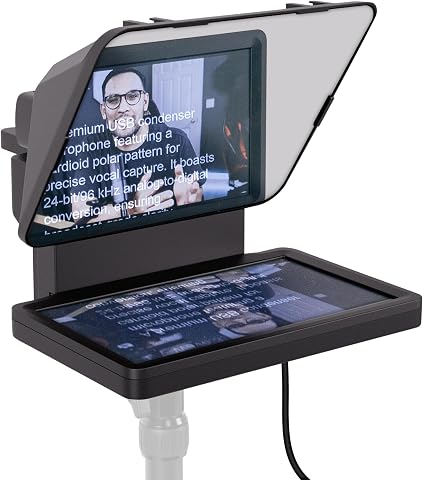
The Elgato Prompter features a built-in display that allows you to read scripts or chat messages without additional devices. It supports various cameras, is easy to set up, and helps maintain eye contact during video calls or streaming.
Pros:
- Built-in display eliminates the need for extra tablets or smartphones
- Supports a wide range of cameras, including wide lenses
- Easy to set up and control via PC or Mac
Cons:
- DisplayLink software required on Mac and Android devices
- No mobile app control, may limit flexibility for some users
Best for: Presenters who want to read prepared material near the lens.
Not ideal for: Interviews that rely entirely on spontaneous conversation.
Bottom line: Confirm device fit and rehearse the script workflow before recording.
Portable LED Video Light
Portable lighting can help you manage how a person appears on camera when the available light is inconsistent. The listed pick is the NEEWER NL-192AI Bi-Color LED Video Light Panel Kit with Tripod Stands, as provided. Consider where the light and its stands will go, how you will power the setup, and whether the available adjustment suits the interview environment.
Check the kit contents and confirm that the stands fit your intended location and height. A frequent mistake is focusing on the panel while overlooking space for the stand, power arrangements, or the position of the interviewer and guest. Review the connection and power requirements, and make sure you can place the light without blocking movement or creating an inconvenient cable path.
Bi-color adjustment can be useful when you need to coordinate the light with the scene, but plan to test it in the room rather than choosing settings by assumption. Position the panel, record a short clip, and check how the subject and background look together. Consider whether the stand can hold the panel securely in the chosen position and whether the setup can be packed and carried as needed. Practice adjusting the light before the interview so changes do not interrupt the conversation.
What to look for:
- Included stands and their suitable working height
- Power and connection requirements
- Enough room to position the light safely
- A practical way to coordinate light with the scene
- A setup that can be carried and adjusted as needed
NEEWER NL-192AI Bi-Color LED Video Light Panel Kit with Tripod Stands, 2-Pack

This two-panel LED lighting kit offers adjustable brightness and color temperature for photography, video recording, streaming, and other studio work. Each lightweight panel has a built-in battery, LCD screen, cold shoe mount, and 1/4-inch thread, and the kit includes two adjustable light stands and a carrying case.
Pros:
- Adjustable brightness and bi-color temperature
- High CRI of 97+
- Lightweight panels with built-in batteries and LCD screens
- Includes two stands and a carrying case
Cons:
- Battery life is limited to up to 90 minutes per charge
- Not water resistant
Best for: Interviewers who want a panel light and stands in one kit.
Not ideal for: Spaces where a stand cannot be placed conveniently.
Bottom line: Check the kit contents, power needs, and placement options for your recording location.
Camera Power Bank
A power bank can support a mobile recording setup when access to an outlet is uncertain, but compatibility depends on the device being powered. Start by identifying whether your camera, phone, recorder, or light accepts external power while operating. Check the required output and connection for each device rather than assuming one battery pack will serve the whole kit.
A common mistake is selecting a power bank by its capacity label alone. Confirm the output type, cable, and charging behavior required by the specific device, and check whether it can run while connected to power. Some gear may require a particular adapter or power source; consult the device documentation. Also account for where the bank will sit during recording so it does not pull on a cable or obstruct the operator.
Decide which device is most important to keep powered and plan around that priority. Check the power bank’s size and weight against your carry setup, and test it with the intended cable before interview day. If multiple devices need power, verify their needs individually and consider whether they can be powered at the same time. Keep a charged backup plan for the interview, and avoid routing cables where a guest or crew member could trip over them.
What to look for:
- Output and connector requirements for the target device
- Support for operating while connected to power
- A compatible cable or adapter
- Size and weight that suit the mobile kit
- A tested plan for which device gets power
Build the kit in priority order: first ensure you can capture clear speech, then choose how to record and frame the interview. Add a tripod if the camera needs a stable position, a teleprompter if you will read prepared material, and lighting if the location calls for it. Consider external power after checking the requirements of the devices you plan to use.
You do not need to solve every setup question at once. Start with the recording device and location, check how each item fits into that plan, and rehearse with the complete setup before the interview. A little preparation helps you stay focused on the conversation when it is time to record.
Halloween Picks
halloween
As an affiliate, we earn on qualifying purchases.