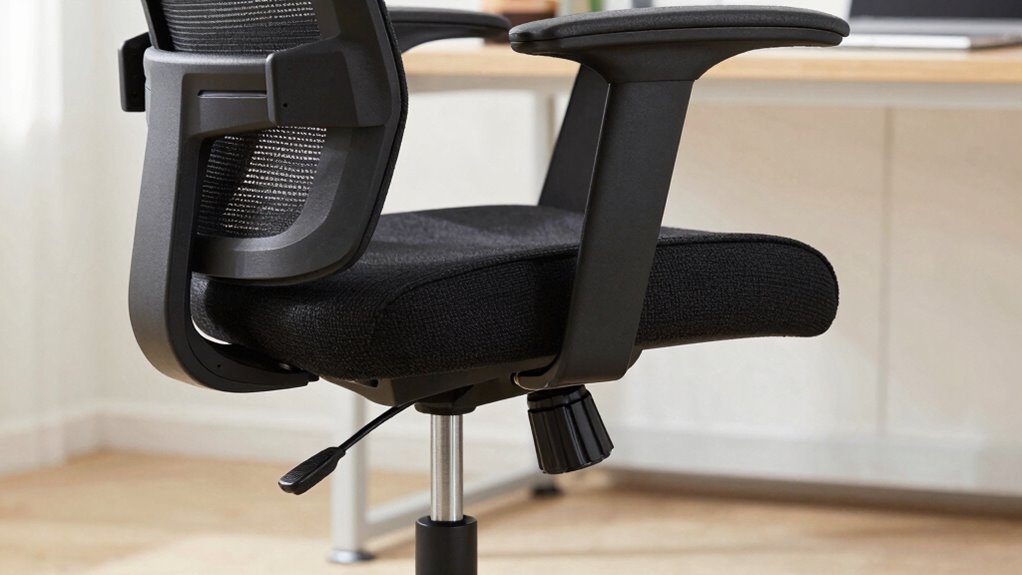

To adjust your office chair, start by supporting your lower back with a lumbar cushion or using the chair’s adjustment feature so it fits your natural curve. Set the height so your feet rest flat and your knees are level with your hips. Adjust the armrests so your shoulders stay relaxed and elbows stay close to your sides. Make sure your monitor is at eye level, and take breaks often. Keep exploring for more tips to customize your comfort.

Get everyday essentials delivered free with Prime
- Fast, free delivery on millions of items
- Prime Video, Amazon Music and more included
- Member-only deals all year
Key Takeaways
- Adjust the chair so your lower back is supported and feels comfortable against the chair’s curve.
- Set the armrests so your arms rest naturally with relaxed shoulders and elbows close to your sides.
- Change the chair height so your feet stay flat on the floor and your knees are at a right angle.
- Tilt or lean back slightly to find a comfortable position that supports your back and reduces strain.
- Take regular breaks to stretch and move, helping your body stay relaxed and preventing discomfort.
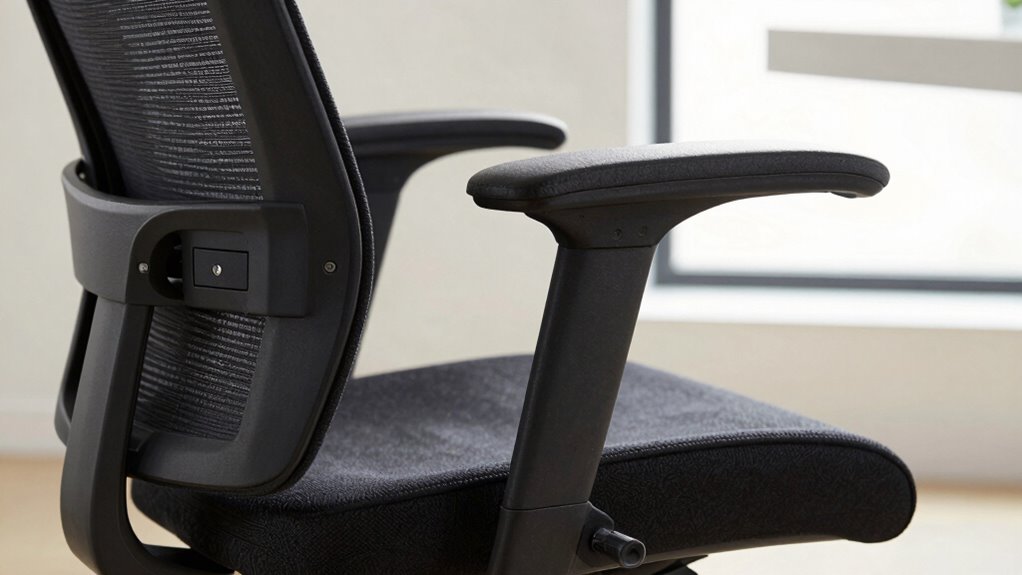
Adjusting your office chair properly can make a significant difference in your comfort and productivity throughout the workday. When you set your chair just right, it helps reduce fatigue and keeps you focused on your tasks. One key adjustment to contemplate is lumbar support. This is the curve in the chair that supports your lower back. You want to position it so it fits snugly against your lumbar region, providing enough support to prevent slouching. If your chair has a lumbar adjustment, tweak it until the curve aligns with your natural lower back shape. If it doesn’t, consider adding a small pillow or lumbar cushion for extra support. Proper lumbar support helps maintain good posture, which reduces strain on your spine and can prevent back pain over time. Ensuring your sitting posture is correct is essential for long-term comfort and health.
Another important aspect is armrest positioning. Your armrests should be adjusted so your arms rest comfortably with your shoulders relaxed. When you place your elbows on the armrests, your forearms should be parallel to the ground or slightly angled downward. If the armrests are too high, they can lift your shoulders, causing tension. Too low, and your arms won’t get proper support, leading to strain in your shoulders and neck. Adjust the height so your elbows stay close to your sides without forcing your shoulders up. Additionally, check the width of the armrests; they should allow your arms to rest naturally without splaying outward. Proper armrest positioning reduces unnecessary muscle tension and keeps your shoulders in a neutral position, which is essential for long periods of sitting. Paying attention to ergonomic principles can further enhance your overall comfort and prevent fatigue. Remember, a well-adjusted chair promotes better muscle relaxation and can improve your overall sitting experience.
In addition to lumbar support and armrest positioning, make sure your chair height allows your feet to rest flat on the floor. Your knees should be at a right angle, not higher than your hips. This positioning promotes good circulation and prevents discomfort in your legs. Adjust the tilt or recline feature if available, to find a comfortable angle for leaning back without feeling unsupported. Keep your head aligned with your spine, so your monitor is at eye level, reducing neck strain. Additionally, regularly taking breaks from sitting and stretching can significantly decrease muscle tension and improve circulation, contributing to overall comfort. These adjustments work together to create a balanced, supportive sitting posture, making your workday more comfortable and less physically taxing.
ergonomic office chair lumbar support
As an affiliate, we earn on qualifying purchases.
As an affiliate, we earn on qualifying purchases.
Frequently Asked Questions
How Often Should I Adjust My Office Chair During the Day?
You should adjust your office chair throughout the day as needed, about every 30 to 60 minutes. Check your cushion positioning to guarantee proper support and tweak your armrest height so your shoulders stay relaxed. If you notice discomfort or your posture shifts, don’t hesitate to make quick adjustments. Staying mindful of these small tweaks helps prevent strain and keeps you comfortable during long work sessions.
Can Adjusting My Chair Improve My Overall Posture?
Yes, adjusting your chair can improve your overall posture. When you tweak your chair for better posture alignment, you reduce strain on your neck, back, and shoulders. This comfort optimization helps you sit correctly, preventing discomfort and long-term issues. Regularly adjusting your seat height, backrest, and armrests encourages healthier sitting habits, making it easier to maintain good posture throughout the day.
What’s the Best Way to Find the Right Chair Height?
You find the right chair height by sitting back in your chair and ensuring your feet rest flat on the floor. Adjust the height so your knees are roughly level with your hips. Check that lumbar support fits comfortably against your lower back, and your armrests are at a height where your shoulders stay relaxed. Proper armrest position and lumbar support help maintain good posture and reduce strain during long work hours.
How Do I Know if My Chair Is Adjusted Correctly?
You’ll know your chair is adjusted correctly if your lumbar support feels snug but comfortable against your lower back, maintaining natural spine curvature. Your armrests should be positioned so your shoulders relax and elbows rest at roughly a 90-degree angle. Additionally, make certain your feet are flat on the ground, your thighs are parallel to the floor, and your monitor is eye level for maximum comfort and support.
Are There Quick Tips for Adjusting My Chair Quickly?
Want quick tips to improve your seat comfort and armrest positioning? First, tighten or loosen your chair’s tilt for instant support. Then, adjust the seat height so your feet rest flat on the floor. Don’t forget to set your armrests so your shoulders stay relaxed. A few simple tweaks can make a huge difference—just a quick move here and there, and you’re ready to work comfortably all day.
Conclusion
By understanding and adjusting your office chair properly, you’ll create a comfortable workspace that boosts your productivity and reduces strain. Think of your chair like a trusty tool—when it’s set up correctly, everything flows smoothly, and you feel better throughout the day. Visualize your ideal posture as a balanced scale, with each adjustment aligning perfectly. This simple concept proves that a few mindful tweaks can make a big difference in your daily comfort and overall well-being.
Halloween Picks
halloween
As an affiliate, we earn on qualifying purchases.